|

|
Processed through Paypal No account required. |








Buy our over-priced crap to help pay the bills.



|
|
Processed through Paypal No account required. |
| Files | ||||
| File Name | Rating | Downloads | ||
 |
BCTextEncoder v1.03.2.2 BCTextEncoder v1.03.2.2 👉 Encrypt and decrypt sensitive text messages with strong password or public key encryption. BCTextEncoder is a free, portable text encryption utility from Jetico that allows you to securely encode and decode sensitive text for emails, chat messages, notes, and other private communications. It compresses, encrypts, and converts plain text into an encoded text format that can be safely shared or stored. Because it runs without installation, BCTextEncoder can be used from virtually any Windows computer without leaving software installed behind. BCTextEncoder supports both password-based encryption and public key encryption. Users can generate or import PKCS-12/X.509 public and private key pairs using the included BestCrypt Key Manager, making it easy to exchange encrypted messages without sharing passwords. Encoded text can be copied directly to the clipboard, saved as a text file, or shared through your preferred communication method. Features: • Encrypt and decrypt plain text messages • Password-based encryption for secure text protection • Public key encryption using PKCS-12/X.509 key pairs • Generate or import public/private encryption keys • Compresses text before encryption • Portable application requiring no installation • Copy encrypted or decrypted text directly to the clipboard • Save encoded text as a text file • Lightweight and easy-to-use interface • Suitable for emails, instant messages, notes, and other confidential text Supported operating systems: • Windows XP, Windows Vista, Windows 7, Windows 8, Windows 10, Windows 11, Windows Server 2003, Windows Server 2008 (32-bit and 64-bit where supported) Supported languages: • English Changes: v1.03.2.2 • Not provided. Click here to visit the author's website. |
 |
9,697 | Jul 07, 2026 Jetico Inc. 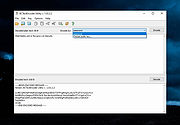 |
 |
Error Messages For Windows 3.0 Error Messages For Windows 3.0 MS Windows Error Messages is a small utility that will allow you to look up MS Windows error code numbers and display a descriptive message explaining what the numeric code actually means. If you have software programs that produce numeric error codes now you can find out what they really mean. MS Windows Error Messages also provides a facility to display and print all of the error codes and messages defined for your version of MS Windows. |
|
9,798 | Mar 03, 2017 Gregory Braun 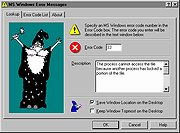 |
|
Remove Windows XP End of Life Messages Utility Remove Windows XP End of Life Messages Utility On April 8th 2014, Microsoft ended all support for Windows XP. They then released a number of Windows Updates that displays annoying messages on your desktop telling you that your operating system is now at its end of life. This is the Windows message: The second is the Microsoft Security Essentials one: We have been asked a number of times about how to remove these and we have now created a new utility that will help you to do this. (Download at bottom of page) CONSIDERATIONS There is one problem with removing the Microsoft Security Essentials end of life message. If you have already installed Version 4.5.216.0 then you cannot remove this message. Also, eventually, your system will update to this version so the best thing to do is to uninstall MSE and install another free anti-virus like Avast or Avira. If you have not yet installed Version 4.5.216.0 then this utility will work for you for the MSE part. The Windows end of life message should be able to be removed without issue using this utility. You must have Dot Net 2.0 installed for this to work. INSTRUCTIONS Once you have downloaded the file you should run the executable file to start the utility. You will then be presented with a utility that looks like this: You should then click the buttons on the right hand side in relation to what you want to do. So, if you want to remove the Windows message, click the top button, if you want to remove the MSE message, click the bottom button. Once you have done this, you should reboot your machine and you should now notice that the messages have not reappeared. |
 |
8,456 | Jul 13, 2014 Techy Geeks |
|
SmartTextCrypter v1.03 SmartTextCrypter v1.03 👉 A tiny portable tool for password-encrypting text before sending it through messaging apps, email or SMS. SmartTextCrypter is a free, portable Windows utility designed to encrypt text messages with a password before they are sent through services such as WhatsApp, Telegram, email or SMS. The recipient pastes the encrypted text into SmartTextCrypter and enters the same password to decrypt and read the original message. Everything is processed locally on your computer without uploading your text to a cloud service or server. The program uses the author's proprietary multi-layer encryption method consisting of password-based key generation, XOR encryption, position-dependent mixing, bit rotation and a checksum for detecting errors or incorrect passwords. It supports Unicode text, including Asian, Cyrillic and Arabic characters. SmartTextCrypter requires no installation and can be run directly from a USB drive, external drive or ordinary folder without creating registry entries. Features: • Password-based encryption and decryption of text • Send encrypted text through WhatsApp, Telegram, email, SMS and other services • Proprietary multi-layer encryption using XOR, positional mixing and bit rotation • Generates a 32-byte key from your password • Checksum detects errors and incorrect passwords • Unicode support for Asian, Cyrillic, Arabic and other characters • Completely local operation with no cloud service or server uploads • Portable and requires no installation • Can run directly from a USB drive, external drive or any folder • Does not create registry entries • Low CPU usage • Adjustable text sizes for improved readability • Free for private use Supported operating systems: • Windows XP, Windows Vista, Windows 7, Windows 8, Windows 8.1, Windows 10, Windows 11, Windows Server 2012-2025 • 32-bit and 64-bit Windows Supported languages: German, English, Italian, Chinese-Traditional, Dutch, Russian, Japanese, Korean, Spanish, Portuguese, Malay Changes: v1.03 08-26-26 • SmartTextCrypter language file update • Minor fine-tuning in SmartTextCrypter for all Windows operating systems. Click here to visit the author's website. |
|
169 | Sep 03, 2026 Nenad Hrg 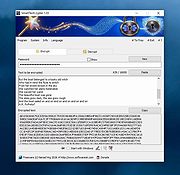 |
| Showing rows 1 to 4 of 4 | Showing Page 1 of 1 | 1 |
OlderGeeks.com Copyright (c) 2026
