|

|
Processed through Paypal No account required. |








Buy our over-priced crap to help pay the bills.



|
|
Processed through Paypal No account required. |
| Files | ||||
| File Name | Rating | Downloads | ||
 |
HelixNotes v1.3.3 HelixNotes v1.3.3 👉 A fast, local-first Markdown note-taking application with powerful organization tools. HelixNotes is a privacy-focused, open-source Markdown note-taking application that stores your notes as standard .md files on your own computer instead of locking them into a proprietary database or cloud service. Built with Rust and Tauri for excellent performance and low resource usage, it combines a clean WYSIWYG editor with the flexibility of raw Markdown editing. Features such as wiki links, graph visualization, task management, version history, full-text search, Mermaid diagrams, KaTeX math, optional WebDAV synchronization, and optional AI integration make it suitable for everything from simple note-taking to large personal knowledge bases. Features: • Plain Markdown (.md) file storage with no proprietary database • Clean WYSIWYG editor with optional raw Markdown source mode • Slash commands, tables, syntax-highlighted code blocks, and live KaTeX math • Wiki links with automatic interactive graph view • Centralized task management with priorities, due dates, and calendar view • Daily notes with integrated calendar • Fast local full-text search • Native Mermaid diagram rendering • Version history with automatic backups and diff viewer • Optional WebDAV synchronization • Optional AI integration using Ollama or your own API key • Obsidian import support • Outline panel and tag autocomplete • Custom themes, fonts, accent colors, and interface scaling • Built with Rust and Tauri for fast startup and low memory usage Supported operating systems: • Windows 10, Windows 11 • macOS (Apple Silicon and Intel with Rosetta 2) • Linux (AppImage, Debian/Ubuntu APT, Arch Linux, Fedora 43+, openSUSE Tumbleweed, Solus) • Android 16 or later Supported languages: • English Changes: v1.3.3 06-30-26 Android: removed the Updates tab from Settings, since updates are handled by the ArkHost F-Droid repo or Obtainium. Editor: the inline task tokens (!high, due:2026-06-12) are now dimmed in the rich editor so they're less distracting while staying readable. Fixed the desktop app showing the mobile layout (no sidebar or top bar) on some Linux systems such as CachyOS. (community ... |
 |
478 | Jul 03, 2026 ArkHost 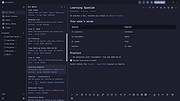 |
|
Kova v0.6.17 Kova v0.6.17 👉 Create beautiful Markdown-based presentations with live preview and PowerPoint/PDF export. Kova is an open-source presentation editor that lets you create modern slide decks using Markdown instead of traditional slide-by-slide editing. It provides a distraction-free writing environment with a live preview, built-in themes, syntax highlighting, diagrams, tables, code blocks, images, videos, speaker notes, and presenter tools. Kova can export presentations to PDF and Microsoft PowerPoint (.pptx), making it suitable for technical talks, documentation, education, and business presentations while keeping your slides in plain-text files that are easy to version and edit. Features: • Create presentations entirely in Markdown. • Live preview while editing slides. • Export presentations to PDF and Microsoft PowerPoint (.pptx). • Built-in themes with customizable appearance. • Support for syntax-highlighted code blocks. • Display Mermaid diagrams. • Insert images, videos, tables, and lists. • Automatic table of contents generation. • Presenter mode with speaker notes. • Hyperlinks, footers, and slide numbering. • Cross-platform desktop application. • Open-source under the MIT License. Supported operating systems: • Windows 10, Windows 11 • macOS 13 Ventura or higher • Linux (AppImage, Flatpak) Supported languages: • English Changes: v0.6.17 07-11-26 Added: • Table of contents entries now render as a plain hyperlinked list by default. • Added a per-document option to switch table of contents back to numbered format. Fixed: • Fixed videos hiding other slide elements and improved mixed video PowerPoint exports. • Fixed duplicate image assets when re-adding previously removed images. • Fixed links without a URL scheme by automatically using HTTPS. • Fixed footer date formatting for certain locales. • Fixed uneven font scaling in two-column layouts. • Fixed Mermaid diagram font inconsistencies in exported presentations. • Fixed opening and saving files outside the home folder on Linux builds outside Flatpak. • Fixed the application becoming stuck after certain background task failures. Performance: • Limited Mermaid diagram render cache growth during long editing sessions. • PDF and PowerPoint export libraries now load on demand for faster startup. Packaging: • Windows MSI and EXE installers ... |
|
349 | Jul 14, 2026 Kova contributors 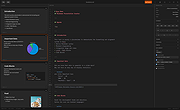 |
| Showing rows 1 to 2 of 2 | Showing Page 1 of 1 | 1 |
OlderGeeks.com Copyright (c) 2026
