|

|
Processed through Paypal No account required. |








Buy our over-priced crap to help pay the bills.



|
|
Processed through Paypal No account required. |
| Files | ||||
| File Name | Rating | Downloads | ||
 |
Euler Math Toolbox v2020-07-08 Euler Math Toolbox v2020-07-08 This is the homepage of Euler Math Toolbox (EMT), a powerful math program combining numerical and symbolic tools (using the computer algebra system Maxima) in one free and open source package. Its idea is similar to Matlab, but the syntax is not exactly compatible. The projected was started in 1987 by Rene Grothmann, professor of mathematics in Eichstδtt, Germany. The main design goal of Euler Math Toolbox is to provide a clean and simple surface that gives easy access to powerful tools. Euler Math Toolbox is free to use for anyone without costs or loyalties under the GPL license. It is also an open source program, hosted on SourceForge and supports the idea of open software and libraries. The program runs on Windows 7, 8 or 10, 32-bit or 64-bit. The most recent version supports only Windows 8 or above with 64-bit, and the most recent Ubuntu through the stable Wine emulator. EMT is for you if you are looking for a mighty, easy to use and free substitute for Matlab, you need to do symbolic algebra or numerical mathematics in schools or the universities, you are a student or a teacher and want to demonstrate mathematics, you want to make good looking mathematical illustrations or even photo realistic scenes, you have a need to present mathematics on web pages. Download the PDF manual here. This is the notebook interface of EMT. It contains a menu, commands, comments to each command with markdown syntax, links and Latex formulas, plots, other images, and a status bar for immediate help to a function. The command line highlights brackets during the input. The following is the graphics window. This window can also be incorporated into the ... |
 |
4,422 | Aug 11, 2020 Rene Grothmann 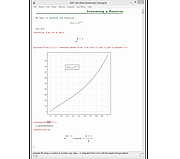 |
|
LibreOffice Portable v26.2.4 LibreOffice Portable v26.2.4 👉 LibreOffice Portable can run from a cloud folder, external drive, or local folder without installing into Windows. LibreOffice Portable is a full-featured office suite -- including a word processor, spreadsheet, presentation tool, drawing package and database -- that's compatible with Microsoft Office, Word Perfect, Lotus and other office applications. It's easy-to-use and feature-rich, performing nearly all of the functions you'd expect in an office suite, but at no cost. Additional functionality including the Base database and document creation wizards is enabled by installing the jPortable portable Java runtime environment. Features: • Portable version runs without installation from USB or external drive • Includes Writer (word processor), Calc (spreadsheet), Impress (presentations), Draw (vector graphics), Base (database), and Math (formula editor) • Compatible with Microsoft Office file formats (DOCX, XLSX, PPTX) • Supports OpenDocument Format (ODF) as its native standard • Built-in PDF export and document signing • Extensive formatting, styles, and templates for professional documents • Macro support and scripting for automation • Extensions and add-ons available to expand functionality • Multi-language interface and spellchecking support • Cross-platform compatibility with consistent interface • Offline use with no cloud dependency • Regular updates from The Document Foundation Supported operating systems: Windows 7, 8, 10, 11 and WINE Supported languages: English, Afrikaans, Albanian, Amharic, Arabic, Armenian, Assamese, Asturian, Azerbaijani, Basque, Belarusian, Bengali, Bosnian, Breton, Bulgarian, Burmese, Catalan, Chinese (Simplified), Chinese (Traditional), Croatian, Czech, Danish, Dutch, Dzongkha, English (UK), Esperanto, Estonian, Finnish, French, Galician, Georgian, German, Greek, Gujarati, Hebrew, Hindi, Hungarian, Icelandic, Indonesian, Irish, Italian, Japanese, Kannada, Kazakh, Khmer, Korean, Kurdish, Lao, Latvian, Lithuanian, Macedonian, Maithili, Malayalam, Marathi, Mongolian, Nepali, Norwegian (Bokmεl), Norwegian (Nynorsk), Occitan, Odia, Persian, Polish, Portuguese, Portuguese (Brazil), Punjabi, Romanian, Russian, Sanskrit, Scottish Gaelic, Serbian (Cyrillic), Serbian (Latin), Sinhala, Slovak, Slovenian, Spanish, Swedish, Tamil, Telugu, Thai, Tibetan, Turkish, Ukrainian, Urdu, Uyghur, Uzbek, Vietnamese, Welsh Writer Edit all kinds of documents Writer has all the features you need ... |
|
9,517 | Jul 26, 2026 The Document Foundation & PortableApps.com 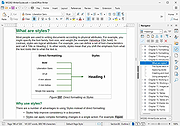 |
|
LibreOffice Productivity Suite v26.8.1 LibreOffice Productivity Suite v26.8.1 👉 Free and powerful open-source office suite for documents, spreadsheets, presentations, and more. LibreOffice is a full-featured, open-source productivity suite that includes applications for word processing, spreadsheets, presentations, drawings, databases, and mathematical formulas. Designed as a powerful alternative to commercial office software, LibreOffice offers broad file format compatibility, including native support for OpenDocument Format (ODF) and strong interoperability with Microsoft Office file types. LibreOffice includes Writer for documents, Calc for spreadsheets, Impress for presentations, Draw for vector graphics and diagrams, Base for database management, and Math for formula editing. It provides a customizable interface, extensive template support, advanced formatting tools, and a large extension ecosystem to expand functionality. Writer Edit all kinds of documents Writer has all the features you need from a modern, full-featured word processing and desktop publishing tool. It's simple enough for a quick memo, but powerful enough to create complete books with contents, diagrams, indexes, and more. You're free to concentrate on your message, while Writer makes it look great. Calc The spreadsheet for everyone Calc is the free spreadsheet program you've always needed. Newcomers find it intuitive and easy to learn, while professional data miners and number crunchers appreciate the comprehensive range of advanced functions. Built-in wizards guide you through choosing and using a comprehensive range of advanced features. Or you can download templates from the LibreOffice template repository, for ready-made spreadsheet solutions. Impress Presentations done right In Impress, creating and editing slides is very versatile thanks to different editing and view modes: Normal (for general editing), Outline (for organizing and outlining your text content), Notes (for viewing and editing the notes attached to a slide), Handout (for producing paper-based material), and Slide Sorter (for a thumbnail sheet view that lets you quickly locate and order your slides). Draw Eye-popping graphic documents Draw lets you produce anything from a quick sketch to a complex plan, and ... |
|
12,638 | Oct 26, 2026 The Document Foundation |
 |
Math Racer 1.0 Math Racer 1.0 What is Math Racer? Ever had the desire to sharpen your multiplication skills and have fun at the same time? Math racer lets you race against the clock as you answer simple math questions to race to the finish line. Don't get comfortable, though - every time you win, the difficulty increases a little bit! Before downloading, check out VB Gadgets' terms of use. How do I use this program? Download math_racer.zip and extract the contents anywhere on your computer. It's recommended that you extract to "C:\Program Files\Math Racer" and create a shortcut wherever you want, but it's up to you. Alternatively, you could put this program on a flash drive and run it from there. Just make sure "Progress.txt" is always in the same directory as the .exe file, otherwise the program won't work! This is a pretty intuitive program to use. There are four types of math races: addition, subtraction, multiplication, and division. You can also choose three different difficulties (the speed of your opponent) for each race type. This means that there are 12 (4x3) racing combinations. You start out with a score of 5 for each category. Every time you win, the score goes up by one point for that category, but your maximum number goes up as well. For example, if you score was 10 for the easy addition, the highest math problem you could solve would be 10 + 10 = 20. When you win that round, your score would move up to 11, resulting in a maximum addition problem of 11 + 11 = 22. To check your scores, click the button labeled "Hall of Fame." All ... |
|
6,048 | Aug 03, 2017 VB Gadgets 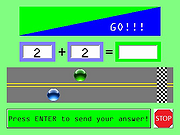 |
|
OpenCalc v1.1.10 OpenCalc v1.1.10 👉 A modern, open source recreation of the classic Windows 95 Calculator with plenty of useful improvements. OpenCalc is a from-scratch reimplementation of the classic Windows 95 Calculator, preserving its familiar look and interaction while adding modern capabilities. Written in Rust, it provides Standard and Scientific calculator modes along with improved expression parsing, calculation history, graph plotting, localization, modern keyboard support and high-DPI rendering. OpenCalc goes beyond simple button-by-button calculations with a full expression parser. Expressions can contain nested parentheses, positive and negative signs, exponentiation, square roots, mathematical functions, trigonometric and logarithmic functions, constants such as pi, factorials, percentages, scientific notation, multiple number bases and bitwise operations. Features: • Faithful recreation of the classic Windows 95 Calculator interface • Standard and Scientific calculator modes • Financial calculation mode • Complete mathematical expression parsing • Nested parentheses and unary positive and negative signs • Exponentiation using ^ or ** • Square roots and mathematical functions • Trigonometric and logarithmic functions • Mathematical constants such as pi • Factorial and percentage operators • Scientific notation • Binary, octal, decimal and hexadecimal numbers • Bitwise operations • Calculation history • Undo and redo support • Graph manager and graph plotting • Memory operations and statistics window • Configurable decimal separator • Extensive keyboard controls • Improved font rendering and DPI-aware classic controls Supported operating systems: • Windows 10, Windows 11 • Linux distributions with GTK 4 support Supported languages: English, German, French, Italian, Spanish, Russian, Japanese, Chinese (Simplified), Chinese (Traditional) Changes: v1.1.10 09-13-26 Bug fixes. Financial Mode added. This download is for the Windows version (very bottom of page). All other download assets are below: Linux: OpenCalc-v1.1.10-buildfix171-Linux.tar.gz Click here to visit the author's website. |
|
341 | Sep 14, 2026 NMagic 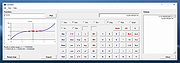 |
| Showing rows 1 to 5 of 5 | Showing Page 1 of 1 | 1 |
OlderGeeks.com Copyright (c) 2026
