|

|
Processed through Paypal No account required. |








Buy our over-priced crap to help pay the bills.



|
|
Processed through Paypal No account required. |
| Files | ||||
| File Name | Rating | Downloads | ||
 |
Betterbird v153.5.0esr-bb11 Betterbird v153.5.0esr-bb11 👉 Fine-tuned Thunderbird-based email client with exclusive features, fixes, and productivity improvements. Betterbird is a soft fork of Mozilla Thunderbird that adds exclusive features, bug fixes, and usability improvements while maintaining compatibility with Thunderbird. It can be installed alongside Thunderbird and can use the same profile, making it easy to switch between the two. Betterbird improves everyday email management with features including multi-line message view, full account colors, advanced searching, regular expression searches, searching encrypted messages, improved system tray integration, attachment handling, calendar and feed improvements, and numerous fixes not yet available in Thunderbird. Features: • Fine-tuned Mozilla Thunderbird-based email client • Multi-line message view similar to Outlook, Lotus Notes and Postbox • Full account colors support • Vertical tabs • Attachments displayed on top • Complex search terms • Regular expression searching • Search within encrypted messages • Improved Windows and Linux system tray integration • Minimize to tray and close to tray support • Can be installed alongside Thunderbird • Can use the same profile as Thunderbird • Advanced message and folder management • Improved calendar functionality • Improved feed handling • Enhanced compose and attachment handling • Windows portable version available • Native builds for Windows, Linux and macOS • Intel and Apple Silicon macOS builds available • Language packs work across all supported platforms Supported operating systems: • Windows 10 64-bit, Windows 11 64-bit • Linux Mint 22, Ubuntu 22, Debian 12 Bookworm, compatible 64-bit Linux distributions with GLIBC 2.35 or newer • Linux ARM64 distributions with GLIBC 2.36 or newer • macOS Catalina or higher on Intel x86-64 processors • macOS Catalina or higher on Apple Silicon ARM64 processors, including macOS Ventura, macOS Sonoma 14, macOS Sequoia 15 and later Supported languages: • English (US), English (GB), German, Dutch, French, Italian, Japanese, Spanish (Spain), Portuguese (Brazil), Portuguese (Portugal), Russian, Chinese (Simplified), Czech, Polish, Swedish, Ukrainian Changes: v153.5.0esr-bb11 10-13-26 Based on Thunderbird 153.5.0esr Fixed in this version: FIXED - Regression: Activity Indicator in Unified Toolbar and progress bar in ... |
 |
3,994 | Oct 16, 2026 betterbird.eu & Jorg Knobloch 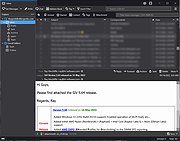 |
|
Claws Mail for Windows v3.17.4 Claws Mail for Windows v3.17.4 Claws Mail is an email client (and news reader), based on GTK+, featuring : Graceful, and sophisticated interface Easy configuration, intuitive operation Abundant features Extensibility Robustness and stability The appearance and interface are designed to be familiar to new users coming from other popular email clients, as well as experienced users. Almost all commands are accessible with the keyboard. The messages are managed in the standard MH format, which features fast access and data security. You'll be able to import your emails from almost any other email client, and export them just as easily. Click here for online manual 26th July 2019 Claws Mail 3.17.4 CLAWS MAIL RELEASE NOTES Claws Mail is a GTK+ based, user-friendly, lightweight, and fast email client. New in this release: ~~~~~~~~~~~~~~~~~~~~ * New HTML viewer plugin: Litehtml viewer * Added option 'Enable keyboard shortcuts' to the 'Keyboard shortcuts' frame on /Configuration/Preferences/Other/Miscellaneous * Compose: implemented copying of attached images to clipboard * Compose: images and text/uri-list (files) can now be attached by pasting into the Compose window * Python plugin: window sizes are now remembered for the Python console, the 'Open URLs' and the 'Set mailbox order' windows. * Fancy plugin: the download-link feature now follows redirections * MBOX export: the Enter key in the dialogue now starts the export * The date (ISO format) has been added to log timestamps * Updated translations: Brazilian ... |
|
6,881 | Sep 20, 2019 The Claws Mail Team 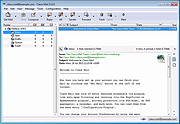 |
 |
Mail PassView v1.93 Mail PassView v1.93 Free tool that reveals the passwords and other account details for email clients. The following email clients are supported: • Outlook Express • Microsoft Outlook 2000 (POP3 and SMTP Accounts only) • Microsoft Outlook 2002/2003/2007/2010/2013/2016 (POP3, IMAP, HTTP and SMTP Accounts) • Windows Mail • Windows Live Mail • IncrediMail • Eudora • Netscape 6.x/7.x (If the password is not encrypted with master password) • Mozilla Thunderbird (If the password is not encrypted with master password) • Group Mail Free • Yahoo! Mail - If the password is saved in Yahoo! Messenger application. • Hotmail/MSN mail - If the password is saved in MSN/Windows/Live Messenger application. • Gmail - If the password is saved by Gmail Notifier application, Google Desktop, or by Google Talk. For each email account, the following fields are displayed: Account Name, Application, Email, Server, Server Type (POP3/IMAP/SMTP), User Name, and the Password. Supported operating systems: Windows 98 through Windows 11 Changes: v1.93 12-14-25 Updated to decrypt the passwords on the latest version of Thunderbird (146). License This utility is released as freeware. You are allowed to freely use it at your home or in your company. However, you are not allowed to make profit from this software or to charge your customers for recovering their passwords with this software, unless you got a permission from the software author. You are also allowed to freely distribute this utility via floppy disk, CD-ROM, Internet, or in any other way, as long as you don't charge anything for this. If you distribute ... |
|
11,776 | Dec 17, 2025 Nir Sofer 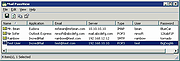 |
|
MiTeC Mail Viewer v2.5.1 MiTeC Mail Viewer v2.5.1 Viewer for standalone files containing Microsoft Outlook Express 4,5 and 6 message database (*.idx/*.mbx/*.dbx), Windows Vista Mail/Windows Live Mail and Mozilla Thunderbird message databases as well as standalone EML files. This application is based on MiTeC Outlook Express Reader and MiTeC Thunderbird Reader. It displays list of contained messages with all needed properties as ordinary e-mail client. Message can be viewed in detailed view including attachments (save ability) and HTML preview. It has powerful searching and filtering capability and also allows to extract all email address from all emails in opened folder to list by one click. Selected messages can be saved to *.eml files with or without their attachments. Attachments can be extracted from selected messages by one command. Of course, opened messages can be printed including images. Target platforms Windows 2000 Windows XP Windows 2003 Windows Vista Windows 7 Windows Server 2008 Windows 8.x Windows Server 2012 Windows Server 2012 R2 Windows 10 Click here to visit the author's website. |
|
3,567 | May 19, 2021 MiTec 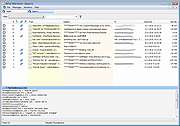 |
|
Opera Mail 1.0 Build 1044 Opera Mail 1.0 Build 1044 A lightweight, customizable mail client. Opera Mail is a lightweight, customizable mail client. Reading, labeling, and filtering messages has never been so easy. More efficient mail The way you read mail just got better. Elegant tabs allow you to view multiple emails messages at once and navigate between them with ease. Work smarter, not harder Threads help you smartly organize your mail. Keep up with the context of any mail thread, and quickly view previous messages in the conversation. Sort messages intuitively Labels allow you to sort your messages quickly. Take control of your inbox and set simple rules to sort mail automatically. Keep up with your favorites Opera Mail's built-in feed reader provides automatic notification of updates to your favorite websites. |
|
6,720 | Feb 21, 2016 Opera Software 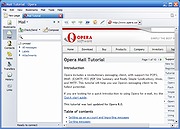 |
|
Pegasus Mail v4.91 Pegasus Mail v4.91 A free email client for Windows. Pegasus Mail is an e-mail client that runs on computers using Microsoft Windows: by client, we mean that it interacts directly with the user, allowing mail to be sent, read, filed, printed and otherwise manipulated through a graphical interface. Probably one of the most feature-rich mail clients available, most users say that they find the program easy to use despite its richness. Small and fast, Pegasus Mail can be left running permanently on the workstation and includes powerful tools to notify the user when new mail arrives. Features • Multilingual availability - available with fully-translated French, German and Italian interfaces, as well as English. • Security, security, security: Pegasus Mail protects you from even the worst HTML-borne virus and trojans, and protects your privacy by intercepting web bugs. Pegasus Mail is immune to *all* the exploits that affect the "other" mailer - browse your mail with genuine confidence. • View your folders in either a multi-pane mode (like the "other" mailer) or in Pegasus Mail's powerful "classic" mode, where each folder has its own window and can be manipulated separately. Switching between these views is as simple as clicking a single button. • Mail filtering; Pegasus Mail pioneered this in 1991, and it's still the most powerful implementation of automated rule-based filtering you'll find in a mail client. • Bayesian filtering - Pegasus Mail's built-in Spamhalter Bayesian filter learns from the spam you receive and automatically files it in your junk folder. • Content control allows you to apply comprehensive rules to trap spam and unwanted mail • MailMerge allows you to create customized form letters to multiple recipients ... |
|
7,622 | Sep 07, 2025 David Harris 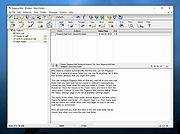 |
|
Secure Mail 1.0 Secure Mail 1.0 Guard your privacy and data from Mass Surveillance. (EXE,JAR,RAR included). Secure Mail is an email/file encryption/decryption software. It uses RSA-4096 bit asymmetric encryption coupled with AES-128 bit symmetric encryption. Any and all data leaving the app and through the internet is completely encrypted as well as the data at rest, at both the inbound and outbound server of your email provider. The app also features an independent file encryption - decryption mode. The program is a breeze to use once you get used to the idea of encrypted emails. The app even has features such as SHA-1 checksum calculator and audio recorder to authenticate while sending your Public RSA key. Features: Mail Encryption Mail Decryption RSA 4096 bit asymmetric encryption AES 128 bit symmetric encryption File encryption File decryption SHA-1 checksum calculator Audio Recorder SMTP Mail Sender POP Mail Receiver Mail attachments support (up to 3) Requires Java Runtime Environment |
|
7,374 | Jan 10, 2018 PavinJoseph 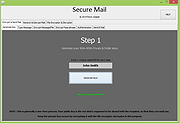 |
|
SSuite Mail Merge Master 2.6 SSuite Mail Merge Master 2.6 Mail Merge Master is designed to create one letter or envelope for each recipient from a text draft by using an address or data list. The address/data list is imported as a csv file, that may be created by using any spreadsheet application, or you may add the data inside the data block, and then export it as a csv file. This application is also completely and absolutely portable! Features of Mail Merge Master:SSuite Mail Merge Master is designed to create one letter or envelope for each recipient from a text draft by using an address or data list. The address/data list is imported as a csv file, that may be created by using any spreadsheet application, or you may add the data inside the data block, and then export it as a csv file. Free SSuite Office Software, applications, databases, communications, lan video chat, and office suites. - Simple and easy to use. - Easy to merge forms and data with your custom letters. - Numerous advanced options on the print preview window. - Various output options including csv, rtf, and txt formats. What's new in this release: Added an internal text editor. Added an envelope printer and address book. Updated the print preview and merge features. |
 |
6,901 | Oct 24, 2019 Van Loo Software 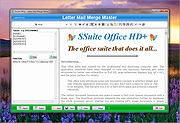 |
| Showing rows 1 to 8 of 8 | Showing Page 1 of 1 | 1 |
OlderGeeks.com Copyright (c) 2026
