|

|
Processed through Paypal No account required. |








Buy our over-priced crap to help pay the bills.



|
|
Processed through Paypal No account required. |
| Files | ||||
| File Name | Rating | Downloads | ||
 |
Advanced PortChecker v2.3.0 Advanced PortChecker v2.3.0 👉 Scan your network for open ports quickly and easily. Advanced PortChecker is a free and open source port checker that lets you scan hosts and networks for open ports in seconds. It supports multiple platforms, offers a clean graphical interface, and can export scan results in HTML, JSON, CSV or plain text formats. Features: • Scan TCP/IP ports on hosts or networks • Check whether ports are open or closed • Fast scanning performance • Export results as HTML, JSON, CSV or plain text • Similar interface across desktop platforms • Theme and preference options • Automatic update control • Open source and free to modify • Privacy-friendly: no ads, trackers or data collection • Can be compiled manually for other platforms Supported operating systems: • Windows • macOS • Linux • Android Supported languages: English, Dutch, French, Spanish, Chinese, Italian, Japanese Changes: v2.3.0 11-15-25 Added Japanese localization. Updated dependencies. Included Linux ARM preview builds and tests. Upgraded Yarn and Rust version. Added minor design upgrades. Changed runner actions. Improved stability across all platforms. This download is for the Windows version (very bottom of page). All other download assets are below: macOS: advanced-portchecker_2.3.0_aarch64.dmg advanced-portchecker_2.3.0_x64.dmg Linux: advanced-portchecker_2.3.0_amd64.deb advanced-portchecker_2.3.0_arm64.deb advanced-portchecker-2.3.0-1.x86_64.rpm advanced-portchecker-2.3.0-1.aarch64.rpm advanced-portchecker_2.3.0_amd64.AppImage advanced-portchecker_2.3.0_aarch64.AppImage advanced-portchecker_x64.app.tar.gz advanced-portchecker_aarch64.app.tar.gz Click here to visit the author's website. |
 |
6,465 | Jun 11, 2026 CodeDead 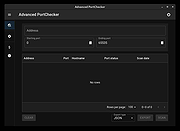 |
 |
Angry IP scanner v3.9.1 Angry IP scanner v3.9.1 A very fast IP address and port scanner. It can scan IP addresses in any range as well as any their ports. It is cross-platform and lightweight. Not requiring any installations, it can be freely copied and used anywhere. Angry IP scanner simply pings each IP address to check if it’s alive, then optionally it is resolving its hostname, determines the MAC address, scans ports, etc. The amount of gathered data about each host can be extended with plugins. It also has additional features, like NetBIOS information (computer name, workgroup name, and currently logged in Windows user), favorite IP address ranges, web server detection, customizable openers, etc. Scanning results can be saved to CSV, TXT, XML or IP-Port list files. With help of plugins, Angry IP Scanner can gather any information about scanned IPs. Anybody who can write Java code is able to write plugins and extend functionality of Angry IP Scanner. In order to increase scanning speed, it uses multithreaded approach: a separate scanning thread is created for each scanned IP address. Changes: v3.9.1: Mac: fix permissions in bundled JRE, so that MAC address scanning would work #384 Linux startup fix if JAVA_HOME has spaces #391 Update MAC vendors This download is for the Windows version. All other download assets are below: MacOS: ipscan-macX86-3.9.1.zip ipscan-macArm64-3.9.1.zip Linux: ipscan_3.9.1_all.deb ipscan_3.9.1_amd64.deb ipscan-3.9.1-1.x86_64.rpm Click here to visit the author's website. |
|
11,559 | Feb 24, 2023 Anton Keks 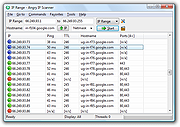 |
|
Atelier Web IP Locator (AWIPLOC) v4.0 Atelier Web IP Locator (AWIPLOC) v4.0 Atelier Web IP Locator (AWIPLOC) is an invaluable network tool that everyone must keep handy in these days when knowing as much as possible about an internet connection can only help in every security or marketing related aspect. AWIPLOC allows you to access the World’s biggest IP geolocation database straight from your desktop or your windows website and know in instants where a certain IP address belongs. AWIPLOC is free for occasional private use, no time deadlines and no functionality limitation. You are automatically attributed a quota of 200 IP search credits that is automatically renewed periodically. This quota is enough for an occasional private use of the software. AWIPLOC includes a full featured freely distributable Automation Server that allows you to easily perform IP location searches from your website or from your own applications. It includes, as well, a freely distributable .Net engine with equivalent functionality. We have include samples for .ASP, ASP.Net, Visual Basic, VB .Net, Delphi and MFC C++, but you can use it from virtually any .Net or COM aware environment. IP Locator What’s New Release 4.0 Resolves both IPv4 and Ipv6 addresses to Country/City/region and ISP. Queries run much faster in the new optimized server, averaging 300 to 400 IP searches per second. Now, History is locally saved in a Sqlite database. This will allow customized data mining by power users. |
|
6,954 | Aug 13, 2019 AtelierWeb Software 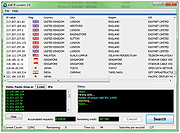 |
|
Copy Public IP v1.4.0.1 Copy Public IP v1.4.0.1 A free tool to display your public IP address in the System Tray and easily copy it. Copy IP is a Portable freeware. When you run the software, it places the icon in the system tray. If you hover your mouse over the “Copy Public IP” icon in the system tray, your IP address will appear. By double-clicking the software icon, your IP address is copied to the clipboard. If you click on the Copy Public IP icon with the right mouse button, a menu will be opened. By clicking on the Options section, you can have the software start automatically when Windows starts, or you can have it notify you when your IP address changes (below). Supported operating systems: Windows 11 , Windows 10 , Windows 8.1 , Windows 8 , Windows 7 , Windows Vista , Windows Xp – (x86 & x64) Changes: v1.4.0.1 April 20, 2025 What is New 1.[Fixed] - False positives in Virustotal Click here to visit the author's website. |
|
3,643 | Apr 24, 2025 Sordum.org  |
|
CountryTraceRoute v1.51 CountryTraceRoute v1.51 👉 Fast GUI traceroute utility with IP country information for Windows. CountryTraceRoute is a traceroute utility similar to Windows tracert, but with a graphical interface and faster operation. It displays each hop along the route to a host name or IP address and also shows the country of the owner of each detected IP address. Completed traceroute results can be copied to the clipboard or saved as CSV, tab-delimited, HTML, or XML files. Features: • Fast graphical traceroute tool for Windows • Displays IP address country information for each hop • Supports host names and IP addresses • Supports IPv4, IPv6, and Automatic IP address modes • Displays TTL, ASN, and company information when supported location databases are used • Can use external IP-location CSV files for country, city, and ASN data • Supports GeoLite2 City, Country, and ASN databases in CSV format • Saves selected results as CSV, tab-delimited, HTML, or XML files • Copies selected results or IP addresses to the clipboard • Command-line options for starting traceroute, maximum hops, and timeout • Portable, no installation required Supported operating systems: • Windows 2000 through Windows 11, 32-bit and 64-bit Supported languages: English, Brazilian Portuguese, Dutch, French, German, Greek, Hungarian, Italian, Japanese, Korean, Persian, Polish, Romanian, Russian, Simplified Chinese, Slovak, Spanish, Traditional Chinese, Turkish Changes: v1.51 Added 'Black Background' option (Under the View menu). When it's turned on, the main table is displayed in black background and white text, instead of default system colors. Updated the internal IP location database. Note: This file has two hits on VirusTotal. We have confirmed these to be false positives. The file is safe. Click here to visit the author's website. |
|
5,118 | Apr 30, 2026 Nir Sofer 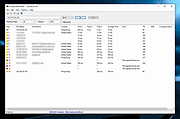 |
|
CurrPorts v2.80 CurrPorts v2.80 👉 Monitor and manage all active TCP/IP and UDP network connections on your Windows PC. CurrPorts is a lightweight network monitoring utility that displays every open TCP/IP and UDP port currently in use on your system. It provides detailed information about each connection, including the local and remote addresses, ports, protocol, process name, process ID, executable path, process version, connection state, and more. The utility is especially useful for troubleshooting network problems, identifying which applications are communicating over the network, monitoring suspicious activity, and diagnosing unwanted Internet connections. CurrPorts allows you to close selected TCP connections, terminate the process that opened them, copy connection details, or export information to HTML, XML, CSV, and text formats. It can also automatically highlight suspicious connections belonging to applications without version information or icons, making it easier to spot potentially unwanted or unknown software. Advanced filtering, logging, automatic refresh, GeoIP location support, command-line operation, and portable use make it a valuable tool for both system administrators and advanced users. Features: • Displays all active TCP and UDP connections in real time. • Shows process name, ID, executable path, version, and file description. • Displays local and remote IP addresses, ports, protocol, and connection state. • Close selected TCP connections without terminating the application. • Kill processes directly from the connection list. • Automatically highlights suspicious connections. • Advanced filtering by process, protocol, address, port, and connection state. • Automatic refresh with configurable intervals. • Logs newly opened and closed connections. • Export connection information to HTML, XML, CSV, tab-delimited text, and clipboard. • Optional GeoIP country, city, and ASN information for remote addresses. • Command-line support for automation and scripting. • Portable executable requiring no installation. • Supports customizable columns, sorting, fonts, and display options. Supported operating systems: • Windows 2000, Windows XP, Windows Server 2003, Windows Server 2008, Windows Vista, Windows 7, Windows 8, Windows 8.1, Windows 10, Windows 11 Supported languages: Arabic, ... |
|
10,841 | Jul 30, 2026 Nir Sofer 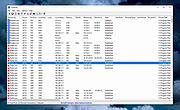 |
|
Eusing Free IP Switcher 2.5 Eusing Free IP Switcher 2.5 Whenever mobile user moves to different network, has to change particular IP address, gateway address, subnet mask, proxy server and default printer, etc., to particular network environment. In order to do it, he has to remember TCP/IP settings information of every network. Also, he has to reboot the computer to apply it to the system and to access the Internet. Don't waste your time re-configuring computer network settings every time you change your location. Free IP Switcher is a perfect solution for you. It switches between preconfigured network settings with a single click and without any reboot. With Free IP Switcher you can automatically change all network settings on your pc: IP address, network masks, default gateway, DNS dedicated server, wins server, proxy settings, default printer and more. Try this program and you will see, how easy and simple your network management can be. Key Features: Switch IP network settings "on the fly" without restarting Switch Internet Explorer proxy-server settings Switch your default printer Switch your computer name and work-group Import current network settings to the setting System-tray icon support, auto-start with windows |
 |
9,649 | Jan 04, 2014 Eusing Software |
|
Free Hide IP 4.1.8.8 Free Hide IP 4.1.8.8 Free Hide IP - The best free privacy protection software. Free Hide IP the best way is to keep your IP address from being shown to others. Hackers and identity thieves are becoming more and more rampant in today's society. They may break into anyone's computer and monitor one's activity or steal one's identity or other personal information. To stay safe online, the best way is to keep your IP address from being shown to others. Now we provide you a FREE solution to hide your IP address. Use Free Hide IP to hide your real IP address for free, anonymize your web surfing, keep your computer safe from hacker attacks and other risks, all with a single click. |
|
9,923 | Jun 07, 2017 Free Hide IP 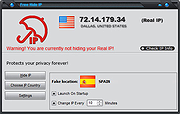 |
|
Get My IP v0.11.1 Get My IP v0.11.1 Free tool to display IP and geolocation information. Features • Shows internal and external IP addresses. • Shows geolocation data for the external IP address. • Choose from multiple geolocation data providers. • Shows all internal IP addresses if there are more than one. • Optionally write external IP information to a log file. • Opens the default browser showing a map with the latitude and longitude found in the geolocation information. • Choose between Google Maps, Bing Maps, or LatLong.net to display map. • Optionally shows IPv6 addresses for internal addresses. • Copy data to the clipboard in tab delimited format. Perfect for pasting into Excel. • Save data to a tab delimited text file. • Select light or dark, or darker theme and one of 20 accent colors. • Minimize to tray. • Customize the details shown in the tray icon tooltip. • Optional automatic refresh and notification when external IP address changes. Changes: v0.11.1 09-29-24 New: Double-clicking on the icon in the system tray will now open the main window. #99 Fixed: Incorrectly named string resource. Updated: Korean language updates. Thanks @VenusGirl. Updated: Dutch language updates. Thanks @CMTriX. Updated: Bumped CommunityToolkit.Mvvm to version 8.3.2. Updated: Bumped NLog to version 5.3.4. Updated: Bumped Vanara.PInvoke.User32 to version 4.0.4. Updated: Tidied up some files. This download is for the Windows 64bit portable version (very bottom of page). All other download assets ... |
|
2,149 | Sep 20, 2024 Tim Kennedy 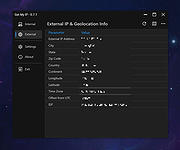 |
|
Get my IP v1.1 Get my IP v1.1 Very simple program that retrieves and displays your internal and external IP address. You can set it to start, retrieve your IP, place it to clipboard and automatically shutdown itself. This app is completely portable and can be ran from a USB stick, network folder or cloud folder. How to use it When "copy external IP" and "automatically shutdown" options are active, the program will automatically place your external IP to clipboard then shutdown itself. All you have to do is to paste your IP from clipboard into the desired place. |
|
4,765 | Oct 08, 2019 Cubic Design 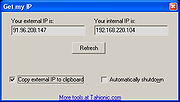 |
|
IP Changer (IPC) v1.3.5.1 IP Changer (IPC) v1.3.5.1 Provides a simple way to change your IP address for all your available network adapters. IP Changer (IPC) will detect all Network Adapters enabled on Startup; from there, you can select the Adapters you wish to configure and change between them to manage all your Network Interfaces as you see fit. It additionally includes access to Enable/Release/Renew DHCP, Enable/Disable Network Adapter, and Enter IP Manually. And you can also make Custom Settings that can be saved, making them readily available the next time you open the tool. Requirement: -Windows 7* SP1 and higher * Windows 7 SP1 is supported with Extended Security Updates installed. Changes: v1.3.5.1 -Remembering last selected adapter (enabled by default in the Options). -Remembering network usage setting (enabled by default in the Options). -Show WAN IP Adress (disabled by default in the Options). -QoL improvement when entering IP (pressing 'TAB' or '.' will change box). -UI ajustement. -Optimisations. -Minor bug fixes. Click here to visit the author's website. |
|
4,483 | Jun 18, 2025 Wagnardsoft 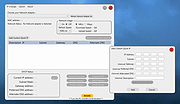 |
|
IP Extractor v1.0 IP Extractor v1.0 IP Extractor is a simple Windows OS software application which allows you to easily extract IP addresses from files, folders, urls and text snippets. With this program you can extract IP addresses from entire folders or hard disks by filtering file extensions to search (i.e *.log or *.txt). You can copy the extracted IP addresses to the Windows clipboard, export the IP addresses to a text file, extract IPs from plain text (txt) files, and much more. It supports scanning also of big files (i.e 500+ MB). For Windows XP, Vista, 7, 8, 10 (32\64-bit) Extract IPs from Files, Folders, URLs This tool can help you extract IP addresses from text files (i.e .txt, .log, etc), from folders, from a web page URL and from text snippets. If you need to extract IP addresses from thousands of log files (generated by, for example, Apache or Nginx), you can use this tool to scan a specific folder recursively looking for .log files and extract all the unique IP addresses found. The program is able to extract IP addresses from many file formats, such as HTML, TXT, CSV, JSON, XML, LOG, PDF, etc. Extract IP Addresses Extract IPs from files, folders, web page URL and text snippets. Scan Folders Scan a folder (and sub-folders), filtering file extensions, to extract IPs from files. Exclude IPs You can use wildcard rules to exclude a particular IP from being extracted. Export IPs List With a mouse click you can copy the IPs to the clipboard or export them to a file. Simple Interface The program interface is well organized and simple to use also for beginner users. No Spyware/Adware The program is free from spyware, adware or other pests, nothing extra is installed. Click here to visit the author's website. |
|
5,383 | Mar 15, 2019 NoVirusThanks 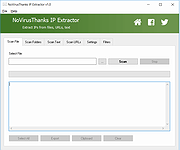 |
|
IP Finder v1.4.0.2 IP Finder v1.4.0.2 IP Finder is a software that lets you check your internal and external IPs and MAC Address (Physical Address). How to use: Just open IP Finder and info will appear Change Log: Version 1.4.0.2 [25/12/2018] IP Finder 1.4 uses .NET 4.6 Software icon changed Added: External IP address Added: Mac address (physical address) Added: Save information as text file Added: Save as text file to File info Added: Copy information to clipboard Added: Ability to copy any info to clipboard Added: Open IP Finder homepage from Help menu Added: “Check for updates” in Help menu and in about page. In addition, it will check for updates on startup. If there is a new update, IP Finder will inform the user. Change log now retrieved form my site. If IP Finder failed to get it, IP Finder will show the local change log. Copy won’t show a dialog to inform you that the text got copied, a light green background will appear Refresh icon changed New About window CRC32: 79D8CC15 MD5: 285079667F3A13ACC2980357E3EDE1E8 SHA-1: 7591F66EA0B511508E6235AF9590B65FE5E2A542 SHA-256: 8A17EB4EBC601E1FB79CE2ED775CD88D912F16B37AD7A63D2EAA3E858C429C76 Requirements: .NET 4.6 minimum Click here to visit the author's website. |
|
5,138 | Jul 15, 2019 Sami Jildeh 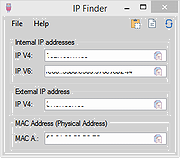 |
|
IPNeighborsView v1.03 IPNeighborsView v1.03 👉 View detailed information about computers and devices recently detected on your local network. IPNeighborsView is a lightweight, portable network utility that displays the IP neighbor table maintained by Windows. The IP neighbor table contains computers, routers, printers, smartphones, and other network devices that Windows has recently communicated with on your local network. The program displays detailed information for every detected entry, including the IP address, MAC address, MAC address vendor, address type, state, state duration, local network adapter, interface index, and connection name. IPNeighborsView can also detect randomized MAC addresses used by many modern mobile devices and clearly identifies them in the manufacturer column. IPNeighborsView requires no installation and can be run directly from any folder or portable drive. Selected entries can be copied to the clipboard or exported to text, CSV, tab-delimited, HTML, XML, and JSON formats. Permanent neighbor table entries are hidden by default but can be displayed through the Options menu when needed. Features: • Displays the Windows IP neighbor table • Lists computers and devices recently detected on the local network • Shows IPv4 and IPv6 addresses • Displays MAC addresses and associated hardware vendors • Detects and labels randomized MAC addresses • Shows address type and neighbor state information • Displays state duration for each entry • Identifies the local network adapter and connection name • Optionally displays permanent neighbor table entries • Copy selected entries directly to the clipboard • Export data to Text, CSV, Tab-delimited, HTML, XML, or JSON • Includes command-line options for automated exports • Portable with no installation required • Supports both 32-bit and 64-bit Windows Supported operating systems: • Windows Vista, Windows 7, Windows 8, Windows 8.1, Windows 10, Windows 11 Supported languages: English, Dutch, French, German, Greek, Hungarian, Italian, Japanese, Persian, Polish, Russian, Simplified Chinese, Slovak, Traditional Chinese, Turkish Changes: v1.03 07-15-26 When a randomized MAC address is detected, it is displayed in the MAC Address Company column. Updated the ... |
|
3,426 | Jul 30, 2026 Nir Sofer 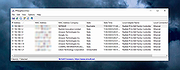 |
 |
killer-tools v2.0 killer-tools v2.0 👉 A collection of handy online tools for developers and IT pros. killer-tools is a custom fork of IT-Tools with personalized branding, deployed as a client-side web app at killertools.net. It provides a collection of online utilities for developers and IT professionals, including formatting, lookup, conversion, and other productivity-focused tools. Features: • Fully client-side web application with no data sent to external servers • Based on a customized fork of IT-Tools with tailored branding and layout • No installation or setup required, runs instantly in any modern web browser • Includes a large suite of utilities for developers, IT professionals, and power users • JSON tools including formatting, validation, and minification • Encoding and decoding tools such as Base64, URL encoding, and HTML entities • Cryptographic utilities including hash generators (MD5, SHA family) and encoders • Text manipulation tools for case conversion, trimming, and formatting • Data conversion tools for timestamps, units, numbers, and formats • UUID and random data generators for development and testing • Password and secure string generators • Network-related tools for IP lookup, subnet calculations, and related utilities • Instant processing with real-time results as you type • Clean, modern, and fast user interface designed for productivity • Responsive design that works on desktop, tablet, and mobile devices • Offline-capable once loaded in the browser (cached assets) • No tracking, telemetry, or account required to use tools • Open-source project under the GNU GPLv3 license • Easy to self-host or customize from the original source Tools and References: Killer Scripts, Exchange NDR Lookup, Group Policy Reference, M365 SKU Decoder, PowerShell Builder, SafeLink Decoder, Windows Error Codes, Windows Event Lookup, CVE Lookup, Email DNS Checker, Email Header Parser, IPv4 Address Converter, IPv4 Range Expander, IPv4 Subnet Calculator, IPv6 ULA Generator, MAC Address Lookup, Port Protocol Reference, WHOIS Checker, Basic Auth Generator, Device Information, HTML Entities, HTML WYSIWYG Editor, HTTP Status Codes, JSON Diff, JWT Parser, Keycode Info, Meta ... |
|
1,021 | Aug 09, 2026 SteveTheKiller 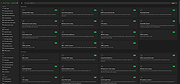 |
|
LANIPScanner v1.11 LANIPScanner v1.11 👉 Scans your local network and displays the IP and MAC address of all connected devices. LANIPScanner is a lightweight network scanning utility that quickly detects computers and devices connected to your local area network (LAN). It works by scanning a specified IP address range and listing all active devices it finds, including useful details such as IP address and MAC address. This makes it easy to identify computers, printers, routers, and other network-enabled devices currently active on your network. LANIPScanner requires no installation and runs as a simple portable application. It is designed for speed and simplicity, allowing users to quickly view the devices on their LAN without complicated configuration. The tool is especially useful for troubleshooting network connectivity, identifying unknown devices, or verifying which systems are currently active on a network. Features: • Scans a specified IP address range on your local network • Displays detected devices with their IP and MAC addresses • Fast scanning engine for quick device discovery • Simple, lightweight, and portable utility with no installation required • Ideal for identifying active devices and troubleshooting LAN connections Supported operating systems: • Windows Vista, Windows 7, Windows 8, Windows 10, Windows 11 Supported languages: English, Dutch, French, German, Greek, Hungarian, Italian, Japanese, Polish, Russian, Simplified Chinese, Slovak, Traditional Chinese, Ukrainian Changes: v1.11 08-21-26 Added option to change the sorting column from the menu (View -> Sort By). Added 'Sort By' toolbar button. Note: This file has twenty two hits on VirusTotal. We have confirmed these to be false positives. The file is safe. Note from The Older Geeks: Some antivirus programs may flag LANIPScanner because of the way it scans your local network for computers and other connected devices. Network discovery and scanning techniques are also used by legitimate system administration and diagnostic tools, so heuristic antivirus engines can occasionally classify utilities like this as potentially unwanted or suspicious. Click ... |
|
1,448 | Sep 04, 2026 Nir Sofer 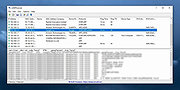 |
|
mDNSView v1.00 mDNSView v1.00 👉 Scan and view mDNS records published by devices on your local network. mDNSView is a simple Windows utility from NirSoft that displays mDNS records published by devices connected to your local network. For every discovered mDNS record, it shows the device IP address, name, record type, and record value. Features: • Displays mDNS records from devices on your local network • Shows IP address, name, record type, and record value • Supports A, AAAA, TEXT, PTR, and SRV record types • Start a scan with the toolbar button or F5 key • Export results to CSV, tab-delimited, XML, HTML5, or JSON • Copy selected records to the clipboard • Portable; no installation or extra DLL files required Supported operating systems: • Windows XP, Windows Vista, Windows 7, Windows 8, Windows 10, Windows 11 • 32-bit and 64-bit systems Supported languages: English, Dutch, French, German, Hungarian, Italian, Russian, Traditional Chinese Changes: v1.00 05-23-26 Initial release. Note: This file has multiple hits on VirusTotal because it's new and because it sniffs your network for information. We have determined these to be fair warnings but as long as you are the one using it, the file is safe. Click here to visit the author's website. |
|
508 | Jun 03, 2026 Nir Sofer 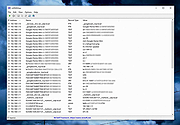 |
|
My IP v1.00 My IP v1.00 My IP reads the public IP of your internet connection and reports it in the systray area. My IP can also send an alert email when the IP changes. What's new in 1.00: - first release |
|
6,689 | Apr 09, 2016 My Portable Software 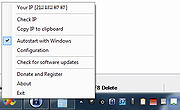 |
|
Network / IP Scanner Shared Resources 1.1.0 Network / IP Scanner Shared Resources 1.1.0 Network/IP Scanner Shared Resources is an application that helps you find open SMB shared resources on the Internet. It checks the computers only with open NBT ports, that allows you quickly scan large IP-ranges. License: Freeware. Installation and use: 1) You must have administrator privileges 2) Install WinPcap driver "WinPcap\WinPcap.exe" 3) Run "Bin\NetIpScan.exe" Attention: This program is designed to find shared resources on the Internet. The Program does not work with PPP/PPPoE/PPTP/L2TP connection directly (Modem, ADSL, WiFi, VPN) . You need to install the router and configure it for PPP/PPPoE/PPTP/L2TP connection, then connect computer to router by network cable. If program does not work or work very slow, then you must disable all firewalls, antiviruses and ndis filters. |
|
6,674 | May 04, 2016 S.K. Software 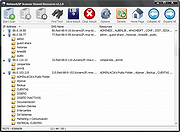 |
|
NetworkConnectLog v1.18 NetworkConnectLog v1.18 👉 Monitor and log devices connecting to and disconnecting from your local network. NetworkConnectLog is a lightweight, portable network monitoring utility that continuously scans your local area network using ARP and NetBIOS protocols, recording every device that connects to or disconnects from your network. It is ideal for home users, technicians, and network administrators who want to keep track of network activity, identify unknown devices, or troubleshoot intermittent connection issues. The program immediately performs an initial scan to detect all currently connected devices, then continues monitoring in the background for connection and disconnection events. Each log entry includes useful information such as the event time, IP address, computer name, workgroup, MAC address, and network adapter manufacturer. Logs can be searched, sorted, filtered, and exported to several common formats for documentation or further analysis. Features: • Portable application requiring no installation • Automatically detects computers and devices joining or leaving your network • Uses ARP and NetBIOS protocols for device detection • Displays connection and disconnection timestamps • Shows IP address, computer name, workgroup, MAC address, and network adapter manufacturer • Performs continuous background monitoring • Configurable network adapter and IP address scanning range • Adjustable scan interval • Automatically export logs whenever changes are detected • Export logs to TXT, CSV, HTML, XML, or tab-delimited files • Search and sort recorded events • Customizable font and MAC address display format • System tray support • Optional always-on-top mode • Optional black background display mode • High DPI display support Supported operating systems: • Windows 2000, Windows XP, Windows Vista, Windows 7, Windows 8, Windows 8.1, Windows 10, Windows 11 (32-bit and 64-bit) Supported languages: • English, Arabic, Brazilian Portuguese, Dutch, French, German, Greek, Hungarian, Italian, Japanese, Persian, Polish, Romanian, Russian, Simplified Chinese, Slovak, Spanish, Traditional Chinese, Turkish, Valencian Changes: v1.18 07-01-26 Updated the internal MAC addresses database. Click here to visit the author's website. |
|
7,233 | Jul 03, 2026 Nir Sofer 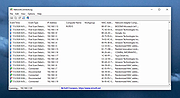 |
|
NETworkManager v2026.2.22.0 NETworkManager v2026.2.22.0 👉 Powerful open-source network management and troubleshooting tool. NETworkManager is a comprehensive open-source application designed to help administrators and power users manage, analyze, and troubleshoot network environments. It provides a wide range of built-in tools within a single, modern interface, making it easier to monitor connections, configure network settings, and diagnose connectivity issues without switching between multiple utilities. NETworkManager supports remote connections and offers advanced features for managing IP addresses, DNS, WiFi networks, ports, and more. With its modular design and extensive toolset, it is well-suited for both everyday network diagnostics and more advanced administrative tasks. Supported languages: • English, German, Spanish, French, Italian, Russian, Chinese (Simplified), Chinese (Traditional), Japanese, Korean, Portuguese, Polish Changes: v2026.2.22.0 02-22-26 Breaking Changes Migrated from .NET 8.0 (LTS) to .NET 10.0 (LTS). Upgrade your .NET Desktop Runtime to version 10.0 (LTS) - x64 before you install this version. AWS Session Manager feature has been removed. Profile and settings files have been migrated from XML to JSON. Existing files will be automatically converted to JSON on first load after the update. You should back up your settings and profile file before installing. New Features System-Wide Policies for enterprise deployment and management. Administrators can now configure system-wide policies via a config.json file in the application directory to control specific settings for all users. DNS Lookup now allows direct input for dns server ip|host:port (port - is optional) Remote Desktop connect admin (console) session Migrated Dialogs to ChildWindows This download is for the Windows portable version (very bottom of page). If you need the Windows installer version, download here. Click here to visit the author's website. |
|
4,067 | Jul 05, 2026 BornToBeRoot 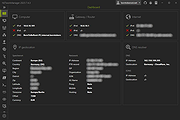 |
|
Wireless Network Watcher v2.45 Wireless Network Watcher v2.45 👉 Scans your wireless network and displays a list of all devices currently connected. Wireless Network Watcher is a lightweight network monitoring tool that scans your wireless network and displays a list of all computers and devices currently connected. The program quickly identifies devices on your network and provides useful information such as IP address, MAC address, device name, network adapter company, and connection status. Wireless Network Watcher can be useful for detecting unauthorized devices connected to your wireless network. It works by scanning a defined IP address range and presenting the results in a clear list, making it easy to identify computers, smartphones, tablets, routers, and other network hardware that are currently active. The utility is portable and does not require installation. It can also play a sound alert when a new device connects to the network and allows exporting the device list to various formats for reporting or monitoring purposes. Features: • Scans wireless networks and detects connected devices • Displays device information including IP address, MAC address, and device name • Identifies network adapter manufacturer from MAC address • Detects computers, phones, tablets, and other network hardware • Sound notification when new devices connect to the network • Export results to HTML, XML, CSV, or text files • Portable application that does not require installation • Simple interface designed for quick network scanning Supported operating systems: • Windows XP, Windows Vista, Windows 7, Windows 8, Windows 10, Windows 11 Supported languages: Arabic, Basque, Brazilian Portuguese, Bulgarian, Catalan, Croatian, Czech, Dutch, Finnish, French, German, Greek, Gujarati, Hebrew, Hellenic, Hungarian, Indonesian, Italian, Japanese, Korean, Latvian, Norwegian, Persian, Polish, Portuguese, Romanian, Russian, Serbian, Simplified Chinese, Slovak, Slovenian, Spanish, Swedish, Traditional Chinese, Thai, Turkish, Ukrainian, Valencian, Vietnamese Changes: v2.45 06-27-26 When a randomized MAC address is detected, it's displayed in the 'Network Adapter Company' column. Updated the internal MAC addresses database. This download is for the ... |
|
12,474 | Jul 01, 2026 Nir Sofer 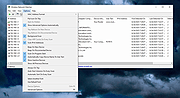 |
| Showing rows 1 to 22 of 22 | Showing Page 1 of 1 | 1 |
OlderGeeks.com Copyright (c) 2026
