|

|
Processed through Paypal No account required. |








Buy our over-priced crap to help pay the bills.



|
|
Processed through Paypal No account required. |
| Files | ||||
| File Name | Rating | Downloads | ||
 |
AOMEI Backupper Standard v8.4.0 AOMEI Backupper Standard v8.4.0 👉 Free backup, sync, restore, and disk cloning software for protecting your system and personal data. AOMEI Backupper Standard is free backup software designed to protect personal data and operating systems with backup, restore, sync, and cloning tools. It can back up files, folders, disks, partitions, and systems, create automatic scheduled backups, sync files to local and network locations, clone data disks for drive replacement or upgrades, and create bootable rescue media for recovery when the system cannot start. Features: • System, disk, partition, and file backup • File restore, system restore, disk restore, and partition restore • Automatic scheduled backups with daily, weekly, and monthly options • Incremental backup support • Basic file sync to local disks, external drives, network shares, and NAS • Disk clone for data disks and partition clone • Intelligent sector clone and SSD alignment support • Bootable media creation for recovery • Backup to local disk, external disk, USB flash drive, network/NAS, cloud drive, and CD/DVD • Backup image splitting, compression, checking, and task import/export • Recovery environment creation in the boot menu • Email notifications with Gmail and Hotmail SMTP support in the Standard edition Supported operating systems: • Windows 7, Windows 8, Windows 8.1, Windows 10, Windows 11 • macOS 10.13 (High Sierra) or higher Supported languages: • English, German, French, Japanese, Italian, Dutch, Spanish, Turkish, Polish, Simplified Chinese, Traditional Chinese Changes: v8.4.0 06-18-26 Optimized: Now it allows to reset the System Security Identifier (SID) during system/system disk clone and restore. This seamlessly eliminates network and permission conflicts after migrating systems to multiple PCs, making IT management and batch deployment much more efficient. Optimized: The task execution details page now displays "Transfer Speed" and "Estimated Time Remaining" in real-time, providing clear, at-a-glance visibility into your progress. Optimized: When the window of the backup source and destination selection pop-up is enlarged, the list column widths will automatically adjust the spacing according to ... |
 |
10,057 | Aug 14, 2026 AOMEI Technology Co., Ltd 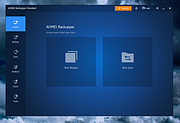 |
 |
CopyFolders 2 Portable v2.0.31 CopyFolders 2 Portable v2.0.31 👉 Automatically copy new and modified files from multiple folders with versioning support. CopyFolders 2 is a utility designed to copy new or modified files from source folders to destination folders. It is intended primarily for backup purposes, allowing users to keep folders up to date by copying only files that have changed. CopyFolders 2 supports working with multiple source and destination folders at the same time. It can also keep several previous versions of files, helping preserve older copies when updates occur. The program operates through a simple interface where users configure the folders and options, then execute the copy process as needed. Features: • Copies only new and modified files • Supports up to 9 source folders • Supports up to 9 destination folders • Designed specifically for backup and updating folders • Can keep up to 6 previous versions of files • Allows defining multiple folder pairs for processing • Simple configuration of source and destination paths • Executes copy operations based on defined setup • Portable. No installation required. Supported operating systems: • Windows 10, Windows 11 Supported languages: English, Chinese, French, German, Italian, Polish, Portuguese, Russian, Spanish. Changes: v2.0.31 04-28-26 First update: Fixed a bug where if a path contains underscores ("_") them would not be displayed in the path text box Fixed UNC network path support and improved folder selection Improved file copy error reporting Click here to visit the author's website. |
|
811 | Aug 26, 2026 eziogarr-coder 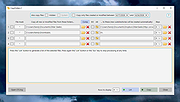 |
|
Personal Backup v6.4.10.0 Personal Backup v6.4.10.0 👉 A powerful personal backup solution for saving important files and folders to various destinations. Personal Backup is a flexible file backup program designed to help users securely store copies of their important data. It allows you to back up files and directories from your computer to different storage locations such as external drives, network shares, or FTP servers. The program provides advanced scheduling and automation features so backups can run at specific times or when certain conditions are met. Personal Backup supports incremental backups, allowing only changed files to be copied after the initial backup, saving both time and storage space. It also offers compression and encryption options to protect sensitive data. With detailed logging and verification features, users can easily monitor backup jobs and ensure that files are safely stored. The program is designed for reliability while remaining lightweight and easy to configure. Features: • Backup files and folders to local drives, external media, or network locations • Supports incremental backups to copy only modified files • Schedule automatic backups at specific times or intervals • Optional compression to reduce backup storage size • Encryption options to protect sensitive data • Detailed logging and verification of backup operations • Restore files quickly from previously created backups • Backup to FTP servers for offsite storage Supported operating systems: • Windows XP*, Windows Vista, Windows 7, Windows 8, Windows 10, Windows 11 • Windows Server 2003*, Windows Server 2008, Windows Server 2008 R2, Windows Server 2012 Supported languages: English, German, French, Dutch, Italian, Spanish, Polish, Portuguese, Hungarian, Turkish, Ukrainian, Russian, Chinese Changes: v6.4.10.0 05-25-26 - Search field when there are a large number of backup jobs in the Control Panel - Option to select an alternative date format for security backups - New keyboard shortcut (Ctrl-X): Keep running in ... |
|
9,014 | May 27, 2026 Dr. J. Rathlev 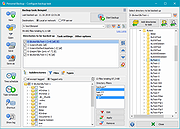 |
|
XXCOPY v3.33.3 XXCOPY v3.33.3 👉 A powerful superset of XCOPY using the same syntax. It can copy, remove, search, and list files/directories. XXCOPY is simply a logical extension to XCOPY. It remains faithfully compatible with XCOPY in the invocation syntax, yet, adds many innovative features to be a very serious utility for anyone who feels comfortable in managing files in command line mode (DOS Box). XXCOPY has grown to be not just a file copy program but also file removal, search and list utility. Its short-name preserving capability makes it ideal to clone a system disk which can be made bootable. You may also use it for synchronizing systems. In short, it is an industrial strength utility for system administrators. What is ? ▸ A versatile file management tool for Microsoft Windowsฎ. ▸ It is a command-line program (without graphical user interface). ▸ Supports all Windows versions (except Windows CE). ▸ It has more command switches (>230) than any other tool of its kind. ▸ An ideal component for batch files for simple and complex scripting. ▸ Accesses remote (networked) computer storage and local external USB drives. ▸ Command syntax compatible with Microsoft's XCOPY with few exceptions. ▸ Competes with (supersedes) Microsoft's RoboCopy. ▸ One download package contains both the 32-bit and 64-bit XXCOPY ... |
|
7,621 | Jun 18, 2026 Pixelab, Inc. 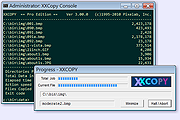 |
| Showing rows 1 to 4 of 4 | Showing Page 1 of 1 | 1 |
OlderGeeks.com Copyright (c) 2026
