|

|
Processed through Paypal No account required. |








Buy our over-priced crap to help pay the bills.



|
|
Processed through Paypal No account required. |
| Files | ||||
| File Name | Rating | Downloads | ||
 |
Blender Benchmark v3.3.0 Blender Benchmark v3.3.0 👉 Benchmark your CPU and GPU performance using official Blender rendering workloads. Blender Benchmark is the official benchmarking utility from the Blender Foundation for measuring CPU and GPU rendering performance using real Blender scenes. It allows you to compare your system against hundreds of thousands of publicly submitted benchmark results through the Blender Open Data platform. The benchmark supports multiple Blender versions and render backends, making it useful for evaluating hardware upgrades, testing system stability, comparing driver performance, and validating overclocking results. Anonymous benchmark submissions help improve Blender development while giving users a reliable way to compare performance across a wide variety of hardware configurations. Features: • Official benchmark from the Blender Foundation. • Tests CPU and GPU rendering performance using real Blender scenes. • Supports multiple Blender versions for comparison testing. • Choose individual benchmark scenes or run the complete suite. • Supports CPU and GPU render devices where available. • Measures performance using Blender's Cycles rendering engine. • Upload benchmark results anonymously to Blender Open Data. • Compare results with hundreds of thousands of publicly submitted systems. • View detailed hardware rankings and performance statistics online. • Can be run offline using downloadable benchmark scripts and scenes. • Uses only free and open source software with public-domain benchmark content. Supported operating systems: • Windows 7, Windows 8, Windows 10, Windows 11 • macOS • Linux Supported languages: • English Changes: v3.3.0 03-10-26 Support for the latest Intel GPUs has been added using oneAPI. This download is for the Windows version (very bottom of page). All other download assets are below: Other Windows: benchmark-launcher-cli-3.3.0-windows.zip (Command Line Interface) macOS: benchmark-launcher-3.3.0-macos.dmg benchmark-launcher-cli-3.3.0-macos.zip (Command Line Interface) Linux: benchmark-launcher-3.3.0-linux.tar.gz benchmark-launcher-cli-3.3.0-linux.tar.gz (Command Line Interface) Click here to visit the author's website. |
 |
3,368 | Jun 18, 2026 Blender Foundation 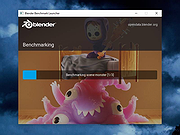 |
|
Fan Control v275 Fan Control v275 👉 Highly customizable fan control software for Windows. Fan Control is a focused and highly customizable fan controlling software for Windows that lets you control CPU, GPU, and case fans using temperature-based logic. It supports guided setup, multiple profiles, theme customization, multiple temperature sources, several fan curve functions including custom graphs, mixed fan curves and sensors using max, min, or average logic, low resource usage, and advanced tuning options such as steps, start and stop percentages, response time, and hysteresis. Features: • Guided setup process on first launch • Save, edit, and load multiple profiles • Change the theme and color of the application • Multiple temperature sources including CPU, GPU, motherboard, and hard drives • Multiple fan curve functions, including a custom graph • Mix fan curves or sensors together using max, min, or average • Low resource usage • Advanced tuning with steps, start %, stop %, response time, and hysteresis • Extensive support for CPU, GPU, case fans, and other hardware such as AIOs • Plugin support for adding third-party temperature, speed, or control sensors Fan curve types • Auto: PI-ish type function. % will surf until temp is stable at load. • Linear : Temperature based linear function • Graph : Temperature based custom curve • Target: Temperature based that holds speed until target temperature is reached • Mix : Use two different curves and apply a mix function (Min, Max, Sum, Average) • Sync : Sync to an existing control • Flat: Set a fixed % Graph fan curve editor • Change the temperature range for finer control ... |
|
7,182 | Aug 26, 2026 Rem0o 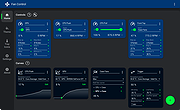 |
 |
FurMark 1 v1.39.3.0 FurMark 1 v1.39.3.0 Advanced GPU stress testing and graphics benchmarking utility. FurMark 1 is a powerful OpenGL-based GPU stress testing and benchmarking application designed to push graphics cards to their thermal and performance limits. Commonly used by enthusiasts, overclockers, and technicians, FurMark helps evaluate graphics card stability, cooling efficiency, and overall performance under extreme load conditions. FurMark 1 uses an intensive fur rendering engine that heavily loads the GPU, making it useful for detecting overheating issues, cooling problems, instability, graphical artifacts, or power delivery limitations. The application also provides benchmarking modes, fullscreen and windowed testing, custom resolutions, anti-aliasing options, frame rate monitoring, and GPU temperature tracking. FurMark 1 includes support for GPU monitoring utilities such as GPU-Z and GPU Shark, preset benchmark profiles, screenshot capture, and multi-GPU configurations. It is frequently used to validate graphics card stability after driver updates, hardware upgrades, or overclocking adjustments. Features: • Intensive GPU stress testing and burn-in benchmarking • OpenGL-based rendering engine • Real-time GPU temperature monitoring • Fullscreen and windowed benchmark modes • Custom resolutions and anti-aliasing support • GPU stability and overheating detection • Preset benchmark profiles • Multi-GPU support • FPS monitoring and performance statistics • Screenshot capture support • GPU information support through GPU-Z and GPU Shark • Portable and installer versions available • Useful for overclock stability testing and thermal validation Supported operating systems: • Windows 7, Windows 8, Windows 10, Windows 11 Supported languages: • English Changes: v1.39.3.0 10-08-25 + added support of AMD Radeon RX 7700, Radeon RX 7400 and Radeon PRO W7400. + added support of NVIDIA GeForce RTX 5050, RTX PRO 5000 and RTX 5090 D v2. + added support of AMD Radeon RX 9060 XT, Radeon RX 9060, Radeon RX 9070 GRE, Radeon AI PRO R9700. + added logos in benchmark score box for Qualcomm and Moore Threads. ! updated: GPU Shark 0.33.3.0. ! updated: GPU-Z 2.68.0 ! updated: ZoomGPU 1.43.0 (32-bit GPU monitoring library) Click here ... |
|
8,305 | Jun 05, 2026 Geeks3D 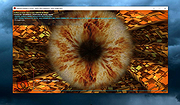 |
|
FurMark 2 v2.10.2 FurMark 2 v2.10.2 OpenGL and Vulkan GPU stress test and graphics benchmark. FurMark 2 is the next-generation edition of the legendary GPU stress testing and benchmarking utility from Geeks3D. Designed for gamers, overclockers, system builders and hardware enthusiasts, FurMark 2 pushes graphics cards to their thermal and performance limits using demanding OpenGL and Vulkan rendering workloads. It is commonly used to test cooling performance, verify GPU stability, identify overheating issues, detect graphical artifacts, and benchmark overall graphics performance. Unlike the original FurMark 1, FurMark 2 introduces a redesigned engine with modern rendering technologies, Vulkan support, improved compatibility with current GPUs, and enhanced benchmarking capabilities. The software can run intensive fullscreen or windowed stress tests while displaying real-time GPU information including temperatures, clocks, usage, fan speeds, and performance statistics. FurMark 2 also includes benchmark presets for quick comparisons, customizable testing modes, anti-aliasing options, artifact scanning, and command-line support for automation and advanced diagnostics. Whether you are validating a fresh GPU installation, testing overclock stability, troubleshooting crashes, or simply comparing benchmark scores with other systems online, FurMark 2 provides a fast and reliable solution for GPU performance analysis. Features: • Advanced OpenGL and Vulkan GPU stress testing • Designed to heavily load GPUs for thermal and stability testing • Modern rendering engine optimized for current graphics hardware • Built-in benchmark presets for quick performance comparisons • Custom benchmark modes with adjustable resolution and anti-aliasing • Real-time GPU monitoring during testing sessions • Displays GPU temperature, clocks, fan speed, usage and performance data • Artifact scanner helps detect rendering errors and unstable overclocks • Supports fullscreen and windowed testing modes • Online benchmark score submission and comparison support • Useful for validating overclocking and cooling system performance • Command-line options for scripting and automated testing • Compatible with many NVIDIA, AMD and Intel graphics cards • Includes GPU information and hardware identification tools • Lightweight interface with quick access to common ... |
|
2,154 | Jun 05, 2026 Geeks3D 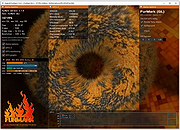 |
|
GPU Caps Viewer v1.58.0.1 GPU Caps Viewer v1.58.0.1 OpenGL, OpenCL, CUDA APIs and graphics card / GPU information utility GPU Caps Viewer is an OpenGL and OpenCL graphics card utility for Windows. Features: • quick view of the graphics configuration (graphics card / GPU type, amount of video memory, drivers version) • display of the main OpenGL capabilities (OpenGL version, texture size, number of texture units, etc.) • display of OpenCL API support and extensions. • display of the OpenGL extensions supported by your graphics card or display of all existing OpenGL extensions no matter what graphics card you have. For each extension, you can open its description webpage available at the OpenGL Extension Registry or at NVIDIA's OpenGL Extensions spec. Very handy for graphics developers! • display of NVIDIA CUDA level support • display of the system configuration: CPU type and speed, amount of systeme memory, operating system, PhysX version • display of the GPU core temperature • GPU Burner or Stability Test: allows to overheat the GPU in order to test the graphics card stability. You can start several stress test demos in the same time in order to make your graphics card working to the maximum. • list of links related to your graphics card: graphics drivers and graphics cards reviews. These links are regularly updated. • full report in text and XML format. This kind of report is useful for developers who needs an outline of the customer graphics system (for support purposes for example). • graphics card validation: your graphics card data is sent to oZone3D.Net server and in return you receive a link on the validation ... |
|
2,258 | Feb 03, 2023 Ozone3D 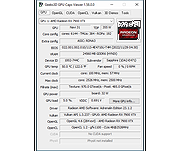 |
|
GPU Shark II v2.4.0.0 GPU Shark II v2.4.0.0 A GPU/graphics card information and monitoring utility for Windows. It can monitor the main hardware sensors (temperatures, usages, clock speeds, power) of the graphics hardware (GPU, VRAM) and offers an overview of the 3D APIs support level (OpenGL and Vulkan). GPU Shark 2 is made with GeeXLab. The 64-bit version of GPU Shark 2 can monitor all modern GPUs (NVIDIA GeForce, AMD Radeon, Intel Arc and Moore Threads MTT S80/S70) while the 32-bit version is limited to GeForce and Radeon GPUs only. Intel UHD Graphics 770 + Arc A750 NVIDIA GeForce RTX 2070 + GeForce GT 1030 Changes: v2.4.0.0 - 2024.09.30 - added support of Intel Arc 140V iGPU (Lunar Lake) - added new theme colors. - added About panel - added GL_SHADING_LANGUAGE_VERSION in the OpenGL panel. - improved monitoring of Intel integrated GPUs: added support of GPU usage and power sensors. - improved monitoring of Intel Arc GPUs. - added VRAM temperature for Arc GPUs. - updated with GeeXLab 0.60.2 libs. - various small bug fixes. This download is for the Windows 64bit installer version (very bottom of page). All other download assets are below: Use 7-Zip to unzip this file. No installer: gpushark2_2.4.0.0_win64.7z gpushark2_2.4.0.0_win32.7z Click here to visit the author's website. |
|
984 | Oct 10, 2024 Ozone3D 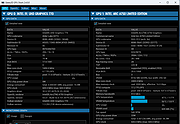 |
|
HWiNFO v8.54 HWiNFO v8.54 👉 Professional hardware information, real-time monitoring, and diagnostics for Windows and DOS systems. HWiNFO is a comprehensive hardware analysis, system information, diagnostics, and real-time monitoring utility designed for enthusiasts, technicians, and IT professionals. It provides detailed information about virtually every hardware component in your computer while continuously monitoring temperatures, voltages, fan speeds, power usage, clocks, storage health, and many other sensor values. HWiNFO also generates comprehensive hardware reports, supports extensive logging, and integrates with numerous third-party monitoring applications through its shared memory interface. Features: • In-depth hardware information with detailed analysis of system components • Real-time monitoring of CPUs, GPUs, mainboards, drives, and peripherals • System health monitoring designed to help detect overheating, overload, performance loss, or possible failure • Extensive reporting with full hardware hierarchy or quick summary overview • Export reports in XML, CSV, and HTML formats • Customizable monitoring tables, graphs, tray icons, and OSD • Customizable alerts on monitored parameters with user-defined actions • Support for interfacing with other applications and third-party extensions • Shared Memory interface support for exposing sensor data • Clean and secure design with no personal data collection and no network transmission • Frequently updated to support new hardware, technologies, and standards Supported operating systems: • Windows 95 and later (x86, x64 or ARM64) Supported languages: English, French, German, Spanish, Portuguese (Brazil), Italian, Dutch, Danish, Chinese (Simplified), Chinese (Traditional), Japanese, Korean, Vietnamese, Arabic, Russian, Ukrainian, Czech, Slovak, Hungarian, Polish, Swedish, Finnish, Norwegian, Greek, Turkish, Latvian, Hebrew Changes: v8.54 09-30-26 Added reporting of monitored process name to RTSS sensor title. Added workaround for NVML crash during GPU driver update. Fixed NZXT Kraken Elite V2 support. Fixed reporting of negative temperatures for NVIDIA GPU memory chips. Added ability to show multiple values on one line in OSD. Fixed reporting of PCH power on Intel Panther Lake and later. Added reporting of Fan Duty for Thermal Grizzly WireView Pro II. Added options to insert notes into json sensor log. Improved ... |
|
13,446 | Oct 02, 2026 REALiX 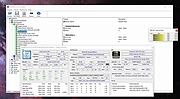 |
|
Novabench v6.0.3 Novabench v6.0.3 👉 Free PC benchmarking and hardware performance testing utility. Novabench is a free benchmarking program that allows you to quickly test and evaluate your computer’s overall performance. It measures CPU, GPU, RAM, and storage speeds using a simple interface designed for both casual users and technicians. The free version provides a complete system benchmark score along with detailed hardware information and comparison tools to help identify performance bottlenecks or hardware problems. Novabench can be useful for checking system stability after upgrades, comparing hardware performance against similar systems, troubleshooting slow computers, and monitoring the effects of overclocking or driver updates. Benchmark results can also be uploaded online to compare your PC with other systems using the Novabench database. Features: • Free CPU, GPU, RAM, and disk benchmarking • Generates an overall system performance score • Quick benchmark testing with minimal setup required • Displays detailed hardware and system information • Compare benchmark results with other systems online • Useful for testing gaming PCs, laptops, and workstations • Helps identify hardware bottlenecks and slow components • Portable benchmark results that can be shared online • Lightweight interface suitable for beginners and technicians • Supports stress testing and stability verification tools • Includes temperature and hardware monitoring support • Can help verify system improvements after upgrades or repairs Supported operating systems: • Windows 10, Windows 11 • macOS 11 Big Sur or higher • Linux distributions supporting modern x86-64 hardware Supported languages: • English Changes: v6.0.3 06-09-26 • Improved benchmark reliability and scoring consistency • Updated hardware detection and compatibility support • General bug fixes and stability improvements This download is for the Windows installer version (very bottom of page). All other download assets are below: Other Windows: novabench-arm64.exe macOS: novabench.dmg Linux: novabench-x64.deb novabench-arm64.deb novabench-x64.rpm novabench-arm64.rpm Click here to visit the author's website. |
|
7,802 | Jun 09, 2026 Novawave Inc. 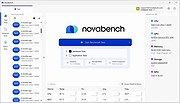 |
|
SIS 6215A GPU Windows 95 Driver SIS 6215A GPU Windows 95 Driver. This is for version A of the SIS 6215. Works with Windows 95. 6215a0_win95.zip |
 |
9,689 | Apr 01, 2009 SIS |
|
SIS 6215B GPU Windows 95 Driver SIS 6215B GPU Windows 95 Driver. This is for version B of the SIS 6215. Works with Windows 95. 6215b0_win95.zip |
|
9,720 | Apr 01, 2009 SIS |
|
SIS 6215C GPU Windows 95 Driver SIS 6215C GPU Windows 95 Driver. This is for version C of the SIS 6215. Works with Windows 95. 6215c_win95.zip |
|
9,709 | Apr 01, 2009 SIS |
|
StressMyPC v5.88 StressMyPC v5.88 👉 Stress test your PC’s CPU, GPU and hard drive. StressMyPC is stress testing software used to put a Windows PC under heavy load for stability testing, battery drain testing or general hardware stress testing. It can stress the processor, graphics card and hard drive, and it is especially useful for seeing how a system behaves under full load. Features: • Start and stop PC stress testing quickly • Paint-Stress for simple GPU stress testing • Aggressive CPU-Stress for processor load testing • HD-Stress for hard drive stress testing • Useful for laptop battery drain testing • Portable, no installation required • Small program size • Multilingual interface Supported operating systems: • Windows 11, Windows 10, Windows 8.1, Windows 7, Windows Desktop and MS Server operating systems Supported languages: German, English, Swedish, Danish, Brazilian Portuguese, Slovak, Spanish, Simplified Chinese, French, Italian, Turkish, Czech, Russian, Ukrainian, Greek, Traditional Chinese, Romanian, Korean, Polish, Hungarian, Japanese, Thai, Arabic, Finnish, Frisian, Norwegian, Irish, Dutch, Portuguese, Vietnamese, Persian, Hindi, Hebrew, Spanish-VE, Malay, Indonesian, Filipino, Bosnian, Croatian, Serbian Changes: v5.88 05-13-26 Updated language files in the app for stress-testing Windows PCs, along with minor corrections in the stress-test app for Windows 11 that ensure a smoother PC stress test experience. Click here to visit the author's website. |
|
10,345 | May 17, 2026 SoftwareOK 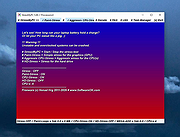 |
| Showing rows 1 to 12 of 12 | Showing Page 1 of 1 | 1 |
OlderGeeks.com Copyright (c) 2026
