|

|
Processed through Paypal No account required. |








Buy our over-priced crap to help pay the bills.



|
|
Processed through Paypal No account required. |
| Files | ||||
| File Name | Rating | Downloads | ||
 |
SystemRescue v13.01 SystemRescue v13.01 Formerly known as SystemRescueCd 👉 Bootable Linux rescue toolkit for repairing systems, recovering data, and performing disk administration tasks. SystemRescue is a Linux system rescue toolkit available as a bootable medium for administrating or repairing your system and data after a crash. It is designed to help with tasks such as creating and editing hard disk partitions, recovering files, working with important file systems, and using a wide range of system utilities from a live environment. It can be used on both Linux and Windows computers, on desktops as well as servers, and it can be booted from a DVD or USB stick, or installed on a hard disk if needed. Features: • Boots as a live rescue environment from CD/DVD, USB, or local disk • Includes disk and partitioning tools for administration and recovery tasks • Provides utilities such as GParted, fsarchiver, file system tools, editors, Midnight Commander, and network tools • Supports important file systems including ext4, xfs, btrfs, vfat, and ntfs, plus network filesystems such as Samba and NFS • Can be used on both Linux and Windows computers, including desktops and servers • Supports configurable keyboard layouts with the setkmap option and command • Can copy the live system fully into memory for improved responsiveness using copytoram • Includes scripting support with Bash, Perl, Python, and Ruby • Includes Firefox with bookmark configuration support through SystemRescue configuration files Supported operating systems: • Linux, Windows Supported languages: • English Changes: v13.01 06-06-26 Updated the kernel to the Long-Term-Supported linux-6.18.34 Updated bcachefs tools and kernel module to version 1.38.3 Add ‘checksum’ to the boot options to check integrity when ‘copytoram’ is used Added packages: reflector + b3sum Recommended USB installation method on Windows • Download SystemRescue • Download Rufus and install it on Windows • Plug in your USB-stick and wait a few seconds to allow enough time for the system ... |
 |
11,613 | Jul 05, 2026 SystemRescueCd 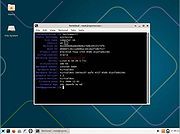 |
| Showing rows 1 to 1 of 1 | Showing Page 1 of 1 | 1 |
OlderGeeks.com Copyright (c) 2026
