|

|
Processed through Paypal No account required. |








Buy our over-priced crap to help pay the bills.



|
|
Processed through Paypal No account required. |
| Files | ||||
| File Name | Rating | Downloads | ||
 |
FileTypesMan v2.01 FileTypesMan v2.01 👉 View and edit Windows file extensions, associations and actions. FileTypesMan is a portable alternative to the File Types manager previously included with Windows Folder Options. It displays detailed information about every file extension and file type registered on your computer, including the type name, description, MIME type, perceived type, default icon, browser flags, Registry key and associated applications. The program uses a two-pane interface. The upper pane lists registered extensions and file types, while the lower pane shows the actions available for the selected item, such as Open, Edit, Print and other context-menu commands. You can edit file type properties, change icons, add or remove actions, replace an extension's assigned file type and open related entries directly in Registry Editor. FileTypesMan requires no installation and can be run directly after extracting the downloaded ZIP file. Separate 32-bit and 64-bit downloads are available. Features: • Displays all registered file extensions and file types • Shows type names, descriptions, MIME types and perceived types • Lists default icons, flags, browser flags and Registry keys • Displays associated applications and available file actions • Adds, edits or removes Open, Edit, Print and other actions • Changes file type properties, flags and default icons • Replaces the assigned file type for a selected extension • Detaches shared file types from individual extensions • Supports Windows UserChoice and SystemFileAssociations entries • Opens file type and action entries directly in Registry Editor • Copies actions from one file type and pastes them into another • Runs with TrustedInstaller privileges when protected entries must be modified • Exports information to text, CSV, tab-delimited, HTML or XML files • Provides command-line options for selecting and exporting extensions • Automatically refreshes the desktop after association changes • Offers optional icon-loading controls to prevent hangs or crashes • Includes a black-background viewing mode • Portable and requires no installation or additional DLL files Supported operating systems: • Windows XP, Windows Vista, ... |
 |
10,312 | Jul 27, 2026 Nir Sofer 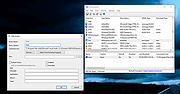 |
|
ImageGlass v10.0.6.906 ImageGlass v10.0.6.906 👉 A lightweight, versatile image viewer for Windows. ImageGlass is a feature-rich, simple-to-use image viewer with a clean, modern interface and support for over 90 image formats, including WEBP, GIF, SVG, PNG, JXL, HEIC, RAW formats and more. Features: • Supports over 90 common image formats • Fast image switching with a clean, minimal interface • Supports animated formats including GIF, WEBP, APNG and SVG • Multi-frame image support with frame navigation tools • Drag-and-drop and clipboard image opening • Six zoom modes including Auto Zoom, Lock Zoom, Scale to Width, Scale to Height, Scale to Fit and Scale to Fill • Full screen, frameless and window-fit viewing modes • Slideshow view with countdown timer • Fast thumbnail previews • Built-in color picker • EXIF metadata viewing with ExifGlass • Basic editing tools including rotate, flip, crop, resize and lossless compression • Custom themes, language packs, icon packs, layout and toolbar options • Keyboard and mouse action customization • External app integration through custom hotkeys • Color management and color channel viewing Supported operating systems: • Windows 10 64-bit version 1809 or later, Windows 11 64-bit Supported languages: Arabic, Armenian, Asturian, Azerbaijani, Belarusian, Bengali, Bulgarian, Catalan, Chinese Simplified, Chinese Traditional, Croatian, Czech, Danish, Dutch, Esperanto, Finnish, French, German, Greek, Hebrew, Hungarian, Icelandic, Indonesian, Irish, Italian, Japanese, Khmer, Korean, Kurmanji Kurdish, Kyrgyz, Lithuanian, Malay, Mongolian, Norwegian Bokmal, Persian, Polish, Portuguese, Brazilian Portuguese, Romanian, Russian, Serbian Cyrillic, Serbian Latin, Sinhala, Slovak, Slovenian, Spanish, Swedish, Tamil, Thai, Turkish, Ukrainian, Vietnamese Changes: v10.0.6.906 09-05-26 New • ImageGlass.SDK updated to 1.2.0 • Bumped plugin ABI version from 1.0.0 to 1.2.0 • Added IGHdrTransferFn.ScRgb photo metadata support for rendering HDR images from codec plugins • Added DecodeStaticRasterScaled API for requesting scaled thumbnail images from codec plugins • Added Linux AppImage package support Improvements • Updated Avalonia to 12.1.2 • Updated Magick.NET to 14.17.1 ... |
|
4,505 | Oct 06, 2026 Duong Dieu Phap 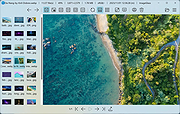 |
| Showing rows 1 to 2 of 2 | Showing Page 1 of 1 | 1 |
OlderGeeks.com Copyright (c) 2026
