|

|
Processed through Paypal No account required. |








Buy our over-priced crap to help pay the bills.



|
|
Processed through Paypal No account required. |
| Files | ||||
| File Name | Rating | Downloads | ||
 |
OpenPets-3.1.0-win-x64-portable.exe OpenPets v3.1.0 👉 An open source desktop companion with AI coding agent integration and an expandable plugin platform. OpenPets is an open source desktop companion that places an animated pet on your desktop while providing an extensible plugin platform for productivity, reminders, focus sessions, mini games, launch shortcuts, hydration nudges, and virtual pet interactions. It can optionally integrate with AI coding agents through the Model Context Protocol (MCP), allowing your pet to react to coding activity while keeping prompts, code, logs, URLs, secrets, and other sensitive information private through local sanitization and filtering. The application is designed with a sandboxed plugin system that enables developers to create custom companion behaviors using the OpenPets Plugin SDK. Features: • Animated desktop companion with idle animations and interactive behaviors • Extensible plugin platform with official and third-party plugins • Plugin SDK for developing custom companion features • Built-in focus timers, reminders, mood check-ins, mini games, hydration nudges, and virtual pet stats • Optional integration with Claude Code, Cursor, OpenCode, Pi, and other MCP-compatible AI coding agents • Sandboxed plugin runtime with permissions, quotas, storage, scheduling, notifications, and audio support • Local-only communication with AI integrations for improved privacy • Dynamic filtering that redacts file paths, URLs, secrets, and code snippets from generated speech • Tray-based desktop application • Multiple desktop pet support Supported operating systems: • Windows 10, Windows 11 • macOS • Linux Supported languages: • English Changes: v3.1.0 06-13-26 Fixed desktop install flow regressions for catalog plugin installs. Catalog installs no longer fail because of stale catalog hashes. Improved catalog and manifest validation for more reliable plugin installation. Improved install failure handling with clearer error messages and redaction of local filesystem paths. Plugin install prompts now display translated plugin names correctly. Newly installed plugins are automatically enabled after approval. Added XS pet scale support. Updated Wayland and desktop validation to fix compositor and desktop integration regressions. This download is for the Windows portable version (very bottom of page). All ... |
 |
479 | Jun 19, 2026 Boring Dystopia Development  |
|
Super Productivity v18.19.0 Super Productivity v18.19.0 👉 A privacy-focused task manager with time tracking and Pomodoro timer. Super Productivity is an open-source productivity app designed to help users manage tasks, track time, and improve focus using built-in techniques like the Pomodoro timer. It integrates with popular issue tracking platforms such as Jira, GitHub, and GitLab, making it especially useful for developers and teams. The application emphasizes privacy by storing all data locally with no required sign-up or cloud dependency. Features: • Task management with subtasks, attachments, and notes • Built-in Pomodoro timer and break reminders • Time tracking with detailed statistics and reports • Integration with Jira, GitHub, GitLab, and other issue trackers • Offline-first design with local data storage • Distraction blocking and focus mode • Daily schedule planning and timeboxing • Keyboard shortcuts and command palette • Data import/export and backup support • Cross-platform synchronization options (optional) • Customizable themes and dark mode • Open-source with no ads or tracking Supported operating systems: • Windows 10, Windows 11 • macOS 11 or higher • Linux (AppImage, Snap, Flatpak, Debian/Ubuntu) • Android • iOS Supported languages: English, German, Spanish, French, Italian, Portuguese, Russian, Chinese, Japanese, Korean Changes: v18.19.0 08-07-26 Highlights Added search to global settings and a ? keyboard shortcut cheat sheet (#9302, #9318). Added crash-safe local drafts for project notes (#8982). Added interval recurrence phrases such as @every 2 weeks and @every 2 fridays (#9328). Added URL scheme actions for creating and completing tasks (#9121). Completed translations across all locales (#9360). Security and sync Enforced encrypted-only SuperSync uploads when E2EE is required and stopped clients from accepting plaintext downloads when encrypted sync is expected (GHSA-vrc7-775g-ggqc, #8903, #9457). Added diagnostics and recovery guidance for encrypted-operation integrity failures (#9331, #9439, #9444). Prevented stale-key uploads after server state replacements (#8730, #9330). Resolved ... |
|
694 | Aug 12, 2026 Super Productivity Org 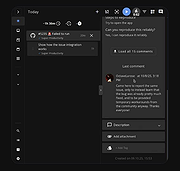 |
| Showing rows 1 to 2 of 2 | Showing Page 1 of 1 | 1 |
OlderGeeks.com Copyright (c) 2026
