|

|
Processed through Paypal No account required. |








Buy our over-priced crap to help pay the bills.



|
|
Processed through Paypal No account required. |
| Files | ||||
| File Name | Rating | Downloads | ||
 |
GetPixelColor v3.55 GetPixelColor v3.55 👉 Instantly identify the color value of any pixel on your Windows desktop. GetPixelColor is a lightweight, portable utility that lets you quickly determine the exact color value of any pixel displayed anywhere on your Windows desktop. Whether you're a web designer, graphic artist, software developer, digital artist, or simply need to identify a specific color, GetPixelColor provides an easy way to retrieve precise color information with minimal effort. The program follows your mouse cursor in real time, displaying the selected pixel's color in multiple formats for use in graphics, web development, and design projects. Its compact interface requires no installation, making it ideal for keeping on a USB flash drive or using as a quick desktop utility. Despite its small size, GetPixelColor supports numerous interface languages and works across virtually all modern Windows versions. Features: • Instantly identify the color of any screen pixel • Live color detection as the mouse cursor moves • Displays precise color values for selected pixels • Simple, lightweight, and portable application • No installation required • Low system resource usage • Suitable for web design, graphic design, development, and troubleshooting • Supports numerous interface languages • Compatible with virtually all Windows desktop environments Supported operating systems: • Windows XP, Windows Vista, Windows 7, Windows 8, Windows 8.1, Windows 10, Windows 11, Windows Server 2003, Windows Server 2008, Windows Server 2012, Windows Server 2016, Windows Server 2019, Windows Server 2022 Supported languages: English, Arabic, Basque, Bulgarian, Catalan, Chinese (Simplified), Chinese (Traditional), Croatian, Czech, Danish, Dutch, Finnish, French, German, Greek, Hebrew, Hungarian, Italian, Japanese, Korean, Norwegian, Persian, Polish, Portuguese, Portuguese (Brazilian), Romanian, Russian, Slovak, Slovenian, Spanish, Swedish, Thai, Turkish, Ukrainian, Vietnamese Changes: v3.55 06-30-26 Improvements to GetPixelColor for all Windows operating systems. Language file update in the pixel query app. This download is for the Windows 64bit portable version (very bottom of page). If you need the Windows 32bit portable version, download here. Click here ... |
 |
4,366 | Jul 08, 2026 Nenad Hrg 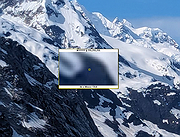 |
|
Instant Eyedropper v2.0.0 Instant Eyedropper v2.0.0 Instant Eyedropper is a free color detection tool for webmasters that will identify and automatically paste to the clipboard the HTML color code of any pixel on the screen with just a single mouse click. Save your time Identification the color code of an object on the screen is usually an involved, multistep process: You press the Print Screen key to copy a screenshot to the clipboard, load a graphics-editing program, create a new file, paste the screenshot from the clipboard, zoom in on the object, use the "Pick Color" tool, and finally copy the HTML code of the color to the clipboard. Webmasters may repeat this operation many times a day. Just imagine how much time can be saved by using Instant Eyedropper to do the same thing With a Single Click! How it works 1) Move the mouse pointer to the Instant Eyedropper icon in the system tray. 2) Press and hold the left mouse button and move the mouse pointer to the pixel whose color you want to identify. 3) Release the mouse button. That's it. The clipboard now contains the color code - in HTML format (or any other format that you have previously specified). It can be pasted and used in any text or HTML editor or the Color Picker tool of Photoshop. Options Window Screenshot Supported color formats: HTML HEX Delphi Hex Visual Basic Hex RGB RGB Float HSV (HSB) HSL Long OS: WinXP thru Win10 Notice: The file instanteyedropper.exe has 4 false hits from the usual inaccurate detection engines on VirusTotal. The file is safe. Version 2.0.0 (Nov 2, 2020) Project becomes open source! ) multi-monitor fixes |
|
3,977 | Nov 23, 2020 Konstantin Yagola 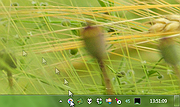 |
| Showing rows 1 to 2 of 2 | Showing Page 1 of 1 | 1 |
OlderGeeks.com Copyright (c) 2026
