|

|
Processed through Paypal No account required. |








Buy our over-priced crap to help pay the bills.



|
|
Processed through Paypal No account required. |
| Files | ||||
| File Name | Rating | Downloads | ||
 |
Drift v0.1.1 Drift v0.1.1 👉 A free, open-source video editor for creating polished videos without subscriptions or watermarks. Drift is a beginner-friendly desktop video editor that combines a straightforward workflow with a full collection of creative tools. Import video clips, photographs and music, then arrange everything on a multi-track timeline with tools for trimming, splitting, snapping and ripple editing. Add effects, transitions, titles, shapes, stickers and emoji without leaving the editor. Drift can also generate editable captions from speech, isolate subjects, create masks, remove green-screen backgrounds, adjust playback speed and clean up noisy audio. The preview and export systems use the same compositor, helping the completed video match what you saw while editing. Drift is completely free and open source with no account, subscription, telemetry or watermark. Optional fonts, stickers, effects and speech-recognition models can be installed through the built-in Addon Manager as needed. Features: • Multi-track timeline for video, audio, text and shapes • Trim, split, snap and ripple editing tools • Mute or hide individual timeline tracks • Full undo and redo support • GPU-powered video effects • Adjustable transitions between overlapping clips • Reusable effect and appearance templates • Customizable titles with fonts, colors, outlines, shadows and alignment • Stickers, emoji and optional content packs • Speech-to-text caption generation • Edit caption wording and timing directly on the timeline • Subject cutout and masking tools • Green-screen background removal • Playback speed adjustment and reversing • Custom speed ramps, fades and beat-based animation • Audio mixing and effect chains • Background-noise cleanup • Project bundles that include associated media • Optional downloadable fonts, effects, stickers and speech models • Export quality and bitrate controls • H.264, H.265, AV1, ProRes and additional export formats • Preview and export use the same compositor • No account, subscription, telemetry or watermark Supported operating systems: • Windows • Linux • macOS, build from source only Supported languages: English Changes: v0.1.1 07-31-26 A small fix-up release on top of the first public version. Curves in the keyframe editor are now ... |
 |
346 | Aug 03, 2026 CutWire Studios 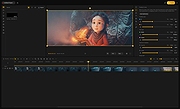 |
|
Shutter Encoder v20.2 Shutter Encoder v20.2 👉 A free video, audio, and image converter designed by video editors for powerful media encoding and workflow tools. Shutter Encoder is a free media converter and processing tool built around FFmpeg for handling video, audio, and image files. It is designed by video editors to be both accessible and powerful, with support for a very wide range of codecs and formats, along with trimming, subtitle work, watermarking, cut detection, analysis tools, web video downloading, render queue support, file information viewing, batch renaming, FTP upload support, and AI-assisted functions. It also includes professional workflow features such as editing codecs, broadcast codecs, archive codecs, disc burning and ripping, and preset saving for repeatable jobs. Features: • Converts video, audio, and image files using FFmpeg • Designed by video editors for accessible but advanced media work • Supports a very large range of codecs and formats • Includes trimming and cut without re-encoding tools • Lets you replace audio, rewrap, conform, merge, extract, subtitle, and insert video • Supports sound conversion to WAV, AIFF, FLAC, ALAC, MP3, AAC, AC3, OPUS, Vorbis, Dolby Digital Plus, and Dolby TrueHD • Includes editing codecs such as DNxHD, DNxHR, Apple ProRes, QT Animation, GoPro CineForm, and Uncompressed • Includes output codecs such as H.264, H.265, H.266, VP8, VP9, and AV1 • Includes broadcast codecs such as XDCAM HD422, XDCAM HD 35, AVC-Intra 100, XAVC, XAVC Long GOP, and HAP • Supports older codecs including Theora, MPEG-2, MJPEG, Xvid, DV, WMV, and MPEG-1 • Supports FFV1 for archiving workflows • Creates JPEG, JPEG XL, and image outputs • Burns and rips DVD and Blu-ray media • Includes analysis tools such as loudness and true peak, audio normalization, cut detection, black detection, media offline detection, VMAF, and FrameMD5 • Downloads web video content • Includes image adjustment tools for colors, LUTs, and color space conversion • Supports cropping for both images and videos • Can ... |
|
3,703 | Aug 12, 2026 Paul Pacifico 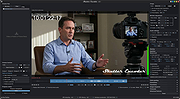 |
| Showing rows 1 to 2 of 2 | Showing Page 1 of 1 | 1 |
OlderGeeks.com Copyright (c) 2026
