|

|
Processed through Paypal No account required. |








Buy our over-priced crap to help pay the bills.



|
|
Processed through Paypal No account required. |
| Files | ||||
| File Name | Rating | Downloads | ||
 |
Audio Fake Detector PRO v7.7 Audio Fake Detector PRO v7.7 👉 Detects fake high-quality audio files by identifying lossy-to-lossless transcodes using advanced spectral and statistical analysis. Audio Fake Detector PRO detects fake “high quality” audio files, including lossy sources such as MP3 or AAC that have been transcoded or disguised as lossless formats like WAV or FLAC. Audio Fake Detector PRO uses a hybrid analysis engine combining spectrogram-based detection and statistical verification depending on the file type. Lossy formats are analyzed using frequency cutoff behavior, abrupt endings, stereo anomalies, and majority-vote segment analysis, while lossless formats are verified using auCDtect statistical analysis. Each audio file is divided into multiple segments and independently evaluated to reduce false positives and false negatives caused by mixed-quality content. Detailed reports are generated in several formats, and suspicious files can automatically be moved into a dedicated folder while preserving the original folder structure. Features: • Detects lossy-to-lossless and lossy-to-lossy transcodes • Hybrid analysis engine using spectrogram and statistical methods • Multi-segment majority voting system for improved accuracy • Spectral cutoff and compression artifact detection • Joint stereo anomaly detection • Automatic download and use of ffmpeg, ffprobe, and auCDtect • Metadata recovery with multi-step fallback analysis • Fast spectrogram processing with optimized implementation • Intelligent segment selection to reduce processing overhead • Generates reports in LOG, CSV, and HTML formats • Moves suspicious files to ~Fake while preserving folder structure • Supports hidden files and batch folder analysis A file is classified as FAKE in the following cases: • Bitrate < 170 kbps (pre-filter) • Lossy formats (MP3/M4A/AAC/OGG/OPUS/WMA) with a hard cutoff ≤ 16.5 kHz • Lossless formats (FLAC/WAV/APE/AIFF/WV) showing strong MPEG artifacts (auCDtect ≥ 80%) • Lossless files with abnormal spectrogram cutoff behavior • Mixed-source encoding or inconsistencies between segments Note: • Automatically downloads required tools on first run: ffmpeg and ffprobe (audio decoding and analysis), and auCDtect (lossless audio verification) Note: It is designed for modern digital music collections and large batches of ... |
 |
756 | Jun 27, 2026 Alessandro Comito 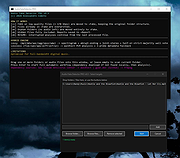 |
 |
EpilepsyGuard v1.02 EpilepsyGuard v1.02 👉 Protects photosensitive users by reducing potentially harmful flashing on the screen. EpilepsyGuard is an open-source accessibility utility designed to help reduce the risk of photosensitive seizures while using a computer. It monitors the contents displayed on your screen in real time and automatically detects rapid flashing patterns that may exceed safe thresholds. When potentially hazardous flashing is detected, the program temporarily darkens or covers the affected area to reduce exposure while allowing you to continue using your computer. EpilepsyGuard is intended as an extra layer of protection for people with photosensitive epilepsy or sensitivity to flashing images while browsing the web, watching videos, playing games, or using other multimedia applications. It runs quietly in the background with minimal system impact and can be enabled or disabled at any time. ⚠️ Warning: EpilepsyGuard is not a medical device and cannot guarantee protection against seizures. It may not detect every flashing pattern or visual trigger, and should not be relied upon as your only means of protection. If you have photosensitive epilepsy or another light-sensitive medical condition, continue to follow your healthcare provider's recommendations and use appropriate precautions. If you experience symptoms, stop using the affected content immediately and seek medical advice. Features: • Continuously monitors the screen for potentially hazardous flashing patterns • Automatically reduces or obscures detected flashing regions • Designed to help reduce exposure to photosensitive seizure triggers • Runs in the background with low resource usage • Simple interface with quick enable and disable controls • Open source Supported operating systems: • Windows 10, Windows 11 Supported languages: • English Changes: v1.02 06-22-26 • Improved flash detection reliability • Bug fixes and stability improvements Note: This file has one hit on VirusTotal. We have confirmed this to be a false positive. The file is safe. Click here to visit the author's website. |
|
376 | Jul 02, 2026 SanicScript 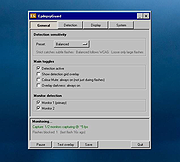 |
|
Nearby Glasses v1.0.8 Nearby Glasses v1.0.8 👉 Detects nearby smart glasses using Bluetooth Low Energy signals. Nearby Glasses is a free, open-source utility designed to detect nearby smart glasses by passively scanning Bluetooth Low Energy (BLE) advertising data. The app identifies supported smart glasses using Bluetooth manufacturer identifiers and can notify you when a compatible device is detected within range. Detection is based solely on publicly broadcast BLE advertising frames and does not establish a connection with other devices or transmit any of your data. The developer notes that false positives and missed detections are possible, as some non-glasses devices may use the same manufacturer identifiers. The project is licensed under the GNU AGPL v3.0 and is available for both Android and iOS. &nbsp;&nbsp;&nbsp;&nbsp; Features: • Passively scans Bluetooth Low Energy (BLE) advertisements • Detects supported smart glasses using manufacturer identifiers • Adjustable RSSI threshold to control detection sensitivity • Configurable notification cooldown • Canary Mode for iOS operation • Optional scan log display • Processes all scan data locally on the device • Does not establish Bluetooth connections or pair with devices • No advertisements or user tracking • Free and open source under the AGPL v3.0 license Supported operating systems: • Android 8.0 (Oreo) or higher • iOS 17.0 or higher Supported languages: English, French, German, Swiss German, Italian, Portuguese (Brazil), Spanish Changes: v1.0.8 07-16-26 added fixes to Russian translation (partly) added support for HeyCyan (Nilox Smart AI Glasses, sold by ALDI/Hofer) added support for RollMe and Rogbird fixed some minor bugs &nbsp;&nbsp;&nbsp;&nbsp; This download is for the Android APK file (very bottom of page). All other download assets are below: F-Droid APK: yj_nearbyglasses_1.0.8-izziFdroid.apk Or: Click here to visit the author's website. |
|
264 | Jul 17, 2026 Yves Jeanrenaud 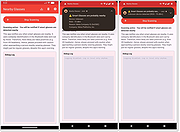 |
|
On Screen RGB Detector v1.2 On Screen RGB Detector v1.2 Detects and displays the RGB (red, blue, green) value of any spot on your screen. On-Screen RGB (Red, Green, Blue) Detector is an innovative approach that enables on-screen colour detection with few hand gestures. Sometimes you need to know the RGB value of a picture or anything else, then you are in the right place. The On Screen RGB Detector measures the RGB color value of every single pixel on your computer screen live by following the cursor/mouse pointer position along with the pixel coordinates. Application is built using Python programing language (3.10) and Tkinter framework for Graphical User Interface (GUI). System Requirements Windows 10 or newer) Features Measurement of RGB colours by following the position of cursor/mouse pointer with pixel coordinate live Readings are captured by keystrokes for user convenience RGB values are automatically copied to clipboard Click here to visit the author's website. |
|
2,879 | Sep 21, 2023 Abhijeet Kumar 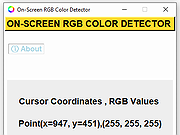 |
|
RunPE Detector v2.0 RunPE Detector v2.0 Phrozen RunPE Detector is a security program, especially designed to detect and defeat some suspicious processes using a generic method. We at Phrozen Software do things differently, more creatively. So, when we set ourselves the task of creating a novel way of detecting, disabling and removing RATs, we didn't want to take the route every other anti-virus company has done before us. Phrozen Software studied the behaviour of RATs and discovered that hackers virtually always use a technique called RunPE. This technique spawns a legitimate process – often the default browser or a Microsoft system process – and replace it with a malicious program code directly in memory. Your computer is thus tricked and treats the malicious code as a legitimate process. The user and his anti-virus program have no idea that his default browser is effectively turned into a virus. RunPE is a technique that is used in several malicious ways. The two most common are : [1] FWB (Firewall Bypass): As its name suggests, this technique is implemented to bypass or disable the Application Firewall or the Firewall rules. Since most malware needs to connect to a remote Command-and-Control (C&C) Server, it needs to connect to the Internet via the Firewall. Since most users are connected to the Internet at home, normally the installed Firewall would prevent the malware from connecting to the Internet. Using the RunPE technique to hijack a legitimate process that is authorized to reach Internet, any malware could subsequently connect to the C&C without being detected by the Firewall. [2] Malware Packer or Crypter: Generally script kiddies – immature hackers - use a well-known type of malware that is already detected by most anti-virus programs. They then try the obfuscate this malware to evade ... |
|
7,224 | Nov 15, 2019 PHROZEN SAS 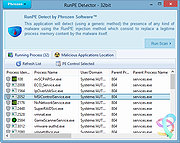 |
|
Sherlock AI Detector v1.0 Sherlock AI Detector v1.0 Your Powerful Ally Against AI-Generated Texts. Introducing Sherlock AI Detector, an innovative tool employing cutting-edge technology to fight against one of the most pressing modern threats to academic integrity and business authenticity: AI-generated text fraud. Protect your institution, organization, or business from AI-produced texts, ensuring human authenticity and safeguarding your trustworthiness. Essential for the Modern Digital Landscape The rise of advanced artificial intelligence has brought along the challenge of distinguishing between human-written and AI-generated texts. AI-produced content can infringe upon academic integrity, mislead business communication, or even manipulate public perception. The Sherlock AI Detector is your defence in this high-tech era, providing a robust, easy-to-use solution. Promote Academic Integrity Sherlock AI Detector is an indispensable tool for educators seeking to maintain academic integrity. It helps detect and deter the use of AI-generated texts in academic submissions, promoting honesty and fairness in educational institutions. Preserving the integrity of academia is essential in the face of evolving technological landscapes. The rise of AI-generated text presents a new challenge to educators worldwide, but with Sherlock AI Detector, maintaining academic integrity just got easier. Features • Adaptive Learning Algorithms – Sherlock AI Detector uses human-built algorithms that are constantly adjusted and improved with each new piece of AI data, enhancing increased accuracy over time with multiple AI text generators. • Real-time AI Detection – The software performs real-time analysis of text files to immediately find patterns and other markers to detect that the text or part of it was created by artificial intelligence. • Secure and Compliant – We ensure that Sherlock AI Detector complies with all industry standards and regulations to guarantee your data’s privacy and security. To use... • Simply copy and paste text into the programs window or open an existing .txt file from your computer. • Click Start and let the program finish scanning. • Text highlighted ... |
|
3,921 | Sep 01, 2023 essayrewriteai.com 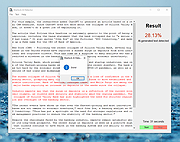 |
| Showing rows 1 to 6 of 6 | Showing Page 1 of 1 | 1 |
OlderGeeks.com Copyright (c) 2026
