|

|
Processed through Paypal No account required. |








Buy our over-priced crap to help pay the bills.



|
|
Processed through Paypal No account required. |
| Files | ||||
| File Name | Rating | Downloads | ||
 |
Librer v1.0979.518 Librer v1.0979.518 👉 Cross-platform GUI file cataloging with powerful search and custom metadata extraction. Librer is a cross-platform GUI file cataloging program designed to catalog files (especially on removable media like memory cards and portable drives), add metadata via custom data extractors, and perform fast multi-core searches across saved records. Features: • Catalog file systems into portable record files (great for removable media) • Add custom metadata (Custom Data) by running user-selected commands or scripts per file • Search using regular expressions, glob expressions, and fuzzy matching (filenames and custom data) • Export and import created records for sharing or backups • Import data from other catalogers including Where Is It?, Cathy (.caf), and VVV (CSV) • Highly optimized record format for fast access, compression, and repository portability • Portable by design: writes logs, configuration, and data into its own folders at runtime Supported operating systems: • Linux • Windows 10, Windows 11 Changes: v1.0979.518 06-24-26 refactoring of opening paths and URLs check xdg-open bump pyinstaller, tkinterdnd2, pywin32, dateparser better messages Note: This file has one hit on VirusTotal. We have confirmed this to be a false positive. The file is safe. This download is for the Windows portable version (very bottom of page). If you need the Linux portable version, download here. Click here to visit the author's website. |
 |
1,681 | Jun 27, 2026 Piotr Jochymek 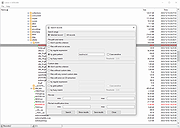 |
|
Simple Custom Search 5.2 Simple Custom Search 5.2 Simple Custom Search allows you to use multiple search engines with one mouse click. Search strings are, of course, editable. The program works with default browser. You can use URL + Enter to open links in new tab. You can use search field as an address bar. Left click = search. Right click = paste from clipboard + search. Arrows UP/DOWN while typing = autocomplete search terms from history. ESC = clear search field. |
 |
9,307 | Feb 17, 2014 UP Team |
| Showing rows 1 to 2 of 2 | Showing Page 1 of 1 | 1 |
OlderGeeks.com Copyright (c) 2026
