|

|
Processed through Paypal No account required. |








Buy our over-priced crap to help pay the bills.



|
|
Processed through Paypal No account required. |
| Files | ||||
| File Name | Rating | Downloads | ||
 |
Firefox Multi-Account Containers v8.0.6 Firefox Multi-Account Containers v8.0.6 A Mozilla Firefox browser add-on that lets you keep parts of your online life separated into color-coded tabs. Cookies are separated by container, allowing you to use the web with multiple accounts and integrate Mozilla VPN for an extra layer of privacy. About This Extension The Firefox Multi-Account Containers extension lets you carve out a separate box for each of your online lives – no more opening a different browser just to check your work email! Under the hood, it separates website storage into tab-specific Containers. Cookies downloaded by one Container are not available to other Containers. You can even integrate individual Containers with Mozilla VPN to protect your browsing and location. With the Firefox Multi-Account Containers extension, you can... Sign in to two different accounts on the same site (for example, you could sign in to work email and home email in two different Container tabs. Keep different kinds of browsing far away from each other (for example, you might use one Container tab for managing your Checking Account and a different Container tab for searching for new songs by your favorite band) Avoid leaving social-network footprints all over the web (for example, you could use a Container tab for signing in to a social network, and use a different tab for visiting online news sites, keeping your social identity separate from tracking scripts on news sites) Protect your browsing activity in individual Containers using Mozilla VPN, so you can shop while traveling abroad but check your bank account from a server in your home country. After installing the Firefox Multi-Account Containers extension, click the Containers icon to edit your Containers. Change their colors, names, and icons. Long-click the new tab button to open a new ... |
 |
2,849 | Apr 07, 2022 Mozilla 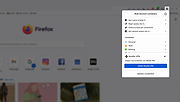 |
 |
SideSlide v6.50 SideSlide v6.50 👉 A powerful, customizable desktop workspace, launcher and information organizer that stays hidden until you need it. SideSlide is a free desktop assistant designed to keep your Windows desktop organized and clutter-free while providing instant access to programs, files, folders, websites, commands, RSS feeds, notes, reminders, pictures and other frequently used information. Its customizable workspace can dock to any screen edge and remain tucked away until needed, giving you a large organizational area without permanently consuming desktop space. The workspace uses flexible containers that can be resized, detached, folded, shrunk and arranged however you prefer. Containers can hold shortcuts, notes, RSS feeds, reminders and other content, allowing large collections of information to remain accessible without covering the desktop. SideSlide also includes extensive keyboard navigation and launching features for users who prefer working without the mouse. When the workspace is collapsed, SideSlide can display a Dock Strip containing useful system information and live weather. The workspace can quickly expand again when you need access to its contents. SideSlide can also be used portably from a USB drive. Its configuration files are kept together, and the portable version can continue working even when the removable drive letter changes. Features: • Fully customizable desktop workspace that remains hidden until needed • Dock the workspace to any edge of the screen • Dock Strip displays system information and live weather while the main workspace is collapsed • Create shortcuts to programs, files, folders, commands and websites • Add RSS news feeds directly to the workspace • Built-in RSS reader with filtering and Subject Tracker capabilities • Create resizable, detachable, foldable and shrinkable containers • Containers can extend beyond the visible screen area • Create colorful notes that can be searched, edited in bulk and individually customized • Encrypt notes and automatically re-encrypt them after editing • Create ... |
|
6,515 | Sep 02, 2026 Northglide 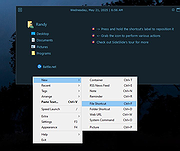 |
| Showing rows 1 to 2 of 2 | Showing Page 1 of 1 | 1 |
OlderGeeks.com Copyright (c) 2026
