|

|
Processed through Paypal No account required. |








Buy our over-priced crap to help pay the bills.



|
|
Processed through Paypal No account required. |
| Files | ||||
| File Name | Rating | Downloads | ||
 |
Startup Monitor 64 v4.175 Startup Monitor 64 v4.175 👉 A portable Windows utility that watches startup locations and alerts you when programs try to add themselves. Startup Monitor 64 is a portable Windows system monitoring utility designed to detect changes to startup folders, Windows Registry startup locations, scheduled tasks and other locations you choose to monitor. When a new or changed item is detected, Startup Monitor 64 presents it for review so you can decide whether it should be allowed or denied. On its first run, the program creates baseline snapshots of existing startup folders and scheduled tasks. Future scans compare the current system against this baseline along with separate Allowed and Denied lists. This helps distinguish legitimate existing startup entries from newly added or changed items. Startup Monitor 64 is not limited to traditional Windows startup locations. You can add your own folders and Registry paths, allowing the program to serve as a general-purpose change monitor for locations you want to keep an eye on. The program is fully portable. Configuration files, baselines, allowed and denied lists, and logs are kept inside an App folder within the program's directory. Features: • Monitors Windows startup folders for new or changed items • Monitors common Windows Registry startup locations • Monitors Windows Task Scheduler for newly added or changed scheduled tasks • Allows custom folders to be added to the monitoring list • Allows custom Registry paths to be monitored • Individual monitored locations can be enabled or disabled • Displays a review window when new or changed items are detected • Lets you approve detected items and add them to an Allowed list • Lets you deny detected items and remove them after confirmation • Maintains separate Allowed and Denied lists • Creates a persistent baseline of existing startup items on first run • Creates a baseline of existing scheduled tasks • Provides adjustable startup-location monitoring intervals from 1 to 60 seconds • ... |
 |
224 | Sep 09, 2026 sl2365 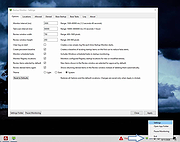 |
| Showing rows 1 to 1 of 1 | Showing Page 1 of 1 | 1 |
OlderGeeks.com Copyright (c) 2026
