|

|
Processed through Paypal No account required. |








Buy our over-priced crap to help pay the bills.



|
|
Processed through Paypal No account required. |
| Files | ||||
| File Name | Rating | Downloads | ||
 |
HTTrack v3.50-4 HTTrack v3.50-4 Website Copier 👉 Download entire websites to your computer for convenient offline browsing. HTTrack is a free and open-source offline browser and website copier that allows you to download a website from the Internet to a local directory. It recursively builds directories and retrieves HTML pages, images and other files while preserving the original site's relative link structure. Once downloaded, you can open the mirrored website in your regular browser and navigate from page to page as if you were viewing it online. HTTrack can also update an existing mirrored site, resume interrupted downloads and provides extensive configuration options and an integrated help system. Features • Downloads complete websites for offline browsing • Recursively retrieves HTML pages, images and other linked files • Preserves the original website's relative link structure • Browse downloaded websites using a regular web browser • Updates previously downloaded website mirrors • Resumes interrupted downloads • Extensive configuration options for controlling downloads • Integrated help system • WinHTTrack graphical interface for Windows • WebHTTrack interface for macOS, Linux, Unix and BSD • Supports modern HTTPS connections • Supports SOCKS5 and CONNECT proxies • Supports Brotli and Zstandard compression • Supports files larger than 2 GB • Supports Windows paths longer than 260 characters • Supports accented and non-Latin project names and paths • Supports WARC web archive output • Can use sitemaps as a source of URLs • Can create standalone single-file pages • Can report changes made during mirror updates Supported operating systems • Windows 7 SP1, Windows 8, Windows 8.1, Windows 10, Windows 11 • Windows XP and Windows Vista are supported by the older 3.49-2 release. • Windows systems older than Windows 2000 are supported by the older v3.49-2 release. • Windows XP and Windows Vista are supported by the older v3.33 release. • macOS ARM only • Linux, Unix, BSD. Supported languages Bulgarian, Chinese (Simplified), Chinese (Traditional), Croatian, Czech, Danish, Dutch, English, Estonian, Finnish, French, German, Greek, Hungarian, Italian, Japanese, Macedonian, ... |
 |
209 | Sep 25, 2026 Xavier Roche & other contributors 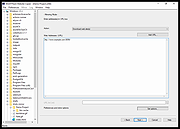 |
 |
XXCOPY v3.33.3 XXCOPY v3.33.3 👉 A powerful superset of XCOPY using the same syntax. It can copy, remove, search, and list files/directories. XXCOPY is simply a logical extension to XCOPY. It remains faithfully compatible with XCOPY in the invocation syntax, yet, adds many innovative features to be a very serious utility for anyone who feels comfortable in managing files in command line mode (DOS Box). XXCOPY has grown to be not just a file copy program but also file removal, search and list utility. Its short-name preserving capability makes it ideal to clone a system disk which can be made bootable. You may also use it for synchronizing systems. In short, it is an industrial strength utility for system administrators. What is ? ▸ A versatile file management tool for Microsoft Windowsฎ. ▸ It is a command-line program (without graphical user interface). ▸ Supports all Windows versions (except Windows CE). ▸ It has more command switches (>230) than any other tool of its kind. ▸ An ideal component for batch files for simple and complex scripting. ▸ Accesses remote (networked) computer storage and local external USB drives. ▸ Command syntax compatible with Microsoft's XCOPY with few exceptions. ▸ Competes with (supersedes) Microsoft's RoboCopy. ▸ One download package contains both the 32-bit and 64-bit XXCOPY ... |
|
7,638 | Jun 18, 2026 Pixelab, Inc. 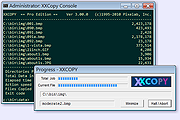 |
| Showing rows 1 to 2 of 2 | Showing Page 1 of 1 | 1 |
OlderGeeks.com Copyright (c) 2026
