|

|
Processed through Paypal No account required. |








Buy our over-priced crap to help pay the bills.



|
|
Processed through Paypal No account required. |
| Files | ||||
| File Name | Rating | Downloads | ||
 |
Pinned: Malwarebytes AdwCleaner v8.8.1.639 Malwarebytes AdwCleaner v8.8.1.639 👉 Removes adware, unwanted programs, browser hijackers, and other potentially unwanted software. Malwarebytes AdwCleaner is a lightweight, portable utility designed to scan for and remove adware, potentially unwanted programs (PUPs), browser hijackers, toolbars, and other unwanted software that can slow down your computer or interfere with your browsing experience. It does not require installation and can be run directly to quickly clean and restore system performance. AdwCleaner scans key areas of your system including files, folders, services, scheduled tasks, registry entries, and web browsers. After the scan, it presents a detailed report and allows you to review and clean detected items safely. Features: • Portable and lightweight • Detects and removes adware and PUPs • Cleans browser hijackers and unwanted toolbars • Scans services, registry, files, and scheduled tasks • Simple interface with detailed scan reports • Quarantine management and basic repair options Supported operating systems: Windows 11 (32/64-bit) AdwCleaner v8.8.0 Windows 10 (32/64-bit) AdwCleaner v8.8.0 Windows 8.1 (32/64-bit) AdwCleaner v8.4.0 Windows 8 (32/64-bit) Adwcleaner v8.4.0 Windows 7 (32/64-bit) Adwcleaner v8.4.0 Windows XP (32/64-bit) Adwcleaner v7.4.2 Windows Vista (32/64-bit) Adwcleaner v7.4.2 Supported languages: Arabic, Bulgarian, Czech, Danish, German, Greek, English, English (UK), Spanish, Basque, French, Hungarian, Indonesian, Italian, Japanese, Korean, Dutch, Polish, Portuguese (Brazil), Portuguese, Romanian, Russian, Slovak, Thai, Turkish, Ukrainian, Vietnamese, Simplified Chinese, Traditional Chinese Changes: v8.8.1 05-13-26 Features and improvements No new features included in this release Issues fixed Fixed DLL sideloading security issue. Properly avoid terminating SetMe processes This download is for the Windows 10/11 version (very bottom of page). All other download assets are below: Windows 7/8: adwcleaner 8.4.0.exe Windows XP/Vista: adwcleaner_7.4.2.exe Click here to visit the author's website. |
 |
34,878 | Aug 20, 2026 Malwarebytes 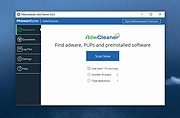 |
|
Pinned: Malwarebytes Anti-Malware v5.7.2.358 Malwarebytes Anti-Malware v5.7.2.358 OlderGeeks.com is an official mirror of Malwarebytes Anti-Malware 👉 Advanced malware detection and removal tool to protect your PC from threats. Malwarebytes Anti-Malware is a powerful security application designed to detect, block, and remove malware, ransomware, spyware, adware, and other online threats that traditional antivirus programs may miss. Using advanced heuristic analysis and signature-based detection, it provides real-time protection and on-demand scanning to keep your system clean and secure. Malwarebytes Anti-Malware works alongside other antivirus software or as a standalone solution, offering layered defense against emerging threats. Its streamlined interface makes it easy for both beginners and advanced users to perform quick scans, deep scans, and custom scans, while maintaining minimal impact on system performance. Features: • Real-time protection against malware, ransomware, spyware, and adware • Advanced heuristic and behavior-based threat detection • Quick, Threat, and Custom scan options • Protection against malicious websites and phishing attempts • Automatic updates to the malware database • Quarantine and restore functionality • Lightweight design with minimal system impact • Compatible with other antivirus programs Supported operating systems: • Windows 10, Windows 11 Supported languages: English, Spanish, French, German, Italian, Portuguese, Dutch, Japanese, Korean, Chinese (Simplified), Chinese (Traditional) Changes: v5.7.2.358 10-01-26 Features and improvements Added the ability to directly open Browser Guard's extension settings from the Malwarebytes for Windows Settings page. This link only appears when Chrome or Edge is your default browser. Improved the error messages that appear when license activation fails, so it's clear what went wrong and what to do next. Improved detection of malicious scripts. Issues fixed Fixed security, stability, and performance issues related to detection, protection, and remediation. Fixed minor localization issues. Note: Malwarebytes initially installs as a 14 day trial of full real-time protection. After the 14 days are up, Malwarebytes reverts to a free version that will only disinfect ... |
|
28,653 | Oct 09, 2026 Malwarebytes.com 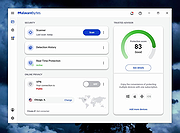 |
 |
HiJackThis+ v3.5.0.1 HiJackThis+ v3.5.0.1 👉 Advanced malware and system hijack diagnostic scanner for Windows. HiJackThis+ is a free utility for Microsoft Windows that scans your computer for settings changed by adware, spyware, malware, and other unwanted programs. It is a passive scanner that focuses on detecting hijacking methods rather than relying on traditional signature databases, and it can help experienced users inspect browser, startup, registry, policy, task, and other system areas that may have been altered by suspicious software. It also includes a collection of extra tools such as StartupList, Process Manager, Hosts Manager, ADS Spy, uninstall management, file and registry unlockers, a registry key type analyzer, and batch digital signature checking. Features: • Scans Windows for changes made by adware, spyware, malware, and other unwanted programs • Detects hijacking methods instead of depending on signature database updates • Checks many sensitive system areas including startup entries, registry locations, policies, tasks, browser related items, and more • Includes StartupList 2 for expanded startup inspection • Includes Process Manager for reviewing running processes • Includes Hosts Manager for reviewing and resetting the Hosts file • Includes ADS Spy for finding alternate data streams • Includes uninstall management tools • Includes Windows service removal tools • Includes File Unlocker and Registry Key Unlocker • Includes Registry Key Type Analyzer for advanced inspection • Includes batch digital signature checking • Supports backup and fix workflows for detected items • Can be used as a supplemental diagnostic tool alongside a regular antivirus Supported operating systems: • Windows XP, Windows Vista, Windows 7, Windows 8, Windows 8.1, Windows 10, Windows 11, Windows Server editions, 32-bit, 64-bit Supported languages: English, French, Russian, Spanish, Ukrainian Changes: v3.5.0.1 07-02-26 - Updated certificates and databases. - Fixed Windows Defender Exclusion log. - Improved O23 - Service check logic. - Improved digital signature verification: Third-party files signed by a Microsoft Root CA will no longer be flagged as "Sign 'Microsoft'" if the trust ... |
|
3,852 | Aug 14, 2026 Alex Dragokas 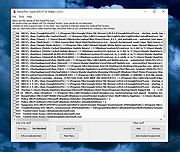 |
| Showing rows 1 to 3 of 3 | Showing Page 1 of 1 | 1 |
OlderGeeks.com Copyright (c) 2026
