|

|
Processed through Paypal No account required. |








Buy our over-priced crap to help pay the bills.



|
|
Processed through Paypal No account required. |
| Files | ||||
| File Name | Rating | Downloads | ||
 |
NixThis v0.40 NixThis v0.40 👉 A portable tool for blocking unwanted Windows ads, suggestions, and interface clutter. NixThis helps you find and disable unwanted Windows features by pointing at them on your screen. Instead of searching through Settings or sorting through hundreds of unfamiliar tweaks, you select an interface element and let NixThis look for the Windows setting behind it. Click “Pick an element” or press Ctrl + Shift + Space, then move your pointer over the item you want to remove. A green outline means NixThis recognizes the element. Click it to review what will change before deciding whether to block it. NixThis intercepts the click so you do not accidentally activate the button underneath. A gray outline means the element is not recognized; its signature is recorded locally, and no settings are changed. You can also use the searchable filter list to review available changes, including features that are not currently visible on your screen. Each entry explains where the item appears and what its filter changes. Select the entries you want and choose “Apply changes.” NixThis remembers previous registry values so you can restore settings through “What you blocked” and “Bring it back.” Uninstalled Microsoft Store apps work differently: NixThis opens the matching Store page so you can reinstall them. The program is portable. Extract the download into a folder you can write to and run NixThis.exe. Its normal blocking features work locally. Optional AI explanations require your own API key and send only the selected setting’s name and technical details to the provider. Features: • Point-and-click element picker for identifying recognized Windows interface features. • Green and gray outlines distinguish recognized elements from unknown ones. • Review the proposed setting change before applying a filter. • Searchable filter list includes items that are not currently visible on screen. • Apply multiple selected filters together. • Each filter explains where its target appears and what will change. • Restore ... |
 |
18 | Sep 30, 2026 Builtbybel 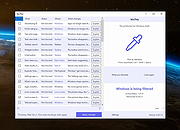 |
|
Phrozen ADS (Alternate Data Stream) Revealer v1.0.5642 Phrozen ADS (Alternate Data Stream) Revealer v1.0.5642 Phrozen ADS (Alternate Data Stream) Revealer is a Microsoft Windows program, especially designed to reveal possible malicious ADS files in your file system. Since the Alternate Data Stream functionality is only available for NTFS (New Technology File System), the program is able to scan and detect this kind of files only for this type of file system (Physical Hard Drive/Virtual Hard Drive/Physical Removable Device/Virtual Removable Device). If some ADS Files are detected during the scan you then can decide wether or not you want to keep them or to back them up. You can also have a content preview to detect in one glance if it looks legitemate or not. Phrozen ADS Revealer is the perfect tool to sanitize your NTFS file systems against bloated content or hidden malwares. Another great tool to put in your collection and 100% free. What are Alternate Data Stream Alternate data streams allow more than one data stream to be associated with a filename, using the format "filename:streamname" (e.g., "text.txt:extrastream"). NTFS Streams were introduced in Windows NT 3.1, to enable Services for Macintosh (SFM) to store resource forks. Although current versions of Windows Server no longer include SFM, third-party Apple Filing Protocol (AFP) products (such as GroupLogic's ExtremeZ-IP) still use this feature of the file system. Very small ADS (called Zone.Identifier) are added by Internet Explorer and recently by other browsers to mark files downloaded from external sites as possibly unsafe to run; the local shell would then require user confirmation before opening them.[21] When the user indicates that they no longer want this confirmation dialog, this ADS is deleted. Alternate streams are not listed in Windows Explorer, and their size is not included in the file's size. They are ignored when the file is copied or moved ... |
|
7,025 | Nov 15, 2019 PHROZEN SAS 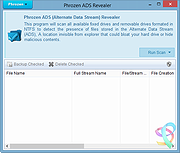 |
| Showing rows 1 to 2 of 2 | Showing Page 1 of 1 | 1 |
OlderGeeks.com Copyright (c) 2026
