|

|
Processed through Paypal No account required. |








Buy our over-priced crap to help pay the bills.



|
|
Processed through Paypal No account required. |
| Files | ||||
| File Name | Rating | Downloads | ||
 |
Grant Admin Full Control v4.0 Grant Admin Full Control v4.0 Free, portable tool to take ownership of files and folders by simply dragging and dropping them. Grant Admin Full Control v4.0 is a Windows utility designed to help administrative users take ownership and full control over restricted files and folders. The tool simplifies the process by allowing drag-and-drop file management, making it easy to gain access to system-protected, permission-locked, or restricted files. It features a modern, user-friendly interface with Windows 11 and supports seamless integration with the Explorer shell context menu for quick access. Take Ownership and Full Control • Grants the current user ownership and full control over selected files or folders. • Removes restrictive permissions, providing unrestricted access to protected content. • Handles system, hidden, and locked files effectively. Features: • Drag and Drop Ownership: Simply drag files or folders into the app to take ownership instantly – no complex commands required. • Context Menu Integration: Access the Grant Admin Full Control option directly from the Windows right-click menu for fast file or folder ownership changes. • Advanced Ownership Options: ▸ Take ownership of general files and folders. ▸ Manage executable (.exe) or library (.dll) files. • Inheritance Support: Grant admin full control by inheriting permissions from top-level users like System or the Administrators group. Important: ▸ You must have at least read access to the targeted file or folder for ownership changes to take effect. ▸ You must right-click and run this program as Administrator. Click here to visit the author's website. |
 |
855 | Apr 16, 2025 W7Tweaks 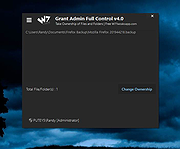 |
 |
KillerScan v1.4.0 KillerScan v1.4.0 👉 Fast portable network scanner for field techs and administrators. KillerScan is a fast network scanner built for field techs that combines ARP and ping discovery, TCP port probing, active fingerprinting, vendor lookup, and weighted-score device classification in a single portable Windows executable. It is designed to quickly identify devices on a subnet, gather service and fingerprint details such as HTTP, SSH, TLS, NetBIOS, and SNMP data, and help you classify systems like Windows PCs, Linux servers, printers, NAS devices, cameras, and other network hardware without requiring a separate runtime installation. Features: • ARP cache and parallel ping sweep discovery for quickly finding live devices • TCP port scanning across 24 common service ports • Active fingerprinting with HTTP title and server header detection • SSH banner, TLS certificate subject, NetBIOS name, SNMP sysDescr, and ICMP TTL collection • MAC OUI vendor identification using the IEEE registry • Weighted-score classifier for identifying hypervisors, Windows systems, Linux servers, printers, NAS devices, cameras, IoT hardware, mobile devices, Home Assistant systems, and more • Right-click actions to copy IP, MAC, or hostname values • Quick launch options for RDP, SSH, and browser access • Manual device type override options • CSV and HTML export Supported operating systems: • Windows 10 (x64), Windows 11 (x64) Supported languages: English Changes: v1.4.0 05-16-26 Added Portable mode detection: app launches directly; if running outside the install location a PORTABLE badge and Install button appear in the status bar Custom themed install confirmation dialog Film grain overlay on the results area background Changed Scan button switched to outlined style matching killertools.net TextBox inputs now visually distinct from card surfaces (darker bg, visible border) Network info bar labels each value: local:, gw:, dns: prefixes in dim green Column headers: reduced height, transparent background, cleaner minimal ... |
|
524 | May 22, 2026 SteveTheKiller 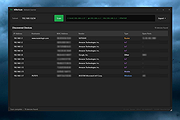 |
|
NetCrunch Admin Toolset v2.0.0.63 NetCrunch Admin Toolset v2.0.0.63 Set of tools for administrators containing various tools in visual form. Besides traditional tools such as Ping, it includes network scanners and "DNS Audit," which can help in identifying problems with DNS configuration. Tcp/Ip Tools Ping Traceroute Wake on LAN DNS Info Who Is Subnet Tools DNS Audit MAC Address Resolver Subnet Calculator Net Scanners Ping Sweep Network Services Scanner Open Port Scanner SNMP Scanner Click here to visit the author's website. |
|
7,200 | Jan 23, 2021 AdRem Software, Inc. 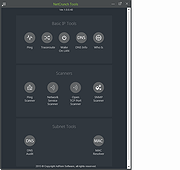 |
|
PHP Mini SQL Admin v1.9.240801 PHP Mini SQL Admin v1.9.240801 Lightweight alternative to heavy phpMyAdmin for quick and easy MySQL databases access. PHP Mini SQL Admin - Lightweight alternative to heavy phpMyAdmin. Extremely small (~30Kb) standalone php script. Easy to Install, simple to use. No SQL knowledge required for basic operations. Features • full MySQL support • extremely small (~42Kb) • just in one php file How to Install 1) Download phpminiadmin.php file (very bottom of page) 2) Copy/Upload it to your webserver public directory (www or public_html or etc.) 3) Open in your browser https://yoursite.com/phpminiadmin.php Recommended: For additional security you may edit phpminiadmin.php file and set some password (see $ACCESS_PWD variable) Dependencies: • The only required php extension is mysqli. Therefore if you got a white screen install it: • sudo apt-get install php-mysql on Debian or enable extension=php_mysqli.dll in php.ini on Windows Config file (optional) You can also create phpminiconfig.php in the same directory as phpminiadmin.php with database credentials or password. This way you can easily install future releases of phpminiadmin.php In the directory samples you'll find phpminiconfig.php for known OpenSource packages • See phpminiconfig.php for an empty example • See phpminiconfig.magento.php to read Magento its app/etc/local.xml ($ACCESS_PWD is required) • See phpminiconfig.sugarcrm.php to read SugarCRM its config.php ($ACCESS_PWD is required) • See phpminiconfig.wordpress.php to read Wordpress its wp-config.php ($ACCESS_PWD is required) • See phpminiconfig.vtiger.php to read Vtiger its config.inc.php ($ACCESS_PWD is required) IMPORTANT: Right-click on the download link below and choose to save the link. Otherwise you will just be opening the php file and that will not work. Click here to visit the author's website. |
 |
1,342 | Aug 02, 2024 Oleg Savchuk 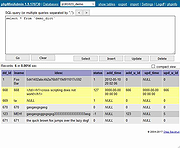 |
| Showing rows 1 to 4 of 4 | Showing Page 1 of 1 | 1 |
OlderGeeks.com Copyright (c) 2026
