|

|
Processed through Paypal No account required. |








Buy our over-priced crap to help pay the bills.



|
|
Processed through Paypal No account required. |
| Files | ||||
| File Name | Rating | Downloads | ||
 |
Homedale v2.24 Homedale v2.24 👉 Wi-Fi and WLAN monitor for scanning access points and tracking signal strength. Homedale scans for Wi-Fi / WLAN / IEEE 802.11 access points and monitors their signal strength. It shows available access points with details such as security type, network name (SSID), BSSID, vendor based on MAC address, channel, supported data rates, and more. Homedale also parses and displays information elements advertised by access points, graphs signal strength over time, analyzes channel usage to help find the optimal channel for your access point, and can use detected access points with Google Geolocation to help locate your position. Features: • Scans for Wi-Fi 7 / WLAN / IEEE 802.11 access points • Supports 802.11a/b/g/n/ac/ax/be wireless networks • Works with 2.4 GHz, 5 GHz, and 6 GHz frequency bands • Supports 20, 40, 80, 160, and 320 MHz channel widths • Shows signal strength, SSID, BSSID, vendor, channel, security, and supported data rates • Parses and displays advertised information elements and decoded data • Graphs signal strength of selected access points over time • Can log signal data to a text file • Can create screenshots from the signal graph • Analyzes channel usage to help identify the best Wi-Fi channel • Lets you connect to and disconnect from Wi-Fi / WLAN access points from the interface Supported operating systems: • Windows 2000, Windows XP, Windows Vista, Windows 7, Windows 8, Windows 10, Windows 11, Windows Server • macOS 10.10 or higher through macOS 15 Supported languages: • English, French, German, Greek, Italian, Japanese, Korean, Norwegian, Polish, Portuguese, Russian, Simplified Chinese, Slovenian, Spanish, Swedish, Thai, Traditional Chinese, Ukrainian Changes: v2.24 04-18-26 New: oui.txt handling fixed This download is for the Windows version (very bottom of page). If you need the MacOS version (1.17), download here. Click here to visit the author's website. |
 |
5,434 | Apr 19, 2026 The SZ Development 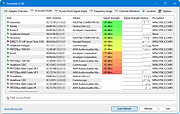 |
|
WifiInfoView v3.00 WifiInfoView v3.00 👉 Scan and analyze nearby wireless networks with detailed Wi-Fi information. WifiInfoView is a free, portable utility that scans all wireless networks within range and displays detailed technical information about each one. It provides network names (SSID), MAC addresses, signal strength, channel numbers, frequencies, PHY types, maximum supported speeds, security status, router manufacturer, and other useful details for troubleshooting or optimizing wireless networks. Advanced users can also inspect the raw Wi-Fi information elements transmitted by each access point in hexadecimal format. WifiInfoView includes a summary mode that groups detected networks by channel, router manufacturer, PHY type, or maximum speed, making it easy to identify congested channels and optimize wireless performance. Features: • Portable application requiring no installation • Scans and displays nearby wireless networks in real time • Shows SSID, MAC address, PHY type, RSSI, signal quality, frequency, and channel • Displays router manufacturer, model, and name when available • Shows network security status and maximum supported connection speed • Summary mode groups networks by channel, manufacturer, PHY type, or speed • View raw Wi-Fi information elements in hexadecimal format • Export selected information to multiple file formats • Filter, sort, and search detected wireless networks • Supports both 32-bit and 64-bit Windows systems Supported operating systems: • Windows Vista, Windows Server 2008, Windows 7, Windows 8, Windows 10, Windows 11 Supported languages: • Arabic, Basque, Bulgarian, Catalan, Chinese Simplified, Chinese Traditional, Croatian, Czech, Danish, Dutch, English, Finnish, French, German, Greek, Hebrew, Hungarian, Italian, Japanese, Korean, Norwegian, Persian, Polish, Portuguese, Portuguese (Brazil), Romanian, Russian, Slovak, Slovenian, Spanish, Swedish, Thai, Turkish, Ukrainian, Vietnamese Changes: v3.00 06-10-26 • Added "Keep Selected Item Visible" option. When enabled, the selected item always remains visible. Note: This file has two hits on VirusTotal. We have confirmed these to be false positives. The file is safe. This download is for the Windows 64bit version (very bottom of page). If you need the Windows 32bit version, ... |
|
6,566 | Jun 23, 2026 Nir Sofer 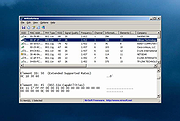 |
|
Wireless Network Watcher v2.45 Wireless Network Watcher v2.45 👉 Scans your wireless network and displays a list of all devices currently connected. Wireless Network Watcher is a lightweight network monitoring tool that scans your wireless network and displays a list of all computers and devices currently connected. The program quickly identifies devices on your network and provides useful information such as IP address, MAC address, device name, network adapter company, and connection status. Wireless Network Watcher can be useful for detecting unauthorized devices connected to your wireless network. It works by scanning a defined IP address range and presenting the results in a clear list, making it easy to identify computers, smartphones, tablets, routers, and other network hardware that are currently active. The utility is portable and does not require installation. It can also play a sound alert when a new device connects to the network and allows exporting the device list to various formats for reporting or monitoring purposes. Features: • Scans wireless networks and detects connected devices • Displays device information including IP address, MAC address, and device name • Identifies network adapter manufacturer from MAC address • Detects computers, phones, tablets, and other network hardware • Sound notification when new devices connect to the network • Export results to HTML, XML, CSV, or text files • Portable application that does not require installation • Simple interface designed for quick network scanning Supported operating systems: • Windows XP, Windows Vista, Windows 7, Windows 8, Windows 10, Windows 11 Supported languages: Arabic, Basque, Brazilian Portuguese, Bulgarian, Catalan, Croatian, Czech, Dutch, Finnish, French, German, Greek, Gujarati, Hebrew, Hellenic, Hungarian, Indonesian, Italian, Japanese, Korean, Latvian, Norwegian, Persian, Polish, Portuguese, Romanian, Russian, Serbian, Simplified Chinese, Slovak, Slovenian, Spanish, Swedish, Traditional Chinese, Thai, Turkish, Ukrainian, Valencian, Vietnamese Changes: v2.45 06-27-26 When a randomized MAC address is detected, it's displayed in the 'Network Adapter Company' column. Updated the internal MAC addresses database. This download is for the ... |
|
12,311 | Jul 01, 2026 Nir Sofer 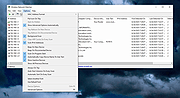 |
 |
Wise WiFi Password Viewer v1.0 Wise WiFi Password Viewer v1.0 👉 Portable tool to show and recover saved WiFi passwords in Windows. Wise WiFi Password Viewer helps you recover and view saved wireless network keys stored on your Windows PC. It is designed to quickly display previously connected WiFi network names and passwords, perform local-only scans, and export the results to TXT or CSV for backup or record keeping. Features: • One-click recovery of saved WiFi credentials • Displays previously connected wireless network names and passwords • Local-only scanning with no cloud uploads or external transmissions • Export support for TXT and CSV formats • Portable utility with no installation required • Clear organized list for quick viewing and saving of credentials Supported operating systems: • Windows 7, Windows 8, Windows 8.1, Windows 10, Windows 11 • 32-bit, 64-bit Supported languages: English Changes: v1.0 04-16-26 Not Provided. Note: You MUST right click the file and Run as Administrator for it to work properly. Click here to visit the author's website. |
|
505 | Apr 17, 2026 WiseCleaner.com 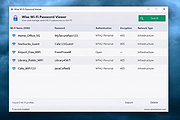 |
| Showing rows 1 to 4 of 4 | Showing Page 1 of 1 | 1 |
OlderGeeks.com Copyright (c) 2026
