|

|
Processed through Paypal No account required. |








Buy our over-priced crap to help pay the bills.



|
|
Processed through Paypal No account required. |
| Files | ||||
| File Name | Rating | Downloads | ||
 |
Command No Window v1.0.0.0 Command No Window v1.0.0.0 Run Command Line Scripts Without Displaying a Window. Utility that allows to run command line programs and scripts without displaying the command line, or console window. (This utility by itself will not display any UI if it was run with command line arguments.) Such can be helpful when running commands on schedule without distracting the work of a logged-in user at the time when the schedule is triggered to run. This utility can run Windows executable programs, DOS batch files (text files with .bat or .cmd extensions), as well as PowerShell scripts (text files with .ps1 extension.) If receiving the output from running a command is required, make sure to enable Windows Event Logging via the VerboseLog registry value, described in the included manual. Windows XP/Vista/7/8/10 & Windows Server 2003/R2/2008/R2/2012/R2/2016 Click here to visit the author's website. |
 |
3,571 | May 27, 2021 Dennis Babkin 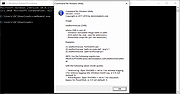 |
 |
Easy Window Switcher v1.2.2 Easy Window Switcher v1.2.2 Makes switching between different windows as easy as alt+` (that's alt+backtick). Forget having to alt+tab between a million-and-one different open windows to find the one you are looking for, with Easy Window Switcher, tabbing between windows of the same program is only a alt+` away! Easy Window Switcher brings the convenience of Mac's easy window switching to Windows, and in typical NeoSmart fashion, makes it ridiculously easy and painless to get going. Taking up less than 1MiB and starting automatically in the background, we guarantee you'll fall in love with Easy Window Switcher and go around installing it on every PC you use at work and around the house. Changelog for Easy Window Switcher Easy Window Switcher 1.2.2 (June 10, 2019) Fix hotkey for German Swiss keyboard layout Fix hotkey for International Spanish keyboard layout Fix hotkey for Swedish keyboard layout Click here to visit the author's website. |
|
6,024 | Nov 12, 2021 NeoSmart Technologies 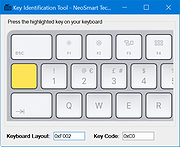 |
|
JMoveIt v1.00 JMoveIt v1.00 👉 A lightweight multi-monitor utility that moves windows between displays while preserving their relative size and position. JMoveIt is a multi-monitor utility designed to solve two common display-management problems: programs changing size when moved between monitors with different scaling or resolution settings, and Windows relocating open programs when a monitor’s power state changes. It can move programs to other monitors while maintaining the same relative size and position, and its optional Monitor Watcher feature can detect monitor power changes and restore windows to their original locations after Windows moves them. JMoveIt runs in the background, supports command line control, global hotkeys, and quick mouse-friendly interaction through a small window. Features: • Move program windows between monitors while preserving relative size and position • Helps prevent programs from growing or shrinking when moved to displays with different scaling or resolution settings • Optional Monitor Watcher detects monitor power state changes • Restores windows to their original monitor locations after Windows moves them • Supports command line options for moving programs • Includes global hotkeys for moving programs quickly • Runs in the background for convenient everyday use • Mouse-friendly interface with a single small window for quick interactions • No installation required, with an optional setup program included • Delphi XE2 source code included Supported operating systems: • Windows XP, Windows Vista, Windows 7, Windows 8, Windows 10 Supported languages: • English Changes: v1.00 04-02-26 First Release Note: This file has three hits on VirusTotal. We have confirmed these to be false positives. The file is safe. Click here to visit the author's website. |
|
667 | Apr 08, 2026 joejoesoft.com 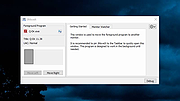 |
|
Sizer v4.0 dev673 Sizer v4.0 dev673 👉 Precisely resize and position application windows with customizable presets and hotkeys. Sizer is a lightweight window management utility that lets you instantly resize and reposition application windows to exact dimensions. Originally created for web designers and developers needing consistent browser sizes, it has evolved into a flexible productivity tool for anyone who regularly arranges windows on one or more monitors. Instead of manually dragging window borders, Sizer can snap windows to predefined sizes and positions with a click or keyboard shortcut. Sizer 4 has been completely rewritten for improved compatibility with modern Windows applications while reducing the intrusive techniques used by previous versions. It supports customizable hotkeys, advanced sizing macros and mathematical expressions, grouped menu layouts, portable operation, and easy import/export of configuration files. Power users can automate complex desktop layouts by positioning multiple windows simultaneously using macros and expressions. Features: • Resize any window to exact predefined dimensions • Move windows to precise screen locations • Assign global hotkeys to resizing actions • Launch the sizing menu with Ctrl+Win+Z or a custom shortcut • Create custom window size and position presets • Use mathematical expressions for dynamic sizing • Automate layouts with powerful window macros • Resize and reposition multiple windows simultaneously • Organize presets into cascading menu groups • Import and export configuration settings • Run as a portable application without installation • Improved compatibility with modern Windows applications • Supports high-DPI displays with DPI-aware rendering • Right-click window borders or restore buttons for quick access • Stable, lightweight design with minimal system impact Supported operating systems: • Windows 10, Windows 11 (64-bit) Supported languages: English Changes: v4.0 dev673 11-26-25 Introduced the special macro variable $_count that holds the number of wildcard matches. Note: This file has one hit on VirusTotal. We have confirmed this to be a false positive. The file is safe. Click here to visit the author's website. |
|
1,807 | Jul 27, 2026 Brian Apps 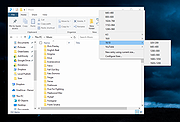 |
|
SmartSystemMenu v2.33.1 SmartSystemMenu v2.33.1 👉 Enhance Windows system menus with powerful window management features. SmartSystemMenu is a lightweight utility that extends the standard Windows system menu of application windows with a wide range of advanced window management tools. By right-clicking the title bar or using the system menu, users gain access to additional options that go far beyond the default Move, Size, Minimize, Maximize, and Close commands. SmartSystemMenu allows you to control window behavior, transparency, priority, alignment, and more, making it especially useful for power users who want finer control over their desktop environment. Features: • Adds extended options to the standard Windows system menu • Adjust window transparency levels • Set window priority (Real-time, High, Above normal, Normal, Below normal, Idle) • Resize and reposition windows with custom dimensions • Align windows to screen edges or predefined positions • Change window always-on-top state • Save and restore window positions • Take screenshots of application windows • Copy window text to clipboard • Multi-language interface • Portable version available Supported operating systems: • Windows 7, Windows 8, Windows 8.1, Windows 10, Windows 11 Supported languages: English, Russian, German, French, Spanish, Italian, Portuguese, Polish, Chinese (Simplified), Chinese (Traditional), Japanese, Korean, Turkish, Dutch, Czech, Hungarian, Ukrainian Changes: v2.33.1 03-20-26 Support of the SmartSystemMenu.xml file for previous versions Korean translation improvements Japanese translation improvements by @coolvitto Click here to visit the author's website. |
|
5,811 | Mar 23, 2026 Alexander Illarionov 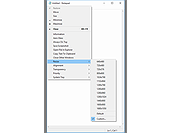 |
|
Window Detective v3.5.1 Window Detective v3.5.1 Window Detective is a programmer's tool used to "spy" on an application's windows and allows you to view and even modify some of it's properties. Key features of Window Detective include: View properties of windows such as text/title, dimensions and styles. Set properties such as text/title, dimensions and styles. View all windows in a tree hierarchy of parent/child windows. 'Pick' windows to inspect using the mouse. Advanced search which allows you to find windows that match specified criteria. Listen for window messages sent to a window. "Smart Settings" that intelligently remember user settings such as window positions. Changes In This Release ----------------------- Bugs fixed - ID #10. Crash when capturing messages. Click here to visit the author's website. |
|
6,102 | Dec 09, 2019 xtal256 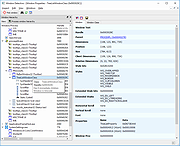 |
|
Window Inspector v2.3 Window Inspector v2.3 Inspect Your Desktop Windows View the window class, text, properties, and more, simply by moving your mouse cursor over the target window. View Window Properties View a window's class, text, properties, dimensions, and much more by simply moving your mouse ovr the window. Desktop Window Hierarchy View the desktop window hierarchy by process, by window owner and by window parents. HotKeys Use hotkeys to lock onto windows, freeze the auto-updating, or save the current window info. Window Inspector works with these versions of Windows: Windows 10, 8.1, 8, and 7 SP1 (32-bit and 64-bit) Windows Server 2019, 2016, 2012 R2, 2012, and 2008 R2 (32-bit and 64-bit) Download without Installer This no-installer version is ONLY for people interested in testing Window Inspector. Window Inspector should be installed using the setup download at the bottom of the page to work 100% correctly. Download ZIP Now Window Inspector Changes: v2.3 • Mar 6, 2020 Change: Updated UI for improved clarity Change: Massive performance improvements Hashes: Installer: 9A949801A1FD0E34AB41833CE64EE564F625183E (SHA1) Without Installer (ZIP): 164EEF583EBEB4591D734EDC5ED51E07F169212D (SHA1) Click here to visit the author's website. |
|
4,406 | Mar 10, 2020 Binary Fortress Software 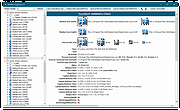 |
|
Window Ruler 1.1 rev 9 Window Ruler 1.1 rev 9 Window Ruler is a program that permits you to: • Test if your application windows fit in a certain screen resolution (very useful for developers!); • Measure any window by dragging the red ball (left-upper corner). How to use this program: • Move the ruler by dragging it • Measure a certain window by dragging the red ball over it • Show/Hide the ruler by left-clicking over the notify icon • Show the options by right-clicking over the notify icon or the ruler window • The ruler can be resized using the mouse History v.1.1 rev 9 Fixed a bug when capturing the image to the clipboard |
|
6,042 | Aug 31, 2017 Lorenzi Davide  |
| Showing rows 1 to 8 of 8 | Showing Page 1 of 1 | 1 |
OlderGeeks.com Copyright (c) 2026
