|

|
Processed through Paypal No account required. |








Buy our over-priced crap to help pay the bills.



|
|
Processed through Paypal No account required. |
| Files | ||||
| File Name | Rating | Downloads | ||
 |
DebugView v5.02 DebugView v5.02 👉 Monitor local and remote Windows debug output in real time. DebugView is a Sysinternals utility that captures and displays both Win32 and kernel-mode debug output from your local system or from remote computers you can reach over TCP/IP. It is designed for developers, administrators, and troubleshooters who want to view debug messages without attaching a traditional debugger. DebugView can also recover kernel-mode debug output from crash dump files when it was capturing at the time of the crash, and it includes tools for filtering, logging, searching, printing, and managing captured output. Features: • Captures Win32 OutputDebugString output • Captures kernel-mode DbgPrint output • Captures all kernel-mode DbgPrint variants implemented in Windows and Windows Server • Monitors debug output from local or remote computers over TCP/IP • Supports simultaneous monitoring of multiple remote systems • Recovers kernel-mode debug output from crash dump files when capture was active • Includes filtering and highlighting options for debug output • Lets you toggle display of process IDs for Win32 debug output • Copies selected output lines to the clipboard • Logs captured debug output to a file • Loads saved log files back into the output window • Prints all or part of captured output • Runs as a single executable file • Requires administrative privileges to view kernel-mode debug output Supported operating systems: • Windows Vista, Windows 7, Windows 8, Windows 10, Windows 11, Server Supported languages: English Changes: v5.02 06-17-26 Command-line interface (DbgViewCLI): A new standalone command-line tool (dbgviewcli.exe) provides full debug capture capabilities from the terminal. Designed for scripted, automated, and AI-agent-driven workflows with bounded execution, machine-readable output, and process-specific filtering. See the DbgViewCLI section below for full details. AI-agent automation parameters: New CLI options (--duration, --max-lines, --wait-for, --tail, --no-banner, --status, --pid-filter, --process-filter) guarantee bounded execution and clean output for programmatic use by coding agents. Embedded agent skills with one-command install: DbgViewCLI embeds agent skill files as a binary resource and can ... |
 |
746 | Aug 04, 2026 Microsoft Corp. 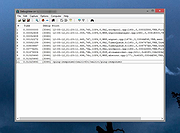 |
|
DxWnd v2.06.15 DxWnd v2.06.15 👉 Run older fullscreen Windows programs and games in a window. DxWnd is a Windows hooker that intercepts system calls to make Win32 fullscreen programs run in a window, improve application compatibility, enhance video modes, stretch timing, and emulate CD disk data and audio tracks. It is especially useful for running older Windows games. Features: • Run fullscreen programs in window mode • Perform time stretching to slow down or speed up actions • Add compatibility options for legacy programs • Log operations • Show program status and palette • Emulate CD audio tracks using ripped audio files • Emulate CD and HD file systems • Emulate registry and configuration files • Emulate custom locale • Use through a GUI or customized proxies Supported operating systems: • Windows Supported languages: English Changes: v2.06.15 07-23-26 fix: [avifile.cpp] fixed log message in SetFormat wrapper causing exception add: [ddraw.cpp] added handling of FORCENOPAGELOCK flag fix: [dshow.videowindow] fixed IVideoWindow::put_FullScreenMode wrapper fix: [dxwnd.cpp] fixed flags logging fix: [excepthandler.cpp] ignoring exception 0xE0000001 trown by CoCreateInstance in codecs. fixes "Barbie Explorer" add: [gdi32.cpp, gdi32.mapping.cpp] added wrappers for OffsetViewportOrgEx and OffsetWindowOrgEx, fixed other wrappers add: [gdi32.cpp] added NOPALETTEANIMATION flag fix: [gdi32.cpp] bypass system palette emulation when used with VineVDM fix: [gdi32.cpp] fixed BitBlt wrapper for scaled mode fix: [gdi32.cpp] added FIXGNOMEMOVIES hack to fix G-Nome movies add: [gdi32.cpp] added wrapper for legacy FloodFill call fix: [gdi32.cpp] fixed GetDIBits hook add: [kernel32.cpp, vfilesys.cpp] added handling of fake raw-device for CD add: [kernel32.cpp] added FINDCLOSECHECK flag add: [kernel32.cpp] added ADDSHAREDDIRPATH flag to help mm director and quicktime > 2 work with quicktime files in the shared dir fix: [kernel32.cpp] added emulation of OCTL_CDROM_MEDIA_REMOVAL IOControl code add [msvfw.cpp] added automatic search of vfw codecs in shared "codecs" folder add [user32.cpp] added FILTERADAPTERWCLASS flag fix [user32.cpp] apply REFRESHONREALIZE flag on UserRealizePalette wwrapper fix [winmm.cpp] improved async handling of WaveOut functions add [GUI] when running Win16 programs remap WinMM system folders to DxWnd system folders Note: This file has one hit on VirusTotal. We have confirmed this to be a false positive. The file is safe. Use 7-Zip to unzip this file. Click here to visit the author's ... |
|
7,338 | Sep 22, 2026 ghotik 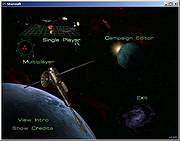 |
|
ReactOS v0.4.16 ReactOS v0.4.16 👉 A free, open-source operating system designed to run Windows applications and drivers without requiring Windows. ReactOS is a free and open-source operating system built from the ground up with the goal of providing binary compatibility with Microsoft Windows applications and hardware drivers. Rather than being based on Linux or Unix, ReactOS implements its own Windows-compatible kernel, system libraries, graphical environment, utilities and services. The project is particularly focused on compatibility with traditional Win32 software and drivers while providing users with a completely open-source operating environment. ReactOS remains alpha-quality software, so the developers do not guarantee stability, data safety or compatibility with every application or piece of hardware. Version 0.4.16 introduces one of the project's largest usability improvements: a new graphical installer and a combined Boot CD/Live CD image. You can now boot the same image to either try ReactOS without installing it or install/update the operating system using the new graphical setup interface. The installer includes basic partition management and replaces the need to choose separate installation and Live CD downloads. Features: • Free and open-source Windows-compatible operating system • Designed to run Win32 applications and Windows hardware drivers • Independent Windows-like kernel rather than a Linux or Unix compatibility layer • Familiar Windows-style desktop environment and Explorer shell • New graphical installation interface • Combined Boot CD and Live CD image lets you test or install from the same disc • Basic graphical partition management during installation • Workstation installation mode for normal desktop use • Server installation mode • New Server Core installation mode that runs the Win32 subsystem without the graphical Explorer shell • Improved compatibility with NVIDIA graphics drivers through expanded system page table resources • Improved AMD graphics and OpenGL handling • Continued development of multi-monitor and video-driver compatibility • Improved High Definition Audio support • New HD Audio bus driver supporting compatible Windows XP and Windows Server 2003 audio ... |
|
6,924 | Aug 30, 2026 ReactOS Foundation 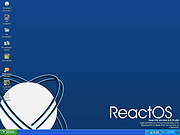 |
|
RisohEditor v6.1.4 RisohEditor v6.1.4 👉 Free Win32 resource editor for editing resources in RC, RES, EXE, and DLL files. RisohEditor is a free resource editor for Win32 development that can edit, extract, clone, and delete resource data in RC, RES, EXE, and DLL files. It supports common Windows resources such as dialogs, menus, icons, cursors, string tables, and message tables, with Unicode support for international resources. Features: • Edit, extract, clone, and delete resource data • Supports RC, RES, EXE, and DLL files • Edit dialogs, menus, icons, cursors, string tables, and message tables • Full Unicode support • Can read resource.h header files • Supports GUI editing • Exported resources can be read by Visual C++ • Supports window class libraries • 32-bit and 64-bit support • Portable version uses an INI file instead of the registry Supported operating systems: • Windows XP, Windows Server 2003, Windows Vista, Windows 7, Windows 8.1, Windows 10 • ReactOS Supported languages: English, Chinese, Italian, Russian, Japanese, Korean, Portuguese, Ukrainian Changes: v6.1.4 08-13-26 Made configuration a property sheet. Accelerated OnDeleteRes. Prevented the tree view's drop-down arrow from appearing twice. Fixed MRadWindow index labels. Supported resource compression by WonRes. Improved UPX handling. Enhanced support for Help IDs. Improved MEditMenuDlg. Supported zooming of code editor. Fixed word wrap. Note: This file has four hits on VirusTotal. We have confirmed these to be false positives. The file is safe. This download is for the Windows portable version (very bottom of page). If you need the Windows 32bit installer version, download here. If you need the Windows 64bit installer version, download here. Click here to visit the author's website. |
|
3,768 | Aug 18, 2026 Katayama Hirofumi 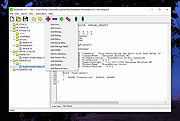 |
| Showing rows 1 to 4 of 4 | Showing Page 1 of 1 | 1 |
OlderGeeks.com Copyright (c) 2026
