|

|
Processed through Paypal No account required. |








Buy our over-priced crap to help pay the bills.



|
|
Processed through Paypal No account required. |
| Files | ||||
| File Name | Rating | Downloads | ||
 |
Audacity v4.0.1 Audacity v4.0.1 👉 Free, open-source, multi-track audio editor and recorder for recording, editing, mixing and producing audio. Audacity is a powerful, free and open-source audio editor and recorder for Windows, macOS and Linux. It can handle everything from quick voice recordings and simple edits to multi-track music production, podcast creation, audio restoration and more involved sound projects. Audacity provides a visual waveform-based editing environment where audio can be recorded, cut, copied, moved, trimmed and arranged across multiple tracks. Music, speech, sound effects and other recordings can be combined into a single project, with precise control over individual clips and their placement on the timeline. The program includes a wide collection of audio processing tools for adjusting volume, compression, equalization, pitch and tempo. Noise removal and repair tools can help clean up recordings, while delay, reverb, distortion, modulation, fading and other effects provide additional options for shaping sound. Real-time effects can be applied without permanently altering the original audio, allowing settings to be adjusted while continuing to work on a project. Effects can be applied to individual tracks or to the master output. Audacity also includes a plugin manager for enabling, disabling and organizing available effects. Audacity supports third-party plugins and includes support for VST3 and Nyquist effects. Optional FFmpeg support expands compatibility with additional audio formats. Finished projects can be exported to common formats such as WAV, MP3, FLAC and Ogg. The program is useful for recording microphones and other audio sources, digitizing older recordings, cleaning up noisy audio, editing interviews, assembling podcasts, creating sound effects, working with music and preparing finished audio for publishing or archiving. Features: • Record live audio through microphones, mixers and other input devices • Edit and arrange multiple audio tracks within a single project • Cut, copy, paste, trim, split and move audio clips ... |
 |
11,300 | Oct 02, 2026 Audacity 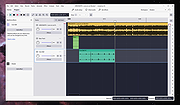 |
 |
ocenaudio v3.20.4 ocenaudio v3.20.4 👉 Fast, cross-platform audio editor for recording, editing, analyzing, and exporting audio files. ocenaudio is a cross-platform, easy to use, fast, and functional audio editor designed for people who need to edit and analyze audio files without complications. It supports audio editing and analysis across major desktop platforms, offers real-time effect previews, multi-selection editing, and tools for working with audio in a responsive interface. Features: • Cross-platform audio editor for Windows, macOS, and Linux • Multi-selection editing for working on different parts of an audio file at the same time • Real-time effect preview to hear changes while adjusting controls • Support for VST effects for expanded audio processing • Spectral analysis and waveform editing tools • Responsive interface that keeps working while opening, saving, or applying effects • Recording, editing, and exporting tools for common audio workflows • Annotation tracks, region editing, channel routing, and trim/split tools in v3.18.0 Supported operating systems: • Windows 10, Windows 11 • macOS 13.3 or higher • macOS 10.14 to 14 (legacy build) • Debian 11, Debian 12, Debian 13 • Ubuntu 20.04, Ubuntu 22.04, Ubuntu 24.04 • Fedora 39, Fedora 40 • Rocky Linux 9.3 • openSUSE Leap 15 • Arch Linux Supported languages: English, Portuguese, French, German, Spanish, Italian, Japanese, Hungarian, Simplified Chinese Changes: v3.20.4 08-13-26 Adds copy, paste and drag of audio directly between two ocenaudio windows Improves VST plugin support on Linux: VST3 editors now open correctly, standard system folders are recognized and JACK is loaded on demand, including through PipeWire Fixes crashes and noise caused by VST and VST3 plugins Fixes plugins that changed the system decimal separator, corrupting parameters and presets Fixes crashes with ASIO devices on Windows when disconnecting the device during recording Other bug fixes and improvements This download is for the Windows 64Bit portable version (very bottom of page). All other download assets are below: Other Windows: ocenaudio_windows64_3.20.4.exe macOS: ocenaudio_universal_3.20.4.dmg ocenaudio_universal_legacy_3.20.4.dmg Linux: ocenaudio_debian13_3.20.4.deb ocenaudio_debian12_3.20.4.deb ocenaudio_debian11_3.20.4.deb ocenaudio_ubuntu24.04_3.20.4.deb ocenaudio_ubuntu22.04_3.20.4.deb ocenaudio_ubuntu20.04_3.20.4.deb ocenaudio_fedora40_3.20.4.rpm ocenaudio_fedora39_3.20.4.rpm ocenaudio_archlinux_3.20.4.pkg.tar.zst ocenaudio_opensuse15_3.20.4.rpm ocenaudio_rockylinux9.3_3.20.4.rpm ocenaudio_3.20.4.AppImage Click here to visit the author's website. |
|
7,141 | Aug 13, 2026 ocenaudio Development Team 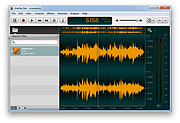 |
| Showing rows 1 to 2 of 2 | Showing Page 1 of 1 | 1 |
OlderGeeks.com Copyright (c) 2026
