|

|
Processed through Paypal No account required. |








Buy our over-priced crap to help pay the bills.



|
|
Processed through Paypal No account required. |
| Files | ||||
| File Name | Rating | Downloads | ||
 |
USBDeview v3.10 USBDeview v3.10 👉 View, manage, enable, disable, uninstall, and export USB device history. USBDeview is a small utility that lists all USB devices currently connected to your computer, as well as USB devices previously used on the system. For each USB device, it displays extended information including device name, description, device type, serial number, added date/time, Vendor ID, Product ID, and more. USBDeview can also uninstall previously used USB devices, disconnect currently connected USB devices, and disable or enable USB devices. It can also be used on a remote computer when logged in with administrator rights. Features: • Lists currently connected and previously used USB devices • Displays device name, description, type, serial number, Vendor ID, Product ID, and more • Uninstall previously used USB devices • Disconnect currently connected USB devices • Disable and enable USB devices • Remote computer support with administrator login • Command-line options for exporting, sorting, enabling, disabling, removing, and checking USB device status • Export USB device lists to text, tab-delimited, CSV, HTML, and XML files • Available in 32-bit and 64-bit versions Supported operating systems: • Windows 2000, Windows XP, Windows Server 2003, Windows Vista, Windows Server 2008, Windows 7, Windows 8, Windows 10, Windows 11 • 32-bit and 64-bit systems supported Supported languages: English, Arabic, Brazilian Portuguese, Bulgarian, Czech, Danish, Dutch, Euskera, Finnish, French, Galician, German, Greek, Hnidi, Hungarian, Italian, Japanese, Korean, Norwegian, Persian, Polish, Romanian, Russian, Simplified Chinese, Slovak, Spanish, Swedish, Traditional Chinese, Thai, Turkish, Ukrainian, Valencian Changes: v3.10 05-14-26 Added 'Black Background' option (Under the View menu). When it's turned on, the main table is displayed in black background and white text, instead of default system colors. Added 'Save All Items' option (Shift+Ctrl+S). Note: Th3 32bit version of this file has one hit on VirusTotal. We have confirmed this to be a false positive. The file is safe. This download is for the Windows 64bit version (very bottom of ... |
 |
10,278 | May 22, 2026 Nir Sofer 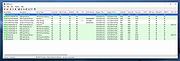 |
| Showing rows 1 to 1 of 1 | Showing Page 1 of 1 | 1 |
OlderGeeks.com Copyright (c) 2026
