|

|
Processed through Paypal No account required. |








Buy our over-priced crap to help pay the bills.



|
|
Processed through Paypal No account required. |
| Files | ||||
| File Name | Rating | Downloads | ||
 |
DesktopPic v2.1.0 DesktopPic v2.1.0 👉 Display or stamp images on your Windows desktop wallpaper with multi-monitor support. DesktopPic lets you display one or more pictures on your desktop as borderless slideshows or stamp images directly onto your wallpaper for a more permanent effect. It is designed to work with multiple monitors and supports convenient positioning options, letting you place images in corners, centered areas, or specific displays. DesktopPic also supports transparent images, crossfading for slideshow use, and a portable mode that does not require installation. Features: • Display images in borderless slideshow windows on the desktop • Stamp one or more images directly onto wallpaper • Full support for multiple monitors • Smart image placement including center and corner positions • Maintains original image aspect ratio • Supports transparent images • Supports crossfading in slideshow mode • Portable option available with no installation required • Supports common bitmap image formats including PNG, JPG, BMP, WebP, and animated GIFs Slideshow Displays one or more pictures in a window that has no borders or captions, so all you see is the picture. The image window may be positioned manually or set to appear in the center or any corner of any monitor. This will give the illusion of the picture being part of your wallpaper, but it’s really just another window. Any desktop icons in the same region as the picture will be covered. Bitmap image formats, such as PNG (recommended), JPG, BMP, WebP (photos), and animated GIFs are supported. You can run multiple copies of DesktopPic (use portable option) to have more than one slideshow on your desktop (on any monitor). DesktopPic does not do a wallpaper slideshow (that capability is built into Windows under “Personalize”). Stamp Image to Wallpaper One or more images can be stamped to the wallpaper in any size or position. This makes the picture part of the wallpaper, so it will ... |
 |
3,011 | Jul 24, 2026 LesFerch 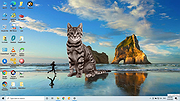 |
 |
Picture Stamper 2.8.0 for Mac Picture Stamper 2.8.0 for Mac Whether you are a photographer or a writer, a blogger or a website owner, or you just share unique pictures in your Facebook, Instagram, Twitter and other social networking accounts, you probably would like to stamp your pictures, drawings and photos with your name or address (watermark) and logo, in a pretty manner of course. Picture Stamper is an application that allows you to do just that but with an intuitive and easy to use user interface. All you have to do is add your photos, logo and watermark text and let Picture Stamper do the magic for you. You can add as many photos as you want and stamp all of them at once. Your last stamp design is always saved for later use so you don’t need to redesign from scratch each time you run Picture Stamper. Features Drag and Drop files and folders Support for more file types *.bmp *.dib *.jpeg *.jpg *.jpg *.jp2 *.png *.webp *.pgm *.pbm *.ppm *.sr *.ras *.tiff *.tif *.xbm *.xpm Add a logo to your pictures Add a watermark text to your pictures Insert a shadow bar to better highlight your watermark text Align logo and watermark to all corners and the center of the image (Keep the relative position in all pictures) Allows resizing of your pictures Allow JPG compression settings Added new output file types. Now JPG, PNG and TIF are supported. Batch processing (Perform all tasks on any number of pictures with just a single click) Add opacity to watermark or logo image (as of version ... |
|
6,270 | Jul 18, 2017 Amin Ahmadi Tazehkandi  |
|
Picture Stamper 2.8.0 for Windows Picture Stamper 2.8.0 for Windows Whether you are a photographer or a writer, a blogger or a website owner, or you just share unique pictures in your Facebook, Instagram, Twitter and other social networking accounts, you probably would like to stamp your pictures, drawings and photos with your name or address (watermark) and logo, in a pretty manner of course. Picture Stamper is an application that allows you to do just that but with an intuitive and easy to use user interface. All you have to do is add your photos, logo and watermark text and let Picture Stamper do the magic for you. You can add as many photos as you want and stamp all of them at once. Your last stamp design is always saved for later use so you don’t need to redesign from scratch each time you run Picture Stamper. Features Drag and Drop files and folders Support for more file types *.bmp *.dib *.jpeg *.jpg *.jpg *.jp2 *.png *.webp *.pgm *.pbm *.ppm *.sr *.ras *.tiff *.tif *.xbm *.xpm Add a logo to your pictures Add a watermark text to your pictures Insert a shadow bar to better highlight your watermark text Align logo and watermark to all corners and the center of the image (Keep the relative position in all pictures) Allows resizing of your pictures Allow JPG compression settings Added new output file types. Now JPG, PNG and TIF are supported. Batch processing (Perform all tasks on any number of pictures with just a single click) Add opacity to watermark or logo image (as of version ... |
|
6,433 | Jul 18, 2017 Amin Ahmadi Tazehkandi |
| Showing rows 1 to 3 of 3 | Showing Page 1 of 1 | 1 |
OlderGeeks.com Copyright (c) 2026
