|

|
Processed through Paypal No account required. |








Buy our over-priced crap to help pay the bills.



|
|
Processed through Paypal No account required. |
| Files | ||||
| File Name | Rating | Downloads | ||
 |
Balabolka v2.15.0.918 Balabolka v2.15.0.918 👉 Text-to-speech software for reading text aloud using installed system voices. Balabolka is a text-to-speech (TTS) program that allows you to convert written text into spoken audio using voices installed on your system. It supports a wide range of file formats and provides tools for editing text, adjusting speech parameters, and saving audio output to various formats. The program works with Microsoft Speech API (SAPI) voices and gives users control over voice selection, speed, pitch, and volume. Features: • Supports multiple file formats including TXT, DOCX, PDF, EPUB, HTML, and more • Uses Microsoft SAPI 4 and SAPI 5 compatible voices • Adjustable speech parameters such as rate, pitch, and volume • Save text as audio files in formats like WAV, MP3, OGG, and WMA • Built-in text editor with bookmarking and customization options • Can read clipboard content and monitor it for automatic reading • Spell checking and pronunciation correction tools • Batch file conversion and command line support • Customizable interface including font and color settings Supported operating systems: • Windows XP, Windows Vista, Windows 7, Windows 8, Windows 10, Windows 11 Supported languages: English, Russian, German, Spanish, French, Italian, Polish, Czech, and others depending on installed voices Changes: v2.15.0.918 2026-07-18 [-] Fixed the using of LibreTranslate. [*] Resources for Bulgarian and Turkish languages were updated (thanks to Kostadin Kolev and Fettah Pınar). This download is for the Windows portable version (very bottom of page). All other download assets are below: Windows installer: balabolka.zip Windows Command Line Utility: The utility contains no graphical user interface and works only from the command line. The application handles various command line parameters to be able to read text aloud or save as an audio file balcon.zip Text Extract Utility: The program allows to extract text from the various types of files. The extracted text can be combined into one file or/and split into few files. The utility works from the command line, without displaying any user ... |
 |
9,952 | Aug 14, 2026 Ilya Morozov 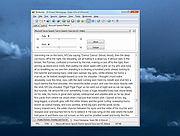 |
 |
Overcaption v0.4.0 Overcaption v0.4.0 👉 A free, private subtitle studio for transcribing, editing, translating and adding captions to videos. Overcaption is a desktop subtitle and captioning application that can transcribe video and audio, edit and retime subtitles, translate captions and export finished subtitles or burn them directly into video. Its core processing runs locally on your computer, so videos do not need to be uploaded to an online service. The free version has no time limit, requires no account and produces watermark-free output. Overcaption combines automatic speech recognition with a subtitle editor featuring waveform-based timing, a frame filmstrip and live checks for reading speed and line length. It can work with video, audio-only recordings and standalone subtitle files. Features: • Automatic on-device transcription with word-level timing • Works completely offline for its core transcription, editing and translation features • Keeps video and audio files on your computer instead of uploading them to a web service • No account required • No time limit on the free version • No watermark on exported video • Built-in subtitle editor • Waveform-based subtitle retiming • Frame filmstrip for visual timing reference • Inline subtitle text editing • Instant find and replace • Keyboard-oriented editing workflow • Live reading-speed checks • Live subtitle line-length checks • Grammar-aware subtitle line breaking for supported languages • Dedicated word segmentation for Chinese, Japanese, Burmese, Cantonese, Khmer, Lao and Thai • Local subtitle translation using models from Mozilla and Google • Side-by-side translation editing • Imports and exports SRT subtitle files • Imports and exports VTT subtitle files • Supports plain-text subtitle content • Opens SRT and VTT files without requiring an accompanying video • Hardware-accelerated subtitle burn-in • Free subtitle burn-in at resolutions up to 1080p • Burned subtitles match the editor preview • Supports vertical, square and widescreen video • Handles audio-only files such as podcasts, recordings and voice notes • Includes titles, lower thirds, name straps and animated callouts • No telemetry unless the user opts in • GPU acceleration ... |
|
274 | Aug 28, 2026 Overcaption 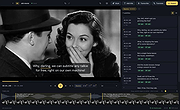 |
|
Sonogram Visible Speech v5.0 Sonogram Visible Speech v5.0 A free and open source speech and sound analysis tool. Sonogram visible speech has been programmed at the German Research Center for Artifical Intelligence (Deutsches Forschungszentrum fόr Kuenstliche Intelligenz DFKI, www.dfki.de), and is a 3D tool to analyze speech and sound signals with STFT and various other algorithms. The software originates from basic research and the attempt to build a speech recognizer with neuronal networks. The new version requires Java at least in version 16. The program was written with emacs. Note: You must have at least Java version 16 installed on your Computer in order to use Sonogram. See Oracle Java or AdoptOpenJDK. Apple Silicon (ARM) users should use the native Azul Zulu JDK or JRE. Support If you have trouble with the Sonogram settings you can start Sonogram with CAPS-LOCK enabled. A reset screen is shown: This download is for the Windows version. If you need the macOS version, download here. If you need the Linux version, download here. Click here to visit the author's website. |
|
1,672 | Dec 04, 2023 Christoph Lauer 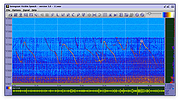 |
|
Work by Speech v3.0 Work by Speech v3.0 Control and work on your Windows computer by speech alone. Work by Speech is a Windows app that allows efficient computer use by speech alone. It includes voice commands for common actions, application switching and opening, custom voice commands, macro recording, dictation mode and speech-controlled mouse control. Features: • Work on a computer by speech alone • Quiet speaking support • Application switching and opening by speech • Built-in voice commands for common actions • Custom voice commands management • Macro recording • Separate dictation mode • Speech-controlled mouse actions • Customizable and movable mousegrid with up to 2550 figures • Automatic mousegrid optimization for every used application • Very low processor usage • Works with any microphone • Requires .NET Framework 4.7.2 or higher • Requires administrator rights for mouse clicking and key pressing in administrator-run apps Supported operating systems: • Windows 7 SP1, Windows 8.1, Windows 10, Windows 11 Supported languages: • English Changes: v3.0 07-19-26 Fixed a Smart Mousegrid bug occurring after updating from version 2.7 or earlier to versions 2.8 or 2.9, or from version 2.6 or earlier to versions 2.7, 2.8, or 2.9. Note: This program requires administrator rights to run (without them mouse clicking and keys pressing by speech would not work in apps that were run as administrator). Click here to visit the author's website. |
|
530 | Jul 21, 2026 Mikolaj Magowski 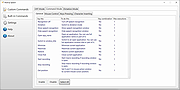 |
| Showing rows 1 to 4 of 4 | Showing Page 1 of 1 | 1 |
OlderGeeks.com Copyright (c) 2026
