|

|
Processed through Paypal No account required. |








Buy our over-priced crap to help pay the bills.



|
|
Processed through Paypal No account required. |
| Files | ||||
| File Name | Rating | Downloads | ||
 |
ScenalyzerLIVE v4.0 ScenalyzerLIVE v4.0 A (now free) Windows program to capture and edit video from your DV-tapes. This download is provided by OlderGeeks.com with special permission from the author. ScenalyzerLIVE is the "missing link" between the Camera and your editing-program. Features: • CAPTURING with REAL TIME SCENE DETECTION ScenalyzerLIVE (ScLive for short) has automatic scene splitting while capturing - each scene is written into its own .avi file in real-time. It splits the scenes based on the recording-time embedded in the DV-streams or based on optical content. During the Capturing process the Scenes are displayed with pictures. The captured files can be renamed, moved or deleted while or after capturing. After Capturing has stopped, the whole tape is now a few hundred scenes on your harddrive. The Scene-detection can be switched off and a whole tape can be captured into a single .avi file or multiple .avi files with 1GB, 2GB or 4GB each. • SEAMLESSLY CAPTURE/ PLAYBACK Due to the file-size or file-format limitation under the FAT32 file-system (Windows 98 SE, Windows ME) .avi files are limited to 2 or 4 GB, ScenalyzerLive provides a solid Workaround for this 2/4GB problem. With ScenalyzerLive you can seamlessly capture and playback any length of video. When the file size reaches the limit you specify, a new file is automatically and seamlessly created on the fly. • TIME-LAPSE CAPTURING With ScenalyzerLive you can use Time Lapse Capturing to create impressive effects that can be used in your final video. Record e.g. one hour of a Sunset and then use ScLive to capture the video into an e.g. ... |
 |
1,336 | Jul 13, 2025 Andreas Winter 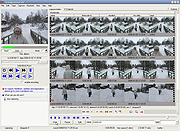 |
| Showing rows 1 to 1 of 1 | Showing Page 1 of 1 | 1 |
OlderGeeks.com Copyright (c) 2026
