|

|
Processed through Paypal No account required. |








Buy our over-priced crap to help pay the bills.



|
|
Processed through Paypal No account required. |
| Files | ||||
| File Name | Rating | Downloads | ||
 |
AlternateStreamView v1.58 AlternateStreamView v1.58 👉 View, copy, export and delete hidden NTFS alternate data streams. AlternateStreamView is a small utility that scans NTFS drives or folders and finds hidden alternate streams stored in the file system. After scanning, you can extract streams to a selected folder, delete unwanted streams, or save the stream list as text, HTML, CSV or XML. Features: • Scan NTFS drives or folders for hidden alternate data streams • View stream name, file name, stream size and related file details • Export selected streams to a folder • Delete unwanted alternate streams • Save results as TXT, HTML, CSV, XML and other report formats • Scan subfolders with optional folder-depth control • Supports file wildcard filtering • Explorer context menu option for checking a single file • Command-line options for scanning and exporting results • Portable utility with no installation required Supported operating systems: • Windows 2000 through Windows 11 • 32-bit and 64-bit systems Supported languages: Arabic, Brazilian Portuguese, Czech, Dutch, Finnish, French, German, Greek, Hungarian, Italian, Japanese, Persian, Polish, Romanian, Russian, Simplified Chinese, Slovak, Spanish, Traditional Chinese, Turkish, Ukrainian, Valencian Changes: v1.58 Updated to stop the file system scan when you press the Esc key. This download is for the Windows 64bit version (very bottom of page). If you need the Windows 32bit version, download here. Click here to visit the author's website. |
 |
10,320 | Jun 04, 2026 Nir Sofer 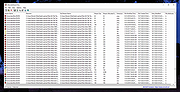 |
 |
DDS v2012-11-20-01 DDS v2012-11-20-01 👉 Generate detailed diagnostic logs for malware troubleshooting and system analysis. DDS is a lightweight diagnostic utility created by sUBs that gathers extensive information about a Windows computer without making permanent changes to the system. It is widely used by malware removal specialists and technical support forums to generate detailed reports containing running processes, startup entries, services, installed software, network settings, browser information, restore points, security software status, and numerous other system details. Rather than attempting to detect or remove malware, DDS focuses on collecting information that allows an experienced analyst to identify suspicious activity, unwanted startup items, rootkit indicators, or other system problems. When the scan is complete, DDS automatically creates two text reports, DDS.txt and Attach.txt, which can be uploaded to security forums or shared with a technician for analysis. The utility is completely portable, requires no installation, and performs no registry modifications or permanent file creation during its operation. Features: • Creates comprehensive DDS.txt and Attach.txt diagnostic reports • Lists active processes, services, drivers, and startup entries • Displays installed applications and Windows configuration details • Reports browser settings and Internet Explorer information • Shows antivirus, firewall, and security software status • Lists System Restore points and disk partition information • Includes optional MBR checking and extended search options • Portable executable requiring no installation • Makes no permanent files or registry changes • Designed for malware investigation and technical support Supported operating systems: • Windows XP, Windows Vista, Windows 7 (32-bit and 64-bit) Supported languages: • English Changes: v2012-11-20-01 • Latest publicly released version. Click here to visit the author's website. |
|
7,180 | Jun 30, 2026 sUBs 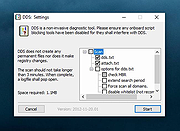 |
|
Farbar Recovery Scan Tool v2.7.2026.0 Farbar Recovery Scan Tool v2.7.2026.0 Advanced diagnostic and recovery tool for Windows systems. Farbar Recovery Scan Tool is a powerful portable utility designed to diagnose, troubleshoot, and repair Windows systems. Commonly used by malware removal experts and advanced users, it creates detailed reports about system configuration, installed programs, startup entries, services, drivers, registry settings, and more. Farbar Recovery Scan Tool can run in normal Windows mode or from the Windows Recovery Environment, making it especially useful for systems that fail to boot properly. It generates comprehensive FRST.txt and Addition.txt reports that can be analyzed manually or used with custom fix scripts to repair system issues, remove malware remnants, and restore damaged configurations. This tool is intended for advanced users and guided troubleshooting scenarios, as improper fixes may cause system instability. Features: • Portable executable, no installation required • Generates detailed system diagnostic reports (FRST.txt and Addition.txt) • Identifies startup entries, services, drivers, scheduled tasks, and registry items • Supports custom fix scripts for targeted system repairs • Can run from Windows Recovery Environment (WinRE) • Useful for malware cleanup and advanced troubleshooting Supported operating systems: • Windows 7, Windows 8, Windows 8.1, Windows 10, Windows 11 Supported languages: • English Changes: v2.7.2026.0 07-02-26 Not provided. Note: This file has five hits on VirusTotal. We have confirmed these to be false positives. The file is safe. This download is for the Windows 64bit version (very bottom of page). If you need the Windows 32bit version, download here. Click here to visit the author's website. |
|
8,968 | Jul 05, 2026 Farbar 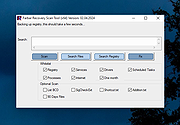 |
|
Sophos Scan and Clean v1.0.1 Sophos Scan and Clean v1.0.1 Free Virus Removal with Sophos Scan and Clean Modern viruses and malware are designed to bypass standard defenses, as advanced threats effectively hide from both pre-installed security software and computer users. Antivirus programs, blacklists, and other security software that require prior threat knowledge are ineffective against detecting and removing advanced virus attacks. Sophos Scan and Clean is a free, no-install, second-opinion virus removal scanner designed to rescue computers that have become infected with advanced zero-day malware, spyware, Trojans, rootkits, and other threats capable of evading real-time protection from up-to-date antivirus software. It's a powerful virus removal tool capable of both detecting and removing deeply embedded persistent threats and other malware that traditional security solutions fail to detect. How to Use Sophos Scan and Clean As an on-demand scanner, Sophos Scan & Clean does not need to be installed in order to use it. It can be started directly from USB flash drives, portable SSD's, and other external drives or data storage devices, making it particularly useful in situations where malicious virus infection prevents downloading and installing new security software. Automatic Security Updates with Every Scan Sophos Scan and Clean removes viruses and threats while the OS is running and blocks re-infection by protecting registry keys and file locations. Plus, thanks to proprietary cloud technology, Sophos Scan and Clean is always up to date – no need to re-install to get updates each time the program is run. Proprietary Cloud-Assisted Miniport Hook Bypass technology allows Scan and Clean to defeat rootkit and bootkit hooks for any hard disk driver. Behavioral Scans automatically find and remove programs and binaries that look and act like malware; probing the system for characteristic reputation anomalies, origin and relation to memory, file and registry objects, structure anomalies, impersonation, tampering, visibility, activity, boot survivability and uninstallation abilities. This ... |
|
2,380 | Jun 10, 2025 Sophos Ltd. 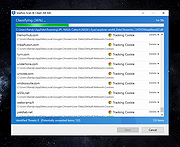 |
|
Spybot Free Edition v2.9.85.5 Spybot Free Edition v2.9.85.5 👉 Free on-demand malware and spyware scanner with system immunization tools. Spybot Free Edition is a security utility designed to detect and remove spyware, malware, and other unwanted software from your computer. It provides on-demand scanning to identify threats and includes system immunization features that help block known malicious websites and tracking cookies before they can affect your system. The program also offers tools for managing startup entries and repairing system issues caused by malware, giving users additional control over system security and performance. Features: • On-demand malware and spyware scanning • Detection and removal of tracking cookies • System immunization to block known malicious sites • Startup tools to manage boot entries • Secure file shredding • Rootkit scanning • Detailed scan reports and logs Supported operating systems: • Windows 7, Windows 8, Windows 10, Windows 11 Supported languages: • English, German Changes: v2.9.85.5 Not provided. This download is for the Windows 7-11 version (very bottom of page). If you need the Windows XP version, download here. Click here to visit the author's website. |
|
10,309 | Feb 26, 2026 Safer Networking Ltd. 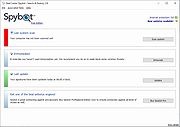 |
|
WinScan2PDF v9.77 WinScan2PDF v9.77 👉 Scan documents directly to PDF quickly and easily. WinScan2PDF is a small and portable utility that allows you to scan documents and save them directly as PDF files without the need for complex or bloated software. It is designed to be simple, lightweight, and easy to use, making it ideal for users who just want a fast way to digitize paperwork. WinScan2PDF supports most installed scanners via the standard Windows scanning interfaces and enables multi-page PDF creation. It does not require installation and can run from a USB stick, making it perfect for use on multiple systems. With its straightforward interface and minimal system requirements, WinScan2PDF gets the job done without unnecessary features or background services. Features: • Scan documents directly to PDF • Create multi-page PDF documents • Supports TWAIN and WIA scanners • Portable and does not require installation • Simple and user-friendly interface • Adjustable page size and orientation • Preview scanned pages before saving • Minimal CPU and memory usage Supported operating systems: • Windows 11, Windows 10, Windows 8.1, Windows 7, Windows Vista, Windows XP, Windows Server 2012-2025, x64, x32, x86 Supported languages: German, English, Russian, French, Italian, Dutch, Hungarian, Polish, Portuguese-Brazil, Czech, Greek, Swedish, Romanian, Serbian, Simplified Chinese, Danish, Traditional Chinese, Basque, Persian, Turkish, Catalan, Kurdish, Lithuanian, Slovak, Arabic, Ukrainian, Hebrew, Spanish, Bulgarian, Korean, Slovenian, Japanese, Norwegian, Croatian, Afrikaans, Hindi, Thai, Welsh, Malay, Indonesian, Filipino, Azerbaijani, Finnish, Belarusian, Portuguese Changes: v9.77 06-07-26 • Improvements to the detection of certain scanners • Language file updates and necessary adjustments Click here to visit the author's website. |
|
11,599 | Sep 30, 2026 Nenad Hrg 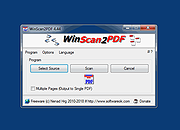 |
| Showing rows 1 to 6 of 6 | Showing Page 1 of 1 | 1 |
OlderGeeks.com Copyright (c) 2026
