|

|
Processed through Paypal No account required. |








Buy our over-priced crap to help pay the bills.



|
|
Processed through Paypal No account required. |
| Files | ||||
| File Name | Rating | Downloads | ||
 |
InstallerClean v3.3.0 InstallerClean v3.3.0 👉 Safely clean orphaned Windows Installer files and reclaim disk space. InstallerClean is a modern, open-source tool for cleaning unneeded files from the hidden C:\Windows\Installer folder. It scans for orphaned .msi and .msp files, checks them against the Windows Installer database, and lets you delete them to the Recycle Bin or move them to a folder you choose. Features: • Scans C:\Windows\Installer for unneeded installer and patch files • Detects orphaned MSI and MSP files • Detects superseded patches, including Adobe Acrobat patches • Uses the Windows Installer API instead of guessing by file names or dates • Shows needed and removable files with sizes • Delete sends files to the Recycle Bin • Move option lets you keep removed files in a safe folder • GUI and command-line versions included • No telemetry, no network activity, no background service, no scheduled task Supported operating systems: • Windows 10, Windows 11 Supported languages: Indonesian, German, English, Spanish, French, Italian, Dutch, Polish, Brazilian Portuguese, Vietnamese, Turkish, Russian, Ukrainian, Japanese, Simplified Chinese, Traditional Chinese, Korean Changes: v3.3.0 10-13-26 Added InstallerClean can now be shown in Traditional Chinese, written for Taiwan's usage with the words Windows itself uses there: every window, dialog, tooltip, button and screen-reader label, the command-line tool's text and the setup wizard. A Windows set to Traditional Chinese shows it automatically, and it can be picked from the main-window language menu. Like the other machine-drafted languages it is published beside the English in docs/translations/zh-Hant.md for anyone who reads it to check, and the README has a Traditional Chinese edition, which the app's README links open. Where the languages stand: Natively done Live machine-translated README only * English · Italian · Japanese · Dutch Simplified Chinese · Traditional Chinese · Russian · Spanish · Brazilian Portuguese · Polish · Turkish · Korean · French · German · ... |
 |
1,144 | Oct 13, 2026 no-faff 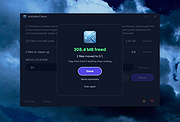 |
 |
OpenCloseDriveEject v3.55 OpenCloseDriveEject v3.55 👉 Quickly open, close, and safely eject drives and removable media in Windows. OpenCloseDriveEject is a small Windows tool that lets you open and close DVD, CD, and Blu-ray drives, and safely eject removable storage like USB, SD, and SSD devices. It can run as a portable app, includes optional To-Tray/hidden startup behavior, and also offers command-line options for simple automation. Features: • Open and close optical drive trays (CD, DVD, Blu-ray) • Safely eject removable media (USB, SD, SSD, external drives) • Portable application, no installation required • Command-line support (start hidden, start to tray, custom INI path) • Optional start minimized or in system tray • Multilingual interface Supported operating systems: • Windows XP, Windows Vista, Windows 7, Windows 8.1, Windows 10, Windows 11 • Windows Server 2012, Windows Server 2016, Windows Server 2019, Windows Server 2022, Windows Server 2025 Supported languages: German, English, French, Greek, Traditional Chinese, Bulgarian, Korean, Russian, Japanese, Polish, Turkish, Italian, Dutch, Swedish, Norwegian, Portuguese, Danish, Irish, Thai, Spanish (Venezuela), Persian, Arabic, Hebrew, Finnish, Czech, Simplified Chinese, Bosnian, Croatian, Serbian, Catalan Changes: v3.55 05-02-26 • Important tests of the OpenCloseDriveEject app for the next MS Windows 11 build • Update of the OpenCloseDriveEject.exe language files A simple example of using the "Open Close Eject the Drive Tool" This download is for the Windows 64bit portable version. If you need the Windows 32bit portable version, download here. Click here to visit the author's website. |
|
5,535 | Jul 11, 2026 Nenad Hrg 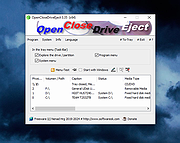 |
|
Password Safe v3.72.2 Password Safe v3.72.2 👉 Secure, open-source password manager for storing logins in an encrypted database. Password Safe helps you securely store usernames, passwords, and other login details in an encrypted database protected by a single master password. Designed by Bruce Schneier, it focuses on simple, local password management while offering tools such as AutoType, password policies, import and export options, database compare and merge functions, filters, reports, and multiple viewing modes for organizing entries. Features: • Stores usernames, passwords, and related notes in an encrypted database • Uses one master password to unlock and access all stored entries • Copies passwords, usernames, notes, and authentication codes from the toolbar • Supports AutoType for entering credentials into other windows • Can browse to a stored URL and execute AutoType • Includes password policy management and password generation options • Supports password history • Lets you organize entries in nested tree or flattened list views • Supports filters, subviews, reports, and search tools • Can import from text, XML, and KeePass V1 databases • Can export to text, XML, and older Password Safe database formats • Includes compare, merge, and synchronize tools for safes • Supports keyboard shortcuts and drag-and-drop style Dragbar entry actions • Open source and designed for straightforward local password management Supported operating systems: • Windows 7 and later • macOS 10.14 Mojave and later • Linux distributions with available packages • FreeBSD Supported languages: Arabic, Czech, Chinese, Danish, Dutch, French, German, Hungarian, Italian, Korean, Polish, Portuguese (Brazilian), Russian, Slovak, Slovenian, Spanish, Swedish, Turkish Changes: v3.72.2 09-06-26 Bugs Fixed GH1898 Arrow keys can now be used to navigate between Custom Value rows. GH1892 Regression: In the Add/Edit dialog's Basic tab, Alt-N (or the equivalent for non-English langauges) set the keyboard focus to the Notes field. SF1636 Minor UI issues in Custom Values display (column width) and edit (use correct font). ... |
|
8,498 | Sep 15, 2026 Bruce Schneier 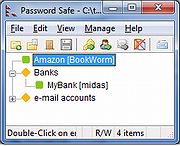 |
|
Safe Exam Browser v3.3.0 Safe Exam Browser v3.3.0 A web browser environment to carry out online exams safely. The software changes any computer into a secure workstation. It regulates the access to any utilities and prevents students from using unauthorized resources. Features Web browser environment to carry out online exams safely Full-screen or browser window mode (without any navigation elements) Disables shortcuts and operating system functions like Task Manager (Ctrl-Alt-Del / Cmd-Alt-Esc), program switcher (Alt-Tab, Win-Tab / Cmd-Tab), Print Screen / Screenshot etc. which should not be available during an exam Prevents students from surfing the internet during an exam Compatible with basically all web-based exam systems, additional integration with learning management systems Moodle, ILIAS and others Possibility to permit controlled use of additional external applications Current versions supports Windows 7, Windows 8.1, Windows 10, Mac OS X 10.7 up to macOS 10.13 High Sierra and iOS 9.3.5 to iOS 11. SEB 2.x can be started or reconfigured for each exam just by clicking a special link in some regular web browser or in an e-mail Detection if SEB is running on a virtual machine, monitoring which processes are permitted or prohibited to be running during the exam Easy installation and deployment: Create .seb configuration files with which SEB can be configured/reconfigured after installation Supported operating systems: Windows 8.1 Window 10 macOS 11 Big Sur macOS 10.15 Catalina macOS 10.14 Mojave macOS 10.13 High Sierra macOS 10.12 Sierra OS X 10.11 El Capitan This download is for the Windows version. If you need the MacOS version, download here. Click here to visit the author's website. |
|
4,877 | Sep 14, 2021 ETH Zurich 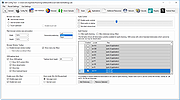 |
|
Safe Startup v4.16 Safe Startup v4.16 Attention AskWoody readers and others: PrivacyRoot, S.R.O. has removed the ability of this download installer to function and they have killed-off the program entirely. Bummer! Look under the category of "System Information and Monitoring" for similar programs. Sorry :( -Deanna This program will monitor auto-startup records in OS Windows and notify you about any new programs which will be automatically launched on your PC. Using this utility you can manage programs with auto-start option. You can choose to allow auto-start for these programs or you can choose to stop or even delete them. You can stop unwanted or useless programs, spyware or even viruses. Program works with system services also, thus you can make deep review of your PC. By using our program you can see hidden running programs, reduce number of running processes, tray icons and other apps which you don't need and, thus, really boost performance of your PC. Make your PC faster. Our program can continue working in the background to always monitor new records for auto-startup, and it will remove undesired items if they will appear again. This program compatible with any other antivirus. Our program include function to recover deleted startup records. For example, if you'll delete some important file at auto-startup by mistake you can always undo delete and everything will be back as usual. Requirement Windows XP, Vista, 7, 8, 10 .NET framework 3.5 What's new in version 4.16? • In this release we are improving security of the program. In one word: we have replaced old security schema with a newer one. Due to the nature of security itself we cannot describe in details changes that were made. Thats because first rule of security is that everything should be in a secret. • Date of release: 4 November 2019. Click here to visit the author's website. |
|
6,074 | Jun 22, 2020 PrivacyRoot, S.R.O. 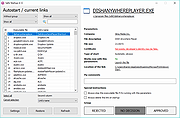 |
|
Sandboxie-Classic v5.73.3 Sandboxie-Classic v5.73.3 👉 Run programs in an isolated sandbox to prevent permanent system changes. Sandboxie Classic is a sandbox-based isolation tool that allows applications to run in a controlled environment, preventing them from making permanent changes to your system. It is especially useful for safely testing unknown software, browsing the web securely, and protecting your system from malware or unwanted modifications. Sandboxie Classic creates a virtualized environment where files, registry changes, and system interactions are contained within the sandbox. Once the sandbox is deleted, all changes made during the session are completely removed, leaving your system unchanged. Features: • Run applications in an isolated sandbox environment • Prevent permanent changes to files and Windows registry • Secure web browsing by containing browser activity • Test untrusted programs safely before installing • Easy sandbox deletion to remove all traces of activity • Lightweight and efficient with minimal system impact • Supports forced programs and folders to always run sandboxed • Snapshot and recovery options for sandbox contents • Compatible with many common Windows applications • Open source and actively maintained Supported operating systems: • Windows 7, Windows 8, Windows 8.1, Windows 10, Windows 11 Supported languages: English, German, French, Spanish, Italian, Dutch, Russian, Chinese, Japanese, Korean, Portuguese, Polish Changes: v5.73.3 08-30-26 Added added a visible Cleanup Trace Log action to the standalone SandMan trace monitor Fixed fixed File Migration action dropdown changes being discarded when clicking Apply or OK while the editor still has focus #5548 fixed SandMan File Panel and Browse Files preserving expanded folders and restoring selection, keyboard focus, and scrolling to the nearest surviving item after deletion #5499 fixed Start.exe autorun handling for oversized registry values, bounded shortcut paths, paginated Startup directories, and dynamically sized launch command lines fixed SandMan Trace Log crashes and stale entries when clearing the log while integrated and ... |
|
6,424 | Sep 02, 2026 David Xanatos 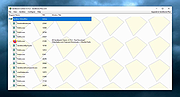 |
|
Sandboxie-Plus v1.18.3 Sandboxie-Plus v1.18.3 👉 Run programs in an isolated sandbox so they cannot make permanent changes to Windows or your files. Sandboxie-Plus is an open-source sandbox-based isolation tool for Windows. It creates a controlled virtual environment where applications can be run or even installed without permanently modifying the local drive, mapped drives, or the Windows registry. The Plus edition uses a modern Qt-based interface and adds newer management and customization features on top of the shared Sandboxie core. Features: • Runs programs in isolated sandboxes to help prevent permanent changes to local and mapped drives or the Windows registry • Allows creation of virtually unlimited sandboxes • Can run multiple programs at the same time in one sandbox or across separate sandboxes • Modern Qt-based Sandboxie-Plus interface • Snapshot Manager for saving and restoring sandbox states • Maintenance menu for installing, uninstalling, starting, and stopping the Sandboxie driver and service • Portable mode that can extract all files to a directory • Additional UI options to block access to Windows components such as the printer spooler and clipboard • More customization options for Start/Run and Internet access restrictions • Privacy mode sandboxes to help protect user data from illegitimate access • Security-enhanced sandboxes that restrict syscall and endpoint availability • Global hotkeys to suspend or terminate all boxed processes • Per-sandbox network firewall support using Windows Filtering Platform • Search for sandboxes with Ctrl+F • Search function for Global Settings and Sandbox Options • Import and export sandboxes to and from 7z files • Windows Start menu integration for sandboxes • Browser compatibility wizard for unsupported browsers • Vintage View mode to reproduce the look of Sandboxie Control • Troubleshooting wizard to assist with problems • Add-on manager for extending functionality with additional components • Includes protections of sandboxes against the host, including prevention of taking screenshots Supported operating systems: • Windows 7 or higher (64-bit) Supported languages: Arabic, Simplified Chinese, Traditional Chinese, Dutch, French, German, Hungarian, Italian, Japanese, Korean, ... |
|
5,944 | Sep 02, 2026 David Xanatos 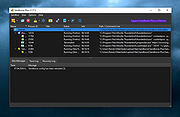 |
| Showing rows 1 to 7 of 7 | Showing Page 1 of 1 | 1 |
OlderGeeks.com Copyright (c) 2026
