|

|
Processed through Paypal No account required. |








Buy our over-priced crap to help pay the bills.



|
|
Processed through Paypal No account required. |
| Files | ||||
| File Name | Rating | Downloads | ||
 |
Router Default Password v1.0 Router Default Password v1.0 Every device connected to a network must have an unique IP address to differentiate it from the others. An IP address is similar to the unique telephone number on your home phone or mobile device. No other device on your network (unless you are using NAT) will have the same IP address. In order for a sending device to transmit data to a receiving device, the sender needs to know where the destination is. The destination will either be on the same subnetwork as the source, or on some other subnetwork. If the devices are in the same subnet, the mechanism used to determine the location of the destination device is the broadcast. But what happens if they are on different networks? This is where the default gateway comes into play. The default gateway is used as the destination of all traffic that is not on the same subnet. You might need to know the IP address of the default gateway if there’s a network problem or if you need to make changes to your router. In Microsoft Windows, the IP address of a computer’s default gateway can be accessed through Command Prompt with the ipconfig command, as well as through the Control Panel. The netstat and ip route commands are used on macOS and Linux for finding the default gateway address. If you haven’t bothered to go in and make changes to your network settings, you may find that you can still access the admin panel using that information. To be able to do that though, you need to know how to find the IP address , default Username and default Password of your router. Here is “Router default Password” Utility come in handy ,it is a Portable freeware. How to use it : 1. Download Router Defauld ... |
 |
6,058 | Jun 28, 2019 Sordum.org 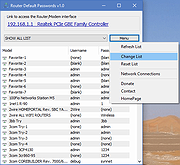 |
 |
Router Screen Capture 2.0.2 ==Official Mirror== Router Screen Capture 2.0.2 Capture the WebPages of your router to submit to PcWinTech.com All you need to do is view every page in your router. Including clicking the add buttons (if any) on the port forwarding and port triggering pages. After each page is done loading the program will take a screenshot and capture the html code. Once your all done the program will let you upload the files to me. A typical router takes about 3 - 7 min to capture (30+ screens normally) This information is then used to add a screenshots page and "How To" guides on my website. Showing you how to do many things such as port forwarding, port triggering, and configuring your wireless. The html code is used to add your router to my Simple Port Forwarding program, allowing you to forward ports easier than ever. This program is totally free and very easy to use. Once you're done you simply click "Done". At which point the program will compress all the data into a single zip file and then ask you to upload the file to the site. You can even view the zip file and what was sent to me. The zip files are under the capture dir in the same dir as this program. I thank you for taking the time to get this data to me! If you need any help or notice a bug or error just contact me. What I plan on doing with these screens falls in this order: 1. Check and blur out any information on the screens such as IP addresses and such. 2. If possible add support for the router to the Simple Port Forwarding program. 3. Add the screenshots page for the router. 4. Write a port forwarding how to guide for the router. 5. Write a port triggering guide for the router. 6. ... |
 |
9,822 | Dec 21, 2013 PcWinTech |
|
Virtual Router v1.0 Virtual Router v1.0 Virtual Router is a free, open source software based router for PCs running Windows 8, Windows 7 or Windows Server 2008 R2. Using Virtual Router, users can wirelessly share any internet connection (Wifi, LAN, Cable Modem, Dial-up, Cellular, etc.) with any Wifi device (Laptop, Smart Phone, iPod Touch, iPhone, Android Phone, Zune, Netbook, wireless printer, etc.) These devices connect to Virtual Router just like any other access point, and the connection is completely secured using WPA2 (the most secure wireless encryption.) Where can Virtual Router be used? Anywhere you are! Home Office School Airport Bus Station The Park Grandmas House The In-Laws Absolutely Anywhere! No Advertising, No Hassle Unlike similar applications, Virtual Router is not only completely Free, but will not annoy you with any advertisements. Also, since Virtual Router is not ad-supported, it does not track your web traffic the way other ad-supported applications do/can. The Wireless Network create/shared with Virtual Router uses WPA2 Encryption, and there is not way to turn off that encryption. This is actually a feature of the Wireless Hosted Network API's built into Windows 7 and 2008 R2 to ensure the best security possible. You can give your "virtual" wireless network any name you want, and also set the password to anything. Just make sure the password is at least 8 characters. BTW, this project is written entirely in C#. Contributors Chris Pietschmann - Chris is a Author at Build Azure, 5-time Microsoft MVP, and the Owner of Simplovation LLC a software development consulting company that specializes in Mapping/GIS related application development. You can view Chris' personal blog at https://pietschsoft.com |
|
6,258 | Aug 15, 2019 Chris Pietschmann 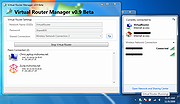 |
|
WifiInfoView v3.00 WifiInfoView v3.00 👉 Scan and analyze nearby wireless networks with detailed Wi-Fi information. WifiInfoView is a free, portable utility that scans all wireless networks within range and displays detailed technical information about each one. It provides network names (SSID), MAC addresses, signal strength, channel numbers, frequencies, PHY types, maximum supported speeds, security status, router manufacturer, and other useful details for troubleshooting or optimizing wireless networks. Advanced users can also inspect the raw Wi-Fi information elements transmitted by each access point in hexadecimal format. WifiInfoView includes a summary mode that groups detected networks by channel, router manufacturer, PHY type, or maximum speed, making it easy to identify congested channels and optimize wireless performance. Features: • Portable application requiring no installation • Scans and displays nearby wireless networks in real time • Shows SSID, MAC address, PHY type, RSSI, signal quality, frequency, and channel • Displays router manufacturer, model, and name when available • Shows network security status and maximum supported connection speed • Summary mode groups networks by channel, manufacturer, PHY type, or speed • View raw Wi-Fi information elements in hexadecimal format • Export selected information to multiple file formats • Filter, sort, and search detected wireless networks • Supports both 32-bit and 64-bit Windows systems Supported operating systems: • Windows Vista, Windows Server 2008, Windows 7, Windows 8, Windows 10, Windows 11 Supported languages: • Arabic, Basque, Bulgarian, Catalan, Chinese Simplified, Chinese Traditional, Croatian, Czech, Danish, Dutch, English, Finnish, French, German, Greek, Hebrew, Hungarian, Italian, Japanese, Korean, Norwegian, Persian, Polish, Portuguese, Portuguese (Brazil), Romanian, Russian, Slovak, Slovenian, Spanish, Swedish, Thai, Turkish, Ukrainian, Vietnamese Changes: v3.00 06-10-26 • Added "Keep Selected Item Visible" option. When enabled, the selected item always remains visible. Note: This file has two hits on VirusTotal. We have confirmed these to be false positives. The file is safe. This download is for the Windows 64bit version (very bottom of page). If you need the Windows 32bit version, ... |
|
6,745 | Jun 23, 2026 Nir Sofer 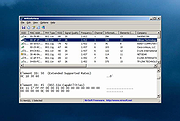 |
| Showing rows 1 to 4 of 4 | Showing Page 1 of 1 | 1 |
OlderGeeks.com Copyright (c) 2026
