|

|
Processed through Paypal No account required. |








Buy our over-priced crap to help pay the bills.



|
|
Processed through Paypal No account required. |
| Files | ||||
| File Name | Rating | Downloads | ||
 |
RegistryChangesView v1.31 RegistryChangesView v1.31 A tool for Windows that allows you to take a snapshot of Windows Registry and later compare it with another Registry snapshots, with the current Registry or with Registry files stored in a shadow copy created by Windows. When comparing 2 Registry snapshots, you can see the exact changes made in the Registry between the 2 snapshots, and optionally export the Registry changes into a standard .reg file of RegEdit. System Requirements This utility works on any version of Windows, starting from Windows XP and up to Windows 11. Both 32-bit and 64-bit systems are supported. Changes v1.31: Added 'Hide Selected Items' option (Ctrl+H) which allows you to hide Registry items you don't need. Added 'Black Background' option (Under the View menu). When it's turned on, the main table is displayed in black background and white text, instead of default system colors. Examples for useful things you can do with this tool You can create a Registry snapshot before installing a new software and then after the installation is completed, compare this Registry snapshot with the current Registry and see all Registry changes made by the installer (Be aware that you'll also see some changes made by Windows or other programs in the same time). If there are Registry changes that you don't like, you can generate a .reg file to revert back the changes. If you make a change in Windows configuration from the GUI of Windows and you want to see how to make this change in the Registry, simply create a Registry snapshot before making the config change and then after the configuration change, compare this Registry snapshot with the current Registry and optionally generate a .reg file that makes this configuration change. ... |
 |
6,608 | Aug 22, 2025 Nir Sofer 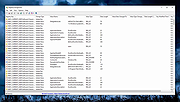 |
| Showing rows 1 to 1 of 1 | Showing Page 1 of 1 | 1 |
OlderGeeks.com Copyright (c) 2026
