|

|
Processed through Paypal No account required. |








Buy our over-priced crap to help pay the bills.



|
|
Processed through Paypal No account required. |
| Files | ||||
| File Name | Rating | Downloads | ||
 |
Clear Disk Info v4.4.1.0 Clear Disk Info v4.4.1.0 👉 Monitor hard drive and SSD health information with a clean and easy-to-read interface. Clear Disk Info is a lightweight disk monitoring utility designed to display detailed SMART information for hard drives and SSDs. It helps users keep track of drive health, temperature, firmware details, power-on hours, transfer modes, and other important storage statistics in a clear and organized layout. The program supports multiple storage device types and provides quick access to essential diagnostic information for detecting potential drive problems before data loss occurs. Features: • Displays SMART health and diagnostic information for HDDs and SSDs • Shows drive temperature, health status, firmware, and serial numbers • Supports SATA, NVMe, and USB-connected storage devices • Monitors power-on hours, drive usage, and transfer modes • Clean and lightweight user interface with easy-to-read statistics • Provides real-time drive condition monitoring • Supports multiple drives simultaneously • Portable and installer versions available • Designed for fast access to essential disk health data Supported operating systems: • Windows 7, Windows 8, Windows 10, Windows 11 Supported languages: English Changes: v4.4.1 08-02-25 Refreshed the UI with a more modern font. Bug fixes Click here to visit the author's website. |
 |
11,612 | May 19, 2026 Carifred 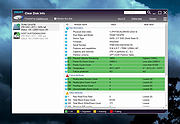 |
 |
MagicMouseMove v1.0.3 MagicMouseMove v1.0.3 👉 Prevent idle time with automatic natural mouse movement. MagicMouseMove is a small Windows tool that performs minimal, natural-looking mouse movements after an adjustable period of inactivity. It is designed to help prevent unwanted idle states, connection drops, standby interruptions, and similar inactivity-related issues during tasks such as streaming, remote access, presentations, or long-running sessions. MagicMouseMove runs as a lightweight utility and is also available in a portable version, making it easy to use without a complicated setup. Its focus is simple automatic mouse activity simulation with natural movement behavior. Features: • Performs small, natural-looking mouse movements automatically • Helps prevent idle time and connection drops • Adjustable inactivity timing before movement begins • Small and lightweight utility • Available as a portable version for flexible use Instructions: • Download and run MagicMouseMove or the portable version • Set the idle time delay before automatic mouse movement starts • Let the program run while you need to avoid inactivity-related interruptions • Adjust settings as needed for your session or workflow Supported operating systems: • Windows XP, Windows Vista, Windows 7, Windows 8.1, Windows 10, Windows 11 • Windows Server 2016, Windows Server 2019 Supported languages: • German, English, Dutch, Traditional Chinese, Spanish, Russian, Simplified Chinese, Korean, French, Hebrew Changes: v1.0.3 05-10-2026 • Minor adjustments and general bug fixes • Updated MagicMouseMove language file and new languages: Korean, French, Hebrew • Many thanks to Venus Girl for the Korean translation. • Many thanks to Drake4478 for the French translation. • Many thanks to peterg for the Hebrew translation. Click here to visit the author's website. |
|
722 | Aug 04, 2026 Nenad Hrg  |
|
Tweaking.com - Disable or Enable Data Execution Prevention (DEP) v1.0.0 Tweaking.com - Disable or Enable Data Execution Prevention (DEP) v1.0.0 This will allow a user to easily turn DEP on or off. DEP can cause some programs to crash, and as such you may need to turn it off. As a plus, for system where DEP is grayed out by windows, you can still enable DEP with this tool. DEP will still be grayed out, but it will be working. Personal note: I have to keep DEP off on my system for some older programs that I use will work. With DEP on these older programs crash. |
|
9,705 | Sep 02, 2017 Tweaking.com 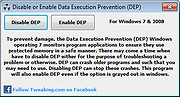 |
|
Workrave v1.10.54 Workrave v1.10.54 👉 Helps prevent repetitive strain injuries by reminding you to take healthy computer breaks. Workrave is a free and open-source program designed to help prevent and relieve Repetitive Strain Injury (RSI) and other computer-related health issues. It monitors keyboard and mouse activity and reminds users to take regular breaks from their computer to rest, stretch, and relax. The software provides configurable microbreaks, rest breaks, and daily usage limits to encourage healthier work habits. By tracking input activity and detecting idle time, Workrave can intelligently determine when breaks are needed and provide gentle reminders before enforcing them if necessary. During breaks, Workrave may display simple exercises or relaxation prompts to help reduce muscle tension and eye strain caused by prolonged computer use. Break timers and reminder behavior are fully customizable, allowing users to tailor break frequency, duration, and enforcement settings to their workflow. Workrave runs quietly in the background and integrates with the system tray, making it suitable for both home and workplace environments where long computer sessions are common. Features: • Monitors keyboard and mouse activity to detect continuous computer use • Reminds users to take microbreaks, rest breaks, and daily usage limits • Fully configurable break timers and durations • Gentle break reminders with optional enforced breaks • Microbreaks for short pauses and longer rest breaks for recovery • Tracks active and idle time to intelligently manage break timing • Optional exercises and stretching prompts during breaks • Postpone or skip options for break reminders • System tray integration and automatic startup options • Free and open-source software Supported operating systems: • Windows • Linux Supported languages: System language (Workrave uses the operating system's locale for its interface language). Changes: v1.10.54 10-16-25 Add support for GNOME Shell 49 (#636, Alessandro Astone) Note: This file has two hits on VirusTotal. We have confirmed these to be false positives. The file is safe. This download is for the Windows version (very bottom of ... |
|
4,490 | Mar 04, 2026 Raymond Penners & Rob Caelers 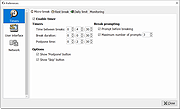 |
| Showing rows 1 to 4 of 4 | Showing Page 1 of 1 | 1 |
OlderGeeks.com Copyright (c) 2026
