|

|
Processed through Paypal No account required. |








Buy our over-priced crap to help pay the bills.



|
|
Processed through Paypal No account required. |
| Files | ||||
| File Name | Rating | Downloads | ||
 |
Windows Post-Install Generator v1.0 Windows Post-Install Generator v1.0 A web-based tool that generates customized Windows post-installation batch scripts. In Windows Post-Install Generator you can select from 200+ software applications and 50+ system configurations to create a personalized Windows setup script. Features: • 115 Software Applications: Curated apps across 13 categories • 80 System Configurations: Performance, privacy, UI, gaming tweaks • Cleanup Tools: Remove bloatware safely • One-Click Script Generation: Ready-to-run batch file • Windows 98-Inspired UI: Nostalgia + modern functionality • Safe and Reversible: Uses official Windows tools (winget, PowerShell) How to Use: 1) Choose the apps and settings you want. 2) Generate a .bat script. 3) Download it and run on your fresh Windows install (USB or local machine). • Runs entirely in your browser — no installation required. Using the Web Interface 1) Browse Categories: Navigate through software categories (Browsers, Development, Gaming, etc.) 2) Select Software: Click on applications you want to install 3) Configure System: Switch to the Configurations tab to optimize Windows settings 4) Review Selection: View your selected items in the right panel 5) Download Script: Click "Download Script" to generate your batch file 6) Run on Windows: Execute the downloaded .bat file as Administrator on your Windows machine Running the Generated Script 1) Download the windows-setup.bat file from the web interface 2) Right-click the file and select "Run as Administrator" 3) The script will: ... |
 |
836 | Dec 10, 2025 Kaic B. 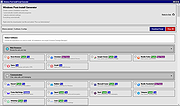 |
| Showing rows 1 to 1 of 1 | Showing Page 1 of 1 | 1 |
OlderGeeks.com Copyright (c) 2026
