|

|
Processed through Paypal No account required. |








Buy our over-priced crap to help pay the bills.



|
|
Processed through Paypal No account required. |
| Files | ||||
| File Name | Rating | Downloads | ||
 |
InstallerClean v3.3.0 InstallerClean v3.3.0 👉 Safely clean orphaned Windows Installer files and reclaim disk space. InstallerClean is a modern, open-source tool for cleaning unneeded files from the hidden C:\Windows\Installer folder. It scans for orphaned .msi and .msp files, checks them against the Windows Installer database, and lets you delete them to the Recycle Bin or move them to a folder you choose. Features: • Scans C:\Windows\Installer for unneeded installer and patch files • Detects orphaned MSI and MSP files • Detects superseded patches, including Adobe Acrobat patches • Uses the Windows Installer API instead of guessing by file names or dates • Shows needed and removable files with sizes • Delete sends files to the Recycle Bin • Move option lets you keep removed files in a safe folder • GUI and command-line versions included • No telemetry, no network activity, no background service, no scheduled task Supported operating systems: • Windows 10, Windows 11 Supported languages: Indonesian, German, English, Spanish, French, Italian, Dutch, Polish, Brazilian Portuguese, Vietnamese, Turkish, Russian, Ukrainian, Japanese, Simplified Chinese, Traditional Chinese, Korean Changes: v3.3.0 10-13-26 Added InstallerClean can now be shown in Traditional Chinese, written for Taiwan's usage with the words Windows itself uses there: every window, dialog, tooltip, button and screen-reader label, the command-line tool's text and the setup wizard. A Windows set to Traditional Chinese shows it automatically, and it can be picked from the main-window language menu. Like the other machine-drafted languages it is published beside the English in docs/translations/zh-Hant.md for anyone who reads it to check, and the README has a Traditional Chinese edition, which the app's README links open. Where the languages stand: Natively done Live machine-translated README only * English · Italian · Japanese · Dutch Simplified Chinese · Traditional Chinese · Russian · Spanish · Brazilian Portuguese · Polish · Turkish · Korean · French · German · ... |
 |
1,152 | Oct 13, 2026 no-faff  |
 |
Net Disabler v1.2 Net Disabler v1.2 A free, portable Windows utility to temporarily disable/enable Internet access. Net Disabler is a free, portable Windows utility that lets you quickly disable or re-enable your Internet connection using several blocking methods such as disabling the network adapter, DNS, proxy, or Windows Firewall. It shows the current connection status and provides simple controls, including taskbar menu actions, password protection, and selectable network adapters, so you can turn Internet access off and on without installing services or drivers. This utility is useful for reducing distractions, testing software offline, or creating a temporary air gap for security or productivity. Features: • Disable Internet by turning off the network adapter • Disable Internet by changing DNS settings • Disable Internet by enabling a proxy • Disable Internet using Windows Firewall rules • Shows real-time Internet connection status • Works without installing drivers or services (portable) • Option to password protect settings • Ability to select specific network adapters • System tray menu for quick access • Simple one-click enable and disable controls • Multiple blocking methods can be used together for stronger isolation • Very small footprint and lightweight operation Supported operating systems: Windows 11, Windows 10, Windows 8.1, Windows 8, Windows 7, Windows Vista, Windows XP (both x86 & x64; firewall feature limited on XP) Supported languages: English, Turkish, German, Russian, French, Polish, Spanish, Czech, Korean, Slovenian, Chinese (Simplified), Chinese (Traditional), Hebrew, Italian, Hungarian, Greek, Swedish, Arabic, Thai, Romanian, Portuguese (Brazilian), Japanese, Persian, Vietnamese, Bulgarian, Dutch (Nederlands), Ukrainian, Slovak, Lithuanian Changes: v1.2 01-26-26 1.[FIXED] – “/E” command is deleting outbound IP rules from firewall. 2.[FIXED] – Both the text and the GUI are very small. 3.[FIXED] – The program window does not remember its ... |
|
6,260 | Jan 30, 2026 Sordum.org 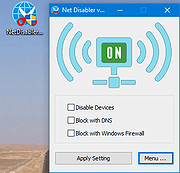 |
| Showing rows 1 to 2 of 2 | Showing Page 1 of 1 | 1 |
OlderGeeks.com Copyright (c) 2026
