|

|
Processed through Paypal No account required. |








Buy our over-priced crap to help pay the bills.



|
|
Processed through Paypal No account required. |
| Files | ||||
| File Name | Rating | Downloads | ||
 |
KeyNote NF v2.1.5.03 KeyNote NF v2.1.5.03 Tabbed notebook and information manager for Windows. KeyNote NF is a flexible, tabbed notebook application that allows you to organize notes in a tree-structured format within multiple tabs. Based on the original KeyNote application, it has been enhanced and modernized while maintaining a lightweight and portable design. Notes can be stored in rich text format, supporting formatting, images, tables, and links, making it suitable for everything from quick reminders to complex documentation. KeyNote NF supports virtual nodes, linking, and powerful search capabilities across all notes. It can store notes in a single file for easy backup and portability, and offers encryption options to protect sensitive information. The program is designed for users who want a fast, structured, and highly customizable note management system without unnecessary bloat. Features: • Tabbed interface with tree-structured notes • Rich text editing with formatting, images, and tables • Virtual nodes for dynamic content organization • Powerful search across all notes • Internal and external linking support • Single-file storage for easy backup and portability • Optional encryption for protected notes • Customizable interface and behavior • Portable version available Supported operating systems: • Windows 7, Windows 8, Windows 10, Windows 11 Supported languages: • English Changes: v2.1.5.03 02-19-26 (Please, remember to make backups of .knt files. Recommended option: 'Backup at regular intervals') Patch for 2.1.5 (.1) Related to: Added option to encrypt only selected content (nodes and/or images) There is information about this functionality in the help file (also available online as a PDF ) Fixed: Exception in the x64 version when using 'Enable encrypted content' [#961] Fixed: Exception with ImgAllowEncrExternal=0 and storage mode=EmbeddedKNT [#961] Fixed: Problem with ImgAllowEncrExternal=1 and storage mode=External [#961] Fixed: Encrypted images and converting image storage mode, from EmbeddedKNT to External, with ImgAllowEncrExternal=0 ... |
 |
1,651 | Feb 23, 2026 Daniel Prado Velasco 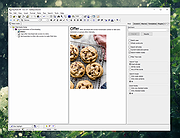 |
| Showing rows 1 to 1 of 1 | Showing Page 1 of 1 | 1 |
OlderGeeks.com Copyright (c) 2026
