|

|
Processed through Paypal No account required. |








Buy our over-priced crap to help pay the bills.



|
|
Processed through Paypal No account required. |
| Files | ||||
| File Name | Rating | Downloads | ||
 |
Pismo File Mount Audit Package v190 Pismo File Mount Audit Package v190 Pismo File Mount Audit Package is a Windows application that allows users to mount the contents of ZIP, ISO, Compact ISO, Compact File Set and Private Folder files to the file system as virtual folders. Pismo File Mount Audit Package is available free of charge for personal and business use. Supported Platforms The Pismo File Mount Audit Package supports all versions of Microsoft Windows since Windows XP, both 32 bit and 64 bit. Features ZIP reader Most zip archive files can be mounted as read-only folders to allow access to contents, including the ability to execute contained applications. CD/DVD image file reader DVD and CD images can be mounted in place as a read-only folder to allow access to contents. ISO and CISO image formats are supported. Compact File Set reader CFS files can be mounted in place as read-only folders to allow access to contents, including the ability to execute contained applications. Private Folders Private Folders can be created and used to store sensitive data files and applications in an encrypted and compressed container file. Private folders are created using a password to generate the encryption key. Once the password is provided at mount time, the protected contents become accessible in place through the file system. Explorer integration Most functionality is available in the shell using context menus and drag-drop operations. Full file system support All built-in Windows file systems and 3rd party file systems are supported. Files on local, removable, and network devices, can be mounted. Command line interface All functionality is available ... |
 |
6,098 | May 22, 2019 Pismo Technic Inc. 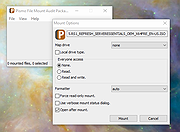 |
 |
Rclone v1.75.0 Rclone v1.75.0 👉 Command-line tool for syncing, copying, mounting, and managing files across cloud storage and local systems. Rclone is a command-line program to manage files on cloud storage. It can sync files and directories to and from many different cloud storage providers, copy new or changed files, perform one-way or two-way synchronization, mount cloud storage as a disk, verify file integrity with hashes, and serve local or remote files over HTTP, WebDAV, FTP, SFTP, and DLNA. It is widely used for backup, restore, migration, and cloud-to-cloud transfers, with support for encryption, compression, chunking, and many standard transfer protocols. Features: • Syncs files and directories to and from cloud storage • Copies only new or changed files • Supports one-way sync and two-way bisync • Verifies file integrity with MD5 and SHA-1 hashes • Preserves timestamps on files • Mounts cloud storage as a network disk • Serves files over HTTP, WebDAV, FTP, SFTP, and DLNA • Supports encryption, compression, chunking, hashing, and union backends • Works with local filesystems, cloud services, and standard protocols • Useful for backup, restore, migration, and cloud-to-cloud transfers View instructions here. Supported operating systems: • Windows 10 or higher, Windows Server 2016 or higher • macOS 12 Monterey or higher • Linux Kernel 3.2 or higher • FreeBSD 12.2 or higher • OpenBSD 6.9 or higher • NetBSD • Plan 9 • Solaris Supported languages: English Changes: v1.75.0 07-31-26 New S3 Providers Scality (RING / ARTESCA) Zero Services (ZERO-Z3) Security archive: Don't crash on malformed squashfs images GHSA-6jcg-q3wp-x2f4 CVE-PENDING (Nick Craig-Wood) ftp: Fix ftp command injection when encoding doesn't include CRLF GHSA-8c48-q9wj-3w37 CVE-PENDING (Nick Craig-Wood) lib/http: Use TLS on all --addr listeners when --cert and --key are set ... |
|
5,176 | Aug 03, 2026 Nick Craig-Wood 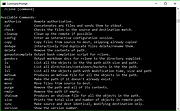 |
| Showing rows 1 to 2 of 2 | Showing Page 1 of 1 | 1 |
OlderGeeks.com Copyright (c) 2026
