|

|
Processed through Paypal No account required. |








Buy our over-priced crap to help pay the bills.



|
|
Processed through Paypal No account required. |
| Files | ||||
| File Name | Rating | Downloads | ||
 |
adb-tools-mac v1.1 adb-tools-mac v1.1 👉 A handy macOS menu bar app for common Android ADB tools. adb-tools-mac is a lightweight macOS menu bar app written in SwiftUI that gives Android users quick access to common ADB functions without needing to run commands manually in Terminal. It can connect to Android devices over TCP, take screenshots, record the screen, open deeplinks and capture logcat output. The app includes the adb executable internally, helping avoid common ADB setup and installation problems. Features: • Runs from the macOS menu bar • Connect Android devices over TCP • Take screenshots from connected devices • Record Android device screens • Open deeplinks for testing apps and links • Capture logcat output • Includes adb internally to reduce setup problems • Written in SwiftUI • Free and open source under the GPL Supported operating systems: • macOS Supported languages: English Changes: v1.1 03-12-21 Moved adb commands to background thread to avoid adb daemon stalling the app process. Click here to visit the author's website. |
 |
3,554 | Jun 14, 2026 Naman Dwivedi 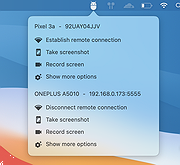 |
|
Advanced PortChecker v2.3.0 Advanced PortChecker v2.3.0 👉 Scan your network for open ports quickly and easily. Advanced PortChecker is a free and open source port checker that lets you scan hosts and networks for open ports in seconds. It supports multiple platforms, offers a clean graphical interface, and can export scan results in HTML, JSON, CSV or plain text formats. Features: • Scan TCP/IP ports on hosts or networks • Check whether ports are open or closed • Fast scanning performance • Export results as HTML, JSON, CSV or plain text • Similar interface across desktop platforms • Theme and preference options • Automatic update control • Open source and free to modify • Privacy-friendly: no ads, trackers or data collection • Can be compiled manually for other platforms Supported operating systems: • Windows • macOS • Linux • Android Supported languages: English, Dutch, French, Spanish, Chinese, Italian, Japanese Changes: v2.3.0 11-15-25 Added Japanese localization. Updated dependencies. Included Linux ARM preview builds and tests. Upgraded Yarn and Rust version. Added minor design upgrades. Changed runner actions. Improved stability across all platforms. This download is for the Windows version (very bottom of page). All other download assets are below: macOS: advanced-portchecker_2.3.0_aarch64.dmg advanced-portchecker_2.3.0_x64.dmg Linux: advanced-portchecker_2.3.0_amd64.deb advanced-portchecker_2.3.0_arm64.deb advanced-portchecker-2.3.0-1.x86_64.rpm advanced-portchecker-2.3.0-1.aarch64.rpm advanced-portchecker_2.3.0_amd64.AppImage advanced-portchecker_2.3.0_aarch64.AppImage advanced-portchecker_x64.app.tar.gz advanced-portchecker_aarch64.app.tar.gz Click here to visit the author's website. |
|
6,489 | Jun 11, 2026 CodeDead 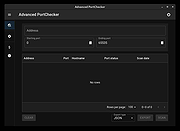 |
 |
AnyViewer Free v5.8.0 WARNING: If someone you don’t know called you... or you dialed a number that suddenly appeared on your screen... and they told you to download this program... IT IS A SCAM. HANG UP IMMEDIATELY! AnyViewer Free v5.8.0 👉 Free remote desktop software for accessing and supporting computers from another computer, tablet, or phone. AnyViewer Free is remote desktop software for personal use that lets you remotely access and support devices, whether attended or unattended, from another computer, tablet, or smartphone. It is designed for fast remote control, stable connections, high-quality image display, remote file transfer, chat, multiple monitor support, screen mirroring, and secure remote sessions using end-to-end encryption. Features: • Remotely access personal devices from a PC, Mac, tablet, or smartphone • Supports attended and unattended remote access • Fast remote control with stable connection routing • High-quality image display with low latency • In-session and off-session remote file transfer • Chat during remote support sessions • Multiple monitor support • Display multiple remote screens in separate windows • Adaptive screen scaling • Mirror Android or iOS screens to a computer • Remote reboot and reconnect • Shortcuts to tools such as Command Prompt and Task Manager • Blacklist and whitelist access permissions by account or device ID • 256-bit asymmetric ECC end-to-end encryption • Two-factor authentication support Supported operating systems: • Windows 8.1, Windows 10, Windows 11 • Windows Server 2012 R2, Windows Server 2016, Windows Server 2019, Windows Server 2022 • macOS 10.15 or later • iOS 10.0 to iOS 16 • Android 6.0 or later Supported languages: English, French, German Changes: v5.8.0 07-07-26 Enhanced: Support for quick file transfer between My Devices on Windows. Simply drag and drop files into the Send Files area to send them directly to the target device without the need to open the File Transfer window. This download is for the Windows portable version (very bottom of page). All other download assets are below: Other Windows: AnyViewerSetup_x64.exe AnyViewerSetup.exe (32bit) macOS: AnyViewer.dmg iOS: App Store Android: AnyViewerSetup.apk Google Play Click here to visit the author's website. |
|
1,311 | Sep 16, 2026 AOMEI Technology Co., Ltd 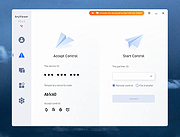 |
|
AOMEI Backupper Standard v8.4.0 AOMEI Backupper Standard v8.4.0 👉 Free backup, sync, restore, and disk cloning software for protecting your system and personal data. AOMEI Backupper Standard is free backup software designed to protect personal data and operating systems with backup, restore, sync, and cloning tools. It can back up files, folders, disks, partitions, and systems, create automatic scheduled backups, sync files to local and network locations, clone data disks for drive replacement or upgrades, and create bootable rescue media for recovery when the system cannot start. Features: • System, disk, partition, and file backup • File restore, system restore, disk restore, and partition restore • Automatic scheduled backups with daily, weekly, and monthly options • Incremental backup support • Basic file sync to local disks, external drives, network shares, and NAS • Disk clone for data disks and partition clone • Intelligent sector clone and SSD alignment support • Bootable media creation for recovery • Backup to local disk, external disk, USB flash drive, network/NAS, cloud drive, and CD/DVD • Backup image splitting, compression, checking, and task import/export • Recovery environment creation in the boot menu • Email notifications with Gmail and Hotmail SMTP support in the Standard edition Supported operating systems: • Windows 7, Windows 8, Windows 8.1, Windows 10, Windows 11 • macOS 10.13 (High Sierra) or higher Supported languages: • English, German, French, Japanese, Italian, Dutch, Spanish, Turkish, Polish, Simplified Chinese, Traditional Chinese Changes: v8.4.0 06-18-26 Optimized: Now it allows to reset the System Security Identifier (SID) during system/system disk clone and restore. This seamlessly eliminates network and permission conflicts after migrating systems to multiple PCs, making IT management and batch deployment much more efficient. Optimized: The task execution details page now displays "Transfer Speed" and "Estimated Time Remaining" in real-time, providing clear, at-a-glance visibility into your progress. Optimized: When the window of the backup source and destination selection pop-up is enlarged, the list column widths will automatically adjust the spacing according to ... |
|
10,092 | Aug 14, 2026 AOMEI Technology Co., Ltd 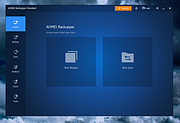 |
|
Audacity v4.0.1 Audacity v4.0.1 👉 Free, open-source, multi-track audio editor and recorder for recording, editing, mixing and producing audio. Audacity is a powerful, free and open-source audio editor and recorder for Windows, macOS and Linux. It can handle everything from quick voice recordings and simple edits to multi-track music production, podcast creation, audio restoration and more involved sound projects. Audacity provides a visual waveform-based editing environment where audio can be recorded, cut, copied, moved, trimmed and arranged across multiple tracks. Music, speech, sound effects and other recordings can be combined into a single project, with precise control over individual clips and their placement on the timeline. The program includes a wide collection of audio processing tools for adjusting volume, compression, equalization, pitch and tempo. Noise removal and repair tools can help clean up recordings, while delay, reverb, distortion, modulation, fading and other effects provide additional options for shaping sound. Real-time effects can be applied without permanently altering the original audio, allowing settings to be adjusted while continuing to work on a project. Effects can be applied to individual tracks or to the master output. Audacity also includes a plugin manager for enabling, disabling and organizing available effects. Audacity supports third-party plugins and includes support for VST3 and Nyquist effects. Optional FFmpeg support expands compatibility with additional audio formats. Finished projects can be exported to common formats such as WAV, MP3, FLAC and Ogg. The program is useful for recording microphones and other audio sources, digitizing older recordings, cleaning up noisy audio, editing interviews, assembling podcasts, creating sound effects, working with music and preparing finished audio for publishing or archiving. Features: • Record live audio through microphones, mixers and other input devices • Edit and arrange multiple audio tracks within a single project • Cut, copy, paste, trim, split and move audio clips ... |
|
11,300 | Oct 02, 2026 Audacity 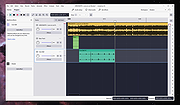 |
|
caffeinate & disablesleep v1.0.0 caffeinate & disablesleep v1.0.0 👉 Keep your Mac awake with simple menu bar controls, including optional closed-lid operation. caffeinate & disablesleep is a free, open-source macOS menu bar utility that provides an easy graphical interface for Apple's built-in caffeinate command along with quick access to the disablesleep power setting. Instead of remembering Terminal commands, you can start timed keep-awake sessions, prevent display sleep, or allow your Mac to continue running after the lid is closed with just a few clicks. The application offers preset timers ranging from 15 minutes to 8 hours, plus an unlimited mode. A live status display shows the current power settings, and a right-click shortcut lets you quickly enable or disable sleep prevention without opening the main window. The optional closed-lid feature securely configures the required macOS power setting and only requires administrator authorization the first time it is enabled. The developer recommends ensuring adequate ventilation whenever operating a Mac with the lid closed. Features: • Simple menu bar interface for Apple's built-in caffeinate utility • Prevents your Mac from sleeping • Timer presets from 15 minutes to 8 hours • Unlimited keep-awake mode • Optional "Keep Screen On" mode • Optional closed-lid operation using disablesleep • Right-click menu bar toggle • Live power command status display • Visual indicators showing active sleep settings • Automatically detects Terminal changes • Optional launch at login • Optional automatic keep-awake on startup • Native Swift application • No external dependencies • Open source (MIT License) Usage instructions: • Launch the application and click its menu bar icon. • Select a timer (15 minutes through 8 hours) or choose Infinite. • Click the moon button to start or stop the keep-awake session. • Enable Keep Screen On if you do not want the display to sleep. • Enable Stay Awake With Lid Closed to continue running after closing the lid. • The first time you enable closed-lid mode, enter your administrator password when prompted. • Right-click ... |
|
275 | Aug 04, 2026 Demiao Chen 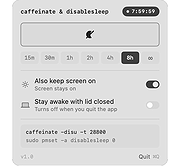 |
|
Cherrytree v1.7.2.1 Cherrytree v1.7.2.1 👉 A powerful hierarchical note-taking application with rich text, syntax highlighting, embedded files, tables, code boxes and extensive organization tools. Cherrytree is a hierarchical note-taking application designed for organizing notes, documentation, research, code snippets, ideas and other information in a structured tree. It combines rich text editing with syntax highlighting, images, tables, code boxes, mathematical equations, embedded files and extensive linking and search capabilities. Documents can be stored in a single XML or SQLite file or as multiple files and directories. Features: • Hierarchical tree structure for organizing notes and documents into nodes and subnodes • Rich text editing with foreground and background colors, bold, italic, underline, strikethrough and monospace formatting • Multiple heading levels plus subscript and superscript formatting • Syntax highlighting supporting numerous programming and scripting languages • Code boxes for keeping source code and other preformatted content inside notes • Insert images directly into notes • Resize and rotate inserted images • Save embedded images as PNG files • Render LaTeX mathematical equations within notes • Embed files directly inside documents and save them back to disk when needed • Create tables directly inside notes • Import and export table data using CSV • Bulleted, numbered and to-do lists • Multi-level lists with indentation support • Hyperlinks to websites, files and folders • Internal links between Cherrytree nodes • Anchors for linking directly to specific locations within notes • Powerful search and replace functions • Search across multiple nodes • Search node names and tags using multiple words • Tree node tags for additional organization and searching • Spell checking support • Automatic URL recognition • Insert current date and time into notes • Insert today's or tomorrow's node • Word count in the status bar, including selected text, code boxes and tables • Node sorting tools for organizing large trees • Drag and drop nodes within the tree • Import content from several other note-taking applications and document formats • Export notes to PDF • Export content ... |
|
7,779 | Sep 23, 2026 Giuseppe Penone 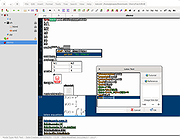 |
|
Cinecred v1.8.1 Cinecred v1.8.1 👉 Create beautiful film credits without the pain. Cinecred is a free and open source program for creating professional film credits from spreadsheet data. It reads credits from Excel, LibreOffice, Apple Numbers, CSV, or Google Sheets, then lets you interactively arrange, style, preview, and export title cards or rolling credits. Features: • Create title cards and rolling film credits • Reads Microsoft Excel, LibreOffice Calc, Apple Numbers, CSV, and Google Sheets credit data • Live visual preview while editing • Interactive styling with contextual controls and easy reverts • Default project template for quick setup • Flexible layouts and pixel-level customization • Use custom fonts, logos, images, and videos • Runtime fine adjustment for matching a desired credit roll length • Integrated real-time playback • DeckLink preview playout support • Export to video files, image sequences, stills, PDFs, and production formats • Supports ProRes, DNxHR, CineForm, H.264, H.265, Theora, PNG sequences, TIFF, and more • Free software licensed under GPLv3 Supported operating systems: • Windows • macOS • Linux Supported languages: English, German, Czech, Spanish, French, Chinese (China) Changes: v1.8.1 Not provided. This download is for the Windows version (very bottom of page). All other download assets are below: macOS: cinecred-1.8.1-arm64.pkg cinecred-1.8.1-x86_64.pkg Linux: cinecred-1.8.1-x86_64.deb cinecred-1.8.1-x86_64.rpm cinecred-1.8.1-x86_64.appimage Click here to visit the author's website. |
|
495 | Jun 15, 2026 Felix Mujkanovic 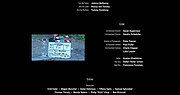 |
|
Clippy v0.4.3 Clippy v0.4.3 👉 A retro-style local AI chat app that runs GGUF large language models on your computer. Clippy lets you run a variety of large language models locally on your computer while using a nostalgic 1990s-style interface. It supports GGUF models through llama.cpp, includes one-click installation support for select models, and is designed as both a fun homage to Microsoft Office’s classic Clippy assistant and a reference implementation for Electron-based local LLM apps. Features: • Simple, familiar, and classic chat interface for chatting with local models. • Runs a variety of GGUF large language models locally on your computer. • Uses llama.cpp and node-llama-cpp to automatically discover the most efficient runtime path, such as Metal, CUDA, or Vulkan. • Includes one-click installation support for Google Gemma3, Meta Llama 3.2, Microsoft Phi-4, and Qwen Qwen3. • Lets you load your own downloaded models. • Allows custom prompts and parameter adjustments. • Works offline and locally, with the only network request being update checks, which can be disabled. • Styled as a love letter and homage to the late, great Clippy and 1990s Microsoft visual design. • Intended as a reference implementation of @electron/llm for developers building Electron apps with local language models. Supported operating systems: • Windows • macOS (Apple Silicon), macOS (Intel) • Linux (RPM, x64), Linux (Debian, x64) Supported languages: English Changes: v0.4.3 05-08-25 We still had issues with the incorrect native binaries making it into the build, breaking Clippy for Macs with Intel processors. This should finally be fixed. We figured it out! To move the Clippy icon to another position on your desktop: Left click on the icon, hold and drag it like normal but you have to hover your cursor over a part of Clippy that doesn't show a question mark. Like this: This download is for the Windows 64bit installer version (very bottom of page). All other download assets are below: Other Windows: Clippy-win32-x64-0.4.3.zip macOS: Clippy-darwin-arm64-0.4.3.zip Clippy-darwin-x64-0.4.3.zip Linux: clippy_0.4.3_amd64.deb Clippy-0.4.3-1.x86_64.rpm Click here to visit the author's ... |
|
836 | Mar 25, 2026 Felix Rieseberg 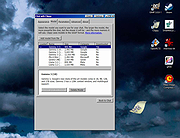 |
|
CloverBootloader v5172g CloverBootloader v5172g 👉 Boot macOS, Windows and Linux in UEFI or legacy mode. CloverBootloader is an open source bootloader for macOS, Windows and Linux on Mac or PC hardware with UEFI or BIOS firmware. Features: • Boot macOS, Windows and Linux in UEFI mode • Boot in legacy mode on Mac or PC with UEFI or BIOS firmware • Boot using UEFI firmware directly • CloverEFI UEFI firmware emulation • Customizable GUI with themes, icons, fonts, background images, animations and mouse pointers • Native screen resolution in GUI • Multilingual help from the boot GUI, depending on configuration • Save preboot logs from the GUI • Show hidden boot entries • Save original OEM ACPI tables • Test DSDT patching • Save screenshots from the GUI • Reset NVRAM • Create custom boot entries • Launch EFI command shell from the GUI Supported operating systems: • Bootloader support: macOS, Windows, Linux • Firmware support: UEFI, legacy BIOS Supported languages: Multilingual interface and help system. The project does not publish an official list of supported languages. Changes: v5172 03-22-26 The release corresponds to commit 6645e05. The release updated for compilation by gcc-15.2 because Xcode compilation is not fully correct. Fix errors in string usage. Changed XString8 -> XStringW for FullTitle and LoaderTitle. Explicit conversion from XString8 and XStringW. Restore old fixes abandoned at 5171. Restore laptop brightness fix. This download is for the ISO version (very bottom of page). A bootable ISO image (compressed with 7-Zip) containing Clover. Typically used to create a bootable CD/DVD or virtual machine boot image. All other download assets are below: EFI file: BOOTX64.efi.zip Contains the standalone BOOTX64.efi UEFI bootloader file. Useful for manually repairing or replacing the EFI boot file on a USB drive or EFI System Partition. macOS installer: Clover_r5172.pkg The macOS installer package. This is what most Hackintosh users running macOS would use to install or update Clover directly from macOS. Clover distribution archive: CloverV2-5172.zip The main Clover distribution archive. Contains the Clover bootloader files for manual installation or updating an existing Clover ... |
|
6,613 | Jun 15, 2026 CloverHackyColor 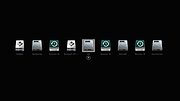 |
|
Convert The Spire Reborn v14.3.1 Convert The Spire Reborn v14.3.1 👉 A native media suite for downloading playlists and online media, managing torrents, converting files, playing your library and casting to compatible devices. Convert The Spire Reborn is a free, open-source media application built with Flutter for downloading media and large playlists, managing torrents, converting files, playing audio and video, and organizing a local media library. It uses yt-dlp for supported online sources and can process content from more than 1,800 supported sites. The program also includes a built-in media player, playlist tools, DLNA/UPnP casting, a browser with ad and tracker blocking, userscript support, and a Watch Together feature for synchronized playback across devices on the same network. The native application avoids Electron and is designed to run directly on Windows, macOS and Android. Features: • Download individual media files and large playlists from supported online sources • Uses yt-dlp with support for more than 1,800 compatible sites • Torrent manager for adding, downloading and managing torrent queues • Built-in audio and video media player • Playlist management, queue handling and local library tracking • Convert between more than 27 document, image, archive and media formats • DLNA and UPnP casting to compatible smart TVs and speakers • Watch Together synchronizes playback between phones, PCs, Macs and compatible TVs on the same local network • Watch Together rooms use a six-character sharing code and require no account • Built-in browser accepts URLs, IP addresses and ordinary search queries • Browser includes ad and tracker blocking • Supports Tampermonkey and Greasemonkey-style userscripts • Custom file explorer suitable for desktop and TV interfaces • Playlist-to-folder matching helps identify missing media • Supports automated playlist installation and downloading • Native Flutter application without an Electron-based runtime • Raw UDP and TCP networking supports local device discovery and casting • Battery-aware background processing can reduce intensive activity when battery power is low • Privacy-focused design with no tracking of downloaded ... |
|
75 | Sep 22, 2026 Lukas Bohez 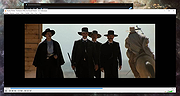 |
|
CoolTerm v2.4.0 CoolTerm v2.4.0 👉 Easy-to-use serial port terminal for communicating with connected hardware. CoolTerm is a simple serial port terminal application, with no terminal emulation, for hobbyists and professionals who need to exchange data with devices connected to serial ports, such as servo controllers, robotic kits, GPS receivers, microcontrollers, and other hardware. Written in Xojo. Features: • Multiple concurrent connections on separate serial ports • Display received data as plain text, hexadecimal, or graphic chart • Special receive and transmit character handling • Send data by keypress, Send String dialog, copy/paste, or file transfer • Send text and binary files by dialog or drag-and-drop • Capture received data to text or binary files • Local echo for transmitted and received data • Hardware and software flow control • Visual line status indicators • Manual control of RTS, DTR, and serial BREAK • Configurable character, line, and packet delays • Transmit macros, saved connection options, and scripting support Installation CoolTerm comes without an installer and can be placed anywhere on the hard-drive as long as the correct folder structure is maintained. I.e. the included "Libs" and "Resources" folders must reside in the same location as the CoolTerm application. Supported operating systems: Windows 8.1, 10, 11 macOS Mojave 10.14.x and higher Changes v2.4.0 05-19-25 NEW FEATURES: - Added the same "wait for termination string" options to the timestamp settings for received data as for captured data. This makes it possible to specify the termination string to wait for before timestamping and displaying received data. - Added option to include the timestamps added to received data in the data forwarded to other terminals. - Added support for relative and local paths in .CoolTermSession files. Paths beginning with .. and . will be considered relative and local paths, respectively. Saving a session will write absolute paths for all open terminals to the session file. However, a session file can be edited with a text editor and paths can be ... |
|
3,977 | May 07, 2026 Roger Meier 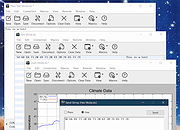 |
|
CPUSetter v1.7.1 CPUSetter v1.7.1 👉 Control CPU cores, hyperthreading, and process CPU usage on macOS. CPUSetter is a macOS utility that lets you control how your Mac's processor resources are used. It can enable or disable CPU cores and hyperthreading on supported processors, apply separate settings for battery and AC power, and limit the CPU usage of individual processes. CPUSetter also includes a process manager for adjusting process priority, viewing running applications, terminating processes, and monitoring system performance with built-in CPU, memory, disk, and network graphs. Administrator privileges are required for hardware-related changes, and a privileged helper tool is installed during first launch. Features: • Enable or disable physical and logical CPU cores • Enable or disable hyperthreading on supported processors • Apply separate CPU settings for battery and AC power • Limit the maximum CPU usage of individual processes • Change process priority (nice value) • Enable or disable throttling of low-priority processes • View and manage all running processes • Terminate running processes • Reveal process executables in Finder • Bring applications to the foreground • Display live CPU, memory, disk, and network performance graphs • Optionally apply saved settings automatically at system startup Supported operating systems: • macOS Big Sur 11.5 or higher Supported languages: English Changes: v1.7.1 12-16-25 • Requires macOS Big Sur (11.5) or later • Updated to Sparkle 2.7.0 • Fixed CPU sampling for hyperthreaded hosts In this screenshot, the Handbrake process has been limited to a maximum of 100% CPU usage (i.e. 1 whole core from the 4 available) and also reduced to a priority of 19. It is constrained as can be seen by it requesting more CPU resource than it is allowed to use. Click here to visit the author's website. |
|
3,537 | Jun 23, 2026 Bryan Christianson 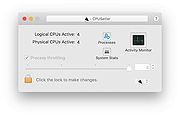 |
|
CudaText v1.234.4 CudaText v1.234.4 👉 Cross-platform, open-source text editor extensible with Python add-ons. CudaText is a cross-platform text editor written in Object Pascal. It is an open-source project that can be used free of charge (including for business use) and is designed to start quickly. CudaText is extensible via Python add-ons, including plugins, linters, code tree parsers, and external tools, and uses a feature-rich syntax parser based on the EControl engine. It starts quite fast (0.5 sec with ~30 plugins on CPU Intel Core i3 3Hz). It is extensible by Python add-ons (plugins, linters, code tree parsers, external tools). Features: • Syntax highlighting for many programming languages • Code folding • Multi-carets and multi-selections • Rectangular selection • Command palette • Tabbed interface • Split view editing (vertical and horizontal) • Side panel with file explorer • Built-in file tree • Built-in FTP client • Project manager • Snippets support • Auto-completion • Code tree (structure view) • Configurable hotkeys • Configurable UI themes • Configurable color themes • Minimap • Status bar with customizable elements • Lexer-specific settings • Session management • Recent files list • Support for large files • Portable mode support • Plugin system based on Python • Add-ons manager to install plugins, lexers, and themes • Console panel for command output • External tools integration • Multiple encodings support • Line endings support (Windows, Unix, Mac) • Bookmarks • Find and replace with regular expressions • Word wrap and non-wrap modes • Customizable indentation settings • Show invisibles • Ruler and margin configuration • Free and open source, including business use Supported operating systems: • Windows (i386, amd64) • Linux (amd64, arm, aarch64) • macOS (amd64, aarch64) • FreeBSD (i386, amd64), OpenBSD (i386, amd64), NetBSD (i386, amd64), DragonFlyBSD (amd64) • Solaris (amd64) • Haiku (i386, amd64) Supported languages: English, Chinese (Simplified), Chinese (Traditional), Czech, French, French (Switzerland), German, German (Austria), Italian, Japanese, Korean, Portuguese, Russian, Slovak, Slovenian, Spanish, Tamil (India), Tamil (Sri Lanka) Find documentation at the CudaText Wiki. Changes: v1.232.2 06-14-26 - fix: regression: "Unprinted chars" dialog lost translation - fix: improve command "delete word previous" when only 1 space ... |
|
5,919 | Jul 05, 2026 Alexey Yu. Torgashin (R.F.) 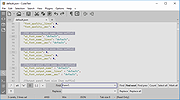 |
|
D2X-XL v2.0.5 D2X-XL v2.0.5 👉 Play Descent 1 and Descent 2 with enhanced graphics, effects, and multiplayer features. D2X-XL is an OpenGL source port of the classic 3D shooters Descent 1 and Descent 2. It combines both games in one program and selects the appropriate game elements for each, letting you play Descent 1 missions with their original robots, artificial intelligence, weapon balance, sounds, and other game data. The game engine adds high-resolution textures, models, sounds, and music, along with enhanced lighting and visual effects such as smoke, lightning, and glow. You can adjust or disable enhancements to keep a more traditional Descent look. Stereoscopic rendering is supported, including Oculus Rift support. D2X-XL also expands multiplayer with internet matchmaking through its game tracker. Its options support custom missions and levels, and the program can download missing multiplayer missions from the host. The game includes an integrated help system for menu options and configuration choices. D2X-XL is an engine and does not include the original game data. You need Descent 2 data to run it; Descent 1 mission support requires the relevant Descent 1 files as well. The developer documents English and German language files. Features: • Play Descent 1 and Descent 2 through one program • Selects the appropriate game elements and behavior for each game • Supports Descent 1 missions with original Descent 1 robot models and artificial intelligence • Uses original Descent 1 weapon power data for Descent 1 missions • Supports Descent 1 briefings, rendered movies, and mission directive audio • OpenGL rendering with high-resolution textures, models, sounds, and music • Enhanced lighting, including colored lighting and lightmaps • Visual effects include smoke, lightning, glow, and improved explosions • Stereoscopic rendering, including Oculus Rift support ... |
|
8,233 | Oct 15, 2026 Dietfrid Mali 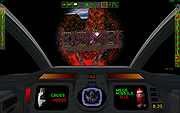 |
|
Dangerzone v0.11.0 Dangerzone v0.11.0 👉 Convert potentially dangerous documents into safe PDFs without exposing your computer to malicious content. Dangerzone is a free and open source document sanitization tool from the Freedom of the Press Foundation that lets you safely open PDFs, office documents, images and other potentially untrusted files. Instead of opening the original document directly, Dangerzone places it inside an isolated sandbox with no network access, converts each page into raw pixel data, and then reconstructs those pixels into a new, safe PDF. This process removes active content and other potentially malicious elements while preserving the document's visual appearance. Dangerzone supports more than 20 document types, including PDF files, major office-suite formats and common image formats. Because document processing takes place inside an isolated environment without network access, malicious content that might exploit the document converter is prevented from communicating with the outside world. Everything is processed locally on your computer. Features: • Converts potentially dangerous documents into safe PDF files • Uses an isolated sandbox to process untrusted documents • Renders document pages into raw pixel data before reconstructing them as PDFs • Removes potentially dangerous active content during conversion • Prevents the conversion sandbox from accessing the network • Processes documents locally on your computer • Supports more than 20 document and image formats • Supports PDFs and major office-suite document formats • Supports common image formats • Can process multiple documents • Allows additional documents to be added to an ongoing conversion • Supports converting another set of documents after completing a batch • Supports OCR processing • Free and open source under the AGPLv3 license • Maintained by the Freedom of the Press Foundation Supported operating systems: • Windows 10, Windows 11 • macOS, latest three supported releases, Intel and Apple Silicon • Ubuntu 22.04, Ubuntu 24.04, Ubuntu 25.10, Ubuntu 26.04 • Debian 12, Debian 13, Debian 14 • Fedora 43, Fedora 44 • Tails, current release • Qubes OS using a ... |
|
2,266 | Sep 02, 2026 Micah Lee  |
|
Defender of Egril v1.0.0 Defender of Egril v1.0.0 👉 Open source turn-based tower defense strategy game for Windows, Linux, macOS, and Android. Defender of Egril is an open source turn-based tower defense strategy game in which you defend the peaceful kingdom of Egril against the invading Ewhad army. Rather than relying on frantic real-time gameplay, every action is taken in turns, allowing you to carefully plan your defenses, manage resources, and develop tactics to survive increasingly difficult enemy waves. Its turn-based design makes it approachable for new players while still providing a satisfying strategic challenge. The game is completely free, works offline, and is available on multiple platforms including desktop and Android. It contains no advertisements or in-app purchases and is released as open source software, allowing the community to follow its development and contribute to the project. Features: • Turn-based tower defense gameplay • Strategic combat that rewards planning over reflexes • Defend the kingdom of Egril against invading enemy forces • Build and position defenses to stop enemy attacks • Progressive gameplay with increasingly challenging encounters • Free and open source • No advertisements or in-app purchases • Offline gameplay • Available for desktop and Android platforms Supported operating systems: • Windows 10, Windows 11 • macOS • Linux • Android 8.0 or higher Supported languages: • English, German, Spanish, French, Italian Changes: v1.0.0 06-19-26 Not provided. This download is for the Windows installer version (very bottom of page). All other download assets are below: Other Windows: DefenderOfEgril-1.0.0.msi macOS: DefenderOfEgril-1.0.0.dmg Linux: defender-of-egril_1.0.0_amd64.deb defender-of-egril-1.0.0-x86_64.AppImage defender-of-egril_1.0.0_amd64.snap de.egril.defender-1.0.0.flatpak defender-of-egril-1.0.0-1-x86_64.pkg.tar.zst defender-of-egril-debug-1.0.0-1-x86_64.pkg.tar.zst Android: de.egril.defender-production-release.apk de.egril.defender-production-release.aab Click here to visit the author's website. |
|
477 | Jun 24, 2026 Julian Egner 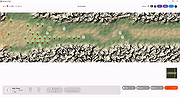 |
|
digiKam v9.1.0 digiKam v9.1.0 👉 Professional photo management with the power of open source. digiKam is an advanced open-source digital photo management application for importing, organizing, editing, and sharing photos and RAW files. It provides tools for managing large photo collections, editing metadata, tagging and rating images, handling RAW camera formats, previewing media, geolocation, batch processing, export tools, and AI-assisted photo workflows. Features: • Import, organize, and manage massive collections of photos, RAW images, and videos • Supports albums, tags, labels, ratings, comments, and hierarchical organization • Advanced metadata management including EXIF, IPTC, XMP, and GPS geotagging • Integrated map tools for assigning and editing geographic coordinates • Powerful RAW image processing using the Libraw engine • Built-in image editor with cropping, resizing, sharpening, curves, color correction, filters, and restoration tools • Includes Showfoto stand-alone image editor • AI-assisted face recognition and automatic face tagging • AI tools for image quality sorting, aesthetic detection, red-eye correction, and auto-rotation • Batch Queue Manager for automating large-scale image processing operations • Advanced search and filtering using metadata, tags, ratings, colors, and custom properties • Duplicate detection and similarity matching tools • Flexible file renaming with advanced rename templates and date formatting • Side-by-side comparison and new Survey tool for reviewing media collections • Enhanced preview system with exposure indicators, magnifier, gestures, OSD overlays, and color management • Slideshow tools with transition and transparency customization • Versioning support and non-destructive workflow options • Integrated export and sharing plugins for online services and remote storage • Database support using SQLite, MySQL, and MariaDB • Multi-core processing acceleration for thumbnail generation, AI tasks, and database operations • Supports hundreds of digital cameras and image formats Supported operating systems: • Windows 10 or later 64-bit • macOS Silicon 11.3 or later • macOS Intel 10.15 or later • Linux 64-bit AppImage, glibc 2.31 or later Supported languages: • Basque, Brazilian Portuguese, Bulgarian, Catalan, Chinese Simplified, Chinese Traditional, Croatian, Czech, Danish, Dutch, English, Esperanto, Estonian, Finnish, French, Galician, ... |
|
4,287 | Sep 28, 2026 digiKam Team 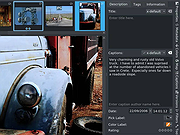 |
|
Dungeon Crawl Stone Soup v0.34.1 Dungeon Crawl Stone Soup v0.34.1 👉 A deep and challenging free roguelike dungeon adventure game. Dungeon Crawl Stone Soup is a free and open-source single-player roguelike game where players explore dangerous procedurally generated dungeons filled with monsters, traps, magic, treasures, and ancient mysteries. Inspired by classic dungeon crawlers, it combines strategic turn-based gameplay with permanent consequences, requiring careful planning and resource management to survive. Players can choose from a wide variety of fantasy races, backgrounds, religions, weapons, and magic schools, creating countless unique character builds and gameplay styles. Every dungeon expedition is different thanks to randomized layouts, enemies, loot, and encounters. The game focuses heavily on tactical combat, exploration, and meaningful decisions rather than repetitive grinding. Dungeon Crawl Stone Soup supports keyboard-driven controls and offers both traditional ASCII visuals and graphical tile modes. It is actively maintained by a dedicated community and is widely regarded as one of the most polished and content-rich roguelike games available. Features: • Procedurally generated dungeon levels with endless replayability • Large selection of playable species and character backgrounds • Turn-based tactical combat with deep strategic gameplay • Hundreds of spells, weapons, armor types, and magical items • Multiple gods and religions that affect gameplay choices • Permanent death system that rewards careful decision-making • ASCII and graphical tile display modes • Mouse and keyboard support • Detailed monster AI and environmental interactions • Online and offline play options available • Community-developed open-source project with regular updates • Extensive modding and customization support through configuration files Supported operating systems: • Windows 10, Windows 11 • macOS 11 or higher • Linux Supported languages: English Changes: v0.34.1 05-23-26 • Fixed several crashes and gameplay bugs • Improved interface behavior and dungeon generation stability • Corrected issues affecting spells, monsters, and item interactions • Updated translations and documentation • Various balance adjustments and code cleanups This download is for the Windows Installer version (very bottom of page). If you need the MacOS GUI (tiles) version, download ... |
|
2,954 | May 29, 2026 Dungeon Crawl: Stone Soup development team 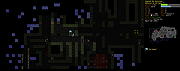 |
|
Endless Sky v0.10.16 Endless Sky v0.10.16 👉 Open-source 2D space trading and combat game inspired by classic Escape Velocity. Endless Sky is a free, open-source space exploration, trading, and combat game where you pilot a small starship through a vast galaxy filled with missions, factions, pirates, merchants, and mysteries. Starting with a basic ship and limited credits, you can earn money by transporting cargo and passengers, engaging in battles, mining asteroids, or completing story-driven missions that shape your path across the stars. As you progress, you can upgrade your ship with new engines, weapons, outfits, and defensive systems, or purchase entirely new ships to build your own fleet. The galaxy is expansive and dynamic, featuring multiple alien species, branching storylines, and player-driven choices that influence reputation and relationships with different factions. Endless Sky also supports community-created plugins and mods, extending gameplay with new ships, missions, and entire story arcs. Features: • Vast open galaxy with hundreds of star systems • Story-driven missions with branching paths • Real-time 2D ship combat with tactical fleet control • Trade goods, passengers, and mining for income • Upgrade ships with engines, weapons, shields, and outfits • Purchase and command multiple ships in your fleet • Multiple factions and alien species • Modding and plugin support for custom content • Cross-platform and fully open source Supported operating systems: • Windows 10, Windows 11 • macOS 11 or Higher • Linux Supported languages: English, Spanish, French, German, Russian, Japanese, Chinese (Simplified), Chinese (Traditional) Changes: v0.10.16 10-25-25 * Bug fixes: * Content bugs: * Typo fixes. (@Deltaspace0) * Resampled various wave files to 44.1 kHz. (@Saugia) * Coalition Yottrite missions will no longer offer on uninhabited gas giants. (@Arachi-Lover) * Fixed the "on visit" message of "Dangerous Games 1" to account for the possibility that the player has ... |
|
7,465 | Jun 27, 2026 Michael Zahniser  |
|
FineTune v1.9.0 FineTune v1.9.0 👉 Per-app volume control, audio routing, multi-device output and EQ for macOS. FineTune is a free and open-source macOS menu bar app that lets you control the volume of individual apps, boost quiet apps up to 4x, route apps to different speakers, use multi-device output, adjust input and output devices, and shape sound with a 10-band EQ and headphone correction. Features: • Per-app volume sliders and mute controls • Per-app volume boost with 2x, 3x and 4x gain presets • Global hotkeys for app volume up, app volume down, app mute and popup toggle • Configurable volume step size • Keyboard navigation for the menu bar popup • Multi-device output support • Route apps to different audio outputs • Auto-restore app volume, routing and EQ when devices reconnect • 10-band EQ with presets • Custom user EQ presets • AutoEQ headphone correction support • Loudness compensation using ISO 226:2023 equal-loudness contours • Input device and microphone level control • macOS alert volume control • Bluetooth device management from the menu bar • External monitor speaker control via DDC • Dynamic menu bar icon styles • Light and Dark theme support • Adjustable popup size: Compact, Comfortable or Spacious • URL schemes for automation Supported operating systems: • macOS 15.0 Sequoia or later Supported languages: English, Simplified Chinese Changes: v1.9.0 07-09-26 Pick your own icon for any device, and the menu bar icon stops nudging its neighbors. Two DDC fixes land alongside, including the crash on external-monitor volume changes that shipped in v1.8.0. New Features Choose Any Device's Icon Open edit mode in the popup and click a device's icon to pick a new one from a catalog of 85 symbols across five categories — Headphones & Earbuds, Speakers, Computers & Displays, Microphones, and Connectors & Other — or search by keyword ("soundbar", "projector", "aux"). A Suggested section leads with FineTune's automatic guess from the device's name and connection type, so the right ... |
|
822 | Oct 07, 2026 Ronit Singh 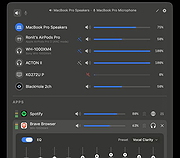 |
|
FlexBV5 Free v5.3162 FlexBV5 Free v5.3162 👉 Free cross-platform boardview viewer for electronics repair and analysis. FlexBV5 Free is a fast, native boardview viewer designed for electronics repair technicians, rework teams, and hobbyists who need a modern replacement for legacy boardview tools. Features: • Free edition for hobbyists and repair beginners • Modern SDL3-based interface • Cross-platform support for Windows, macOS, and Linux • Native decoding engine for multiple boardview formats • Supports legacy and generic boardview formats including .brd, .bdv, .bv, and .gr • Supports proprietary OEM formats including Asus FZ, Samsung CAD, Teboview, and XZZ PCB • Supports ODB++, GenCAD, Fabmaster, and Hyperlynx formats • Customizable retro and dark UI themes • High-DPI display support • Runs locally with no mandatory cloud login or telemetry Supported operating systems: • Windows 10, Windows 11 • macOS Catalina or higher • Linux x86_64 with glibc 2.31 or higher Supported languages: English Changes: v5.3162 07-27-26 * Updated fbvpdf schem viewer with performance improvements (search) * Updated fbvpdf to receive next/prev/goto commands from FlexBV * Updated FlexBV to handle more broken GenCAD exports 👉 This download is for the Windows 64bit version (very bottom of page). All other download assets are below: macOS: flexbv-free-5.3162-macos-universal.dmg Linux: flexbv-free-5.3162-linux-x86_64.tar.gz Click here to visit the author's website. |
|
1,803 | Sep 21, 2026 PLDaniels 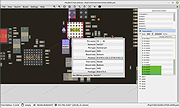 |
|
FocusWriter v1.9.0 FocusWriter v1.9.0 👉 A simple, distraction-free word processor designed for focused writing. FocusWriter is a full-screen, distraction-free word processor that hides toolbars and menus so you can concentrate completely on your writing. It creates a clean workspace where the interface stays out of your way, helping you stay immersed in your words. With support for themes, timers, alarms, and daily goals, FocusWriter is ideal for novelists, students, bloggers, and anyone who wants a clutter-free writing environment. FocusWriter allows you to customize backgrounds, fonts, colors, and layouts to create a writing space that suits your style. Despite its minimal interface, it includes powerful features such as spell checking, document statistics, and support for multiple file formats. Sessions can be tracked with timers and daily progress goals to keep your productivity on target. Features: • Full-screen, distraction-free writing interface • Customizable themes with backgrounds, fonts, and colors • Daily writing goals with live progress tracking • Timers and alarms to manage writing sessions • Spell checking support • Live statistics including word count and paragraph count • Support for TXT, RTF, and ODT file formats • Automatic document saving • Typewriter sound effects (optional) • Multiple open documents with quick switching Supported operating systems: • Windows 7, Windows 8, Windows 10, Windows 11 Supported languages: English, German, Spanish, French, Italian, Portuguese, Dutch, Russian, Polish, Chinese, Japanese, Korean, and others Changes: v1.9.0 01-05-25 • Updated Qt framework • Improved compatibility with newer operating systems • Minor bug fixes and performance improvements This download is for the Windows portable version (very bottom of page). If you need the Windows Installer version, download here. Click here to visit the author's website. |
|
8,169 | Jun 27, 2026 Graeme Gott  |
|
FotoSketcher v4.50 FotoSketcher Studio v4.50 👉 Turn photos into paintings, sketches, and artistic effects with a free image editing tool. FotoSketcher Studio is a free creative image editor that transforms photos into artwork using artistic effects such as pencil sketches, painting styles, drawing effects, and photo filters. It also includes tools to enhance original images, add frames and text, batch process multiple images, manually retouch selected areas, combine multiple filters, and create custom effects with scripts. It is free to use, including for commercial use. Features: • Turn photos into paintings, sketches, drawings, and photo effects • Includes 14 artistic effects spanning pencil, drawing, painting, and photo filter styles • Batch processing for applying effects to multiple images at once • Manual brush for selectively applying effects to chosen areas of an image • Can improve original photos with contrast, sharpening, luminosity, saturation, and other adjustments • Lets you add simple or realistic frames and text to images • Can combine multiple filters for mixed artistic results • Supports custom effect creation through scripts • Includes Vintage Sepia and Retro Film photo effects in v4.10 • Automatic system language detection with a keyboard shortcut to change interface language • Manual brush panning with CTRL + Left Mouse Button drag • Digitally signed Windows and macOS releases Supported operating systems: • Windows 10, Windows 11 • macOS (Intel, Apple Silicon) Supported languages: • Chinese, German, English, Spanish, French, Italian, Japanese, Korean, Dutch, Polish, Portuguese Changes: v4.50 07-27-26 This version brings a new painting effect, an image watermark tool, full keyboard navigation and a rather long list of improvements and fixes. New Gouache Painting effect 🎨 A new Gouache Painting effect joins the Painting category. Gouache sits somewhere between watercolour and oil paint: thick, opaque, with a matte finish and visible brushstrokes. Watermark and logo tool The "Add text" window has been expanded into "Add text/watermark". You can now load any image file (PNG with transparency, JPG, or other formats) ... |
|
10,835 | Aug 12, 2026 David Thoiron 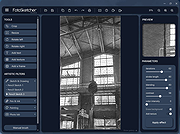 |
|
FreeCAD v1.1.1 FreeCAD v1.1.1 👉 Open-source parametric 3D modeling software for designing real-world objects, from simple parts to complex engineering projects. FreeCAD is an open-source parametric 3D modeler made primarily to design real-life objects of any size. It uses parametric modeling so you can revise designs by going back into the model history and changing parameters, and it also includes tools for solids, BRep objects, NURBS, BIM, FEM, CAM/CNC, and robot simulation workflows. Features: • Parametric 3D modeling with editable model history • Advanced geometry engine based on Open CASCADE Technology • Support for solids, Boundary Representation (BRep) objects, and NURBS • Dedicated BIM workbench for architectural and building workflows • Finite Element Analysis tools with experimental CFD support • CAM/CNC workbench for manufacturing and machining tasks • Robot simulation module for studying robotic movements • Cross-platform availability for Windows, macOS, and Linux Supported operating systems: • Windows 8, Windows 10, Windows 11 (64-bit) • macOS • Linux Supported languages: • English, German, French, Italian, Spanish, Turkish, Croatian, Vietnamese, and over two dozen total interface languages/community translations Changes: v1.1.1 03-25-26 [Backport releases/FreeCAD-1-1] Spreadsheet: Don't show overlay by @freecad-ci-runner in #28017 [Backport releases/FreeCAD-1-1] core: fix issue #26478 select all instances even in group with mirror'd objects by @freecad-ci-runner in #28018 [Backport releases/FreeCAD-1-1] measurement: label drag when infront of model by @freecad-ci-runner in #28019 [Backport releases/FreeCAD-1-1] Gui: Clear cached shape after change to Deviation by @freecad-ci-runner in #28024 [Backport releases/FreeCAD-1-1] Draft: fix clone diffuse color regression by @freecad-ci-runner in #28025 [Backport releases/FreeCAD-1-1] BIM: remove switch to profile beam creation based on dimensions by @freecad-ci-runner in #28220 [Backport releases/FreeCAD-1-1] Part: Make 3D View properly checkable by @freecad-ci-runner in #28031 [Backport releases/FreeCAD-1-1] Gui: update CoinPtr to not use boost::intrusive_ptr by @freecad-ci-runner in #28623 [Backport releases/FreeCAD-1-1] Base: use magnitude for unit schema thresholds by @freecad-ci-runner in #28589 [Backport releases/FreeCAD-1-1] Part: Avoid LowerDistanceParameter exception to prevent MacOS crash (… by @freecad-ci-runner in #28494 TechDraw: manual backport of PR#28097 by @WandererFan in #28423 [Backport releases/FreeCAD-1-1] PartDesign: fix the ... |
|
5,153 | Jun 19, 2026 The FreeCAD project 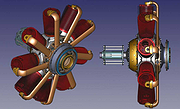 |
|
FreedroidRPG v1.0rc2 for MacOS FreedroidRPG v1.0rc2 for MacOS FreedroidRPG is an open source role playing game The game tells the story of a world destroyed by a conflict between robots and their human masters. Play as Tux in a quest to save the world from the murderous rebel bots who know no mercy. You get to choose which path you wish to follow, and freedom of choice is everywhere in the game. FreedroidRPG features a real time combat system with melee and ranged weapons, fairly similar to the proprietary game Diablo. There is an innovative system of programs that can be run in order to take control of enemy robots, alter their behavior, or improve one's characteristics. You can use over 50 different kinds of items and fight countless enemies on your way to your destiny. An advanced dialog system provides story background and immersive role playing situations. The game is complete, fully playable, and can provide about 10 hours of fun. It is still being actively developed, and help is welcome in many areas. People having - or trying to acquire - programming, map editing, or writing skills will find FreedroidRPG to be an exciting, fast-moving project in which they can fully express their creativity. Sat Mar 30 2019 The FreedroidRPG team is proud to announce the first release candidate for version 1.0! This version has been in the making for several years and contains many changes and improvements, representing the work of many contributors. Source tarball, Windows and MacOSX installers are available on ftp.osuosl.org Our Git repository is on GitLab. Here is a quick list of some major changes from 0.16.1 you're likely to notice: Fonts were changed! Previous ones had missing glyphs. The new ones have the Unicode at their side, for all languages on Transifex. We changed the directory structure, to make ... |
|
5,366 | Feb 26, 2020 freedroid.org  |
|
Fuse for MacOS v1.5.6 Fuse for MacOS v1.5.6 Fuse for macOS is a macOS port of The Free Unix Spectrum Emulator (Fuse) (an emulator of the 1980s home computer and various clones). Features Sinclair ZX Spectrum emulator Supports several models (including the 128, Timex and Russian clone machines) Quite faithful emulation of the display and sound Support many snapshot formats including Z80, SNA and SZX snapshots Support TAP, TZX and PZX virtual-tape files Support for the Recreated ZX Spectrum Bluetooth keyboard Version 1.5.6 of the ZX Spectrum and related machines emulator Fuse for macOS has been released. Changes since version 1.5.5: * Improve sound accuracy on Unix 64 bits systems (thanks, Fredrick Meunier) (Sergio Baldovν). Miscellaneous improvements: * Allow the use of real joystick hats/dpads (thanks, Sarah) (Fredrick Meunier). * Various other minor bugfixes. Click here to visit the author's website. |
|
5,041 | Jun 26, 2019 Fredrick Meunier 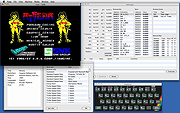 |
|
GIMP Portable v3.2.6 GIMP Portable v3.2.6 👉 Portable image editor for photo retouching, image composition and graphic creation. GIMP Portable is the portable version of the GNU Image Manipulation Program, a free and open source image editor for photo retouching, image composition, image authoring, painting, batch processing, rendering and image format conversion. It runs from a cloud folder, removable drive, local folder or the PortableApps.com Platform without needing a traditional installation. Features: • Portable version of GIMP for Windows • Runs from USB drives, cloud folders or local folders • Photo retouching and image editing • Image composition and authoring • Paint program capabilities • Expert-quality photo manipulation tools • Batch processing support • Image rendering and format conversion • Supports plug-ins and scripts • User plug-ins and scripts can be placed in the portable Data\GimpAppData folder • Optional English-only offline help add-on available • PortableApps.com Platform support for easier installs and automatic updates • Open source software under the GPL Supported operating systems: Windows XP, Vista, 7, 8, 10, 11 Supported languages: Multilingual, GIMP is available in more than 80 languages Changes: v3.2.6 09-10-26 Several months of patches, bug fixes, security updates, and stability improvements. Cut can now be used on rasterized, unlocked layer groups to cut the same area from all layers in the group. Color Picker's Sample Merged option now accounts for filters applied to a single layer. Improved performance when loading large numbers of fonts, including faster startup, text entry, and closing font lists. Fixed text being hidden at the edges when using fixed text layouts. Fixed dark smudges produced by the Heal Tool when working outside the bounds of a layer smaller than the canvas. Fixed a crash that could occur when pressing keys quickly after releasing the spacebar while panning. Text can now be selected for editing even when partially covered by a layer mask. Fixed loading of Licensor image metadata. Added a maximum width for tooltips with long descriptions. Fixed several issues involving rasterized vector layers. Added ... |
|
6,727 | Sep 11, 2026 GIMP Team & PortableApps.com 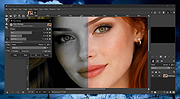 |
|
Gimp v3.2.6 Gimp v3.2.6 👉 Free and open source cross-platform image editor. GIMP is a cross-platform image editor available for GNU/Linux, macOS, Windows and more operating systems. It provides tools for graphic designers, photographers, illustrators, and scientists, with support for image manipulation, original artwork creation, graphic design elements, color management, scripting, customization, and third-party plug-ins. Features: • Advanced photo retouching tools including healing, clone, perspective clone, and content-aware fill workflows • Powerful layer-based editing with layer groups, masks, blend modes, and non-destructive editing techniques • Full support for high bit-depth images (8/16/32-bit per channel) for professional workflows • Extensive selection tools including free select, fuzzy select, foreground select, and intelligent scissors • Transform tools such as scale, rotate, shear, perspective, warp transform, and unified transform • Customizable brushes with dynamics support (pressure, velocity, randomness) for tablets and stylus input • Wide range of painting tools including pencil, paintbrush, airbrush, ink, MyPaint brushes, and gradient tools • Gradient editor and advanced gradient blending capabilities • Paths (vector) tool for precise curves, shapes, and text-on-path creation • Text tool with advanced typography support including kerning, hinting, and outline rendering • GEGL-based processing engine for high-quality image operations and non-destructive workflows • Extensive built-in filters and effects including blur, sharpen, distort, lighting, shadows, noise, and artistic filters • Support for external plug-ins such as G’MIC for hundreds of additional filters and effects • Color management with ICC profile support for accurate color reproduction across devices • Advanced color tools including levels, curves, hue-saturation, color balance, and exposure adjustments • Histogram display and analysis tools for precise tonal correction • Channel manipulation and alpha channel editing • Support for multiple file formats including JPEG, PNG, TIFF, PSD, WebP, HEIF, OpenRaster, and XCF native format • PSD import/export support for compatibility with Adobe Photoshop workflows • Multi-window and single-window interface modes for flexible workspace layouts • Fully customizable interface including dockable dialogs, tool groups, and keyboard shortcuts • Tabbed image ... |
|
9,686 | Sep 11, 2026 The Gimp Team |
|
HateArena v0.0.3 HateArena v0.0.3 👉 A fast-paced multiplayer and singleplayer arena shooter built on the Cube engine. HateArena is a free and open source arena FPS focused on speed, movement and classic deathmatch-style combat. Built from the original Cube engine, it offers wall-jumping, shotgun-boosting, Quake-style ground blasts, bots, dedicated server support, modernized visuals and a built-in map editor for creating and editing arenas. Features: • Fast-paced multiplayer and singleplayer arena shooter gameplay • Built on the original Cube engine • Wall-jumping, forward boosts and recharge-based movement • Quake-style ground blasts and shotgun-boosting combat • Deathmatch, team deathmatch and infected game modes • Server-side bots for offline or low-player matches • Master server support and dedicated game server support • Modern HUD with animations and TrueType font support • Native 1080p renderer with god rays, FXAA, MSAA, bloom and improved shading • MD2 model support with MD3 support in progress • Built-in map editor with texture eyedropper, mass select and cube editing • RCON/server administration support including ban, kick, list and maxping options • Dynamic crosshair and improved scoreboard rendering • GPL-3.0 free and open source license Supported operating systems: • Windows x64 • Linux x86_64 • macOS arm64 Supported languages: English Changes: v0.0.3-b 06-11-26 Improved server stability with numerous networking and packet handling fixes. Added macOS compatibility improvements and app bundle generation. Added initial Windows build support with additional Windows-specific fixes. Migrated the project to a CMake-based build system with automated release workflows. Improved server-side bots by fixing memory corruption and buffer overflow issues. Updated player assets, including retextured player models and improved glow effects. Added weapon and gameplay fixes, including improved ammo switching behavior. Improved water visual effects and sound handling. Enhanced server administration and intermission behavior. Updated documentation, packaging and build scripts with numerous maintenance improvements. This download is for the Windows version (very bottom of page). If you need the macOS version, download here. If you need the Linux version, download here. Click here to visit the author's website. |
|
521 | Jun 19, 2026 endseven 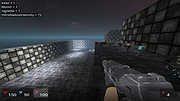 |
|
HopToDesk v1.46.50 WARNING: If someone you don’t know called you... or you dialed a number that suddenly appeared on your screen... and they told you to download this program... IT IS A SCAM. HANG UP IMMEDIATELY! HopToDesk v1.46.50 👉 Free and secure remote desktop software with screen sharing, remote control, file transfer, and live chat. HopToDesk is a free remote desktop tool that lets you share your screen, remotely control computers and devices, transfer files, and chat during support sessions. It is free for personal and commercial use, open source, and uses end-to-end encryption for screen sharing, chats, and file transfers. Features: • Remote desktop control • Screen sharing • File transfer • Live chat • End-to-end encrypted traffic • Free for personal and commercial use • Open source • Portable mode on Windows • Installed mode with background service support • Unattended access with permanent password • Direct IP access • IP whitelisting • SOCKS5 proxy connections • Remote terminal • Port forwarding • Camera / view-only mode • Quick Support mode • Address book and tags • LAN discovery • Multiple screen support • Remote printing on Windows and macOS • Audio streaming • Session recording • Screenshots • Switch sides during a session • Privacy mode on Windows and macOS • Two-factor authentication • Clipboard sync permission control • File transfer permission control • Remote restart permission control • TCP tunneling permission control • Wake On LAN permission support Supported operating systems: • Windows XP, Windows 7 or newer • macOS 10.14 Mojave or newer • Ubuntu 18.04 or newer, Debian 9 or newer, CentOS 7 or newer, openSUSE 42/15 or equivalent, Fedora, Manjaro, AppImage, Flatpak • FreeBSD 13 or newer • Raspberry Pi 2 and newer • ChromeOS devices compatible with Google Play • Android 5.0 or newer • iOS 11.0 or newer Supported languages: English, French, Spanish, Portuguese, German, Dutch, Polish, Czech, Norwegian, Swedish, Russian, Turkish, Hebrew, Arabic, Bahasa, Vietnamese, Simplified Chinese, Traditional Chinese, Japanese, Korean, Thai Changes v1.46.50 09-12-2026 Wayland, Windows Server and other Linux improvements, translation updates. This download is for the Windows 64bit version (very bottom of ... |
|
4,657 | Sep 16, 2026 HopToDesk 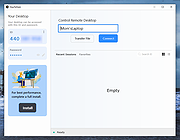 |
|
HTTrack v3.50-4 HTTrack v3.50-4 Website Copier 👉 Download entire websites to your computer for convenient offline browsing. HTTrack is a free and open-source offline browser and website copier that allows you to download a website from the Internet to a local directory. It recursively builds directories and retrieves HTML pages, images and other files while preserving the original site's relative link structure. Once downloaded, you can open the mirrored website in your regular browser and navigate from page to page as if you were viewing it online. HTTrack can also update an existing mirrored site, resume interrupted downloads and provides extensive configuration options and an integrated help system. Features • Downloads complete websites for offline browsing • Recursively retrieves HTML pages, images and other linked files • Preserves the original website's relative link structure • Browse downloaded websites using a regular web browser • Updates previously downloaded website mirrors • Resumes interrupted downloads • Extensive configuration options for controlling downloads • Integrated help system • WinHTTrack graphical interface for Windows • WebHTTrack interface for macOS, Linux, Unix and BSD • Supports modern HTTPS connections • Supports SOCKS5 and CONNECT proxies • Supports Brotli and Zstandard compression • Supports files larger than 2 GB • Supports Windows paths longer than 260 characters • Supports accented and non-Latin project names and paths • Supports WARC web archive output • Can use sitemaps as a source of URLs • Can create standalone single-file pages • Can report changes made during mirror updates Supported operating systems • Windows 7 SP1, Windows 8, Windows 8.1, Windows 10, Windows 11 • Windows XP and Windows Vista are supported by the older 3.49-2 release. • Windows systems older than Windows 2000 are supported by the older v3.49-2 release. • Windows XP and Windows Vista are supported by the older v3.33 release. • macOS ARM only • Linux, Unix, BSD. Supported languages Bulgarian, Chinese (Simplified), Chinese (Traditional), Croatian, Czech, Danish, Dutch, English, Estonian, Finnish, French, German, Greek, Hungarian, Italian, Japanese, Macedonian, ... |
|
207 | Sep 25, 2026 Xavier Roche & other contributors 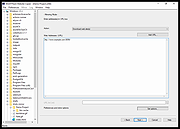 |
|
HxC Floppy Drive Emulator v2.16.13.1 HxC Floppy Drive Emulator v2.16.13.1 👉 A free floppy drive emulator toolkit. The HxC Floppy Drive Emulator provides software and hardware solutions to replace old floppy disk drives and floppy support with modern solutions (USB, SDCard, network,...) Features: • Import and convert many floppy image file formats. • Import, analyze and convert floppy stream files images. • Create/Browse DOS/FAT and AmigaDOS floppy images. • Create floppy disk images with custom sector layout. • Low level track and disk inspection. • Floppy disk read function. • And many more Supported operating systems: Windows 2000, XP, Vista, 7, 8, 10, 11 macOS X Linux Supported languages: English Changes: v2.16.13.1 04-06-25 • Mame MFI writer : Fix memory allocation error/crashes. • Kryoflux writer : The default sample frequency can be changed with the KFRAWEXPORT_SAMPLE_FREQUENCY variable. (patch by uru2) • Kryoflux Stream Loader : Support different sample rate setting from the KFInfo string. (patch by uru2) Click here to visit the author's website. |
|
3,425 | May 24, 2026 Jean-Francois DEL NERO  |
|
Impro-Visor v10.2 for MacOS Impro-Visor v10.2 for MacOS Impro-Visor (short for “Improvisation Advisor”) is a music notation program designed to help jazz musicians compose and hear solos similar to ones that might be improvised. The objective is to improve understanding of solo construction and tune chord changes. There are other, secondary, things it can do, such as improvise on its own. It has also been used for transcription. Because rhythm-section (e.g. piano, bass, drums) accompaniment is automatically generated from chords, Impro-Visor can be used as a play-along device. Now having a wider array of accompaniment styles, its use is not limited to jazz. Partial List of Features: Lead sheets and solos can be constructed through either point-and-click or using a plain text editor (one is provided, but any editor can be used). Optional automatic note coloration shows whether notes are consonant or dissonant with chords and scales. Chords may also be entered quickly through a "roadmap" editor, which also analyzes chord changes for implied keys and idiomatic progressions ("bricks"). Harmonic note entry option guides the user to select notes that are consonant with harmony. Similarly, transposition options provide chromatic or harmonic transposition. Solos or solo fragments can be played back immediately on the computer, with automatic rhythm section accompaniment. Can be used for self-study, classroom, or play-along. Any segment of a leadsheet can be played back in looped mode. Users can define new accompaniment styles. There is spreadsheet-like Style Editor, and a Style Extractor facility that helps create styles from MIDI performances. . Solos and heads may be exported as MIDI files, with accompaniment if desired. Solos and heads may be exported as MusicXML, for import to other popular music notation software. It is not necessary that the soloist memorize the solos that are created in Impro-Visor. The act of constructing solos is intended to help one get a better understanding of the tune ... |
|
6,931 | Nov 14, 2019 Bob Keller  |
|
Inkscape v1.4.4 Inkscape v1.4.4 👉 Professional quality vector graphics editor for illustrations, logos, diagrams, icons, maps and web graphics. Inkscape is a free and open source vector graphics editor that uses SVG as its native file format. It is built for creating and editing scalable artwork such as illustrations, icons, logos, diagrams, maps, charts, technical drawings, line art and web graphics. Features: • Create and edit SVG vector graphics • Draw with pencil, pen and calligraphy tools • Use rectangles, ellipses, stars, polygons, spirals and 3D boxes • Edit paths and nodes with precision • Boolean path operations including union, difference, intersection and exclusion • Layers and object organization • Text tools with text on path support • Gradients, patterns, markers, clones, clipping and masking • Bitmap tracing for converting raster images to vector paths • Import and export many common vector and image formats • PDF import and export support • Extensions and command line options for advanced workflows Supported operating systems: • Windows 10, Windows 11, Windows on Arm • macOS • Linux Supported languages: English, Basque, Brazilian Portuguese, Bulgarian, Croatian, Dutch, Finnish, French, German, Hebrew, Hungarian, Italian, Latvian, Polish, Portuguese, Romanian, Russian, Simplified Chinese, Slovenian, Spanish, Swedish, Traditional Chinese, Ukrainian, Vietnamese Changes: v1.4.4 05-06-26 Maintenance and bugfix release. 20 crash fixes. More than 25 bug fixes and performance improvements. A couple small new features. 26 updated translations. First release to provide packages for Windows on Arm. Faster zooming in documents with many paths. Faster copy and paste of large numbers of objects with gradients. Faster Layers and Objects dialog when many objects are selected. Faster Object Properties dialog when selecting paths. Faster Gradient Tool editing. New button to rotate selected stars or polygons into an upright position. Added Elementary OS color palette. Fixed multiple crashes involving startup, recent files, graphics tablets, pages, PDF files, broken SVG markers, export dialog use, raster image sizing, Tweak tool, Connector Tool, PowerStroke Live Path Effect, Corners Live Path Effect, gradients, Break Apart and raster tracing. Windows on Arm builds ... |
|
7,859 | May 07, 2026 Inkscape 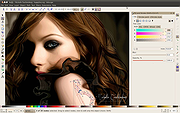 |
|
ItsPaint v0.16.1 ItsPaint v0.16.1 👉 A lightweight, free and open source MS Paint-style image editor for Mac. ItsPaint is a native image editor designed to provide the simple, quick drawing and editing experience of Microsoft Paint on macOS. It can create a blank canvas at any size, draw and paint with multiple tools, paste images directly onto the canvas, crop and resize artwork, annotate screenshots, remove backgrounds, add text and shapes, and export to numerous common image formats. It is intentionally lightweight, requires no account or subscription, contains no telemetry or networking code, and is released under the MIT license. Features: • Create blank canvases at custom sizes • Pencil, brush, highlighter and eraser drawing tools • Round, square, soft and spray brush tips • Draw lines, curves, arrows, rectangles, rounded rectangles, ellipses, triangles, diamonds, polygons, stars and speech bubbles • Solid, dashed and dotted shape outlines with optional fills • Add text with a contrasting rim that remains readable against light and dark backgrounds • Automatic numbered step badges for annotating instructions and screenshots • Pixelate areas for visual de-emphasis • Spotlight tool darkens everything outside a selected area • Clone tool copies pixels from one part of an image to another • Soften tool blends cloned or repaired areas into their surroundings • Instant Alpha selects connected pixels by color • One-command background removal without AI, cloud processing or an Internet connection • Capture a signature with a trackpad, mouse or tablet, or import one from an image • Rectangle, ellipse, lasso and Instant Alpha selection modes • Move selected pixels directly on the canvas • Paste images as floating objects that can be moved and scaled before committing • Automatically expands the canvas when pasted content is larger than the current image • Drag the current selection or entire canvas directly into another application or Finder • Pointer-centered zoom and pixel grid • Snap shapes, selections and pasted content to an 8, ... |
|
223 | Aug 13, 2026 Josh Lin 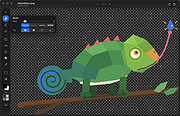 |
|
JEquity v2025.0.3.398 JEquity v2025.0.3.398 👉 Open-source portfolio and stock tracking software with a clean JavaFX desktop interface. JEquity is an open-source financial portfolio management application designed to help users organize, monitor, and track equity investments from a desktop environment. Built in Java with a modern JavaFX interface, JEquity allows you to manage stock holdings, ETFs, retirement funds, taxable accounts, and grouped investments while keeping portfolio data organized in a simple and efficient layout. The application supports portfolio grouping, historical tracking, financial summaries, valuation updates, account categorization, and detailed stock ownership records. JEquity is intended for users who want a lightweight desktop-based investment tracker without relying on cloud-based financial services. JEquity includes tools for organizing investments by account type, ownership, category, and tax status. Users can maintain multiple financial records, monitor valuations, generate reports, and review historical financial data through an easy-to-navigate tabbed interface. Features: • Tracks stocks, ETFs, and equity investments • Organizes investments by account and ownership • Supports retirement, taxable, and tax-deferred account tracking • Financial portfolio summary calculations • Historical investment tracking tools • Report generation support • Group management for organizing portfolios • JavaFX-based graphical user interface • Lightweight desktop application • Cross-platform Java support • Open-source Eclipse Public License v2.0 software • Multiple tabbed financial management views • Search and filtering capabilities • Manual stock valuation and share tracking • Local desktop portfolio management without cloud dependency Supported operating systems: • Windows 10, Windows 11 • macOS Monterey or higher • Linux distributions with Java support • BSD systems with Java support Supported languages: • English Changes: v2025.0.3.398 12-17-25 With a new self-signed open-source certificate. Note: This file has one hit on VirusTotal. We have confirmed this to be a false positive. The file is safe. This download is for the Windows version (very bottom of page). All other download assets are below: macOS: JEquity_macos-aarch64_2025.0.3.398.dmg JEquity_macos-amd64_2025.0.3.398.dmg Linux: JEquity_linux-amd64_2025.0.3.398.sh Click here to visit the author's website. |
|
6,283 | Jun 03, 2026 Beowurks  |
|
LibreWolf v153.0.4-1 LibreWolf v153.0.4-1 👉 Privacy-focused Firefox-based web browser with hardened security settings and built-in content blocking. LibreWolf is a custom and independent version of Firefox focused on privacy, security, and user freedom. It is designed to increase protection against tracking and fingerprinting techniques through privacy and security oriented settings and patches. It also removes telemetry, data collection, and various annoyances while disabling anti-freedom features such as DRM. LibreWolf includes uBlock Origin, uses privacy-respecting search engines, and stays aligned with current Firefox stable releases for up-to-date security and stability. Features: • No telemetry, experiments, adware, or unnecessary distractions • Includes uBlock Origin with custom default filter lists • Uses privacy-respecting search engines such as DuckDuckGo, Searx, and Qwant • Enables Total Cookie Protection and anti-fingerprinting protections • Deletes cookies and website data on close • Disables WebGL, form autofill, form history, link prefetching, and speculative connections • Enables HTTPS-Only mode and stricter TLS/SSL negotiation rules • Disables Firefox Sync unless explicitly enabled by the user • Removes Pocket and Mozilla VPN ads • Disables DRM by default • Provides a LibreWolf-specific UI for privacy and security controls • Open source and community-driven project Supported operating systems: • Windows 10 or later, Windows 11 • macOS • Linux • OpenBSD Supported languages: English, Additional languages via Firefox language packs Changes: v153.0.4-1 08-12-26 Upstream release based on Firefox 153.0.4. Notable Changes: • Search engines have moved away from using policies and now use the bundled remote-settings dump. • The included search engines have been overhauled. This may cause the default search engine for some users to reset to DuckDuckGo No-AI. • Fixed slow startup that some users experienced when starting a session. Infrastructure Changes: • Migration to LibreWolf's own Forgejo instance at librewolf.dev has begun. • Releases will continue to be published to Codeberg during the transition to give downstream packagers time to update. • The signing key for RPM releases has been changed to LibreWolf's repository signing key. This download is for the ... |
|
3,512 | Aug 13, 2026 LibreWolf Core Contributors  |
|
LocalSend v1.18.2 LocalSend v1.18.2 👉 Fast, private file sharing between nearby devices without the cloud. LocalSend is a free and open-source, cross-platform application for securely transferring files, folders, photos, videos, documents, text and other data between devices connected to the same local network. It provides an AirDrop-style experience that works across Windows, macOS, Linux, Android and iOS without requiring an account, an Internet connection or an external server. Devices running LocalSend automatically discover one another on the local network, allowing you to select what you want to send, choose a nearby device and begin the transfer. Data stays on your local network instead of being uploaded to a cloud service, and transfers are protected using HTTPS encryption. LocalSend can transfer any file type and is designed to take advantage of the speed of your local Wi-Fi or wired network without artificial bandwidth limits. It can also send text messages and links between devices, making it useful for quickly moving clipboard-style information from a phone to a computer or between computers. Files are saved to the receiving device's Downloads folder by default, although the destination can be changed in LocalSend's settings. Frequently used devices can be marked as favorites, and LocalSend can be configured to automatically accept transfers from trusted favorite devices. The application also includes a Share via Link feature for making selected files available through a web browser on the local network. Recent versions can receive files through links as well. No account or login is required, and LocalSend contains no advertising or tracking. Features: • Transfers files directly between nearby devices over the local network • Works across Windows, macOS, Linux, Android and iOS • No Internet connection, cloud storage or external server required • No account, registration or login required • Automatic discovery of nearby LocalSend devices • Send individual files, multiple files and folders • Supports photos, videos, documents and other file ... |
|
2,120 | Sep 29, 2026 LocalSend  |
|
MacOSCleaner v2.3.0 MacOSCleaner v2.3.0 👉 Free, privacy-focused macOS cleaner, app uninstaller, duplicate finder, disk analyzer and system maintenance utility. MacOSCleaner is a native macOS cleaning and maintenance utility designed to help reclaim storage space while giving you control over exactly what is removed. It can scan caches, developer files, application leftovers, duplicate files, old installers and many other types of unnecessary data. It also includes a forensic application uninstaller, disk space analyzer, process manager and startup service manager. Files identified by the uninstaller and disk analyzer are moved to the Trash where possible, while protected system locations are blocked from deletion. MacOSCleaner runs locally with no telemetry or cloud transmission and includes optional on-device Apple Intelligence explanations and Siri/Shortcuts automation. Features: • Smart Cleanup scans 55 categories and more than 1,880 defined locations covering over 275 applications and 86 developer toolchains • Cleans application and browser caches, developer files, package manager data, crash reports, Mail downloads and other unnecessary files • Forensic App Uninstaller examines application-related files using bundle IDs, Team IDs, Spotlight data, property lists, Launch Services and other evidence • Post-uninstall verification lets you inspect and selectively remove remaining files after uninstalling an application • Dedicated orphan scanner finds remnants from applications that were previously removed • Orphaned files are grouped by confidence level as Guaranteed, Very Likely or Possible • Duplicate File Finder uses file size, partial hashing and full SHA-256 hashing to identify exact duplicates • Disk Space Analyzer lets you navigate folders using an interactive directory tree and breadcrumb navigation • Uses APFS allocated-size information to more accurately report physical disk usage • Built-in Quick Look support lets you preview files directly from the disk analyzer • Protects cloud-only iCloud items from being downloaded unintentionally during analysis • Project Build Artifacts category detects regenerable folders such as node_modules, target, .venv, .dart_tool and build • Build artifact age filters can target files older ... |
|
112 | Oct 05, 2026 AlexTkDev  |
|
macOStoUSB v1.1.0 macOStoUSB v1.1.0 👉 Easily download official macOS installers and create bootable USB drives for recovery, upgrades, and clean installations. macOStoUSB is a specialized utility designed to simplify the process of creating bootable macOS USB installation drives using official Apple installer files. Instead of manually hunting for installer packages, entering Terminal commands, or dealing with complicated setup procedures, macOStoUSB provides a clean guided interface that walks users through the entire process from start to finish. The application automatically connects to Apple’s official software catalogs and allows users to select and download supported macOS versions directly from Apple’s servers. Once downloaded, macOStoUSB prepares a USB flash drive and creates a fully bootable installer that can be used for clean installs, macOS upgrades, system recovery, troubleshooting, testing, or maintaining multiple Mac systems. macOStoUSB is especially useful for technicians, IT departments, repair shops, and advanced home users who regularly reinstall or maintain Macs. The software includes intelligent download handling, resume support for interrupted downloads, verification tools, and compatibility support for both Intel-based Macs and Apple Silicon systems. The interface is designed to remain simple enough for beginners while still offering the reliability and functionality expected by experienced Mac users. The app is signed and notarized by Apple for additional security and trust. Features: • Downloads official macOS installers directly from Apple servers • Creates bootable USB installers for macOS deployment and recovery • Supports both Intel-based Macs and Apple Silicon systems • Simplified step-by-step workflow for creating installation media • Automatically detects compatible USB storage devices • Provides access to multiple macOS versions from Apple catalogs • Handles download interruptions with smart resume capability • Verifies installer integrity and USB creation status • Useful for clean installations, upgrades, diagnostics, and repairs • Eliminates the need for manual Terminal commands • Designed for technicians, repair shops, and IT environments • Signed and notarized by Apple for improved security • Modern lightweight interface optimized ... |
|
575 | May 26, 2026 macOStoUSB 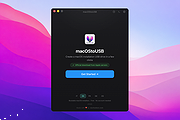 |
|
Magarena for MacOS v1.95 Magarena for MacOS v1.95 Magarena is an open-source, single-player fantasy card game played against a computer opponent. The rules for Magarena are based on (but not exactly the same as) Magic: The Gathering. Its main goals are an advanced AI, intuitive interface, engaging gameplay and program stability. Magarena was designed and developed by ubeefx as a hobby project. The name is a contraction of mage and arena. Development started in June 2009 and it became open source in November 2010. This generated a lot a valuable input and some nice contributions which finally resulted in the gold release in April 2011. The project was continued in May 2011 under a new maintainer, Melvin. Since then, more developers have joined the project and we release a new update every month. Release 1.95 (December 31, 2018) ============ Ada Joule Martin Petricek melvin - follow symlinks when loading decks - run all unit tests with the ant build via "ant test" - when a card could not be parsed due to missing abilities, report name of the card in the exception - add GRN to sets list and standard format - enhance cost reduction to support colored-mana-cost reduction and most cases of reducing hybrid/split/phyrexian cost - added the following to the card script: * effect: surveil 1 * effect: <player> reveals cards from the top of his or her library until he or she reveals <amount> <cardtype> cards, then put those cards into his or her graveyard * trigger: Whenever you become the target of <spell>, <effect> * trigger: Whenever you surveil, <effect> * ability: jump-start * ability: mentor - fixed the following bugs: * crash with bogus reason if deckfile does not exists * incorrect name and image of Insect token (issue #1567) * incorrect image URL for ... |
|
6,902 | Nov 05, 2019 ubeefx 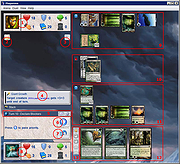 |
|
Money Manager Ex v1.9.3 Money Manager Ex v1.9.3 👉 Free, open-source personal finance software for tracking accounts, budgets, cash flow, assets and expenses. Money Manager Ex is a free, open-source personal finance application designed to help users organize their finances with a clear and easy-to-use interface. It allows you to monitor bank accounts, credit cards, investments, assets and recurring expenses while keeping all financial information stored locally for improved privacy and control. Money Manager Ex is suitable for both beginners and advanced users who want a lightweight but powerful alternative to online financial services. The software includes budgeting tools, customizable reports, reminders, transaction scheduling and multi-account management to help track spending habits and improve financial planning. The application supports multiple currencies, encrypted databases, portable operation and import/export tools for transferring data between financial applications. Its built-in reporting engine provides charts and summaries that make it easier to analyze income, expenses and long-term financial trends. Advanced users can also create custom reports using SQL, HTML, LUA and JavaScript. Money Manager Ex stores data in an SQLite database and works entirely offline, giving users full control over their financial records without relying on cloud synchronization or subscriptions. The software is actively maintained by an open-source community and is available for Windows, macOS and Linux systems. Features: • Track checking, savings, cash, credit card, stock investment and asset accounts • Organize transactions with unlimited nested categories and tags • Schedule recurring bills, deposits and transfers with reminders • Create detailed budgets and monitor spending habits • Generate financial reports with charts, graphs and summaries • Supports multiple currencies and exchange rates • Import transactions from CSV, QIF and OFX files • Export financial data to CSV, QIF and HTML formats • Portable mode available for Windows systems • SQLite database with AES encryption support • Split transactions across multiple categories • Search and filter transaction history quickly • Reconcile bank statements and account balances • Create ... |
|
11,300 | Aug 11, 2026 Money Manager EX 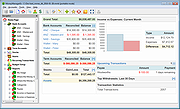 |
|
Neovim v0.12.4 Neovim v0.12.4 👉 Hyperextensible Vim-based text editor focused on usability and modern development. Neovim is a powerful, extensible text editor built as a refactor of Vim, designed to improve maintainability, usability, and plugin development. It provides a modern codebase with enhanced APIs, asynchronous job control, and built-in Language Server Protocol support, making it well-suited for programming and advanced text editing workflows. Neovim maintains strong compatibility with Vim while introducing a more developer-friendly architecture and improved user experience. Features: • Vim-compatible modal editing • Built-in Language Server Protocol (LSP) support • Asynchronous job control and event-driven architecture • Embedded Lua scripting for fast, modern configuration • Remote plugin support (Python, Node.js, Ruby, and more) • Terminal emulator built-in • Tree-sitter integration for advanced syntax highlighting • Highly customizable key mappings and workflows • Cross-platform support Supported operating systems: • Windows 10, Windows 11 • macOS 10.15 or later • Linux • FreeBSD Supported languages: • English Changes: v0.12.4 07-05-26 FEATURES - fec4045 lsp: clean up semantic token initialization and debounce #40266 - 55205b3 lsp: use LspNotify for semantic tokens (#40242) PERFORMANCE - fded370 lsp: overscan semantic_token range requests #40036 - fa365ce treesitter: reduce memory usage of _select.lua #40409 FIXES - e57c37d api: nvim_buf_set_text resets changelist to 0 #39965 - ea07b60 api: preserve ArrayOf metadata #40429 - 5ff4e14 cmdline: avoid redraw loop after wrapped line #40240 - a0d7e80 folds: foldcolumn is interrupted for virtual line above nested fold (#39999) - a4cfded health: always set 'modifiable' #40584 - 7fd0f54 health: don't check node package via yarn #40572 - 749126d highlight: keep guisp underline color in float with 'winblend' #40283 - 5c38490 lsp: allow specifying bufnr + client_id filter when enabling capabilities #37690 - c81ab60 lsp: catch another nil buffer state #40285 - bf8d0be lsp: fire LspNotify didChange autocmds after undo/redo #40404 - 41dbb82 lsp: fix multiline semantic token processing (#40340) - 3dd3a6c lsp: make LspNotify more robust (#40341) - ecda676 lsp: refresh codelens despite pending debounce #40177 - 822d969 lsp: request semantic tokens in BufWinEnter #40513 - fd27246 lsp: skip invalid file watcher globs ... |
|
2,313 | Jul 06, 2026 Neovim team  |
|
Nextpad++ v1.1.0 Nextpad++ v1.1.0 👉 A free, open-source, native port of Notepad++ for macOS and Linux. Nextpad++ is a full open-source community port of Notepad++ designed to provide the familiar Notepad++ editing experience natively on macOS and Linux. It uses the same Scintilla editing engine and provides syntax highlighting, search and replace, macro recording, split-view editing, user-defined languages and a growing ecosystem of ported plugins. The macOS interface is implemented using native Cocoa APIs, while the Linux edition uses GTK4, eliminating the need for Wine or other Windows compatibility layers. The editor supports more than 80 programming languages for syntax highlighting and includes 137 interface languages. Its search tools include regular expressions, Find in Files, line bookmarks and incremental search. Documents can be viewed side-by-side with split-view editing, and repetitive editing operations can be automated using recordable and replayable macros. Nextpad++ supports plugins through its built-in Plugin Admin, with community developers continuing to port Notepad++ plugins to macOS and Linux. Configuration files, themes and User Defined Languages are designed to remain compatible across the Windows, macOS and Linux editions. The macOS edition is a Universal Binary containing native ARM64 and x86_64 code, allowing it to run directly on Apple Silicon and Intel Macs without Rosetta. The Linux edition runs natively on x86_64 and ARM64 systems and supports both Wayland and X11. Nextpad++ is an independent community project and is not affiliated with the official Notepad++ development team. It is free and open source under the GNU General Public License v3. The application contains no advertising and the developer states that it contains no telemetry, analytics or data collection. Features: • Full independent community port of Notepad++ for macOS and Linux • Native macOS Cocoa/AppKit interface • Native GTK4 interface on Linux • Uses the same Scintilla editing engine as Notepad++ • Syntax highlighting for more than 80 programming and markup languages • User Defined ... |
|
610 | Sep 03, 2026 Nextpad++ for Mac & Linux 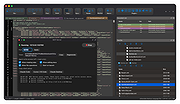 |
|
No Bloat PDF v1.5.0 No Bloat PDF v1.5.0 👉 A tiny, fast and private PDF viewer with no ads, accounts or telemetry. No Bloat PDF is a lightweight, open-source PDF viewer designed to do one thing well: open and read PDF files without the advertising, cloud services, accounts, launchers and other extras found in many modern PDF readers. The complete installer is only about 4.6 MB, yet the program provides tabbed viewing, document search, thumbnails, bookmarks, zooming, rotation and printing. It uses Mozilla's pdf.js rendering engine inside a small native application shell and is designed to open documents quickly without a splash screen or sign-in process. Privacy is a major part of the design. No Bloat PDF makes zero network calls, includes no telemetry and requires no account. PDF documents remain entirely on your computer. Multiple documents can be kept open as tabs in a single window, and the program remembers your position in previously viewed files. Dark mode follows the operating system while leaving the actual PDF pages in their original colors. Features: • Small 4.6 MB installer • Fast PDF opening with no launcher or splash screen • Built on Mozilla's pdf.js PDF rendering engine • Multiple PDF documents open as tabs in a single window • Full-text document search • Page thumbnail navigation • Document outline and bookmark navigation • Zoom controls for easier reading • Page rotation • Remembers your position in each PDF • High-resolution PDF printing directly from the viewer • Drag-and-drop support for opening PDF files • Can be configured as the system's default PDF viewer • Dark mode follows the operating system setting • PDF documents remain true-color when dark mode is enabled • Zero telemetry • Zero network calls • No user account or sign-in required • No cloud services • No advertising or upsells • Documents never leave your computer • Free to use • Open-source software released under the MIT license • Combine multiple PDFs and images into a single ... |
|
313 | Sep 09, 2026 Brian Galvan 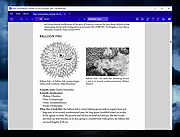 |
|
ocenaudio v3.20.4 ocenaudio v3.20.4 👉 Fast, cross-platform audio editor for recording, editing, analyzing, and exporting audio files. ocenaudio is a cross-platform, easy to use, fast, and functional audio editor designed for people who need to edit and analyze audio files without complications. It supports audio editing and analysis across major desktop platforms, offers real-time effect previews, multi-selection editing, and tools for working with audio in a responsive interface. Features: • Cross-platform audio editor for Windows, macOS, and Linux • Multi-selection editing for working on different parts of an audio file at the same time • Real-time effect preview to hear changes while adjusting controls • Support for VST effects for expanded audio processing • Spectral analysis and waveform editing tools • Responsive interface that keeps working while opening, saving, or applying effects • Recording, editing, and exporting tools for common audio workflows • Annotation tracks, region editing, channel routing, and trim/split tools in v3.18.0 Supported operating systems: • Windows 10, Windows 11 • macOS 13.3 or higher • macOS 10.14 to 14 (legacy build) • Debian 11, Debian 12, Debian 13 • Ubuntu 20.04, Ubuntu 22.04, Ubuntu 24.04 • Fedora 39, Fedora 40 • Rocky Linux 9.3 • openSUSE Leap 15 • Arch Linux Supported languages: English, Portuguese, French, German, Spanish, Italian, Japanese, Hungarian, Simplified Chinese Changes: v3.20.4 08-13-26 Adds copy, paste and drag of audio directly between two ocenaudio windows Improves VST plugin support on Linux: VST3 editors now open correctly, standard system folders are recognized and JACK is loaded on demand, including through PipeWire Fixes crashes and noise caused by VST and VST3 plugins Fixes plugins that changed the system decimal separator, corrupting parameters and presets Fixes crashes with ASIO devices on Windows when disconnecting the device during recording Other bug fixes and improvements This download is for the Windows 64Bit portable version (very bottom of page). All other download assets are below: Other Windows: ocenaudio_windows64_3.20.4.exe macOS: ocenaudio_universal_3.20.4.dmg ocenaudio_universal_legacy_3.20.4.dmg Linux: ocenaudio_debian13_3.20.4.deb ocenaudio_debian12_3.20.4.deb ocenaudio_debian11_3.20.4.deb ocenaudio_ubuntu24.04_3.20.4.deb ocenaudio_ubuntu22.04_3.20.4.deb ocenaudio_ubuntu20.04_3.20.4.deb ocenaudio_fedora40_3.20.4.rpm ocenaudio_fedora39_3.20.4.rpm ocenaudio_archlinux_3.20.4.pkg.tar.zst ocenaudio_opensuse15_3.20.4.rpm ocenaudio_rockylinux9.3_3.20.4.rpm ocenaudio_3.20.4.AppImage Click here to visit the author's website. |
|
7,141 | Aug 13, 2026 ocenaudio Development Team 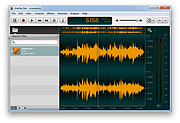 |
|
OpenDisk v1.2.2 OpenDisk v1.2.2 👉 See what is using your Mac’s storage with a fast, interactive disk map. OpenDisk is a free, open-source disk space analyzer for macOS. It scans a drive or selected folder and displays the results in an interactive sunburst chart alongside a sortable folder list. Results appear while the scan is running, and you can click through folders to find large files. Incremental rescans reuse earlier results to check for changes more quickly. Full Disk Access is needed for accurate whole-drive totals. Features: • Interactive sunburst chart shows how folders and files use space. • Live results appear during a scan. • Sortable folder list and breadcrumbs help you navigate the results. • Search the scanned file tree as you type. • Incremental rescans check for changes since the previous scan. • Quick Look previews let you inspect selected files. • Collector lets you gather files and folders, review their combined size, and delete them together. • Shows a breakdown of purgeable space and recognizes connected external drives. • Automatic updates through Sparkle. Supported operating systems: • macOS Sequoia 15 or higher, Apple Silicon and Intel Macs Supported languages: English Changes: v1.2.2 09-23-26 • Hard-linked files are counted once after a quick rescan. • HFS+ drives now use the same scanner as APFS, fixing oversized totals and enabling fast rescans. • Clearer wording in a few messages. Click here to visit the author's website. |
|
60 | Sep 24, 2026 Andeli Goli 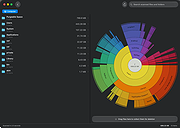 |
|
OpenLoco v26.07.1 OpenLoco v26.07.1 👉 A modern open-source reimplementation of Chris Sawyer’s Locomotion. OpenLoco is an open-source reimplementation of Chris Sawyer’s Locomotion, the classic transport construction and management simulation game where you build and run a transport company using trains, buses, trucks, trams, aircraft, and ships. OpenLoco modernizes the original game engine in C++ while keeping the spirit, gameplay, and feel of the classic title intact. Features: • Open-source reimplementation of Chris Sawyer’s Locomotion • Classic transport company construction and management gameplay • Build railways, roads, stations, airports, docks, and routes • Manage trains, road vehicles, aircraft, ships, cargo, passengers, and towns • Modern C++ engine reimplementation • Improved compatibility with modern systems • Supports original Locomotion save and scenario formats • Wider Build Vehicle window with dedicated sorting dropdown • Station Construction tab now lists accepted and produced cargo in full • Station window cargo icons now include helpful tooltips • Preferred company name can now be set separately from owner name • MIT licensed Supported operating systems: • Windows 10, Windows 11 • macOS Apple Silicon • Linux 64-bit • BSD, compile from source Supported languages: Czech, German, English GB, English US, Spanish, French, Italian, Japanese, Korean, Dutch, Polish, Portuguese Brazilian, Russian, Slovak, Swedish, Turkish, Chinese Simplified Changes: v26.07.1 07-27-26 Fix: [#3524] Jittery window height in the 'gridded' tabs of the industry list, town list, and terraform windows. Fix: [#3841] Extreme lag when a map reaches the maximum number of audio sources (e.g. many vehicles in view). Fix: [#3842] Native browse prompt not working on Windows, preventing selecting the Locomotion path on first start. Fix: [#3846] Can click beyond last item in station and company list windows, opening invalid windows. Note: The asset files from Chris Sawyer’s Locomotion are required for OpenLoco to work. It can be bought super cheap on Steam or GOG.com. This download is for the Windows 64bit portable version (very bottom of page). If you need the Windows 32bit portable version, download here. If you need the ... |
|
4,374 | Jul 29, 2026 OpenLoco  |
|
OpenLogi v0.6.3 OpenLogi v0.6.3 👉 A local-first Logitech mouse configurator for macOS with no account, cloud or telemetry. OpenLogi is a native, open-source alternative to Logitech Options+ that lets you remap Logitech mouse buttons, control DPI, adjust SmartShift wheel behavior and use per-app profiles directly over HID++. It works locally on your Mac, stores settings in a plain TOML config file, and does not require a Logitech account, cloud service or telemetry. Features: • Remap Logitech mouse buttons from a native macOS interface • Built-in action catalog plus custom keyboard shortcut recording • DPI control with presets and cycle/set-preset actions • SmartShift wheel control for ratchet, free-spin and automatic switching • Per-application profiles that switch when the focused app changes • Supports Logi Bolt, Bluetooth-direct and wired USB connections • Live paired-device carousel with battery percentage and charge state • Plain-text TOML configuration • No Logitech account required • No telemetry, analytics or cloud sync • Open source and dual licensed under MIT / Apache-2.0 • Signed and notarized macOS DMG available Supported operating systems: • macOS Supported languages: English, Danish, German, Greek, Spanish, Finnish, French, Italian, Japanese, Korean, Norwegian Bokmεl, Dutch, Polish, Portuguese (Brazil), Portuguese (Portugal), Russian, Swedish, Simplified Chinese, Traditional Chinese (Hong Kong), Traditional Chinese (Taiwan) Changes: v0.6.3 06-09-26 • Added unified Binding model and gesture-button menu. • Added gesture buttons on Middle, Back and Forward via the OS hook. • Release v0.6.3. This download is for the macOS ARM64 version (very bottom of page). If you need the macOS Intel version, download here. Click here to visit the author's website. |
|
463 | Jun 10, 2026 AprilNEA  |
 |
OpenPdfEdit v1.0.2 OpenPdfEdit v1.0.2 👉 View, edit, annotate, and organize PDF files on your computer. OpenPdfEdit is a free, open-source PDF editor for macOS and Windows. It lets you view PDFs, edit text and images, add annotations, redact content, fill and sign forms, reorganize pages, merge or split documents, and compare files. Documents are opened, edited, and saved on your computer rather than uploaded to a server. OCR and watermarking are available as optional paid tools. Features: • View and navigate PDF documents • Edit text and images in PDF files • Add annotations and markups • Redact sensitive content • Fill forms and place saved signatures • Reorder, rotate, and remove pages • Merge, split, and compare PDF files • Save and work with documents locally; files are not uploaded • Optional paid tools for OCR and watermarking Supported operating systems: macOS 10.13 or later (Apple silicon and Intel), Windows 10 64-bit, Windows 11 64-bit Supported languages: English, German, Spanish, Japanese, Korean, Portuguese, Chinese (Simplified), Chinese (Traditional) Changes: v1.0.2 10-12-26 Added the first Windows build. The Mac build now supports Intel Macs as well as Apple silicon. Saved signatures can be placed by tapping the page. Ticked form checkboxes retain their on-state when saved. Flattening now includes form fields without a drawn appearance. 👉 This download is for the Windows version (very bottom of page). All other download assets are below: Other Windows: OpenPdfEdit Installer.exe (Microsoft Store Installer) macOS: OpenPdfEdit_1.0.2_universal.dmg Chrome Edge Extension: openpdfedit-extension-1.0.1-chrome-edge.zip Click here to visit the author's website. |
|
21 | Oct 15, 2026 OpenPdfEdit  |
|
OpenSCAD v2026.06.21 OpenSCAD v2026.06.21 👉 A script-based solid 3D CAD modeler for programmers, makers and tinkerers. OpenSCAD is free software for creating solid 3D CAD objects using a scripting language instead of a traditional point-and-click drawing interface. Instead of drawing shapes interactively, you write code that defines the geometry, making designs easy to reproduce, modify, and share. This approach is especially useful for engineers, makers, educators, hobbyists, and anyone who wants complete control over their models. OpenSCAD focuses on constructive solid geometry (CSG), allowing complex objects to be built by combining simple primitives such as cubes, spheres, cylinders, polygons, and polyhedrons using union, difference, and intersection operations. Variables, loops, functions, modules, and mathematical expressions can be used to create highly customizable and parametric models that can be quickly adapted for different sizes or configurations. The built-in editor includes syntax highlighting, code completion, bookmarks, snippets, and multiple document tabs to simplify development. Models can be previewed rapidly during design and fully rendered for accurate geometry before exporting. OpenSCAD supports importing and exporting several common formats including STL, 3MF, AMF, SVG, DXF, OFF, and PDF, making it suitable for 3D printing, CNC machining, laser cutting, documentation, and interoperability with other CAD applications. It also provides a command-line interface for automated rendering and batch processing, a Customizer for creating user-adjustable parameters, and extensive official documentation, tutorials, language references, and cheat sheets. Recent snapshot builds also include support for the optional Manifold geometry engine, which can significantly improve rendering performance for many complex models. Supported operating systems: • Windows 10 64-bit or newer, Intel/AMD systems only • macOS 11 Big Sur or newer, Intel and Apple Silicon • Linux x86 64-bit AppImage • Linux ARM 64-bit AppImage, built and tested only for Raspberry Pi OS 64-bit • Linux Snap, Linux Flatpak, Debian, Ubuntu, Fedora, openSUSE, Arch Linux Supported languages: English, Chinese, Armenian, French, Russian, Polish, German Changes: v2026.06.21 06-21-26 Not provided. This ... |
|
6,823 | Jun 25, 2026 Marius Kintel  |
|
OpenSpades v0.1.3 OpenSpades v0.1.3 👉 Enhanced open-source client for the classic Ace of Spades voxel shooter. OpenSpades is a free, open-source, cross-platform client for the classic Ace of Spades 0.75 game. Designed as a modern replacement for the original client, it delivers significantly improved graphics, smoother gameplay, enhanced visual effects, and better performance while remaining fully compatible with existing Ace of Spades 0.75 servers. Built using OpenGL, OpenSpades adds advanced lighting, shaders, improved animations, customizable controls, and support for mods, all while preserving the fast-paced block-building and first-person combat that made the original game popular. It also includes numerous quality-of-life improvements such as an integrated server browser, extensive graphics options, configurable controls, localization support, and modern rendering technologies that breathe new life into the classic multiplayer experience. Features: • Compatible with Ace of Spades 0.75 multiplayer servers • Modern OpenGL rendering engine • Dynamic lighting, shadows, and shader effects • Improved character models and animations • High-performance rendering for smoother gameplay • Built-in multiplayer server browser • Support for custom weapon and sound mods • Configurable keyboard shortcuts and controls • Multiple graphics quality options • First-person and spectator viewing modes • In-game chat with expandable chat log • Configurable palette color selection hotkeys • Shotgun tracer effects • Favorites support for frequently used servers • Open-source and community maintained Supported operating systems: • Windows 7, Windows 8, Windows 8.1, Windows 10, Windows 11 • macOS • Linux Supported languages: English, Chinese (Simplified), Dutch, French, German, Greek, Hungarian, Indonesian, Japanese, Korean, Polish, Portuguese (Brazilian), Portuguese (European), Russian, Spanish, Ukrainian, Vietnamese Changes: v0.1.3 01-04-19 Added configurable palette color selection hotkeys. Added shotgun tracers. Added gray coloring for dead players on the scoreboard. Added a hotkey to temporarily expand the chat log. Added Ukrainian translation to packaged release. Updated Spanish, Vietnamese, Ukrainian, Russian, Greek, Hungarian, Chinese (Simplified), and Dutch translations. Fixed camera movement around the player's corpse. Added support for enabling V-Sync via r_vsync. Fixed shader linking error affecting BlackBlockDepthOnly. Improved stability on macOS. This download is for the ... |
|
421 | Jul 09, 2026 yvt  |
|
Original HP LightScribe Software Collection v1.18.27.10 Original HP LightScribe Software Collection v1.18.27.10 👉 Complete collection of the original official HP LightScribe software for Windows and macOS. Original HP LightScribe Software Collection contains the original Hewlett-Packard LightScribe software needed to create professional-looking laser-etched labels directly onto specially coated LightScribe CDs and DVDs. Unlike adhesive labels, LightScribe technology uses the optical drive's laser to permanently burn text and graphics onto the label side of compatible media. This collection includes the final official Windows and macOS releases of the core LightScribe software along with portable Windows editions of the two labeling applications. These programs continue to work with supported LightScribe drives even though the technology has been discontinued. This collection includes: LightScribe System Software The required driver package that enables Windows or macOS to recognize and communicate with LightScribe-compatible optical drives. This software must be installed first before any LightScribe labeling application will function. LightScribe Simple Labeler A lightweight labeling application designed for quickly creating professional text labels. It allows you to add titles, subtitles, and circular text with minimal effort and is ideal for users who simply want clean, readable disc labels. LightScribe Template Labeler A more advanced labeling application that includes numerous professionally designed templates. Users can customize layouts with text, graphics, backgrounds, and decorative elements while maintaining compatibility with LightScribe media. Features: • Complete official LightScribe software collection • Includes all essential Windows LightScribe applications • Includes official macOS releases • Portable Windows editions included • Simple Labeler for fast text-based labels • Template Labeler with professionally designed layouts • Official LightScribe System Software driver package • Compatible with LightScribe-enabled optical drives • Creates permanent laser-etched disc labels • No internet connection required after installation Supported operating systems: • Windows 2000, Windows XP, Windows Vista, Windows 7, Windows 8, Windows 10, Windows 11 • macOS 10.3.9 (Panther), macOS 10.4 (Tiger) or later (for the included Mac installers) Supported languages: English Changes: Collection of the final official Hewlett-Packard LightScribe software releases. Contents of this download: Windows Installers • ... |
|
458 | Jul 15, 2026 Hewlett-Packard  |
|
Overcaption v0.4.0 Overcaption v0.4.0 👉 A free, private subtitle studio for transcribing, editing, translating and adding captions to videos. Overcaption is a desktop subtitle and captioning application that can transcribe video and audio, edit and retime subtitles, translate captions and export finished subtitles or burn them directly into video. Its core processing runs locally on your computer, so videos do not need to be uploaded to an online service. The free version has no time limit, requires no account and produces watermark-free output. Overcaption combines automatic speech recognition with a subtitle editor featuring waveform-based timing, a frame filmstrip and live checks for reading speed and line length. It can work with video, audio-only recordings and standalone subtitle files. Features: • Automatic on-device transcription with word-level timing • Works completely offline for its core transcription, editing and translation features • Keeps video and audio files on your computer instead of uploading them to a web service • No account required • No time limit on the free version • No watermark on exported video • Built-in subtitle editor • Waveform-based subtitle retiming • Frame filmstrip for visual timing reference • Inline subtitle text editing • Instant find and replace • Keyboard-oriented editing workflow • Live reading-speed checks • Live subtitle line-length checks • Grammar-aware subtitle line breaking for supported languages • Dedicated word segmentation for Chinese, Japanese, Burmese, Cantonese, Khmer, Lao and Thai • Local subtitle translation using models from Mozilla and Google • Side-by-side translation editing • Imports and exports SRT subtitle files • Imports and exports VTT subtitle files • Supports plain-text subtitle content • Opens SRT and VTT files without requiring an accompanying video • Hardware-accelerated subtitle burn-in • Free subtitle burn-in at resolutions up to 1080p • Burned subtitles match the editor preview • Supports vertical, square and widescreen video • Handles audio-only files such as podcasts, recordings and voice notes • Includes titles, lower thirds, name straps and animated callouts • No telemetry unless the user opts in • GPU acceleration ... |
|
274 | Aug 28, 2026 Overcaption  |
|
Password Safe v3.72.2 Password Safe v3.72.2 👉 Secure, open-source password manager for storing logins in an encrypted database. Password Safe helps you securely store usernames, passwords, and other login details in an encrypted database protected by a single master password. Designed by Bruce Schneier, it focuses on simple, local password management while offering tools such as AutoType, password policies, import and export options, database compare and merge functions, filters, reports, and multiple viewing modes for organizing entries. Features: • Stores usernames, passwords, and related notes in an encrypted database • Uses one master password to unlock and access all stored entries • Copies passwords, usernames, notes, and authentication codes from the toolbar • Supports AutoType for entering credentials into other windows • Can browse to a stored URL and execute AutoType • Includes password policy management and password generation options • Supports password history • Lets you organize entries in nested tree or flattened list views • Supports filters, subviews, reports, and search tools • Can import from text, XML, and KeePass V1 databases • Can export to text, XML, and older Password Safe database formats • Includes compare, merge, and synchronize tools for safes • Supports keyboard shortcuts and drag-and-drop style Dragbar entry actions • Open source and designed for straightforward local password management Supported operating systems: • Windows 7 and later • macOS 10.14 Mojave and later • Linux distributions with available packages • FreeBSD Supported languages: Arabic, Czech, Chinese, Danish, Dutch, French, German, Hungarian, Italian, Korean, Polish, Portuguese (Brazilian), Russian, Slovak, Slovenian, Spanish, Swedish, Turkish Changes: v3.72.2 09-06-26 Bugs Fixed GH1898 Arrow keys can now be used to navigate between Custom Value rows. GH1892 Regression: In the Add/Edit dialog's Basic tab, Alt-N (or the equivalent for non-English langauges) set the keyboard focus to the Notes field. SF1636 Minor UI issues in Custom Values display (column width) and edit (use correct font). ... |
|
8,497 | Sep 15, 2026 Bruce Schneier  |
|
PDF Arranger v1.14.0 PDF Arranger v1.14.0 👉 Merge, split, rotate, crop and rearrange PDF pages with an easy graphical interface. PDF Arranger is a lightweight open-source application for merging, splitting, rotating, cropping, and rearranging PDF documents through a simple drag-and-drop graphical interface. Built with Python and GTK, it allows users to visually organize pages and create new PDF layouts without needing complex editing software. PDF Arranger is based on the functionality of PDF-Shuffler and uses pikepdf for PDF manipulation. It is designed to be fast, efficient, and easy to use for both casual and advanced users needing quick PDF document management. Features: • Merge multiple PDF documents into a single file • Split PDF documents into separate pages or ranges • Rotate pages individually or in groups • Crop pages visually • Rearrange pages using drag-and-drop • Duplicate pages quickly • Zoom and preview PDF pages • Supports password-protected PDFs • Import image files and convert them into PDF pages • Undo and redo editing actions • Customizable keyboard shortcuts • Open-source and cross-platform Supported operating systems: • Windows 10, Windows 11 • macOS • Linux • FreeBSD Supported languages: Arabic, Catalan, Catalan (Valencian), Czech, Danish, German, Greek, English, Spanish, Basque, Finnish, French, Hebrew, Croatian, Hungarian, Indonesian, Icelandic, Italian, Japanese, Georgian, Korean, Dutch, Occitan, Polish, Portuguese (Brazil), Portuguese (Portugal), Russian, Slovenian, Swedish, Turkish, Ukrainian, Vietnamese, Simplified Chinese, Traditional Chinese Changes: v1.14.0 04-13-26 • Added support for importing JBIG2 image files • Improved crop dialog behavior • Added new keyboard shortcuts • Improved handling of password-protected PDFs • Updated translations • Fixed several bugs and stability issues This download is for the Windows version (very bottom of page). Linux install instructions below: For Linux: pdfarranger requires pikepdf >= 6. pip will automatically install the latest pikepdf if there is no pikepdf installed on the system. On Debian based distributions sudo apt-get install python3-pip python3-wheel python3-gi python3-gi-cairo \ gir1.2-gtk-3.0 gir1.2-poppler-0.18 gir1.2-handy-1 python3-setuptools \ gettext python3-dateutil python3-venv On Arch Linux sudo pacman -S poppler-glib python-pip python-gobject ... |
|
5,119 | May 28, 2026 Jerome Robert  |
|
PDFgear v2.1.19 PDFgear v2.1.19 👉 Free all-in-one PDF editor, reader, converter, OCR tool and AI assistant. PDFgear is a free PDF editor and management suite for viewing, editing, converting, creating, annotating, signing, organizing and protecting PDF documents. It allows existing PDF text and images to be edited directly, includes OCR for scanned documents, supports batch conversions and provides PDFgear Copilot for working with documents using natural-language commands. PDFgear does not require an account, places no watermarks on exported documents and does not impose file-size or file-number limits on its desktop software. Features: • View and read PDF documents with multiple reading and navigation options • Directly edit, replace, add and delete existing PDF text • Change fonts, font sizes, styles and other text formatting • Add, replace, reposition and edit images and other PDF objects • Add text boxes, hyperlinks and customizable shapes • Highlight, underline and strike through text • Add notes, comments, stamps, watermarks and freehand drawings • Fill interactive PDF forms • Add signatures and certificate-based digital signatures • Secure eSign for signing documents with greater security and confidence • Request signatures from multiple parties • OCR scanned PDFs and image-based documents • Extract text from selected areas with OCR • OCR supports more than 30 languages during PDF conversion • Convert PDFs to Word, Excel, PowerPoint, TXT, images and other formats • Create PDF documents from multiple file formats • Batch convert multiple PDF documents • Merge and split PDF files • Rearrange, rotate, crop, extract, duplicate, insert and delete PDF pages • Add customizable page numbers to headers or footers • Compress PDF documents • View and manage PDF attachments • Redact sensitive information • Manage PDF properties • PDFgear Copilot accepts natural-language instructions for PDF tasks • AI tools can summarize, analyze, translate, rewrite and proofread document content • Search and replace text in PDF documents • Dark mode for PDF viewing • Process ordinary PDF editing tasks locally on the computer • No account required • No ... |
|
2,474 | Aug 20, 2026 PDF Gear Tech PTE. LTD.  |
|
Pindrop v1.18.0 Pindrop v1.18.0 👉 Private, open-source Mac dictation from your menu bar. Pindrop is a native macOS menu bar dictation application that provides fast, private, and fully local speech-to-text transcription. Using WhisperKit and Apple’s on-device speech technologies, Pindrop keeps your recordings and transcriptions on your Mac while allowing you to dictate text anywhere with customizable hotkeys, clipboard integration, and direct text insertion. Designed for privacy-conscious users, writers, developers, students, and professionals, Pindrop supports multiple transcription engines, AI-assisted cleanup tools, searchable transcription history, and note organization features. The lightweight menu bar design keeps dictation accessible without interrupting your workflow. Features: • Fully local and private speech-to-text transcription • Native macOS menu bar interface • Powered by WhisperKit and Apple Speech frameworks • Optional Parakeet transcription engine support • Push-to-talk and toggle recording hotkeys • Automatic clipboard copying and direct text insertion • Searchable transcription and recording history • Export transcripts to JSON, CSV, and TXT formats • Built-in notes system with tags and pinned items • AI-assisted transcript cleanup and enhancement • Custom word replacement dictionary support • Multiple AI model sizes for speed or accuracy • Floating recording indicators and audio controls • Optional OpenAI-compatible API integrations • Automatic update support via Sparkle Supported operating systems: • macOS Sonoma 14.0 or Higher Supported languages: English Changes: v1.18.0 04-20-26 Added built-in Apple Speech transcription support. Added embedded MCP server support and configuration settings. Improved AI enhancement presets and transcript cleanup behavior. Added release notes display within update notifications. Improved live transcription handling for tentative and committed text. Updated floating recording indicators and default visual styling. Fixed locale switching and improved language name display. Improved Dock icon rendering and app icon behavior. Enhanced release automation and development tooling. Click here to visit the author's website. |
|
731 | Jun 10, 2026 Chris Watson  |
|
Pixel Wheels v1.0.1 Pixel Wheels v1.0.1 👉 A retro top-down racing game for PC (Linux, Intel-based Mac, Windows) and Android. Pixel Wheels is a pixel-art, top-down racing game where you race for first place across multiple tracks, collect bonuses, and use weapons to boost your position or slow down your opponents. Features: • Retro top-down racing gameplay • Multiple tracks and championships • Multiple vehicles with different handling • Pickups, bonuses, and weapons • Turbo boosts, mines, guns, missiles, and other race-changing items • Single-player racing • Split-screen multiplayer on PC • Up to 4-player split-screen support • Difficulty levels: Casual, Pro, and Legendary • Keyboard support and configurable controls • Gamepad support • Android touch controls • HUD button zoom option • Pixel-art graphics and arcade-style racing action Supported operating systems: • Windows, Linux, macOS Intel-based Mac, Android Supported languages: English, French, Bengali, Chinese, Polish, Russian, Spanish, Basque, German, Swedish, Hungarian, Esperanto, Turkish, Italian, Dutch, Galician, Indonesian Changes: v1.0.1 12-18-25 Fixed: • Make HUD zoom persistent. • Fixed HUD buttons overlapping when HUD zoom is too high. This download is for the Windows version (very bottom of page). All other download assets are below: macOS: pixelwheels-macos-stable.zip Linux: pixelwheels-linux-stable.zip Android: pixelwheels-itchio-1.0.1.apk Google Play Click here to visit the author's website. |
|
2,141 | Jun 29, 2026 Aurelien Gateau  |
|
PixiEditor v2.1.2.4 PixiEditor v2.1.2.4 👉 A free, open-source universal 2D graphics editor for pixel art, painting, image editing, vector art, procedural art, and animations. PixiEditor is a universal 2D graphics editor made for all your 2D creative needs. Create sprites for games, frame-by-frame animations, edit images, draw, paint, make logos, work with vectors, and build non-destructive procedural graphics using its node graph system. Features: • Pixel art, painting, vector art, image editing, procedural art, and animation tools • Node Graph for non-destructive procedural graphics and animations • Dedicated pixel art toolset with palette management • Painting tools with soft brushes and anti-aliased shapes • Vector shapes and paths that can be mixed with raster artwork • Frame-by-frame animation support • Node-based Brush Engine for creating custom brushes • Extension Browser for browsing and installing extensions • Desktop native, cross-platform, and works offline • Export support for PNG, JPG, SVG, GIF, MP4, and more • Pixel Art — Dedicated Pixel Art toolset and advanced palette management. Create pixel art with a dedicated toolset. Perfect for game sprites, animations, or nostalgic artwork. Enjoy features like pixel-perfect pen mode for clean edges. • Animations — Bring stories to life with frame-by-frame Animations. Turn your drawings into moving stories! Create smooth frame-by-frame animations with tools that make it fun and easy to bring your art to life. • Procedural Art — Create non-destructible, procedural graphics with Node Graph. Node Graph allows for creating fully non-destructible graphics and animations. Connect nodes to easily compose complex visuals. From pre-built effects to custom shaders, the possibilities are endless! • Image Editing — Select, delete, clip, resize - everything you need for Image Editing. Use raster tools to edit images, sketch or paint. Whether you're doodling or making a masterpiece, PixiEditor is there for you! • Vector Art — Create and edit Vectors. Snapping included. Craft logos, icons, and illustrations with our flexible curve tool and vector shapes. Your designs ... |
|
1,153 | Sep 18, 2026 Pixi Labs Sp. z o.o  |
|
Quarkdown v2.4.0 Quarkdown v2.4.0 👉 Markdown-based typesetting system for creating books, documents, and PDFs with advanced layout features. Quarkdown is a modern, Markdown-based typesetting system designed for writing books, technical documents, reports, and PDFs with professional-quality layout and styling. It extends standard Markdown with powerful features such as variables, templates, components, conditionals, and advanced formatting controls, allowing you to structure complex documents while keeping your source files clean and readable. Quarkdown focuses on simplicity for authors while providing the flexibility of a programmable document engine. It can generate beautifully formatted PDFs and other output formats, making it suitable for documentation, publishing workflows, academic writing, and long-form content creation. Features: • Markdown-based document authoring • Advanced typesetting and layout control • Variables and reusable components • Templates for consistent document styling • Conditional content support • Book and multi-file project support • PDF generation • Cross-platform command-line interface • Open-source project Supported operating systems: • Windows 10, Windows 11 • macOS • Linux Supported languages: English Changes: v2.4.0 07-13-26 • Added experimental element styling, allowing Markdown elements to be extended with custom behavior and appearance. • Added new primitive functions: .paragraph, .math, and .link. • Added full styling support for .heading, .paragraph, .math, and .link. • Added conditional .extend support using the new where parameter. • Added the .match function for regular expression matching and replacement of inline content. • Simplified inline lambda syntax by making the @lambda prefix optional. • Improved body argument binding for native functions. • Optimized function argument binding for better performance. • Added support for body arguments in inline function calls. Requirements: • Java 17 or newer (JDK or JRE) must be installed. • Verify Java installation by opening Command Prompt or Terminal and typing: java -version • If Java is not installed, download a compatible OpenJDK build from a trusted provider such ... |
|
1,005 | Jul 14, 2026 Giorgio Garofalo  |
|
Quetoo v1.0.18 Quetoo v1.0.18 👉 A fast, free, open-source arena FPS built for glorious old-school fragging. Quetoo is a free first-person shooter based on id Tech 2, built to bring classic arena deathmatch action roaring back for modern players. Jump into Deathmatch, Team Deathmatch, Capture the Flag, Instagib, and Rocket Arena gameplay with high-speed movement, rocket fights, rail shots, bot support, legendary Quake-inspired maps, original battlegrounds, and cross-platform multiplayer for Windows, macOS, and Linux. Features: • Free first-person shooter based on id Tech 2 • Classic arena gameplay with Deathmatch, Team Deathmatch, Capture the Flag, Instagib, and Rocket Arena modes • Bot support for instant action • High-quality remakes of legendary Quake deathmatch levels • Original maps and game content • Modern rendering with real-time lighting, soft shadow mapping, bump mapping, parallax occlusion, and volumetric fog • In-game light editor for level artists • TrenchBroom support • Cross-platform multiplayer • Free to download, play, and modify • Open-source GPL v2 licensed engine Supported operating systems: • Windows 10 64bit or later. • Apple Silicon for macOS Sequoia or later. • Linux for modern x86-64 distros. • Linux for modern aarch64 distros. • Linux server packages for x86-64 servers • Linux server packages for aarch64 servers. Supported languages: English Changes: v1.0.18 09-30-26 7527533c9 Return why an item is hidden from the cull functions faa7ca6c5 Count visible BSP entities in the diagnostics 2a95fe51a Read a query as visible on the frame it re-enters the frustum 4cc8543f7 Count culled BSP entities apart from occluded ones 2d7d8f457 Read a query drawn outside the frustum as visible e178f9bb9 Give each portal and reflection its own occlusion query a1bbcd286 Count culled apart from occluded in the diagnostics cf9a9bbaa Rename RenderViewStats and SoundStageStats to *Diagnostics 8209f5a6a Rebuild the Docker SDL3 layer when the tag moves c9e5afdfe Fix stupid comments. 576c30e78 List the SDL3 sibling checkout in AGENTS.md 50c40f88c Read only the occlusion results that were downloaded 1a03024cc Skip the occlusion query download when no queries were drawn 5e87814b2 Warn when SDL3 lacks the query API 024252722 Build ... |
|
3,021 | Oct 01, 2026 Quetoo contributors 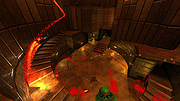 |
|
Refloow Photo Studio v1.1.0 Refloow Photo Studio v1.1.0 👉 A free, open source, privacy-focused photo editor with local AI background removal, filters, cropping, layering, text and image adjustments. Refloow Photo Studio is a free and open source desktop photo editor designed to provide professional-looking results without complicated workflows, accounts, subscriptions, advertisements, watermarks or data collection. All image processing runs locally on your computer, including its AI-powered background removal. The editor provides more than 40 built-in filters along with cropping, mirroring, brightness, contrast, saturation and warmth adjustments. Images can be dragged onto the canvas as layers to build compositions, while an undo and redo history lets you move backward or forward through up to 15 editing actions. Text can also be added to images, resized and positioned as layers. The workspace supports zooming and panning for easier navigation while editing. Features: • Free and open source photo editor • All image processing is performed locally • No accounts or logins required • No subscriptions • No advertisements • No watermarks • No data collection • One-click AI-powered background removal • AI background removal runs locally using the U-2-Netp model • More than 40 built-in professional filters • Crop images • Mirror images • Adjust brightness, contrast, saturation and warmth • Add text to images with imported fonts and customizable colors • Resize and position text as layers • Overlay multiple images to create compositions • Drag-and-drop support • Layer management for arranging compositions • Workspace zooming with the scroll wheel • Workspace panning with the middle mouse button • Undo and redo history for up to 15 actions • High-quality WYSIWYG image exporting Supported operating systems: • Windows 10 64-bit, Windows 11 64-bit • macOS Intel, macOS Apple Silicon • Linux Ubuntu, Linux Debian • Linux distributions capable of running the supplied AppImage Supported languages: English Changes: v1.1.0 06-23-26 • Added the ability to add custom text directly to compositions using imported fonts and customizable text colors. • Added full workspace zooming, panning and canvas movement. • Added smart crop ... |
|
110 | Sep 08, 2026 Veljko Vuckovic 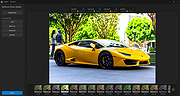 |
|
ScreenArc v1.4.1 ScreenArc v1.4.1 👉 Create polished screen recordings with automatic cinematic zooming and mouse tracking. ScreenArc is a free and open-source screen recorder and editor designed to turn ordinary screen captures into polished videos. It automatically follows mouse activity and creates smooth cinematic zoom and pan effects, making it particularly useful for software demonstrations, tutorials, presentations, product walkthroughs, and instructional videos. Record your screen, edit the resulting footage, adjust its appearance, and export the finished project without having to build every movement and zoom manually. Features: • Record your screen for tutorials, demonstrations, presentations, and other projects • Automatic cinematic zoom and pan effects • Mouse tracking automatically follows activity on the screen • Smooth focus and zoom animations based on mouse activity • Built-in video editing tools for refining recordings • Timeline-based editing for working with captured footage • Webcam recording and overlay support • Customize video frames and backgrounds • Add colors, gradients, wallpapers, and shadows to recordings • Multiple aspect ratios for traditional, square, and vertical videos • Save styling choices as reusable presets • Export completed recordings as video • Cross-platform desktop application • Free and open-source software released under the GNU GPL v3 Supported operating systems: • Windows, version not specified by author • macOS 12.3 or higher • Linux x64 with X11 display server, Wayland is not currently supported Supported languages: English Changes: v1.4.1 07-22-26 Bug Fixes: • Overwrite stale recording outputs. This download is for the Windows version (very bottom of page). All other download assets are below: macOS: ScreenArc-1.4.1-universal.dmg ScreenArc-1.4.1-universal-mac.zip 1) After downloading and attempting to open the app, you'll see a security warning 2) Close the warning dialog 3) Open System Settings > Privacy & Security 4) Scroll down to the "Security" section 5) Click "Open Anyway" next to the warning about ScreenArc 6) Click "Open" in the confirmation dialog Linux: ScreenArc-1.4.1-linux-x64.AppImage ScreenArc-1.4.1-linux-x64.zip ScreenArc-1.4.1-linux-x64.deb ScreenArc-1.4.1-linux-x64.rpm Click here to visit the ... |
|
851 | Sep 14, 2026 Tam Nguyen  |
|
Sigil v2.8.1 Sigil v2.8.1 👉 A free, open source, cross-platform EPUB ebook editor for creating and editing EPUB 2 and EPUB 3 books. Sigil is a powerful ebook editor designed to make it easy to create, edit, format and package ebooks in the EPUB format. It can be used by anyone from people creating ebooks for personal use to professional editors preparing books for publication on multiple platforms. Sigil provides direct control over EPUB content and structure while combining editing, preview, metadata, navigation, validation and organizational tools in a single application. It is completely free and open source under the GPLv3 license. Features: • Supports both EPUB 2 and EPUB 3 specifications • Code View provides complete control over EPUB XHTML, CSS and other source files • Preview View displays changes while working on an ebook • Generates tables of contents with multi-level heading support • Includes a metadata editor for managing ebook information • Imports EPUB and HTML files, images and style sheets • Book Browser organizes the files contained inside an EPUB • Built-in spell checking with default and user-configurable dictionaries • Full Regular Expression (PCRE) support for powerful Find and Replace operations • Mend and Prettify tools can repair and clean imported formatting and source code • Plugin support allows additional functionality to be added • Checkpoint support provides snapshots that can be compared as an ebook is edited • Themeable icons and a customizable interface • Full UTF-16 support • Supports external editors, including integration with the separate PageEdit visual XHTML editor • Reports and validation tools help locate problems in EPUB, XHTML, CSS and other book resources • Image editing tools provide basic rotation, cropping and resizing • Drop Zone allows files to be added to an EPUB using drag and drop • Change Reading Order dialog provides an alternative to drag and drop for arranging book content • Prettify behavior can be customized using prettyprint.xml in Sigil preferences Supported ... |
|
6,318 | Aug 31, 2026 John Schember 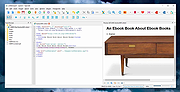 |
|
SimulIDE v1.1.0 SimulIDE v1.1.0 👉 Simple real-time electronic circuit simulator for students and hobbyists. SimulIDE is a simple real-time electronic circuit simulator intended for learning and experimenting with analog and digital electronic circuits and microcontrollers. It supports PIC, AVR, Arduino and other MCUs and MPUs, with a focus on speed, simplicity and quick testing rather than highly accurate professional circuit analysis. Features: • Real-time electronic circuit simulation • Analog and digital circuit support • PIC, AVR and Arduino simulation • Code editor and debugger • Arduino IDE 2 support • Support for GcBasic, PIC asm and AVR asm • Fast simulation with low CPU usage • Simple workspace for learning, testing and experimenting • Useful for students, hobbyists and electronics tinkerers • Source code available Supported operating systems: • Windows 64-bit, Windows 32-bit, Linux 64-bit, MacOS X86 Supported languages: English, Azerbaijani, Simplified Chinese, Czech, Dutch, French, German, Italian, Russian, Spanish, Portuguese, Brazilian Portuguese, Slovak, Turkish Changes: v1.1.0 03-12-26 Updated to SR2 (Stable Release 2). This download is for the Windows 64bit version (very bottom of page). All other download assets are below: Other Windows: SimulIDE_1.1.0-SR2_Win32.zip macOS: SimulIDE_1.1.0-SR2_MacOs.zip Linux: SimulIDE_1.1.0-SR2_Lin64.tar.gz Click here to visit the author's website. |
|
574 | Jun 14, 2026 santigoro  |
|
SnipSVG v2.3 SnipSVG v2.3 👉 A free screen capture and graphics editor built around sharp, fully editable SVG vector images. SnipSVG is a free screen capture and graphics editor for Windows and macOS that uses SVG vector images as its primary format. Unlike traditional JPG and PNG screenshots, SVG images remain sharp at any zoom level while individual elements remain editable. SnipSVG provides tools for capturing, cropping and annotating screenshots, obscuring sensitive information, adding formatted text, creating numbered documentation graphics and sharing finished images with other applications. It can also create animated and interactive SVG content using CSS and JavaScript. Features: • Capture and edit screenshots • Uses scalable SVG vector graphics as its primary image format • Keeps individual SVG elements separately editable • Maintains sharp image quality at different zoom levels and resolutions • Crop screenshots and physically resize large photos • Blur or obscure sensitive information in screenshots • Add HTML-formatted text to images • Add lines, arrows, shapes, highlights and other annotations • Auto-incrementing numbering tags for tutorials and documentation • Generate reference tables from numbered image tags • Integrated syntax highlighting for source code examples • Extract text from images using Windows OCR on Windows 10 and Windows 11 • Create animated SVG objects using CSS and JavaScript • Add interactive elements and hyperlinks to SVG images • Share images with HTML editors, word processors and other applications • Supports SVG and SnipX image formats • Integrates with the Help+Manual documentation authoring suite • Free for private and commercial use • Windows installer supports portable installation Supported operating systems: • Windows 7, Windows 8, Windows 10, Windows 11 • macOS 11 Big Sur or higher, Intel/Apple Silicon Supported languages: English, German, French Changes: v2.3 08-03-26 • Flipping of line and arrow objects did not work correctly when the line was rotated. • Full lasso selection on the canvas selected the picture frame, it now selects objects inside the picture frame (same as CTRL + A to select ... |
|
1,788 | Sep 14, 2026 EC Software GmbH  |
|
Submarine v0.3.8 Submarine v0.3.8 👉 An SSH and SFTP client that puts terminals, file transfers, tunnels, and server tools in one window. Submarine is a free, open-source client for connecting to and managing remote servers. Each server session can bring together a tabbed terminal, an SFTP file browser, port forwarding, saved commands, server information, and Docker tools. You can keep multiple sessions open, view two side by side, or pin terminals from different hosts to a monitoring wall. The SFTP browser shows local and remote files, supports drag and drop and bulk operations, and can open a remote file in your usual editor. When you save an edited file, Submarine uploads it back to the server. On desktop systems, Folder Mirror can synchronize a local folder with a remote folder, preview possible overwrites, and apply your chosen conflict rule. Saved server profiles and credentials are encrypted locally. Optional profile sync uploads the encrypted data so you can access your saved connections on another device. The Android app includes terminal, SFTP, port forwarding, server information, and Docker tools; Folder Mirror is limited to desktop systems. Features: • Open tabbed SSH terminals, including multiple shells for a server. • View two sessions side by side or arrange terminals from several hosts on the Wall. • Broadcast typed input to selected sessions. • Browse local and remote files with SFTP, drag and drop files, and select multiple files for bulk operations. • Edit remote files in your default editor and upload changes when you save. • Confirm overwrites before replacing files during uploads or downloads. • Create local, remote, and dynamic port forwarding tunnels, including SOCKS and HTTP proxy options. • Mirror a local folder to a remote server on desktop systems, with ... |
|
62 | Sep 29, 2026 Sina Xhpm  |
|
Superfile v1.6.0 Superfile v1.6.0 👉 A modern, terminal-based file manager built for speed and keyboard-driven efficiency. Superfile is a powerful cross-platform file manager designed to run inside your terminal, offering a fast, keyboard-focused alternative to traditional graphical file explorers. It features a clean interface with customizable themes, intuitive navigation, and efficient file operations, making it ideal for developers, system administrators, and power users who prefer working in the command line. Superfile combines performance with flexibility, allowing users to manage files, browse directories, preview content, and execute commands without leaving the terminal environment. Its lightweight design ensures minimal system resource usage while still delivering advanced functionality and smooth workflow integration. Features: • Fast, keyboard-driven navigation • Multi-panel file browsing • File preview support for various formats • Customizable themes and appearance • Cross-platform compatibility • Copy, move, rename, and delete file operations • Directory bookmarks for quick access • Lightweight and efficient resource usage • Designed for terminal environments • Open source and actively maintained Supported operating systems: • Windows 10, Windows 11 • macOS 12 or higher • Linux (major distributions) Supported languages: English Changes: v1.6.0 06-07-26 This release focuses on preview reliability, richer file metadata, configurable sidebar behavior, and a refreshed website and logo design, alongside navigation improvements, better error messages, refactoring, dependency updates, and bug fixes. Highlights Improved image and file preview reliability through the Bubble Tea v2 migration. Thanks @lazysegtree for the implementation New website & logo design. Thanks @elvisdragonmao for the implementation Added richer file metadata, including binary architecture detection for ELF/PE/Mach-O, Linux attributes, and file type byte support in the permissions column. Thanks @barsaskn, @xelavopelk, and @booth-w for the implementation Sidebar sections can now be configured for visibility and ordering. Thanks @Mjoyufull for the implementation Improved file operation error messages for delete, paste, and file text preview failures. Thanks @xelavopelk for the implementation ... |
|
1,578 | Jun 27, 2026 Yorukot  |
|
SuperTux v0.7.0 SuperTux v0.7.0 👉 Open-source 2D jump-and-run platformer inspired by classic Super Mario-style games. SuperTux is an open-source classic 2D jump'n run sidescroller game in a style similar to the original Super Mario games. Run and jump through multiple worlds, fight enemies by jumping on them, bumping them from below or tossing objects at them, grab power-ups, and play through Story Mode where Tux sets out to rescue Penny. The game also includes community-contributed levels and an integrated level editor for creating content. Features: • Classic 2D side-scrolling platform gameplay • Multiple worlds, enemies, power-ups, and objects • Story Mode starring Tux and Penny • Integrated level editor • Community-contributed add-on levels • Local multiplayer mode • New gameplay mechanics including keys, item pocket, and unlockable bonus islands via Tux Dolls • Revamped graphics, enemies, backgrounds, and music in v0.7.0 Supported operating systems: • Windows, macOS, GNU/Linux, Android, FreeBSD Supported languages: • SuperTux supports over 80 languages for its user interface (UI), including English, French, German, Spanish, Portuguese (Brazilian and European), Russian, and simplified Chinese. Changes: v0.7.0 03-15-26 Brand new sprites and abilities for Tux: slope sliding, strong buttjumping, rock rolling, and crawling Revamped graphics for most backgrounds, tiles, objects, and badguys Complete level design + story rework of the Story Mode, Revenge in Redmond, and Bonus Island I Not only new NPCs (e.g: Granito) and enemies (e.g: DiveMine, Fish, and Corrupted Granito), but also revamps for numerous enemies such as: GoldBomb, Igel, Ghoul, and both bosses (Yeti and Ghost Tree) New music Level editor revamp Local multiplayer mode New gameplay mechanics such as glinted enemies, keys, the item pocket, and unlockable bonus islands via Tux Dolls Many internal improves and code refactoring, such as moving to SimpleSquirrel Improvements to compilation/porting, including CMake refactor, Android revival, and Flatpak builds This download is for the Windows 64bit installer version (very bottom of page). All other download assets are below: Other Windows: SuperTux-v0.7.0-win32.msi SuperTux-v0.7.0-win64-portable.zip SuperTux-v0.7.0-win32-portable.zip macOS: SuperTux-v0.7.0-Darwin-x86_64.dmg SuperTux-v0.7.0-Darwin-arm64.dmg Linux: SuperTux-v0.7.0.glibc2.38-x86_64.AppImage SuperTux-x86_64.flatpak Android: SuperTux-v0.7.0-x86_64.apk SuperTux-v0.7.0-x86.apk SuperTux-v0.7.0-arm64-v8a.apk SuperTux-v0.7.0-armeabi-v7a.apk Click here to visit the author's website. |
|
687 | Mar 18, 2026 The SuperTux Team  |
|
Sushi Browser v0.22.0 for MacOS Sushi Browser v0.22.0 for MacOS The Next Generation Multi-Panel Browser Concepts When you are browsing the web you can only use a section of your screen. Have you ever thought that that's a waste? The concept of the "Sushi Browser" is wanting to utilize the screen to the maximum capacity just by a simple operation. Its goal is to be as fantastic as sushi. Features We will introduce this panel's greatest feature, the "multi panel". Multi panel ・Display to the opposite panel By middle clicking (pressing the mouse wheel) the link you can open the page in the link to the opposite panel. Middle clicking with 1 panel automatically splits the display into 2 panels. ・Sync scrolling By pressing the Sync scroll button, 1 page can be lined up like the pages of a book. Utilizing the screen to the maximum ・Side (bottom) bar You can open favorite pages or pages from your history using the side bar. ・Slim menu One Line mode: Using a display method that integrates the menu bar and tab bar, it achieves a menu with a mere 30px. Full screen mode: The menu bar is not displayed and the menu is displayed by moving the cursor. Extension tools ・Terminal: It can operate Bash for Linux/Mac and Power Shell for Windows. ・File explorer: It can manage and browse files. ・Text editor: It can edit text and source codes etc. ・Video playback: It can be used for automatic playback of videos. Some useful functions There are other useful functions besides Swapping panels, Aligning panels, switch direction, simultaneous scroll, Float panel mode, etc. Other This browser is equipped with various convenient features other than the multiple panel function. In addition, we are using Muon derived from the Electron Framework, and we can also use that function. AdBlock Equipped with a native-implemented high speed advertisement block. Download function ・Video download: When downloading video and music information, download link is displayed automatically. ・Parallel download: For 1 file it can ... |
|
5,989 | Apr 26, 2019 kura52 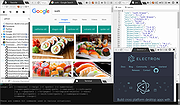 |
|
Telegram Desktop v6.9.1 Telegram Desktop v6.9.1 Fast, secure, and powerful messaging app for desktop devices. Telegram Desktop is a cloud-based messaging application that allows users to send messages, share media, and stay connected across multiple devices seamlessly. It syncs instantly with your mobile Telegram app and offers a fast, secure, and fully featured messaging experience directly from your computer. Telegram Desktop supports private chats, group conversations, and large channels with thousands of members. It includes advanced features such as file sharing up to 2 GB per file, voice and video calls, animated stickers, bots, and customizable themes. Messages are stored securely in the cloud, ensuring access from any authorized device. Secret chats with end-to-end encryption are available on supported devices for enhanced privacy. With a clean interface and efficient performance, Telegram Desktop provides a reliable communication platform for both personal and professional use. Features: • Fast cloud-based messaging with real-time sync • Send messages, photos, videos, and files up to 2 GB • Voice and video calls • Large group chats and broadcast channels • End-to-end encrypted Secret Chats (on supported devices) • Animated stickers, emojis, and GIF support • Bots and automation tools • Customizable themes and interface options • Cross-platform synchronization Supported operating systems: • Windows 10, Windows 11 • macOS 10.13 or higher • Linux Supported languages: English, Spanish, German, French, Italian, Portuguese, Russian, Ukrainian, Arabic, Persian, Turkish, Indonesian, Malay, Korean, Japanese, Chinese, Polish, Dutch, Thai, Vietnamese, Hindi and more Changes: v6.9.1 06-09-26 Fix sending several same custom emoji. Fix some rich messages layout glitches. This download is for the Windows 64bit portable version (very bottom of page). All other download assets are below: Other Windows: tportable.6.9.1.zip tsetup-x64.6.9.1.exe tsetup.6.9.1.exe MacOS: tsetup.6.9.1.dmg Linux: tsetup.6.9.1.tar.xz Click here to visit the author's website. |
|
10,321 | Jun 11, 2026 telegram.org  |
|
The Baronet Mark IV v0.301 The Baronet Mark IV v0.301 👉 Play chess against a custom-built computer opponent, learn the game, and review your games offline. The Baronet is a free desktop chess program for playing, learning, and studying chess on Windows and macOS. It opens ready for a game, with the board, clocks, move list, opening name, position evaluation, and game graph arranged together. You can play against the computer at a strength suited to you, play another person at the same computer, or watch two computer players compete. The computer opponent was developed specifically for The Baronet. Its own chess engine and neural network are included with the program, along with an opening book and endgame tablebases for positions with up to four pieces. At full strength, the developer reports a rating above 2700 in blitz games on Lichess as of September 2026. The engine can also play matches against other UCI or CECP engines through CuteChess CLI. After a game, The Baronet can review the moves and explain where the game changed course. Each move receives one of ten classifications, from Brilliant and Great to Inaccuracy, Mistake, and Blunder. Comments describe the move and suggest a better alternative, with three levels of detail for different experience levels. The review includes accuracy summaries, an evaluation graph, a move list, and options to show the recommended move or play through the best line. The review tools can also be used with games played elsewhere. Open a PGN or FEN file, choose a game from a multi-game PGN, or paste game or position text into the review or analysis board. Save an annotated game as PGN to keep the move classifications and comments for use in another chess program or website. Beginners can work through 46 short lessons arranged in six courses, followed by a complete game against the computer. ... |
|
29 | Oct 13, 2026 David Thoiron  |
|
Transmission v4.1.3 Transmission v4.1.3 👉 Fast, easy and free BitTorrent client with low-resource usage and a clean interface. Transmission is an open-source BitTorrent client designed to be fast, lightweight, and simple to use while still offering powerful torrenting features. It supports downloading and uploading via the BitTorrent protocol with magnet link support, a web interface for remote control, peer exchange, tracker editing, bandwidth limits, encryption, and more — all without bundled ads or tracking. Transmission integrates natively on each supported operating system and is suitable for desktops, laptops, home servers, NAS units, and embedded systems. Features: • Native, lightweight, and resource-efficient BitTorrent client for multiple platforms. • Supports Magnet URI scheme, encrypted connections, peer exchange, DHT, and multiple trackers. • Built-in web interface for remote torrent management. • Speed limits, tracker editing, watch directories, and IP blocklists. • Automatic port forwarding (UPnP/NAT-PMP) and support for webseeds. • Clean, intuitive interface with sensible defaults. • Open source with no ads, no tracking, and no bundled third-party software. Supported operating systems: • Windows 7, Windows 10, Windows 11 • macOS 11.0 or later • Linux & Unix Supported languages: English Changes: v4.1.3 06-29-26 This is Transmission 4.1.3, a bugfix release. It fixes a potential CRSF security issue for users who enable remote access to Transmission. Users are encouraged to upgrade to this version. What's New in 4.1.3 All Platforms Fixed a CORS bug that leaked the anti-CSRF nonce. (#8938) Fixed a use-after-free bug in peer code. (#8921) Fixed build error when compiling with fmt 12.2.0. (#8942) Everything Else Fixed a 4.1.2 build error in tests. (#8881) This download is for the Windows 64bit (Windows 10 or later ) version (very bottom of page). All other download assets are below: Other Windows: transmission-4.1.3-x86.msi Windows 32bit Win10 or later transmission-4.1.3-qt5-x64.msi Windows 64bit Win7 or later transmission-4.1.3-qt5-x86.msi Windows 32bit Win7 or later macOS: Transmission-4.1.3.dmg Linux: transmission-4.1.3.tar.xz Click here to visit the author's website. |
|
5,218 | Jul 28, 2026 Transmission Project 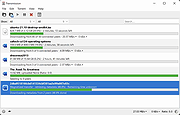 |
|
Treesheets v3247 TreeSheets v3247 👉 Hierarchical spreadsheet-style note taking for organizing complex information visually. TreeSheets is a unique information organizer that combines the structure of a spreadsheet with the flexibility of a hierarchical outliner. It allows you to create deeply nested grids of cells, making it ideal for managing complex data, brainstorming ideas, planning projects, or structuring large amounts of information in a compact and visual way. Unlike traditional spreadsheets, TreeSheets supports recursive cell structures, meaning each cell can contain another grid. This makes it especially powerful for breaking down large concepts into manageable sections while keeping everything accessible in a single document. TreeSheets is lightweight, fast, and portable, making it suitable for quick note-taking or large structured documents alike. Features: • Hierarchical spreadsheet-style data organization • Unlimited recursive grids within cells • Compact visual layout for dense information • Keyboard-driven navigation and editing • Fast search across entire document • Import and export to multiple formats including text and HTML • Printing support with automatic layout adjustments • Lightweight and portable application • Open-source and actively maintained Supported operating systems: • Windows 7, Windows 8, Windows 10, Windows 11 • macOS 10.13 or higher • Linux (AppImage and source builds) Supported languages: English, Dutch, German, Spanish, French, Italian, Russian, Chinese, Japanese Changes: v3247 07-12-26 Revert "Do not overwrite existing cells when grid is merged or multi-… This download is for the Windows 64bit installer version (very bottom of page). All other download assets are below: Other Windows: TreeSheets-3247-winx64.zip TreeSheets-3247-winarm64.exe TreeSheets-3247-winarm64.zip macOSX: TreeSheets-3247-Darwin.dmg Linux: treesheets_3247_amd64.deb treesheets_3247_arm64.deb Click here to visit the author's website. |
|
5,723 | Jul 13, 2026 Wouter van Oortmerssen 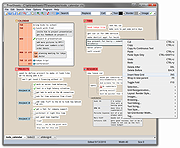 |
|
TwinPixCleaner v2.0.0 TwinPixCleaner v2.0.0 👉 Smart duplicate photo finder for macOS that detects exact matches and visually similar images. TwinPixCleaner is a native macOS utility designed to help you find and remove duplicate images so you can recover storage space and better organize your photo collection. It offers two scanning methods: exact duplicate detection using SHA-256 hashing and visual similarity detection for images that may not be byte-for-byte identical but still look the same. The program includes a simple “Keep This” workflow, native Quick Look preview support, sortable results, batch selection, and safe deletion to the macOS Trash with undo support. Features: • Dual scanning modes for exact duplicate matching and visual similarity detection • Finds identical photos as well as visually similar image variations • One-click "Keep This" option to preserve a preferred image and mark the rest • Safe deletion sends files to the macOS Trash instead of immediately removing them • Undo support with ⌘Z for restoring deleted files during the current session • Multi-select support for batch deletion • Native Quick Look previews with the Spacebar • Sorting options by size or number of copies • Native macOS interface with dark mode support • Keyboard shortcuts for scanning, previewing, deleting, undoing, closing, and quitting • Privacy-focused design with all processing performed locally • Works offline with no cloud processing required Supported operating systems: • macOS 13.0 Ventura or higher Required Permissions: • File Access TwinPixCleaner needs permission to read folders you select Granted automatically when you choose a folder • Full Disk Access (Optional) Required for system folders and external drives Enable in: System Settings → Privacy & Security → Full Disk Access Add TwinPixCleaner to the list Supported languages: Supports OS Language. Changes: v2.0.0 05-10-26 What's New Apple Photos Integration: You can now scan your native macOS Photo Library directly. The app intelligently identifies duplicates while respecting your system's privacy and safety. Batch Deletion: Optimized the deletion process for Apple ... |
|
754 | Jul 29, 2026 Akshay Kumar Gupta 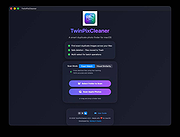 |
|
VirtualBox v7.2.20 VirtualBox v7.2.20 👉 Run multiple operating systems in virtual machines on a single computer. VirtualBox is a free, open-source virtualization program from Oracle that lets you create and run virtual computers inside your existing operating system. Each virtual machine can be configured with its own processors, memory, storage, display, networking and removable devices, allowing different operating systems to run without replacing or modifying the host system. It is useful for testing software, evaluating operating systems, running older applications, creating isolated development environments and experimenting with system configurations. Virtual machines can be paused, saved, cloned, exported or restored to an earlier snapshot. Features: • Create and run multiple virtual machines on one physical computer • Supports x86-64 virtualization and Arm virtualization on supported Apple silicon hosts • Configurable processors, memory, virtual disks, graphics and network adapters • Run Windows, Linux, BSD, Solaris and other supported guest operating systems • Take snapshots and restore virtual machines to earlier states • Clone, import and export virtual machines • Shared folders for exchanging files between host and guest systems • Shared clipboard and drag-and-drop integration on supported systems • NAT, bridged, internal, host-only and other virtual networking modes • USB device passthrough with the appropriate VirtualBox components • Guest Additions improve display, mouse, clipboard and folder integration • Command-line management through VBoxManage • Supports unattended installation for compatible guest operating systems • Save a running virtual machine and resume it later • Optional Extension Pack adds additional functionality under a separate license Supported operating systems: • Windows 8.1, Windows 10, Windows 11, Windows Server 2012, Windows Server 2012 R2, Windows Server 2016, Windows Server 2019, Windows Server 2022, Windows Server 2025 • macOS 13 Ventura, macOS 14 Sonoma, macOS 15 Sequoia, macOS 26 Tahoe • Supported 64-bit Linux distributions • Oracle Solaris 11 Supported languages: English, Indonesian, Catalan, Czech, Danish, German, Spanish, Basque, French, Croatian, Italian, Lithuanian, Hungarian, Dutch, Polish, Portuguese (Brazil), Portuguese (Portugal), Slovak, Slovenian, Swedish, Turkish, Greek, ... |
|
12,128 | Sep 23, 2026 Oracle  |
|
Vorn v1.0.3 Vorn v1.0.3 👉 Fast, private, crash-safe backup program with advanced features. Vorn is a modern local-first backup application designed to securely protect files without relying on cloud services, subscriptions, accounts, or telemetry. Instead of uploading data to external servers, Vorn stores everything inside a local vault controlled entirely by the user. The software uses content-addressable storage powered by BLAKE3 hashing, allowing duplicate data to be stored only once even across multiple backup sessions. This greatly reduces storage usage while improving backup efficiency. Vorn was built with reliability and data integrity in mind. It uses atomic writes, write-ahead logging, resumable operations, and integrity verification to help prevent corruption during crashes or unexpected shutdowns. Large files are automatically divided into chunks, making backups more resilient and easier to resume if interrupted. Optional gzip compression can reduce storage requirements further while maintaining compatibility with the portable vault format. The application features a clean desktop interface with dark and light themes, portable executables, and cross-platform support for Windows, macOS, and Linux systems. Since the backup vault is self-contained and self-describing, users can move backups between systems or restore files to different locations without depending on proprietary cloud infrastructure. Vorn is designed for users who want complete control of their backups while maintaining speed, privacy, and simplicity. Features: • Local-first backup architecture with no cloud dependency • Fully offline operation with no accounts or telemetry • Content-addressable storage using fast BLAKE3 hashing • Automatic deduplication across all backup sessions • Stores identical file content only once to save disk space • Chunked storage engine for efficient handling of large files • Resumable backup operations after interruptions or crashes • Atomic write protection for safer backup transactions • Write-ahead logging to improve recovery reliability • Self-describing portable vault format • Integrity verification to detect damaged or missing data • Optional gzip compression for reduced storage usage • Smart pruning system for reclaiming unused ... |
|
534 | May 29, 2026 Leonardo Ciaccio  |
|
Waydir v0.22.0 Waydir v0.22.0 👉 A fast, keyboard-first dual-pane file manager for Linux, Windows and macOS. Waydir is a cross-platform desktop file manager built for users who prefer speed, direct control and fewer trips to the mouse. It combines classic dual-pane file management with tabs, live search, network drives, Quick Look previews, archive browsing, a built-in terminal and a native Rust core that keeps heavy file work off the interface thread. Features: • Dual-pane file browsing with tabs in each pane • Keyboard-driven navigation, selection, copying, moving, renaming and searching • Command palette for actions, bookmarks, drives, recent locations, files and plugin commands • Fast live recursive search with substring, regex and glob matching • Quick Look previews for images, PDFs, text, code and file details • Browse ZIP and TAR archives without extracting first • SMB and SFTP network drive support • Built-in terminal per pane • WSL file browsing and terminal support on Windows • Git status, branch switching and stash management • Light, Dark, Nord and One Dark themes, plus custom themes • Lua plugin support for actions, buttons, shortcuts and status bars • Free and open source under the MIT License Supported operating systems: • Windows • macOS • Linux Ubuntu, Debian, Fedora, RHEL, openSUSE and other Linux distributions using AppImage or portable tarball Supported languages: English Changes: v0.22.0 06-29-26 Added duplicate selected files and folders in place with Ctrl+Shift+D, available from the keyboard, command palette and context menu. Faster file copying, especially on Windows and when copying lots of small files. Renamed the "Kind" column to "Format". This download is for the Windows installer version (very bottom of page). All other download assets are below: Other Windows: waydir-0.22.0+29-windows.zip macOS: waydir-0.22.0+29-macos.dmg Linux: waydir-0.22.0+29-linux.AppImage waydir-0.22.0+29-linux.deb waydir-0.22.0+29-linux.rpm waydir-0.22.0-linux-x64.tar.gz Click here to visit the author's website. |
|
433 | Jul 02, 2026 Mikolaj Badyl  |
|
WizTreeMac v1.00 WizTreeMac v1.00 👉 Find the files and folders taking up space on your Mac. WizTreeMac scans your Mac and shows where storage space is being used. Browse the results as a folder tree, inspect a visual treemap, or search the file list for large files. It can also locate duplicate files and import or export file data as CSV. Scanning uses macOS’s native directory enumeration API with multiple threads. WizTreeMac is free for personal use; commercial use requires a license. Features: • Scan drives and folders to see what is using storage space. • Browse file sizes in a folder tree or visual treemap. • Search the file view to find large files. • Locate duplicate files. • Import and export file data as CSV. • Scan network drives. • Use Full Disk Access to read protected folders, with a separate administrator mode for root-level access. • Run from a removable drive with settings stored alongside the app. Supported operating systems: • macOS 12 or later Supported languages: English, Arabic, Belarusian, Bulgarian, Catalan, Chinese Simplified, Chinese Traditional, Czech, Danish, Dutch, Estonian, Finnish, French, German, Greek, Hebrew, Hungarian, Indonesian, Italian, Japanese, Korean, Latvian, Lithuanian, Norwegian, Polish, Portuguese, Portuguese Brazilian, Romanian, Russian, Serbian, Slovak, Slovenian, Spanish, Swedish, Thai, Turkish, Ukrainian, Vietnamese Changes: v1.00 09-16-26 Initial WizTreeMac release for macOS 12 or later. Includes most of the functionality of WizTree 4.33. Click here to visit the author's website. |
|
62 | Sep 23, 2026 antibody-software.com  |
|
Yowl v1.3.2 Yowl v1.3.2 👉 A MacBook theft alarm that sounds if someone tries to take your laptop and snaps a pic of the thief. Yowl is a menu-bar app for macOS that sounds an alarm when a MacBook is unplugged, moved, or its lid is partly closed. You choose which triggers to enable. When the alarm sounds, Yowl can play a siren, lock the screen, take photos, and send optional alerts and photos to your phone through ntfy. Photo capture and phone alerts are optional. Yowl is free and open source, with no accounts, analytics, or servers of its own. Features: • Runs from the macOS menu bar. • Triggers the alarm when the charger is unplugged. • Offers optional camera-based movement detection and a partial-lid-close trigger. • Sounds a siren at maximum volume, even if the Mac is muted or using headphones. • Can lock the screen when the alarm sounds. • Can optionally take photos, including images captured during the 10 seconds before the alarm. • Can optionally send an alert and up to three photos to your phone using a private ntfy link. • Saves captured photos on the Mac, keeping up to 40 recent images. • Uses a universal binary for Apple Silicon and Intel Macs. The lid trigger requires a hinge sensor and is unavailable on Intel Macs. • Requires macOS 14 or later. Supported operating systems: • macOS 14 or later Supported languages: English Changes: v1.3.2 10-08-26 Keep screaming with the lid closed: if installing the helper fails, Yowl now says why, instead of only showing "Helper: not installed". Cancelling the password prompt still reads as not authorised; anything else shows the underlying error (#1). The install now checks only Yowl's ... |
|
25 | Oct 12, 2026 nejcar20  |
| Showing rows 1 to 82 of 82 | Showing Page 1 of 1 | 1 |
OlderGeeks.com Copyright (c) 2026
