|

|
Processed through Paypal No account required. |








Buy our over-priced crap to help pay the bills.



|
|
Processed through Paypal No account required. |
| Files | ||||
| File Name | Rating | Downloads | ||
 |
McAfee Consumer Product Removal tool (MCPR) v10.5.374.0 McAfee Consumer Product Removal tool (MCPR) v10.5.374.0 👉 Completely removes McAfee consumer security products and leftover components from Windows. McAfee Consumer Product Removal tool (MCPR) is McAfee's official cleanup utility for removing McAfee consumer security software from a Windows PC. It is particularly useful when a normal uninstall fails, leaves components behind, or you need to completely clean out an existing McAfee installation before reinstalling McAfee or switching to another security product. McAfee recommends first uninstalling its software through the normal Windows uninstall process. MCPR can then be run to remove remaining McAfee files, services, drivers, registry information, and other installation components that might otherwise remain on the computer. The program is portable and does not need to be installed. Run MCPR.exe, accept the license agreement, complete the security validation displayed by the program, and allow it to perform the cleanup. When MCPR reports that removal is complete, restart Windows to finish the process. Because McAfee updates MCPR periodically, McAfee recommends downloading a fresh copy whenever you need to use it rather than keeping an older copy. Features: • Official McAfee removal and cleanup utility • Removes McAfee consumer security software from Windows • Cleans up components that can remain after a standard uninstall • Useful when the normal McAfee uninstaller fails or does not completely remove the product • Helps prepare a computer for a clean McAfee reinstallation • Helps prevent remnants of McAfee software from interfering with another security product • Removes associated McAfee installation data and system components • Portable utility requiring no installation • Provides a guided removal process • Includes a security validation step to help prevent accidental execution • Reports when the removal process has successfully completed • Requires a Windows restart after successful removal to finish cleanup • Free to download and use Supported operating systems: • Windows 10, Windows 11 Supported languages: English Changes: Not provided. Click here to visit the author's website. |
 |
10,604 | Aug 12, 2026 McAfee 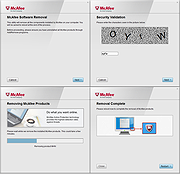 |
 |
Revo Uninstaller Free Portable v2.7.2 Revo Uninstaller Free Portable v2.7.2 👉 Uninstall programs, Windows apps, and leftover traces from a portable utility. Revo Uninstaller Free Portable helps you remove unwanted programs from Windows without installing the uninstaller itself. It runs the selected program’s built-in uninstaller first, then scans for leftover files, folders, and Windows Registry entries that may remain behind after a normal uninstall. Features: • Portable version requires no installation • Uninstall regular desktop programs • Remove Windows Apps • Scan for leftover files, folders, and Registry entries • Hunter Mode for managing visible programs, shortcuts, tray icons, and startup items • Autorun Manager to control Windows startup items • Junk Files Cleaner • Windows Tools shortcut panel • Browsers Cleaner • MS Office Cleaner • Windows Cleaner • Evidence Remover • Unrecoverable Delete for permanently erasing files and folders Supported operating systems: • Windows 7, Windows 8, Windows 8.1, Windows 10, Windows 11, Windows Server Editions Supported languages: English, German, French, Italian, Portuguese, Brazilian Portuguese, Russian, Polish, Spanish, Dutch, Norwegian, Swedish, Hindi, Japanese, Chinese, Korean Changes: v2.7.2 10-06-26 Improved – Scanning and safety algorithms for leftovers Fixed minor bugs Updated language files Note: This file has one hit on VirusTotal. We have confirmed this to be a false positive. The file is safe. Click here to visit the author's website. |
|
10,439 | Oct 09, 2026 VS Revo Group 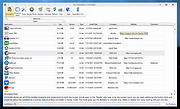 |
|
Uninstalr v3.2 Uninstalr v3.2 👉 Fast bulk uninstaller that removes programs and leftover traces in one process. Uninstalr is a Windows uninstallation tool that allows you to remove multiple applications at once while automatically detecting and deleting leftover files, folders, and registry entries. It is designed to streamline the uninstall process by combining standard removal with post-uninstall cleanup into a single operation. Uninstalr performs deep scanning after each uninstall to ensure that no residual data remains, helping keep systems clean and free from clutter. It also supports removing broken or partially uninstalled programs that cannot be removed through normal means. The program emphasizes speed, accuracy, and ease of use, making it suitable for both everyday users and advanced system maintenance. Features: • Uninstall multiple programs in a single batch • Automatically removes leftover files, folders, and registry entries • Combines uninstall and cleanup into one streamlined process • Handles broken or incomplete uninstall entries • Fast scanning engine for efficient cleanup • Portable version available Supported operating systems: Windows 11, Windows 10, Windows 8 and Windows 7. Supported languages: • Chinese Simplified, Chinese Traditional, Czech, Danish, Dutch, English, Filipino, Finnish, French, German, Greek, Hindi, Hungarian, Indonesian, Italian, Japanese, Korean, Malay, Norwegian, Polish, Portuguese, Romanian, Slovak, Spanish, Swedish, Thai, Turkish, Ukrainian, Vietnamese Changes: v3.2 07-20-26 Key Changes: The program now starts faster. Improved uninstallation accuracy. You can now access the Settings before the scan has completed. Improvements: The program now performs the first and next scans faster. For example, in one of our test systems with almost 200 installed apps, version 3.1 took 114 seconds to perform the first scan and 13 seconds for the next scans. Version 3.2 now takes only 58 seconds for the first scan and 8 seconds for the next scans. You can now access ... |
|
4,743 | Oct 28, 2026 Great Software Company 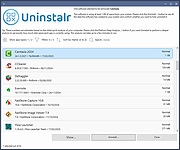 |
| Showing rows 1 to 3 of 3 | Showing Page 1 of 1 | 1 |
OlderGeeks.com Copyright (c) 2026
