|

|
Processed through Paypal No account required. |








Buy our over-priced crap to help pay the bills.



|
|
Processed through Paypal No account required. |
| Files | ||||
| File Name | Rating | Downloads | ||
 |
Dell Dimension 4700C Network / Ethernet / LAN Driver for Windows XP Dell Dimension 4700C Network / Ethernet / LAN Driver for Windows XP Broadcom |
 |
9,966 | Mar 07, 2013 Broadcom |
|
IPNeighborsView v1.03 IPNeighborsView v1.03 👉 View detailed information about computers and devices recently detected on your local network. IPNeighborsView is a lightweight, portable network utility that displays the IP neighbor table maintained by Windows. The IP neighbor table contains computers, routers, printers, smartphones, and other network devices that Windows has recently communicated with on your local network. The program displays detailed information for every detected entry, including the IP address, MAC address, MAC address vendor, address type, state, state duration, local network adapter, interface index, and connection name. IPNeighborsView can also detect randomized MAC addresses used by many modern mobile devices and clearly identifies them in the manufacturer column. IPNeighborsView requires no installation and can be run directly from any folder or portable drive. Selected entries can be copied to the clipboard or exported to text, CSV, tab-delimited, HTML, XML, and JSON formats. Permanent neighbor table entries are hidden by default but can be displayed through the Options menu when needed. Features: • Displays the Windows IP neighbor table • Lists computers and devices recently detected on the local network • Shows IPv4 and IPv6 addresses • Displays MAC addresses and associated hardware vendors • Detects and labels randomized MAC addresses • Shows address type and neighbor state information • Displays state duration for each entry • Identifies the local network adapter and connection name • Optionally displays permanent neighbor table entries • Copy selected entries directly to the clipboard • Export data to Text, CSV, Tab-delimited, HTML, XML, or JSON • Includes command-line options for automated exports • Portable with no installation required • Supports both 32-bit and 64-bit Windows Supported operating systems: • Windows Vista, Windows 7, Windows 8, Windows 8.1, Windows 10, Windows 11 Supported languages: English, Dutch, French, German, Greek, Hungarian, Italian, Japanese, Persian, Polish, Russian, Simplified Chinese, Slovak, Traditional Chinese, Turkish Changes: v1.03 07-15-26 When a randomized MAC address is detected, it is displayed in the MAC Address Company column. Updated the ... |
 |
3,455 | Jul 30, 2026 Nir Sofer 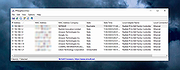 |
 |
LAN Messenger 1.2.35 LAN Messenger 1.2.35 LAN Messenger is a free and open source cross-platform instant messaging application for communication over a local network. It does not require a server. A number of useful features including event notifications, file transfer and message logging are provided. Features Personal and group messaging File transfer Message history Notification alarms Message encryption Multilanguage user interface Changelog: LAN Messenger 1.2.35 Postby hitmaneidos » Wed Jul 25, 2012 7:01 am LAN Messenger 1.2.35 is now available for Windows. The Linux and Mac versions will be online as soon as their testing is completed. This version adds a few features that have been requested on the boards by several users. Change log for version 1.2.35: [New]: Added folder transfer feature. Now you can just drag and drop folders to the chat window or use the "Send Folder" button to send folders to your contacts. [New]: Added an option to enable/disable clearing messages when the chat window is closed. This is enabled by default. If you want your messages back when the window is reopened, un-check this option in Preferences->Messages. [New]: All windows can now be closed by pressing the Escape key. This improves window navigation. [Misc]: Other minor UI and bug fixes. Note: Some of the subsystems have been reworked for improved performance and memory optimization. Certain features like file transfer and group messaging may be disabled with contacts using an older version of LAN Messenger. I urge everyone to upgrade to this new version as soon as convenient. |
|
6,461 | Oct 30, 2016 hitmaneidos 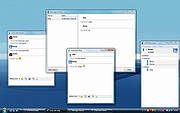 |
|
Lanemu v0.14.1 Lanemu v0.14.1 👉 Server-less (decentralized) Virtual Private Network (Open-source alternative to Hamachi, Radmin, ZeroTier, etc.) Lanemu is a free, open-source peer-to-peer virtual LAN emulator that allows computers on different Internet connections to communicate as though they were connected to the same local network. It is designed for multiplayer games, legacy software, file sharing, remote administration, and any application that relies on LAN connectivity. Unlike traditional VPN services that route traffic through a central server, Lanemu establishes encrypted peer-to-peer connections between participating computers whenever possible, reducing latency while eliminating the need for dedicated servers. Networks are created using invitations that can be shared with other users, making setup straightforward while keeping access limited to invited participants. Features: • Create private virtual LAN networks across the Internet. • Peer-to-peer architecture without requiring dedicated relay servers for normal operation. • Encrypted communications between participating computers. • Reliable UDP (RUDP) transport protocol enabled by default. • Invite-based network membership. • Works with many LAN multiplayer games and LAN-aware applications. • Automatic discovery of peers within a virtual network. • Supports multiple virtual networks. • Cross-platform support between Windows and Linux. • Automatically installs the TAP-Windows driver on supported Windows editions. • Includes an integrated Java runtime in supported Windows packages. • Open-source software released under the GPLv3 license. Supported operating systems: • Windows 11 (64-bit) • Windows 10 (64-bit) • Windows 10 (32-bit) • Windows 8.1 (32-bit and 64-bit) • Windows 8 (32-bit and 64-bit) • Windows 7 (32-bit and 64-bit) • Windows Vista (32-bit and 64-bit) • Windows XP (32-bit and 64-bit) • Linux (64-bit) Supported languages: • English Changes: v0.14.1 08-01-26 Fixed issues in the RUDP library: memory leaks when using shutdownHook, deadlocks, handling of corrupted UDP packets, and many other issues that were identified during testing. @Monsterovich Added the display of the connection protocol to the peer list. @Monsterovich Added an experimental build that compiles a .jar file into an executable using native-image in GraalVM. For now, this is for the headless version ... |
|
410 | Sep 08, 2026 Nikolay Borodin 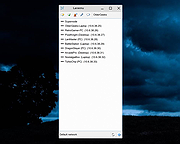 |
|
LANIPScanner v1.11 LANIPScanner v1.11 👉 Scans your local network and displays the IP and MAC address of all connected devices. LANIPScanner is a lightweight network scanning utility that quickly detects computers and devices connected to your local area network (LAN). It works by scanning a specified IP address range and listing all active devices it finds, including useful details such as IP address and MAC address. This makes it easy to identify computers, printers, routers, and other network-enabled devices currently active on your network. LANIPScanner requires no installation and runs as a simple portable application. It is designed for speed and simplicity, allowing users to quickly view the devices on their LAN without complicated configuration. The tool is especially useful for troubleshooting network connectivity, identifying unknown devices, or verifying which systems are currently active on a network. Features: • Scans a specified IP address range on your local network • Displays detected devices with their IP and MAC addresses • Fast scanning engine for quick device discovery • Simple, lightweight, and portable utility with no installation required • Ideal for identifying active devices and troubleshooting LAN connections Supported operating systems: • Windows Vista, Windows 7, Windows 8, Windows 10, Windows 11 Supported languages: English, Dutch, French, German, Greek, Hungarian, Italian, Japanese, Polish, Russian, Simplified Chinese, Slovak, Traditional Chinese, Ukrainian Changes: v1.11 08-21-26 Added option to change the sorting column from the menu (View -> Sort By). Added 'Sort By' toolbar button. Note: This file has twenty two hits on VirusTotal. We have confirmed these to be false positives. The file is safe. Note from The Older Geeks: Some antivirus programs may flag LANIPScanner because of the way it scans your local network for computers and other connected devices. Network discovery and scanning techniques are also used by legitimate system administration and diagnostic tools, so heuristic antivirus engines can occasionally classify utilities like this as potentially unwanted or suspicious. Click ... |
|
1,517 | Sep 04, 2026 Nir Sofer 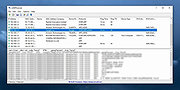 |
|
NetworkConnectLog v1.18 NetworkConnectLog v1.18 👉 Monitor and log devices connecting to and disconnecting from your local network. NetworkConnectLog is a lightweight, portable network monitoring utility that continuously scans your local area network using ARP and NetBIOS protocols, recording every device that connects to or disconnects from your network. It is ideal for home users, technicians, and network administrators who want to keep track of network activity, identify unknown devices, or troubleshoot intermittent connection issues. The program immediately performs an initial scan to detect all currently connected devices, then continues monitoring in the background for connection and disconnection events. Each log entry includes useful information such as the event time, IP address, computer name, workgroup, MAC address, and network adapter manufacturer. Logs can be searched, sorted, filtered, and exported to several common formats for documentation or further analysis. Features: • Portable application requiring no installation • Automatically detects computers and devices joining or leaving your network • Uses ARP and NetBIOS protocols for device detection • Displays connection and disconnection timestamps • Shows IP address, computer name, workgroup, MAC address, and network adapter manufacturer • Performs continuous background monitoring • Configurable network adapter and IP address scanning range • Adjustable scan interval • Automatically export logs whenever changes are detected • Export logs to TXT, CSV, HTML, XML, or tab-delimited files • Search and sort recorded events • Customizable font and MAC address display format • System tray support • Optional always-on-top mode • Optional black background display mode • High DPI display support Supported operating systems: • Windows 2000, Windows XP, Windows Vista, Windows 7, Windows 8, Windows 8.1, Windows 10, Windows 11 (32-bit and 64-bit) Supported languages: • English, Arabic, Brazilian Portuguese, Dutch, French, German, Greek, Hungarian, Italian, Japanese, Persian, Polish, Romanian, Russian, Simplified Chinese, Slovak, Spanish, Traditional Chinese, Turkish, Valencian Changes: v1.18 07-01-26 Updated the internal MAC addresses database. Click here to visit the author's website. |
|
7,266 | Jul 03, 2026 Nir Sofer 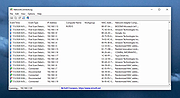 |
|
NETworkManager v2026.2.22.0 NETworkManager v2026.2.22.0 👉 Powerful open-source network management and troubleshooting tool. NETworkManager is a comprehensive open-source application designed to help administrators and power users manage, analyze, and troubleshoot network environments. It provides a wide range of built-in tools within a single, modern interface, making it easier to monitor connections, configure network settings, and diagnose connectivity issues without switching between multiple utilities. NETworkManager supports remote connections and offers advanced features for managing IP addresses, DNS, WiFi networks, ports, and more. With its modular design and extensive toolset, it is well-suited for both everyday network diagnostics and more advanced administrative tasks. Supported languages: • English, German, Spanish, French, Italian, Russian, Chinese (Simplified), Chinese (Traditional), Japanese, Korean, Portuguese, Polish Changes: v2026.2.22.0 02-22-26 Breaking Changes Migrated from .NET 8.0 (LTS) to .NET 10.0 (LTS). Upgrade your .NET Desktop Runtime to version 10.0 (LTS) - x64 before you install this version. AWS Session Manager feature has been removed. Profile and settings files have been migrated from XML to JSON. Existing files will be automatically converted to JSON on first load after the update. You should back up your settings and profile file before installing. New Features System-Wide Policies for enterprise deployment and management. Administrators can now configure system-wide policies via a config.json file in the application directory to control specific settings for all users. DNS Lookup now allows direct input for dns server ip|host:port (port - is optional) Remote Desktop connect admin (console) session Migrated Dialogs to ChildWindows This download is for the Windows portable version (very bottom of page). If you need the Windows installer version, download here. Click here to visit the author's website. |
|
4,094 | Jul 05, 2026 BornToBeRoot 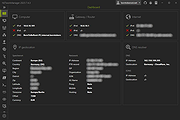 |
|
PokerTH Portable v2.1.3 PokerTH Portable v2.1.3 👉 Play Texas Hold'em poker against computer opponents or online players without installation. PokerTH Portable is the portable version of the free, open-source Texas Hold'em poker game. Play locally against computer-controlled opponents, compete with other players over a network or join games through the online PokerTH community. Games can include up to ten computer or human players. The program includes customizable cards, table themes and player avatars, along with online chat, sound effects, player statistics and configurable game rules. Since this edition is portable, it can run from a USB drive, cloud folder or local directory while keeping its settings with the program. Features: • Play Texas Hold'em poker against computer-controlled opponents • Join online multiplayer games through the PokerTH community • Create custom internet or local network games • Supports up to ten human or computer players • Spectate games already in progress • Customizable card decks, table themes and avatars • Online chat with emotes and player controls • Local and community player statistics • Configurable game rules and betting settings • Sound effects and an easy-to-use graphical interface • Runs from portable, cloud or local storage without traditional installation • Saves personal settings and game data within the portable folder Supported operating systems: • Windows 10, Windows 11 Supported languages: Afrikaans, العربية (Arabic), Беларуская (Belarusian), Български (Bulgarian), Català, 中文 (简体) (Chinese Simplified), 中文 (繁體) (Chinese Traditional), Hrvatski (Croatian), Čeština (Czech), Dansk (Danish), Nederlands (Dutch), English, English (British), Esperanto, Español (Spanish), Español (Alfabetización Internacional), Eesti (Estonian), Euskera (Basque), فارسی (Persian), Filipino, Suomi (Finnish), Français (French), Galego (Galician), Gàidhlig (Scottish Gaelic), ქართული (Georgian), Deutsch (German), Ελληνικά (Greek), עברית (Hebrew), हिन्दी (Hindi), Magyar (Hungarian), Íslenska (Icelandic), Igbo, Italiano (Italian), 日本語 (Japanese), ಕನ್ನಡ (Kannada), 한국어 (Korean), Kurdî (Kurdish), Latviešu (Latvian), Lëtzebuergesch (Luxembourgish), Lietuvių (Lithuanian), Македонски (Macedonian), Malagasy, मराठी (Marathi), Монгол Кирилл (Mongolian Cyrillic), Norsk (Norwegian), Norsk (nynorsk), Oʻzbek (Uzbek), Polski (Polish), Português (Portuguese), Português Brasileiro (Brazilian Portuguese), ... |
|
5,700 | Jul 22, 2026 PokerTH Team & PortableApps.com  |
| Showing rows 1 to 8 of 8 | Showing Page 1 of 1 | 1 |
OlderGeeks.com Copyright (c) 2026
