|

|
Processed through Paypal No account required. |








Buy our over-priced crap to help pay the bills.



|
|
Processed through Paypal No account required. |
| Files | ||||
| File Name | Rating | Downloads | ||
 |
8bit killer v8.0.0 8bit killer v8.0.0 A first person shooter styled to resemble a NES game in look and feel. ABOUT AD 2488. A long war has put human race on the edge of self-extinction. Four years ago, a space creature known as Master Brain arrived with the promise of a new dawn. Now, a huge army launched an attack to the few cities that are still on, following the plan of the creature. A small group of soldiers have formed an alliance to defend those cities and kill the master brain. This games tells the story of their final mission. 32x32 pixel textures, 64 color nes palette and 1bit sounds make this game look like an early 90s game. The soundtrack has been created by the genius RushJet1. The story, characters and scenes are inspired by films like Mad Max or 2013: Rescue in LA and by games like Contra, Megaman, Bionic Commando, Metroid, Catacomb 3D or the sequel Wolfenstein 3D, and many others... CONTROLS Move - QWEASD and cursors Status screen - Space bar Mouse - Look Mouse left buttom - Shoot Mouse right buttum - Activate Enter - Change screen mode Click here to visit the author's website. |
 |
6,425 | Sep 09, 2022 Locomalito  |
 |
Killer v0.7.4 Killer v0.7.4 Windows Task Manager with special features, written in Python. Tired of trying to kill processes with the default Windows Task Manager? Selecting one by one? So this is for you. Killer is an app with concise design which displays the processes, let search between them, order by pid/name/cpu/memory and kill multiple apps (or even all) at once. Besides that, you can also kill the children of the selected process(es), which means, all the other processes created by these (no survival chance). Note: For some reason, Firefox and Chrome are detecting this file as a virus. This is a false positive. The file has a clean score on VirusTotal and both Malwarebytes and Windows Defender detect nothing. We tested the crap out of it. It's safe. For Firefox, click the alert and choose to allow the file. For Chrome, click "Show All" on the far right and then choose to keep the file. Version 0.7.4 Fix animation and color of checkboxes Problems were occurring when updating data or switching between dark/light modes Fix data freezing when scrolling with the mouse Using the mouse wheel at the top or bottom of the list could temporarily freeze information about processes Faster search results Improve performance Click here to visit the author's website. |
|
4,123 | Nov 20, 2021 Nathan Araújo 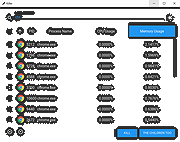 |
|
ProcessKO v6.67 ProcessKO v6.67 👉 Quickly terminate running or frozen Windows processes and programs. ProcessKO is a small, useful tool designed to quickly kill any running or hanging process or program. It is especially helpful for developers, testers, and experienced Windows users who need a faster alternative to opening Task Manager, finding a stuck task, and ending it manually. ProcessKO can also restart programs and create favorites for quickly closing troublesome applications. Features: • Quickly terminates running or hanging processes and programs • Helps avoid the longer manual Task Manager process • Can restart programs directly from within ProcessKO • Lets you create favorites for fast access to frequently terminated tasks • Portable utility that does not require installation • Useful for developers, testers, and advanced Windows users Supported operating systems: • Windows XP, Windows Vista, Windows 7, Windows 8.1, Windows 10, Windows 11 • Windows Server 2016, Windows Server 2019 Supported languages: • German, English, Russian, Swedish, French, Italian, Portuguese (Brazilian), Arabic, Serbian, Chinese Simplified, Greek, Romanian, Slovenian, Dutch, Indonesian, Hungarian, Polish, Vietnamese, Persian, Czech, Spanish, Irish, Spanish (Venezuela), Norwegian, Danish, Turkish, Chinese Traditional, Korean, Japanese, Spanish (Mexico), Bulgarian, Finnish, Spanish (Asturian) Changes: v6.67 05-16-26 Updated language files for ProcessKO—a process terminator for Windows—along with minor corrections for Windows 11, ensure that processes on Windows systems are terminated or closed reliably and without issues. This download is for the Windows 64bit version (very bottom of page). If you need the Windows 32bit version, download here. Click here to visit the author's website. |
|
9,644 | Jul 26, 2026 Nenad Hrg 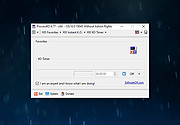 |
|
SlimBrowser 7.00.027 SlimBrowser 7.00.027 SlimBrowser is a fast and secure internet browser for Windows fully loaded with powerful features. It starts up quickly and opens web pages right in front of you with minimum delay. It is designed to let you browse the Internet carefree by guarding your personal information and protecting your privacy. SlimBrowser offers various functions and options so that you can go where you want and get whatever from you want from the Internet with as few clicks as possible and as little distraction as possible.A brief summary of important features supported by SlimBrowser is listed below:1. Built-in download manager boosts your download speed by up to 12 times and maintain a download history for you.2. Intelligent form filler saves and completes web form for you automatically.3. Popup blocker suppresses all annoying popup ads while you browse internet.4. Web form spell checker proofs your online postings against spelling mistakes.5. Ad blocker eliminate ad banners or other obtrusive components within web pages.6. Convenient access to major web search engines or your own favorite ones by Quick-Search Bar7. Built-in VBScript/Jscript/HTML/Text editor.8. A large collection of skins available to tune the browser appearance to your own taste.9. Select-and-translate feature allows you to translate any text within a web page without even leaving the page.10. Site group lets you save a collection of web sites as a group and open all of them at once with a single click.11. You can type pre-defined short alias instead of long URL to browse frequently visited internet sites.12. Much more...All the handy functionalities are packed into a compact setup file of only 2MB. Download the best browser for Windows now and see how it makes your web surfing a much more enjoyable experience. |
 |
10,034 | May 07, 2013 FlashPeak, Inc |
|
ThisIsMyFile v4.51 ThisIsMyFile v4.51 👉 Easily unlock or delete locked files and folders on Windows. ThisIsMyFile is a lightweight Windows utility designed to help users unlock, delete, rename, or move files that are locked or in use by the operating system or another application. When Windows refuses to delete or modify a file because it is currently being used, ThisIsMyFile can identify the process that is locking the file and allow you to release the lock so the file operation can proceed. The program provides a simple and portable interface where you can drag and drop a locked file to quickly determine which process is using it. From there, you can unlock the file, terminate the locking process, or delete the file immediately or at the next system restart. ThisIsMyFile is especially useful for troubleshooting stubborn files, removing leftovers from uninstalled software, or handling files that Windows reports as “access denied” or “in use.” ThisIsMyFile does not require installation and can be run directly as a portable tool, making it convenient for technicians and advanced users who need a quick way to deal with locked files without installing additional software. Features: • Unlock files that are currently in use by Windows or other programs • Identify the process that is locking a file or folder • Delete, move, or rename locked files • Option to delete files immediately or on next system restart • Drag-and-drop support for quick file analysis • Portable application with no installation required • Simple and lightweight interface designed for fast troubleshooting Supported operating systems: • Windows 7, Windows 8, Windows 10, Windows 11 Supported languages: German, English, French, Spanish, Hungarian, Turkish, Czech, Chinese Traditional, Russian, Romanian, Polish, Greek, Dutch, Portuguese, Korean, Chinese Simplified, Brazilian Portuguese, Arabic, Italian, Spanish Venezuela, Hindi, Thai, Vietnamese, Welsh, Persian, Hebrew, Malay, Indonesian, Filipino, Norwegian, Ukrainian Changes: v4.51 04-24-26 • Minor bug fixes in the ThisIsMyFile application for Windows 11 ... |
|
7,201 | May 01, 2026 Nenad Hrg 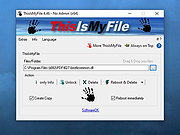 |
|
Weed Killer 1.0.1.0 Weed Killer 1.0.1.0 Aged File Removal. Weed Killer is a .NET solution to prune aged files from folders, working equally well on a single workstation, or multiple data centers. It has an MDI form to build / edit / test / execute configurations, a console worker for delegated removal , and a class for direct use in an application. Feature include: - Enhanced multi-layer wildcard support for folder-trees. - Choice of regular expressions or traditional wildcards for file or folder patterns. - Ability to specify not only inclusion, but exclusion patterns as well. - Multiple configurations per file. - Simple MDI GUI for editing and testing. - Configuration extension registered as a file type for opening directly from Windows Explorer. - Multiple configuration file editing, with copy/paste support. - Server restrictions on a configuration file, to limit what systems may execute the file when automated. - Automatic assignment/removal of delete permissions for an NT credential on a targeted root folder. Written in C# |
|
6,346 | Jan 12, 2022 John Schultz 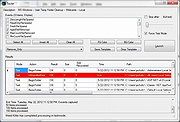 |
|
Windows Update Killer v1.6.0 Windows Update Killer v1.6.0 A simple Windows registry tweak which allows you to pause Windows updates until 12-31-2051. Windows Update Killer is a simple, no-nonsense registry tweak to pause Windows update until 2051. Allowing you to update whenever you want instead of waking up to a rebooted machine. Warning: Windows updates keep you safe. Do not pause your updates until 2051. That would be silly. Changes: v1.6.0 What's New This release contains the following changes: WPU Batch Utility feat: add new manageable apps: UnigetUI (WinGetUI) feat: add new feature to install / uninstall Windows Cortana feat: add new feature to install / uninstall Windows Copilot feat: add new feature to install / uninstall Windows Recall feat: add new menu option Scan and Repair in main menu feat: add new menu option Customize (Tweaks) in main menu new tweaks category General feat: packages now support custom --source parameter feat: add functionality to detect os build feat: new telemetry blocks added: HKCU\Software\Microsoft\Windows\CurrentVersion\Search\DeviceHistoryEnabled HKCU\Software\Microsoft\Windows\CurrentVersion\Search\HistoryViewEnabled HKCU\Software\Microsoft\Windows\CurrentVersion\Search\AllowSearchToUseLocation HKCU\Software\Policies\Microsoft\Windows\EdgeUI\DisableMFUTracking fix: menu options are no longer case sensitive fix: give proper feedback to user when disabling windows updates instead of sitting paused Registry Scripts No new changes in this release Click here to visit the author's website. |
|
1,182 | Oct 15, 2025 Aetherinox  |
| Showing rows 1 to 7 of 7 | Showing Page 1 of 1 | 1 |
OlderGeeks.com Copyright (c) 2026
