|

|
Processed through Paypal No account required. |








Buy our over-priced crap to help pay the bills.



|
|
Processed through Paypal No account required. |
| Files | ||||
| File Name | Rating | Downloads | ||
 |
digiKam v9.1.0 digiKam v9.1.0 👉 Professional photo management with the power of open source. digiKam is an advanced open-source digital photo management application for importing, organizing, editing, and sharing photos and RAW files. It provides tools for managing large photo collections, editing metadata, tagging and rating images, handling RAW camera formats, previewing media, geolocation, batch processing, export tools, and AI-assisted photo workflows. Features: • Import, organize, and manage massive collections of photos, RAW images, and videos • Supports albums, tags, labels, ratings, comments, and hierarchical organization • Advanced metadata management including EXIF, IPTC, XMP, and GPS geotagging • Integrated map tools for assigning and editing geographic coordinates • Powerful RAW image processing using the Libraw engine • Built-in image editor with cropping, resizing, sharpening, curves, color correction, filters, and restoration tools • Includes Showfoto stand-alone image editor • AI-assisted face recognition and automatic face tagging • AI tools for image quality sorting, aesthetic detection, red-eye correction, and auto-rotation • Batch Queue Manager for automating large-scale image processing operations • Advanced search and filtering using metadata, tags, ratings, colors, and custom properties • Duplicate detection and similarity matching tools • Flexible file renaming with advanced rename templates and date formatting • Side-by-side comparison and new Survey tool for reviewing media collections • Enhanced preview system with exposure indicators, magnifier, gestures, OSD overlays, and color management • Slideshow tools with transition and transparency customization • Versioning support and non-destructive workflow options • Integrated export and sharing plugins for online services and remote storage • Database support using SQLite, MySQL, and MariaDB • Multi-core processing acceleration for thumbnail generation, AI tasks, and database operations • Supports hundreds of digital cameras and image formats Supported operating systems: • Windows 10 or later 64-bit • macOS Silicon 11.3 or later • macOS Intel 10.15 or later • Linux 64-bit AppImage, glibc 2.31 or later Supported languages: • Basque, Brazilian Portuguese, Bulgarian, Catalan, Chinese Simplified, Chinese Traditional, Croatian, Czech, Danish, Dutch, English, Esperanto, Estonian, Finnish, French, Galician, ... |
 |
4,287 | Sep 28, 2026 digiKam Team 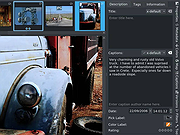 |
|
Kate v26.07.70 Kate v26.07.70 👉 Advanced multi-document text editor and source code editor for programmers. Kate is a feature-rich text editor developed by the KDE community. Designed for programmers, system administrators, and power users, it provides advanced editing capabilities including syntax highlighting, code folding, project management, powerful search and replace functions, session management, and integrated terminal access. Kate can open and edit multiple documents simultaneously using tabs and split views, making it ideal for managing large projects and working across numerous files at once. Kate supports hundreds of programming and markup languages through its extensive syntax highlighting engine and includes Language Server Protocol (LSP) integration for code completion, diagnostics, symbol navigation, and other modern development features. Its plugin architecture allows users to extend functionality with tools such as file browsers, document previews, external command execution, and Git integration. Kate is available for Linux, Windows, and macOS, providing a consistent editing experience across platforms. Features: • Multi-document and multi-window editing interface • Tabbed and split-view editing • Syntax highlighting for over 300 file formats • Code folding and bracket matching • Language Server Protocol (LSP) support • Intelligent code completion and symbol navigation • Powerful search and replace tools • Regular expression support • Session management for restoring workspaces • Project management tools • Embedded terminal window • Git integration and developer-focused plugins • Multiple cursors and selections • Vi/Vim input mode • Automatic file encoding detection • Support for local and remote file editing via network protocols • Markdown, HTML, and SVG preview support through plugins • Extensive customization options and plugin architecture Supported operating systems: • Windows 10, Windows 11 • macOS 13 Ventura or higher • Linux distributions supporting KDE Gear 26.07.70 Supported languages: Arabic, Basque, Catalan, Chinese (Simplified), Chinese (Traditional), Czech, Danish, Dutch, English, Finnish, French, Galician, German, Greek, Hebrew, Hungarian, Italian, Japanese, Korean, Norwegian Bokmεl, Polish, Portuguese, Portuguese (Brazilian), Romanian, Russian, Slovak, Slovenian, Spanish, Swedish, Turkish, Ukrainian, and many additional KDE translation languages. Changes: v26.07.70 Not provided. This download is ... |
|
2,631 | Jun 16, 2026 Kate KDE Team 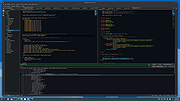 |
| Showing rows 1 to 2 of 2 | Showing Page 1 of 1 | 1 |
OlderGeeks.com Copyright (c) 2026
