|

|
Processed through Paypal No account required. |








Buy our over-priced crap to help pay the bills.



|
|
Processed through Paypal No account required. |
| Files | ||||
| File Name | Rating | Downloads | ||
 |
Artweaver Plugins and Language Files v4.0 Artweaver Plugins and Language Files v4.0 👉 Expand Artweaver with additional plugins, presets, and interface language files. Artweaver Plugins and Language Files provides a collection of official add-ons that extend the capabilities of Artweaver Free and Artweaver Plus. This package includes official filter plugins, extra presets, file format support, TWAIN scanner support, and interface language files supplied through the Artweaver add-ons archive. It also includes installation instructions for adding new language files to Artweaver. The included language files allow you to translate the Artweaver user interface and preset names into additional languages. Officially, Artweaver includes English and German, while these optional language packs add support for several additional languages contributed by the Artweaver community. Features: • Official Artweaver add-ons package • Extra brush presets, papers, gradients, and image stamps • Drop Shadow plugin • Polar Coordinates plugin • Sprite Sheet plugin • Swap Channel plugin • TWAIN32 plugin for compatible scanners and cameras • IrfanView AWD file format plugin • XnView AWD file format plugin • Community-created interface language files • Includes installation instructions for language files Supported operating systems: • Windows 10, Windows 11 Supported languages: • English, German, Brazilian Portuguese, Danish, Dutch, French, Italian, Russian, Simplified Chinese, Spanish, Traditional Chinese, Hong Kong Cantonese Changes: v4.0 07-05-26 Updated compiled package. Added current official Artweaver 8 language files: Brazilian Portuguese, Spanish, French and Dutch. Retained official Artweaver 5/6 language files: Italian, Traditional Chinese, Danish, Russian, Simplified Chinese, Hong Kong Cantonese and Spanish. Updated installation instructions for current Artweaver language file locations. Includes the latest official plugins and extra presets available from the Artweaver add-ons archive. Don't have Artweaver Free? Get it here. Click here to visit the author's website. |
 |
2,924 | Jul 05, 2026 Boris Eyrich Software/OlderGeeks.com 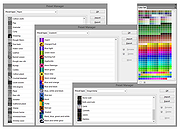 |
 |
IrfanView v4.76 IrfanView v4.76 👉 Fast, compact image viewer and converter for Windows. IrfanView is a fast and compact graphic viewer for Windows that can view images, convert files, optimize images, scan and print, create slideshows, run batch processing jobs, and handle multimedia files. It is designed to be simple for everyday viewing while still offering powerful tools for image handling, editing, conversion, and automation. Features: • Fast and compact image viewer • Freeware for non-commercial use • 32-bit, 64-bit, and Windows ARM64 versions available • View, convert, and optimize images • Scan and print support • Batch processing • Slideshow creation • Multimedia support • Unicode support • Multi-language support • PlugIn support for additional formats and features Supported operating systems: • Windows XP, Windows Vista, Windows 7, Windows 8, Windows 10, Windows 11 • Windows 11 ARM, tested on Snapdragon X Supported languages: English, German, Bulgarian, Czech, Hungarian, Korean, Polish, Portuguese-Brazil, Slovak, Chinese, Estonian, French, Greek, Italian, Japanese, Dutch, Portuguese, Russian, Slovenian, Spanish, Thai, Turkish, Latvian, Norwegian, Danish, Romanian, Ukrainian, Arabic, Finnish, Catalan, English-British, Hebrew, Lithuanian, Swedish, Uzbek Changes: v4.76 09-18-26 Option to set the Toolbar on left/right (Properties->Toolbar) Option to draw a freehand selection, menu: Edit->Set selection shape New Wallpaper menu: Choose monitor (in multi monitor environment) New Thumbnails window menu: Favorite folders (max 15 folders) New in Thumbnails folder box: Write/Paste folder path, press Enter to load Changes in Zoom Magnifier (new initial zoom, CTRL + Click goes to 100%) Support for animated AVIF files New command line option to set the wallpaper per monitor /monitor=number (needs also /wall) Paint PlugIn: Option for smooth lines; Fix in the Clone tool Several PlugIns are changed/updated, please install the newest versions: Download from: https://www.irfanview.com/plugins.htm 👉 This download is for the Windows 64bit installer version (very bottom of page). All other download assets are below: Other Windows 64bit: iview476_plugins_x64_setup.exe iview476_plugins_x64.zip Windows 32bit: iview476_setup.exe iview476_plugins_setup.exe iview476_plugins.zip Windows ARM64bit: iview476_arm64_setup.exe iview476_arm64.zip iview476_plugins_arm64_setup.exe iview476_plugins_arm64.zip Click here to visit the author's website. |
|
6,454 | Sep 22, 2026 Irfan Skiljan 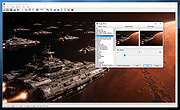 |
| Showing rows 1 to 2 of 2 | Showing Page 1 of 1 | 1 |
OlderGeeks.com Copyright (c) 2026
