|

|
Processed through Paypal No account required. |








Buy our over-priced crap to help pay the bills.



|
|
Processed through Paypal No account required. |
| Files | ||||
| File Name | Rating | Downloads | ||
 |
Belarc Advisor v13.1 Belarc Advisor v13.1 👉 Creates a detailed profile of your PC’s hardware, software, and security status. Belarc Advisor builds a comprehensive report of your computer’s installed hardware, software, network inventory, missing Microsoft hotfixes, antivirus status, and security benchmarks. The report is generated locally and displayed in your web browser, ensuring that your data remains private and is not sent to any external server. Belarc Advisor is widely used for auditing systems, tracking installed software licenses, and identifying potential security risks. It provides a clear, organized breakdown of system components, including CPU, memory, storage devices, and connected peripherals, along with detailed software version information. Features: • Creates a complete system profile including hardware and software • Displays installed applications with version and license details • Identifies missing Microsoft security updates and hotfixes • Reports antivirus status and overall system security • Shows detailed network configuration and connected devices • Generates results locally for enhanced privacy (no data uploaded) • Provides browser-based report for easy viewing and printing • Tracks software licenses for auditing and recovery purposes • Displays detailed information about CPU, RAM, drives, and peripherals Supported operating systems: • Windows 7, Windows 8, Windows 10, Windows 11 Supported languages: English Changes: Not Provided Click here to visit the author's website. |
 |
11,495 | Apr 29, 2026 Belarc, Inc. 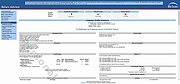 |
 |
Core Temp v1.21 Core Temp v1.21 👉 Compact CPU monitoring utility for tracking processor temperatures, loads and other vital information. Core Temp is a small, lightweight processor monitoring utility designed to display the temperature of each individual CPU core in real time. It reads the Digital Thermal Sensors built into modern Intel, AMD and VIA x86 processors, providing accurate temperature information directly from the processor rather than relying on motherboard sensors. It can also display processor model information, frequencies, load levels, power-related data and minimum, maximum and average temperature readings. Core Temp offers customizable notification-area monitoring, logging, Mini-Mode and support for plug-ins that can extend its functionality. Features: • Monitors the temperature of individual CPU cores in real time • Reads temperatures directly from the processor's Digital Thermal Sensors • Supports Intel, AMD and VIA x86 processors • Displays processor identification and model information • Shows individual core load information • Displays processor frequency information • Tracks minimum, maximum and average temperature readings • Provides configurable notification-area sensor displays • Includes a battery status indicator for the notification area • Includes a compact Mini-Mode display • Adjustable user-interface zoom • Can log processor temperature and monitoring information • Supports multiple processors and multiple cores • Motherboard-independent temperature monitoring • Provides shared-memory data for other applications • Supports plug-ins and add-ons for expanded functionality • Lightweight design with a small system footprint Supported operating systems: • Windows XP, Windows 7, Windows 8, Windows 8.1, Windows 10, Windows 11 • Windows Server 2003, Windows Server 2008, Windows Server 2012, Windows Server 2016, Windows Server 2019, Windows Server 2022, Windows Server 2025 Supported languages: English, Abkhaz, Armenian, Bulgarian, Simplified Chinese, Traditional Chinese, Catalan, Czech, Danish, Dutch, Finnish, French, Galician, German, Greek, Hebrew, Hungarian, Italian, Japanese, Korean, Norwegian, Polish, Portuguese, Romanian, Russian, Slovak, Slovenian, Spanish, Swedish, Turkish, Ukrainian, Vietnamese Changes: v1.21 10-03-26 - New: Redesign the notification tray configuration dialog. Should now be more intuitive and flexible. - Fix: Notification tray icons issues; missing ... |
|
5,443 | Oct 14, 2026 Arthur Liberman 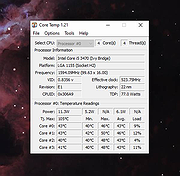 |
|
CPU-Z v3.0.1 CPU-Z v3.0.1 👉 Free system profiling tool that provides detailed information about your CPU, motherboard, memory, and more. CPU-Z is a lightweight diagnostic utility designed to provide in-depth information about your computer’s hardware. It identifies the processor name and number, codename, process, package, cache levels, and real-time core frequency. It also reports detailed information about the motherboard including chipset, BIOS version, and graphic interface details. CPU-Z displays memory information such as type, size, timings, and specifications (SPD), making it especially useful for verifying RAM configurations. The software also includes a built-in benchmark and stress test to evaluate processor performance and compare results with other systems. Features: • Processor name, codename, architecture, process, package, and cache details • Real-time core frequency and multiplier monitoring • Mainboard manufacturer, model, chipset, and BIOS information • Memory type, size, timings, and SPD data for each module • Graphics interface information • Built-in CPU benchmark and stress test • Validation feature to share system configuration Supported operating systems: • Windows 7, Windows 8, Windows 10, Windows 11 Supported languages: English, French, Spanish, German, Italian, Portuguese, Chinese (Simplified), Chinese (Traditional), Japanese, Korean, Russian Changes: v3.0.1 08-20-26 CPU-Z Validator V3 (more information *at that address*). 👉 This download is for the Windows version (very bottom of page). All other download assets are below: Other Windows: cpuz-arm64_1.05.zip (ARM64) cpu-z_1.04-win9x.zip (Vintage Edition for Windows 95/98) Click here to visit the author's website. |
|
9,391 | Oct 01, 2026 CPUID 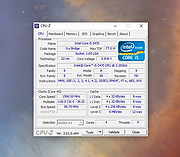 |
|
HiBit System Information v2.1.30 HiBit System Information v2.1.30 Extract details of all components of your computer. HiBit System Information is a powerful system information utility that gathers important data on the computer's hardware components. Features • Detailed information about the configuration of your computer • The storage device's health status • The laptop battery health status • List of running processes, services, drivers and startup • List of installed software • Export the computer information to the HTML file • Easy-to-use user interface • Automatic update to the latest version • Windows Vista/7/8.1/10/11 (32/64 bits) Changes: v2.1.30 (2025-01-15) Added Show Desktop Runtime and Visual C++ versions in the Software section. Updated Devices list. Minor bugs fixes. Click here to visit the author's website. |
|
10,993 | Sep 02, 2025 HiBitSoft.IR 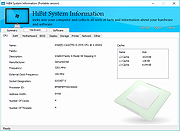 |
|
Mitec Certificate Information v1.0 Mitec Certificate Information v1.0 Tool for extracting and browsing certificates from signed files and certificates files. It has capability to export displayed certificate to PEM format. Here are supported file types: All Portable Executables (e.g. *.exe;*.dll;*.sys;*.ocx;*.acm;*.ax;*.cpl;*.scr;*.drv;*.tsp;*.rll;*.rs;*.tlb) All Structured Storage files (e.g. *.msi) All Certificate files (*.pem;*.crt;*.cer;*.p7b;*.p7c;*.der;*.pfx;*.p12) Target platforms Windows XP Windows 2003 Windows Vista Windows 7 Windows Server 2008 Windows 8 Windows 8.1 Windows Server 2012 Windows Server 2012 R2 Windows 10 Windows Server 2016 Licence Free to use for private, educational and non-commercial purposes. Click here to visit the author's website. |
|
4,798 | Nov 13, 2019 MiTeC 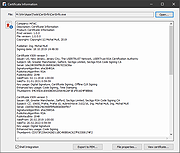 |
|
O&O DeskInfo v2.0.1033 O&O DeskInfo v2.0.1033 👉 Portable desktop system monitor that displays real-time hardware and network information directly on your desktop. O&O DeskInfo displays essential system information such as CPU usage, memory consumption, drive activity, network connections, battery status, and more directly on the Windows desktop in real time. The portable freeware utility allows users to monitor system activity without opening additional tools or menus. It also supports customizable layouts, colors, transparency, fonts, and multi-monitor positioning. O&O DeskInfo can quickly copy system details to the clipboard for troubleshooting and support purposes and includes warnings for unknown USB device connections. Features: • Real-time display of CPU, memory, drive, and network activity • Portable application with no installation required • Customizable desktop display position, colors, fonts, and transparency • Performance charts for CPU, memory, and network monitoring • Battery status display support for compatible systems • Detection of virtual machines • Profile editor with customizable columns and sortable categories • Clear distinction between local, removable, and network drives • Clipboard export for quick support and troubleshooting • Multi-monitor support • Warning notifications for unknown USB device connections • Adjustable update speeds and display modes • Tray icon integration with quick access functions • Automatic startup option with Windows Supported operating systems: • Windows 10 • Windows 11 Supported languages: • English, German, French Changes: v2.0.1033 01-28-26 • NEW: New performance charts for CPU, memory and network • NEW: Battery status display, if supported by the system • NEW: Detection of virtual machines • NEW: Greater flexibility in the profile editor with freely selectable columns and re-sortable categories • NEW: Improved customization options for the size of performance charts • NEW: Unified controls for a more consistent and clearer user interface • NEW: Extended documentation • NEW: Clearer distinction between local, removable and network drives • CHANGED: Performance charts react faster and more smoothly to display setting changes • CHANGED: Charts make better use of available space and appear overall clearer • CHANGED: Reduced visual duplication for a calmer display • ... |
|
3,674 | May 24, 2026 O&O Software GmbH 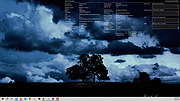 |
|
SIV (System Information Viewer) v5.88 SIV (System Information Viewer) v5.88 👉 Detailed Windows system, hardware, sensor, and network information utility. SIV (System Information Viewer) is a general Windows utility for displaying extensive system information, including CPU, PCI, PCMCIA, USB, SMBus, SPD, ACPI, machine, hardware sensor, network, and operating system details. It can also control certain AIO devices such as fans and LEDs by using the appropriate command-line option Features: • Displays detailed CPU information including processor type, features, clock speeds, and topology. • Reports motherboard, chipset, BIOS information, and firmware details. • Shows comprehensive PCI, PCIe, EISA, and PCMCIA device information. • Provides SMBus and SPD data including memory module information and sensor readings. • Displays detailed hardware sensor information including temperatures, voltages, and fan speeds. • Reports GPU information including PCIe link speed and lane configuration. • Shows USB device information and connected hardware details. • Displays ACPI information and power management related system data. • Provides detailed operating system information including installed updates and system configuration. • Shows network adapter information, IP configuration, and network statistics. • Supports viewing hardware I/O ports and device resource allocations. • Includes tools to view ghost devices and hidden hardware entries in the system. • Can generate and save detailed system reports for diagnostics or troubleshooting. • Allows optional control of supported AIO devices such as fans and LEDs via command-line options. • Designed to work across both modern and legacy Windows systems, including classic Windows 9x platforms. Supported operating systems: • Windows 11, Windows 10, Windows 8.1, Windows 8, Windows 7, Windows Vista, Windows XP, Windows Server 2022, Windows Server 2019, Windows Server 2016, Windows Server 2012, Windows Server 2008, Windows Server 2003, Windows 2000, Windows NT 4.0, Windows NT 3.51, Windows 95, Windows 98, Windows Me Supported languages: • English, Chinese (Simplified), Chinese (Traditional), Russian, Greek Changes: v5.88 10-14-26 Added GUID Class Names to [Lookup] (Menu->Help->SIV Lookup) and enable [WEB UPD] when later files are available. Added ASRock A520M-HVS ... |
|
20,321 | Oct 15, 2026 Ray Hinchliffe 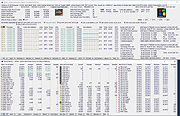 |
|
TIFF Information Viewer v1.5.1 TIFF Information Viewer v1.5.1 👉 A free, portable cross-platform utility for inspecting and decoding TIFF file structure. TIFF Information Viewer is a free Java-based utility for inspecting and decoding the structure of TIFF files. It supports most TIFF features including BigTIFF, any bit depths, and most compressions including JPEG-2000. It displays both the image and detailed TIFF tag structure, helping users explore TIFF files in depth. It also recognizes and displays metadata for popular multi-scale pyramid formats such as Aperio SVS. Features: • Inspect and decode the structure of TIFF files • Displays both image preview and detailed TIFF tag structure • Supports BigTIFF • Supports any bit depths • Supports most TIFF compressions including JPEG-2000 • Recognizes metadata for multi-scale pyramid formats such as Aperio SVS • Includes TiffInfo command-line version of the viewer • Includes TiffCopy for copying, repacking, and converting TIFF files • Includes MakeSvs for constructing Aperio SVS files from regular images • Includes demo TIFF files in the ZIP archive Supported operating systems: • Windows, Linux, macOS, other operating systems with Java Runtime Environment 21 or higher System Requirements: • Java Runtime Environment, version 21 or higher To install Java JDK: Open PowerShell (Admin) and run one of these: JDK 25 winget install Microsoft.OpenJDK.25 JDK 21 winget install -e --id Microsoft.OpenJDK.21 or Download the latest Oracle JDK for Windows 11: https://www.oracle.com/java/technologies/downloads/ Scroll to the JDK section and choose Windows x64 Installer (.exe) for your JDK version. Supported languages: English Note: This file has one hit on VirusTotal. We have confirmed this to be a false positive. The file is safe. Click here to visit the author's website. |
|
667 | May 15, 2026 Daniel Alievsky  |
|
TimVer v0.14.1 TimVer v0.14.1 👉 Displays Windows version, hardware, drive, graphics, environment, and build history information. TimVer displays the same Windows version information as the built-in Winver command, along with additional system details that Winver does not provide. It can show information about Windows, the computer's hardware, processors, BIOS, memory, disk drives, graphics controllers, environment variables, and Windows build history. TimVer also provides extensive appearance and language options, clipboard functions, portable versions, and settings backup and restore. Features: • Displays Windows version, build number, build branch, architecture, and installation date • Shows computer manufacturer, model, computer name, processor, BIOS, physical memory, and last boot information • Displays logical drive information with optional physical drive details • Shows graphics controller information including adapter name, type, description, resolution, refresh rate, and number of colors • Supports systems with multiple graphics controllers and lets you select each adapter from a dropdown • Displays current environment variables with filtering by variable name • Optionally keeps a history of installed Windows build numbers • Copies an entire supported information page to the clipboard • Copies individual values to the clipboard by right-clicking • Lets you choose the display language • Provides selectable themes, accent colors, fonts, UI sizing, and row spacing • Supports automatic light and dark theme selection when using the System theme • Exports and imports application settings for backup or transfer to another computer • Can open or list the current application settings • Includes an optional check for newer TimVer releases • Runs without elevation for normal system information gathering Supported operating systems: • Windows 10 64-bit, Windows 11 64-bit Supported languages: • English (United Kingdom), English (United States), Spanish, French, Italian, Japanese, Korean, Dutch, Slovak, Thai Changes: v0.14.1 07-25-26 Fixed an issue where mismatched information could be displayed on the Graphics (Video) Information page when two or more video controllers were present. Cleaned up and optimized video controller information retrieval and UI handling. Inactive controllers may show "Not ... |
|
2,285 | Aug 24, 2026 Tim Kennedy 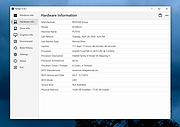 |
|
Tweaking.com - System Information 1.0.2 ==Official Mirror== Tweaking.com - System Information Tweaking.com - System Information is designed to pull information about your system in the fastest possible way. This small application can identify your computers hardware, software, startup items, processes and more in seconds and requires no installation. There are 3 levels of details the program can provide. Basic: Basic mode will pull only the basic info for each section. Moderate: Moderate will pull even more information than basic. Advanced: Advanced will pull all possible information for each section. |
 |
9,856 | Dec 21, 2013 Tweaking.com |
| Showing rows 1 to 10 of 10 | Showing Page 1 of 1 | 1 |
OlderGeeks.com Copyright (c) 2026
