|

|
Processed through Paypal No account required. |








Buy our over-priced crap to help pay the bills.



|
|
Processed through Paypal No account required. |
| Files | ||||
| File Name | Rating | Downloads | ||
 |
FastCopy v5.12.0 FastCopy v5.12.0 👉 High-speed file copy and backup software for Windows. FastCopy is a fast file copy and backup utility for Windows designed to maximize transfer performance by using multi-threaded read, write, and verify operations together with Overlapped I/O and Direct I/O. It supports Unicode file names, paths longer than MAX_PATH, and include or exclude filtering using UNIX-style wildcards. FastCopy is built to reduce the load on other running applications while delivering very high copy performance on modern storage devices. Features: • Fast file copy and backup software for Windows • Verification support for more reliable copying • Can record hash values for each file • Uses multi-threaded read, write, and verify processing • Uses Overlapped I/O and Direct I/O for high performance • Supports Unicode file names • Supports file paths longer than MAX_PATH (260 characters) • Supports include and exclude filters using UNIX-style wildcards • Lightweight design built with Win32 API only Supported operating systems: • Windows 7, Windows 8, Windows 8.1, Windows 10, Windows 11 • Windows Server 2012, Windows Server 2012 R2, Windows Server 2016, Windows Server 2019, Windows Server 2022, Windows Server 2025 Supported languages: • English, Japanese, Chinese Changes: v5.11.3 08-18-26 Added an option to Shell Extension to replace Explorer's standard drag & drop / paste with FastCopy. (Default: OFF) Various security enhancements. - Enabled CET Shadow Stack (/CETCOMPAT). - Enabled Control Flow Guard (/guard:cf). - Stricter DLL loading (added /DEPENDENTLOADFLAG:0x800). - (Already enabled: /GS, /NXCOMPAT (DEP), /SAFESEH (x86), /DELAYLOAD, /DYNAMICBASE, /HIGHENTROPYVA, SetDefaultDllDirectories) Note: This file has one hit on VirusTotal. We have confirmed this to be a false positive. The file is safe. Note: If you need the portable version, use the "Extract" button in the installer. Click here to visit the author's website. |
 |
12,523 | Aug 21, 2026 SHIROUZU Hiroaki 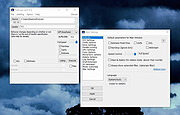 |
|
FileVoyager v26.9.6.0 FileVoyager v26.9.6.0 👉 A powerful dual-pane file manager and viewer for Windows. FileVoyager is a freeware Orthodox file manager (OFM) for Microsoft Windows that uses a dual-pane layout to make browsing, organizing, comparing, and transferring files easier. It can browse disks, folders, shares, archives, and FTP/FTPS locations in one unified interface, while also offering built-in viewers, archive handling, folder synchronization, file comparison, hashing, and media playback support. Features: • Dual-pane Orthodox file manager layout • Browse disks, folders, virtual folders, shares, archives, and FTP/FTPS locations • Multiple view modes, including report and thumbnail views • Rename, copy, move, link, delete, and recycle files • Pack and unpack ZIP, 7Zip, GZip, BZip2, XZ, Tar, and WIM archives • Unpack ARJ, CAB, XAR, Z, RAR, LZH, LZMA, ISO, WIM, and many other formats • Built-in file and folder comparison • Folder synchronization tools • Duplicate file finder • Advanced search and filtering • Quick preview for many file formats • Multimedia playback using installed codecs, Windows Media Player, and VLC support • Ebook and comic book viewing, including PDF, EPUB, MOBI, FB2, DJVU, CBR, CBZ, and XPS • Syntax highlighting for many source code formats • Hexadecimal and flat file viewing modes • Hash tool with VirusTotal-powered malware report • Dark Mode and customizable themes • Available as Setup or Portable editions • Optional VLC codec packages Supported operating systems: • Windows 10, Windows 11 • Should also run on Windows Vista, Windows 7, Windows 8.x, but these are not tested Supported languages: Arabic, Chinese Simplified, Czech, Danish, Dutch, English, French, German, Greek, Hungarian, Italian, Japanese, Korean, Polish, Portuguese, Portuguese (Brazil), Russian, Slovak, Slovenian, Spanish, Swedish Changes: v26.9.6.0 09-06-26 + New: Viewer: The main new feature in this release is folder analytics in the Viewer, with a dedicated panel providing key metrics and insights about a folder selected. + New: Browse: Added Archive & Unarchive commands in the Central toolbar, under Tools. ~ Chg: Global: Mask labels, visible in the various filter ... |
|
5,800 | Sep 11, 2026 FileVoyager 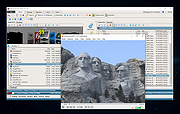 |
|
Grayslate v0.4.0 Grayslate v0.4.0 👉 A fast, free developer scratchpad for working with code, data, text and large files. Grayslate is a free and open source, cross-platform developer scratchpad designed for the small jobs that come up while coding or working with data. Paste an API response, inspect JSON, explore a large CSV, transform or encode text, preview Markdown, work with code snippets or simply capture a quick thought. Grayslate recognizes the content you are working with and puts appropriate transformations at your fingertips. New slates are automatically given useful names and extensions, saved locally as you type and made searchable for later use. Files opened from elsewhere on your computer are only changed when you explicitly save them. All transformations run locally, with no account, cloud upload or telemetry required. Features: • Automatically recognizes pasted or opened content and suggests relevant transformations • Includes more than 80 built-in transformations for code, data and text • Recognizes more than 40 programming, markup and data languages/formats from file extensions, shebangs or content • Automatically names new slates, chooses useful file extensions and saves them locally as you type • Browse recent slates or search saved slates by name and content • Opens text and CSV files up to 200 MB • Rust-backed, virtualized CSV table handles files containing hundreds of thousands of rows while keeping scrolling responsive • JSON tools include formatting, minifying, validation, key sorting, JSON/YAML conversion, JSON-to-CSV, JSON-to-TypeScript and JSON Lines conversion • Right-click JSON keys or values to copy the JSON path, key or value • CSV-to-JSON conversion with automatic delimiter detection • Base64 and Base64URL encoding and decoding • Gzip/Base64 conversion, hexadecimal/ASCII conversion, URL encoding/decoding and HTML entity encoding/decoding • Decode JWT data without verification • Generate SHA-256, SHA-512, SHA-1, MD5 and CRC32 hashes • Text tools include upper, lower, Title, camel, snake, kebab and sPoNgE case conversions • Sort and reverse lines, reverse strings, remove duplicate ... |
|
184 | Aug 27, 2026 Shriram Ethiraj 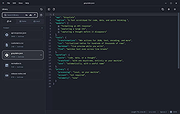 |
|
Hashing v2.1 Hashing v2.1 Simple utility to calculate and compare hashes of multiple files Features: MD5, SHA1, SHA256, SHA384, SHA512, CRC32 and RIPEMD160 algorithms supported Choose which hashes you want to calculate Compare and group identical files together Compare multiple files against hash sums Open in VirusTotal (works only SHA256) Drag n' drop any number of files and folder Option to save hashes in JSON files Option for analyzing JSON files Option for lower character casing Option for decimal CRC32 Process high priority support Tray icon support Option to stay always on top Single-instance support Compatibility: .NET Framework 4.5.2 Compatible with Windows 7, 8, 8.1, 10 Does not work with Windows XP or Vista Click here to visit the author's website. |
|
5,574 | Jan 30, 2020 hellzerg 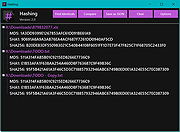 |
| Showing rows 1 to 4 of 4 | Showing Page 1 of 1 | 1 |
OlderGeeks.com Copyright (c) 2026
