|

|
Processed through Paypal No account required. |








Buy our over-priced crap to help pay the bills.



|
|
Processed through Paypal No account required. |
| Files | ||||
| File Name | Rating | Downloads | ||
 |
EtherApe v0.9.21 EtherApe v0.9.21 A graphical network traffic monitor for Linux with animated, real-time visualizations. EtherApe is a graphical network monitoring tool that displays network activity using animated connections and nodes. It provides a live, intuitive view of traffic flows, protocols, and hosts, making it easy to see what is happening on your network at a glance. EtherApe supports multiple capture methods and protocol layers, allowing users to filter, zoom, and inspect traffic in real time while maintaining a lightweight footprint. Features: • Real-time graphical visualization of network traffic • Animated links showing traffic volume between hosts • Supports multiple protocol layers and protocol grouping • Live packet capture using libpcap • Traffic filtering by protocol, host, or network • Zoomable and pannable network maps • Configurable color schemes and display options • Lightweight GTK-based interface Supported operating systems: • Linux, BSD, macOS (X11), Windows (via compatibility layers) System Requirements: • The libpcap packet capture library, available from the Lawrence Berkeley National Laboratory. • GTK+ and GTK Builder, available from the GTK+ site. Version 3.0 or above is needed. • The standard resolver library (exact name varies with OS and distribution) Changes: v0.9.21 (Monday, September 15, 2025) GooCanvas was unsupported and getting really old, replaced by GtkDrawingArea. --final-export is primarily meant to be used from other tools as a way to get statistics data from a replay. As such, --final-export exits automatically after the file replay ends and the dump is written. Compatibility Warnings: removed GooCanvas dependency, drawing now done with plain Gtk new behavior for --final-export: exit after saving the XML dump Changes summary: Updated german translation, thanks to Christoph Brinkhaus. Fix for german translation, thanks to Ronald W. Henderson Fix for gcc 15, thanks to Petr Gajdos Assorted refactorings and small modernizations, including autotools Click here to visit the author's website. |
 |
3,595 | Feb 09, 2026 EtherApe Devs 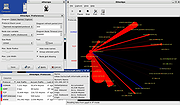 |
|
PDF Arranger v1.14.0 PDF Arranger v1.14.0 👉 Merge, split, rotate, crop and rearrange PDF pages with an easy graphical interface. PDF Arranger is a lightweight open-source application for merging, splitting, rotating, cropping, and rearranging PDF documents through a simple drag-and-drop graphical interface. Built with Python and GTK, it allows users to visually organize pages and create new PDF layouts without needing complex editing software. PDF Arranger is based on the functionality of PDF-Shuffler and uses pikepdf for PDF manipulation. It is designed to be fast, efficient, and easy to use for both casual and advanced users needing quick PDF document management. Features: • Merge multiple PDF documents into a single file • Split PDF documents into separate pages or ranges • Rotate pages individually or in groups • Crop pages visually • Rearrange pages using drag-and-drop • Duplicate pages quickly • Zoom and preview PDF pages • Supports password-protected PDFs • Import image files and convert them into PDF pages • Undo and redo editing actions • Customizable keyboard shortcuts • Open-source and cross-platform Supported operating systems: • Windows 10, Windows 11 • macOS • Linux • FreeBSD Supported languages: Arabic, Catalan, Catalan (Valencian), Czech, Danish, German, Greek, English, Spanish, Basque, Finnish, French, Hebrew, Croatian, Hungarian, Indonesian, Icelandic, Italian, Japanese, Georgian, Korean, Dutch, Occitan, Polish, Portuguese (Brazil), Portuguese (Portugal), Russian, Slovenian, Swedish, Turkish, Ukrainian, Vietnamese, Simplified Chinese, Traditional Chinese Changes: v1.14.0 04-13-26 • Added support for importing JBIG2 image files • Improved crop dialog behavior • Added new keyboard shortcuts • Improved handling of password-protected PDFs • Updated translations • Fixed several bugs and stability issues This download is for the Windows version (very bottom of page). Linux install instructions below: For Linux: pdfarranger requires pikepdf >= 6. pip will automatically install the latest pikepdf if there is no pikepdf installed on the system. On Debian based distributions sudo apt-get install python3-pip python3-wheel python3-gi python3-gi-cairo \ gir1.2-gtk-3.0 gir1.2-poppler-0.18 gir1.2-handy-1 python3-setuptools \ gettext python3-dateutil python3-venv On Arch Linux sudo pacman -S poppler-glib python-pip python-gobject ... |
|
5,121 | May 28, 2026 Jerome Robert 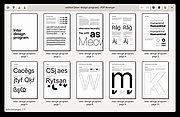 |
| Showing rows 1 to 2 of 2 | Showing Page 1 of 1 | 1 |
OlderGeeks.com Copyright (c) 2026
