|

|
Processed through Paypal No account required. |








Buy our over-priced crap to help pay the bills.



|
|
Processed through Paypal No account required. |
| Files | ||||
| File Name | Rating | Downloads | ||
 |
HopToDesk v1.46.50 WARNING: If someone you don’t know called you... or you dialed a number that suddenly appeared on your screen... and they told you to download this program... IT IS A SCAM. HANG UP IMMEDIATELY! HopToDesk v1.46.50 👉 Free and secure remote desktop software with screen sharing, remote control, file transfer, and live chat. HopToDesk is a free remote desktop tool that lets you share your screen, remotely control computers and devices, transfer files, and chat during support sessions. It is free for personal and commercial use, open source, and uses end-to-end encryption for screen sharing, chats, and file transfers. Features: • Remote desktop control • Screen sharing • File transfer • Live chat • End-to-end encrypted traffic • Free for personal and commercial use • Open source • Portable mode on Windows • Installed mode with background service support • Unattended access with permanent password • Direct IP access • IP whitelisting • SOCKS5 proxy connections • Remote terminal • Port forwarding • Camera / view-only mode • Quick Support mode • Address book and tags • LAN discovery • Multiple screen support • Remote printing on Windows and macOS • Audio streaming • Session recording • Screenshots • Switch sides during a session • Privacy mode on Windows and macOS • Two-factor authentication • Clipboard sync permission control • File transfer permission control • Remote restart permission control • TCP tunneling permission control • Wake On LAN permission support Supported operating systems: • Windows XP, Windows 7 or newer • macOS 10.14 Mojave or newer • Ubuntu 18.04 or newer, Debian 9 or newer, CentOS 7 or newer, openSUSE 42/15 or equivalent, Fedora, Manjaro, AppImage, Flatpak • FreeBSD 13 or newer • Raspberry Pi 2 and newer • ChromeOS devices compatible with Google Play • Android 5.0 or newer • iOS 11.0 or newer Supported languages: English, French, Spanish, Portuguese, German, Dutch, Polish, Czech, Norwegian, Swedish, Russian, Turkish, Hebrew, Arabic, Bahasa, Vietnamese, Simplified Chinese, Traditional Chinese, Japanese, Korean, Thai Changes v1.46.50 09-12-2026 Wayland, Windows Server and other Linux improvements, translation updates. This download is for the Windows 64bit version (very bottom of ... |
 |
4,657 | Sep 16, 2026 HopToDesk 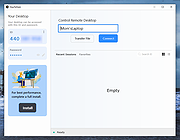 |
|
Password Safe v3.72.2 Password Safe v3.72.2 👉 Secure, open-source password manager for storing logins in an encrypted database. Password Safe helps you securely store usernames, passwords, and other login details in an encrypted database protected by a single master password. Designed by Bruce Schneier, it focuses on simple, local password management while offering tools such as AutoType, password policies, import and export options, database compare and merge functions, filters, reports, and multiple viewing modes for organizing entries. Features: • Stores usernames, passwords, and related notes in an encrypted database • Uses one master password to unlock and access all stored entries • Copies passwords, usernames, notes, and authentication codes from the toolbar • Supports AutoType for entering credentials into other windows • Can browse to a stored URL and execute AutoType • Includes password policy management and password generation options • Supports password history • Lets you organize entries in nested tree or flattened list views • Supports filters, subviews, reports, and search tools • Can import from text, XML, and KeePass V1 databases • Can export to text, XML, and older Password Safe database formats • Includes compare, merge, and synchronize tools for safes • Supports keyboard shortcuts and drag-and-drop style Dragbar entry actions • Open source and designed for straightforward local password management Supported operating systems: • Windows 7 and later • macOS 10.14 Mojave and later • Linux distributions with available packages • FreeBSD Supported languages: Arabic, Czech, Chinese, Danish, Dutch, French, German, Hungarian, Italian, Korean, Polish, Portuguese (Brazilian), Russian, Slovak, Slovenian, Spanish, Swedish, Turkish Changes: v3.72.2 09-06-26 Bugs Fixed GH1898 Arrow keys can now be used to navigate between Custom Value rows. GH1892 Regression: In the Add/Edit dialog's Basic tab, Alt-N (or the equivalent for non-English langauges) set the keyboard focus to the Notes field. SF1636 Minor UI issues in Custom Values display (column width) and edit (use correct font). ... |
|
8,497 | Sep 15, 2026 Bruce Schneier 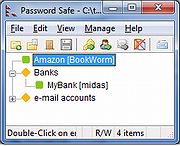 |
 |
PDF Arranger v1.14.0 PDF Arranger v1.14.0 👉 Merge, split, rotate, crop and rearrange PDF pages with an easy graphical interface. PDF Arranger is a lightweight open-source application for merging, splitting, rotating, cropping, and rearranging PDF documents through a simple drag-and-drop graphical interface. Built with Python and GTK, it allows users to visually organize pages and create new PDF layouts without needing complex editing software. PDF Arranger is based on the functionality of PDF-Shuffler and uses pikepdf for PDF manipulation. It is designed to be fast, efficient, and easy to use for both casual and advanced users needing quick PDF document management. Features: • Merge multiple PDF documents into a single file • Split PDF documents into separate pages or ranges • Rotate pages individually or in groups • Crop pages visually • Rearrange pages using drag-and-drop • Duplicate pages quickly • Zoom and preview PDF pages • Supports password-protected PDFs • Import image files and convert them into PDF pages • Undo and redo editing actions • Customizable keyboard shortcuts • Open-source and cross-platform Supported operating systems: • Windows 10, Windows 11 • macOS • Linux • FreeBSD Supported languages: Arabic, Catalan, Catalan (Valencian), Czech, Danish, German, Greek, English, Spanish, Basque, Finnish, French, Hebrew, Croatian, Hungarian, Indonesian, Icelandic, Italian, Japanese, Georgian, Korean, Dutch, Occitan, Polish, Portuguese (Brazil), Portuguese (Portugal), Russian, Slovenian, Swedish, Turkish, Ukrainian, Vietnamese, Simplified Chinese, Traditional Chinese Changes: v1.14.0 04-13-26 • Added support for importing JBIG2 image files • Improved crop dialog behavior • Added new keyboard shortcuts • Improved handling of password-protected PDFs • Updated translations • Fixed several bugs and stability issues This download is for the Windows version (very bottom of page). Linux install instructions below: For Linux: pdfarranger requires pikepdf >= 6. pip will automatically install the latest pikepdf if there is no pikepdf installed on the system. On Debian based distributions sudo apt-get install python3-pip python3-wheel python3-gi python3-gi-cairo \ gir1.2-gtk-3.0 gir1.2-poppler-0.18 gir1.2-handy-1 python3-setuptools \ gettext python3-dateutil python3-venv On Arch Linux sudo pacman -S poppler-glib python-pip python-gobject ... |
|
5,119 | May 28, 2026 Jerome Robert 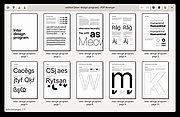 |
|
SuperTux v0.7.0 SuperTux v0.7.0 👉 Open-source 2D jump-and-run platformer inspired by classic Super Mario-style games. SuperTux is an open-source classic 2D jump'n run sidescroller game in a style similar to the original Super Mario games. Run and jump through multiple worlds, fight enemies by jumping on them, bumping them from below or tossing objects at them, grab power-ups, and play through Story Mode where Tux sets out to rescue Penny. The game also includes community-contributed levels and an integrated level editor for creating content. Features: • Classic 2D side-scrolling platform gameplay • Multiple worlds, enemies, power-ups, and objects • Story Mode starring Tux and Penny • Integrated level editor • Community-contributed add-on levels • Local multiplayer mode • New gameplay mechanics including keys, item pocket, and unlockable bonus islands via Tux Dolls • Revamped graphics, enemies, backgrounds, and music in v0.7.0 Supported operating systems: • Windows, macOS, GNU/Linux, Android, FreeBSD Supported languages: • SuperTux supports over 80 languages for its user interface (UI), including English, French, German, Spanish, Portuguese (Brazilian and European), Russian, and simplified Chinese. Changes: v0.7.0 03-15-26 Brand new sprites and abilities for Tux: slope sliding, strong buttjumping, rock rolling, and crawling Revamped graphics for most backgrounds, tiles, objects, and badguys Complete level design + story rework of the Story Mode, Revenge in Redmond, and Bonus Island I Not only new NPCs (e.g: Granito) and enemies (e.g: DiveMine, Fish, and Corrupted Granito), but also revamps for numerous enemies such as: GoldBomb, Igel, Ghoul, and both bosses (Yeti and Ghost Tree) New music Level editor revamp Local multiplayer mode New gameplay mechanics such as glinted enemies, keys, the item pocket, and unlockable bonus islands via Tux Dolls Many internal improves and code refactoring, such as moving to SimpleSquirrel Improvements to compilation/porting, including CMake refactor, Android revival, and Flatpak builds This download is for the Windows 64bit installer version (very bottom of page). All other download assets are below: Other Windows: SuperTux-v0.7.0-win32.msi SuperTux-v0.7.0-win64-portable.zip SuperTux-v0.7.0-win32-portable.zip macOS: SuperTux-v0.7.0-Darwin-x86_64.dmg SuperTux-v0.7.0-Darwin-arm64.dmg Linux: SuperTux-v0.7.0.glibc2.38-x86_64.AppImage SuperTux-x86_64.flatpak Android: SuperTux-v0.7.0-x86_64.apk SuperTux-v0.7.0-x86.apk SuperTux-v0.7.0-arm64-v8a.apk SuperTux-v0.7.0-armeabi-v7a.apk Click here to visit the author's website. |
|
687 | Mar 18, 2026 The SuperTux Team  |
| Showing rows 1 to 4 of 4 | Showing Page 1 of 1 | 1 |
OlderGeeks.com Copyright (c) 2026
