|

|
Processed through Paypal No account required. |








Buy our over-priced crap to help pay the bills.



|
|
Processed through Paypal No account required. |
| Files | ||||
| File Name | Rating | Downloads | ||
 |
FotoSketcher v4.50 FotoSketcher Studio v4.50 👉 Turn photos into paintings, sketches, and artistic effects with a free image editing tool. FotoSketcher Studio is a free creative image editor that transforms photos into artwork using artistic effects such as pencil sketches, painting styles, drawing effects, and photo filters. It also includes tools to enhance original images, add frames and text, batch process multiple images, manually retouch selected areas, combine multiple filters, and create custom effects with scripts. It is free to use, including for commercial use. Features: • Turn photos into paintings, sketches, drawings, and photo effects • Includes 14 artistic effects spanning pencil, drawing, painting, and photo filter styles • Batch processing for applying effects to multiple images at once • Manual brush for selectively applying effects to chosen areas of an image • Can improve original photos with contrast, sharpening, luminosity, saturation, and other adjustments • Lets you add simple or realistic frames and text to images • Can combine multiple filters for mixed artistic results • Supports custom effect creation through scripts • Includes Vintage Sepia and Retro Film photo effects in v4.10 • Automatic system language detection with a keyboard shortcut to change interface language • Manual brush panning with CTRL + Left Mouse Button drag • Digitally signed Windows and macOS releases Supported operating systems: • Windows 10, Windows 11 • macOS (Intel, Apple Silicon) Supported languages: • Chinese, German, English, Spanish, French, Italian, Japanese, Korean, Dutch, Polish, Portuguese Changes: v4.50 07-27-26 This version brings a new painting effect, an image watermark tool, full keyboard navigation and a rather long list of improvements and fixes. New Gouache Painting effect 🎨 A new Gouache Painting effect joins the Painting category. Gouache sits somewhere between watercolour and oil paint: thick, opaque, with a matte finish and visible brushstrokes. Watermark and logo tool The "Add text" window has been expanded into "Add text/watermark". You can now load any image file (PNG with transparency, JPG, or other formats) ... |
 |
10,837 | Aug 12, 2026 David Thoiron 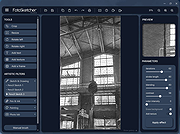 |
| Showing rows 1 to 1 of 1 | Showing Page 1 of 1 | 1 |
OlderGeeks.com Copyright (c) 2026
