|

|
Processed through Paypal No account required. |








Buy our over-priced crap to help pay the bills.



|
|
Processed through Paypal No account required. |
| Files | ||||
| File Name | Rating | Downloads | ||
 |
Grayslate v0.4.0 Grayslate v0.4.0 👉 A fast, free developer scratchpad for working with code, data, text and large files. Grayslate is a free and open source, cross-platform developer scratchpad designed for the small jobs that come up while coding or working with data. Paste an API response, inspect JSON, explore a large CSV, transform or encode text, preview Markdown, work with code snippets or simply capture a quick thought. Grayslate recognizes the content you are working with and puts appropriate transformations at your fingertips. New slates are automatically given useful names and extensions, saved locally as you type and made searchable for later use. Files opened from elsewhere on your computer are only changed when you explicitly save them. All transformations run locally, with no account, cloud upload or telemetry required. Features: • Automatically recognizes pasted or opened content and suggests relevant transformations • Includes more than 80 built-in transformations for code, data and text • Recognizes more than 40 programming, markup and data languages/formats from file extensions, shebangs or content • Automatically names new slates, chooses useful file extensions and saves them locally as you type • Browse recent slates or search saved slates by name and content • Opens text and CSV files up to 200 MB • Rust-backed, virtualized CSV table handles files containing hundreds of thousands of rows while keeping scrolling responsive • JSON tools include formatting, minifying, validation, key sorting, JSON/YAML conversion, JSON-to-CSV, JSON-to-TypeScript and JSON Lines conversion • Right-click JSON keys or values to copy the JSON path, key or value • CSV-to-JSON conversion with automatic delimiter detection • Base64 and Base64URL encoding and decoding • Gzip/Base64 conversion, hexadecimal/ASCII conversion, URL encoding/decoding and HTML entity encoding/decoding • Decode JWT data without verification • Generate SHA-256, SHA-512, SHA-1, MD5 and CRC32 hashes • Text tools include upper, lower, Title, camel, snake, kebab and sPoNgE case conversions • Sort and reverse lines, reverse strings, remove duplicate ... |
 |
184 | Aug 27, 2026 Shriram Ethiraj 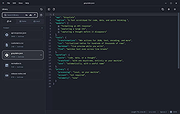 |
 |
SD Memory Card Formatter v5.0.3 SD Memory Card Formatter v5.0.3 Free formatter for SD/SDHC/SDXC/SDUC memory cards in Windows, macOS and Linux. The SD Memory Card Formatter formats SD Memory Card, SDHC Memory Card, SDXC Memory Card and SDUC Memory Card (respectively SD/SDHC/SDXC/SDUC Cards) complying with the SD File System Specification created by the SD Association (SDA). It is strongly recommended to use the SD Memory Card Formatter to format SD/SDHC/SDXC/SDUC Cards rather than using formatting tools provided with individual operating systems. In general, formatting tools provided with operating systems can format various storage media including SD/SDHC/SDXC/SDUC Cards, but it may not be optimized for SD/SDHC/SDXC/SDUC Cards and it may result in lower performance. SD/SDHC/SDXC Cards have a “Protected Area” for SD Card security purposes. The SD Memory Card Formatter does not format the protected area in the SD/SDHC/SDXC Cards. The protected area shall be formatted by an appropriate PC application or SD host devices that provide SD security function. Note: SDUC Card has no Protected Area. The SD Memory Card Formatter doesn’t support SD/SDHC/SDXC/SDUC Card encrypted by the “BitLocker To Go” functionality of Windows. Please format the SD/SDHC/SDXC/SDUC Card after it has been unlocked. Supported operating systems: Windows 10 Version 22H2 Windows 11 Version 22H2 Windows 11 Version 23H2 Windows 11 Version 24H2 macOS 11 Big Sur macOS 12 Monterey macOS 13 Ventura macOS 14 Sonoma macOS 15 Sequoia Note: If you have a Mac with Apple silicon, e.g. M1, you might be asked to install Rosetta in order to open the SD Card Formatter. Important: Administrator Rights is required for Windows and macOS to execute SD Memory Card Formatter. User's Manuals English Japanese This download is for the Windows version (very bottom of page). All other download assets are below: macOS: Install SD Card Formatter.mpkg Linux: SDCardFormatterv1.0.3_Linux_x86_64.tgz SDCardFormatterv1.0.3_Linux_ARM64.tgz Click here to visit the author's website. |
|
1,364 | Dec 20, 2024 Tuxera 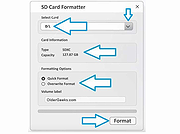 |
| Showing rows 1 to 2 of 2 | Showing Page 1 of 1 | 1 |
OlderGeeks.com Copyright (c) 2026
