|

|
Processed through Paypal No account required. |








Buy our over-priced crap to help pay the bills.



|
|
Processed through Paypal No account required. |
| Files | ||||
| File Name | Rating | Downloads | ||
 |
DeepTaskScan v1.0.0 DeepTaskScan v1.0.0 👉 Portable Windows forensics tool for detecting hidden and persistent scheduled tasks. DeepTaskScan is an advanced Windows scheduled task viewer and forensics tool designed to uncover scheduled tasks that may be hidden from standard Windows utilities. Unlike Task Scheduler, schtasks, PowerShell and similar tools, it uses a different scanning method rather than relying on Windows API calls to discover scheduled tasks. This can help system administrators, technicians and security researchers identify tasks concealed through techniques involving deleted task files or registry keys. The developer notes that such techniques have been used by state-backed Advanced Persistent Threat (APT) groups. DeepTaskScan is completely portable, requires no installation and is available in both 32-bit and 64-bit versions. Features: • Deeply scans Windows for scheduled tasks using an alternative detection method • Detects scheduled tasks hidden through advanced techniques • Does not rely on Windows API calls for scheduled task detection • Helps uncover tasks that may not appear in Windows Task Scheduler • Can detect more scheduled task entries than Task Scheduler, PowerShell and other standard tools • Highlights hidden or persistent entries • Can help detect APT activity involving hidden Task Scheduler entries • Allows discovered information to be extracted to a file • Useful for system administration, troubleshooting and security forensics • Available as separate 32-bit and 64-bit executables • Completely portable with no installation required Supported operating systems: • Windows 7 or newer Supported languages: • English Changes: v1.0.0 08-16-26 Initial release. This download is for the Windows 64bit version (very bottom of page). If you need the Windows 32bit version, download here. Click here to visit the author's website. |
 |
352 | Aug 20, 2026 Emir Alp Kocak  |
|
MobileFileSearch v1.51 MobileFileSearch v1.51 👉 Search files inside smartphones and tablets connected through USB MTP mode. MobileFileSearch is a lightweight utility that allows you to search files stored on smartphones, tablets, and other portable devices connected to your computer through USB using the Media Transfer Protocol (MTP). It can quickly scan connected devices and display matching files based on filename, extension, size, date, and other search filters. MobileFileSearch is especially useful for locating photos, videos, documents, music, APK files, and other content stored on Android devices or portable media players without manually browsing through folders. Search results can be copied, exported, or opened directly from the interface for easier file management. Be aware that this tool is useful if your Smartphone/Tablet uses the Media Transfer Protocol (MTP) to view and transfer files via USB. Features: • Search files on smartphones and tablets connected through USB • Works with devices using the Media Transfer Protocol (MTP) • Filter results by filename, extension, size, and modified date • View full file paths and file details • Open files directly from search results • Export search results to text, CSV, HTML, JSON, or XML • Lightweight and portable utility with no installation required • Supports drag-and-drop exporting of files • Command-line support for advanced usage Supported operating systems: • Windows 7, Windows 8, Windows 8.1, Windows 10, Windows 11 Supported languages: • English Changes: v1.51 05-11-26 • Fixed bug: MobileFileSearch crashed when using the 'Open Folder In Explorer' option and the folder path contained a slash character ('/'). This download is for the Windows 64bit version (very bottom of page). If you need the Windows 32bit version, download here. Click here to visit the author's website. |
|
5,292 | Jun 03, 2026 Nir Sofer 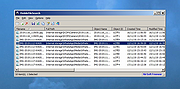 |
|
USBDriveLog v1.15 USBDriveLog v1.15 👉 Displays a log of USB drives plugged into Windows 10 and Windows 11 computers. USBDriveLog displays a log of all USB drives plugged into your computer, including device model, revision, manufacturer, serial number, plug time, unplug time, device ID, device capacity, and more. It can retrieve USB drive log information from the local computer, a remote computer on your network, or an external hard drive. Features: • View USB drive connection and disconnection history • Displays model, manufacturer, serial number, device ID, capacity, plug time, and unplug time • Read logs from the local computer • Read logs from a remote computer on your network • Read logs from an external Windows drive • Export selected items to text, CSV, HTML, XML, or JSON • Copy selected entries to the clipboard • Standalone portable executable with no installation required Supported operating systems: • Windows 10, Windows 11 • 32-bit and 64-bit systems supported Supported languages: English, Dutch, French, German, Greek, Hungarian, Italian, Japanese, Persian, Polish, Russian, Simplified Chinese, Slovak, Traditional Chinese, Turkish Changes: v1.15 Fixed a bug with the 'Mark Odd/Even Rows' option. Click here to visit the author's website. |
|
3,705 | May 22, 2026 Nir Sofer 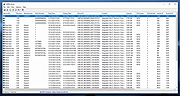 |
| Showing rows 1 to 3 of 3 | Showing Page 1 of 1 | 1 |
OlderGeeks.com Copyright (c) 2026
